Tabs

by Huajin
5
4
3
2
1
Score: 51/100

Description

Category: Note Enhancements

The Tabs plugin is a game-changer for Obsidian users who want to organize their notes with ease. With this plugin, you can create customizable tabs that allow you to group related content together, making it easier to navigate and find what you're looking for. The plugin supports nested tabs, allowing you to create complex structures for your notes. You can also customize the appearance of your tabs by choosing from different navigation options, such as top, left, right, or bottom. Additionally, the plugin offers an editor that allows you to edit tab content directly, and you can even save changes automatically with customizable intervals. With its powerful features and flexibility, the Tabs plugin is a must-have for anyone looking to streamline their Obsidian experience.

Reviews

No reviews yet.

Stats

180
stars
29,332
downloads
10
forks
698
days
195
days
195
days
1
total PRs
0
open PRs
0
closed PRs
1
merged PRs
80
total issues
46
open issues
34
closed issues
37
commits

Latest Version

6 months ago

Changelog

Fixed bug causing multi-line nav titles to fail.

README file from

Github

Obsidian Tabs

Thanks to the Code Tab plugin for the inspiration, but since it had not been updated for a long time and it wasn't support edit content directly, I refactored the plugin and added a lot of features.

[!WARNING] Please refrain from entering tasks directly within the Tabs code block.

The Tabs function operates based on the code block. In Obsidian, text within a code block is treated as plain text. Consequently, if you input tasks inside a code block, neither the tasks plugin nor the dataview plugin will be able to recognize them.
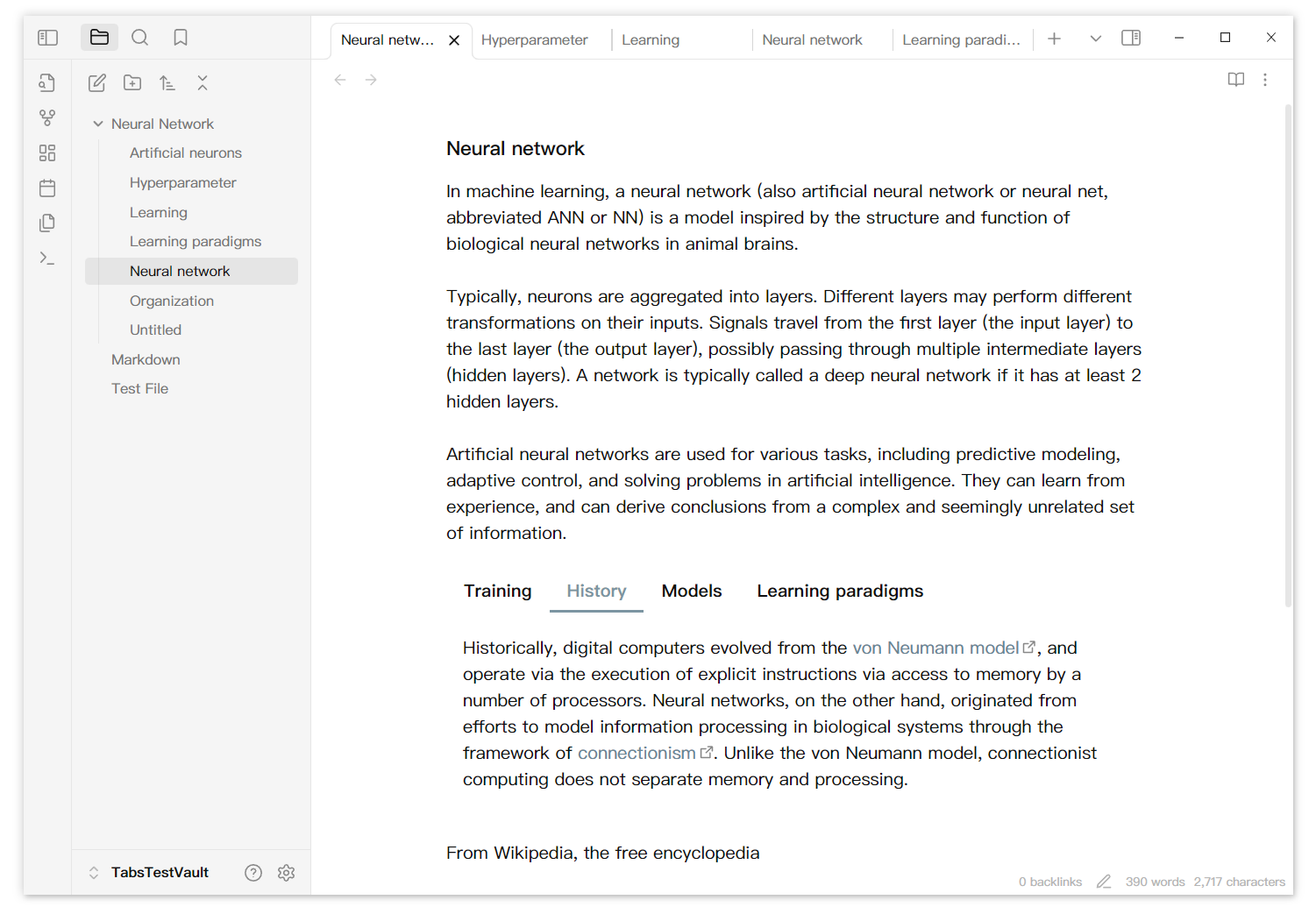
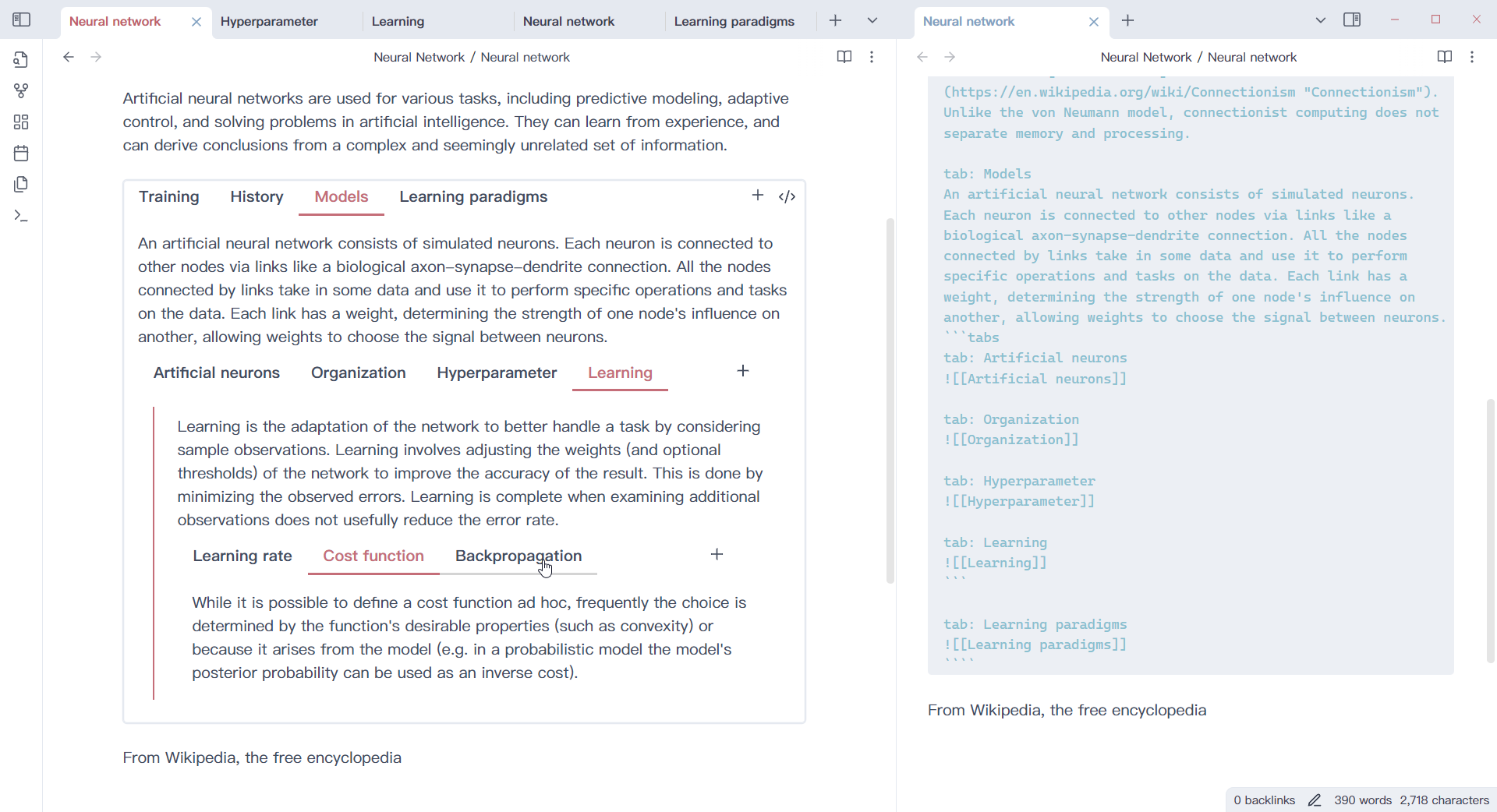
tabs-2

tabs-4

Usage

1. Create a tabs code block

Generate a tab component using the tab code block.

```tabs
tab: TAB ONE
Content of TAB ONE

tab: TAB TWO
Content of TAB TWO
```

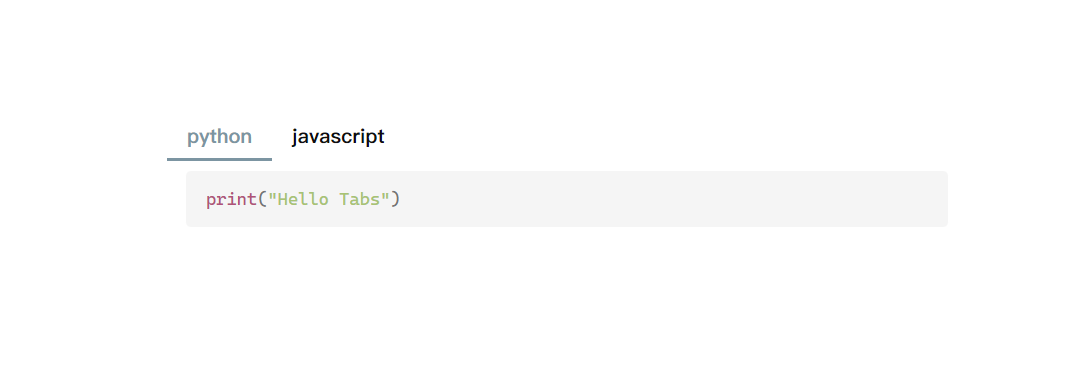
2. With other code block

If your tab contents have code block, you need to use more `, like

````tabs
tab: python
```python
print("Hello Tabs")
```

tab: javascript
```javascript
console.log('Hello Tabs');
```
````

Or you can use '~' to create code block, like

~~~tabs
tab: python
```python
print("Hello Tabs")
```

tab: javascript
```javascript
console.log('Hello Tabs');
```
~~~
tabs-5

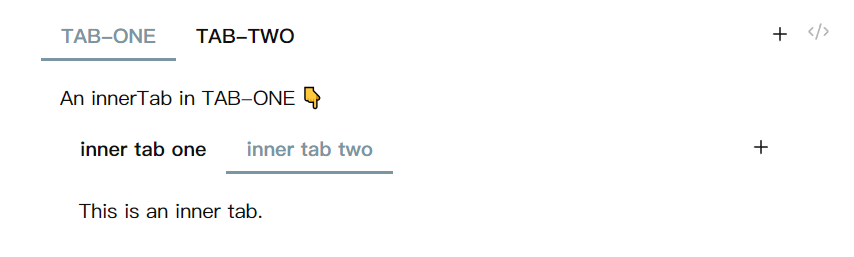
With this feature, you can create tabs component nested.

````tabs
tab: TAB-ONE
An innerTab in TAB-ONE 👇

```tabs
tab: inner tab one
This is an inner tab.

tab: inner tab two
This is an inner tab.
```

tab: TAB-TWO
````

or use '~' to create code block(inside or outside).

~~~tabs
tab: TAB-ONE
An innerTab in TAB-ONE 👇

```tabs
tab: inner tab one
This is an inner tab.

tab: inner tab two
This is an inner tab.
```

tab: TAB-TWO
~~~
tabs-6

3. Customize your tabs

Add configuration information at the beginning(comma separate). Only the last configuration of the same type takes effect.

```tabs
top, multi
tab: TAB 1
Tab content
tab: TAB 2
Tab content
```
Configuration Explanation
top Tabs nav bar will be displayed at the top.
left Tabs nav bar will be displayed on the left.
right Tabs nav bar will be displayed on the right.
bottom Tabs nav bar will be displayed at the bottom.
one Tabs nav bar can scroll with many nav items.
multi Tabs nav items will show in multi line.

tabs-nav-left

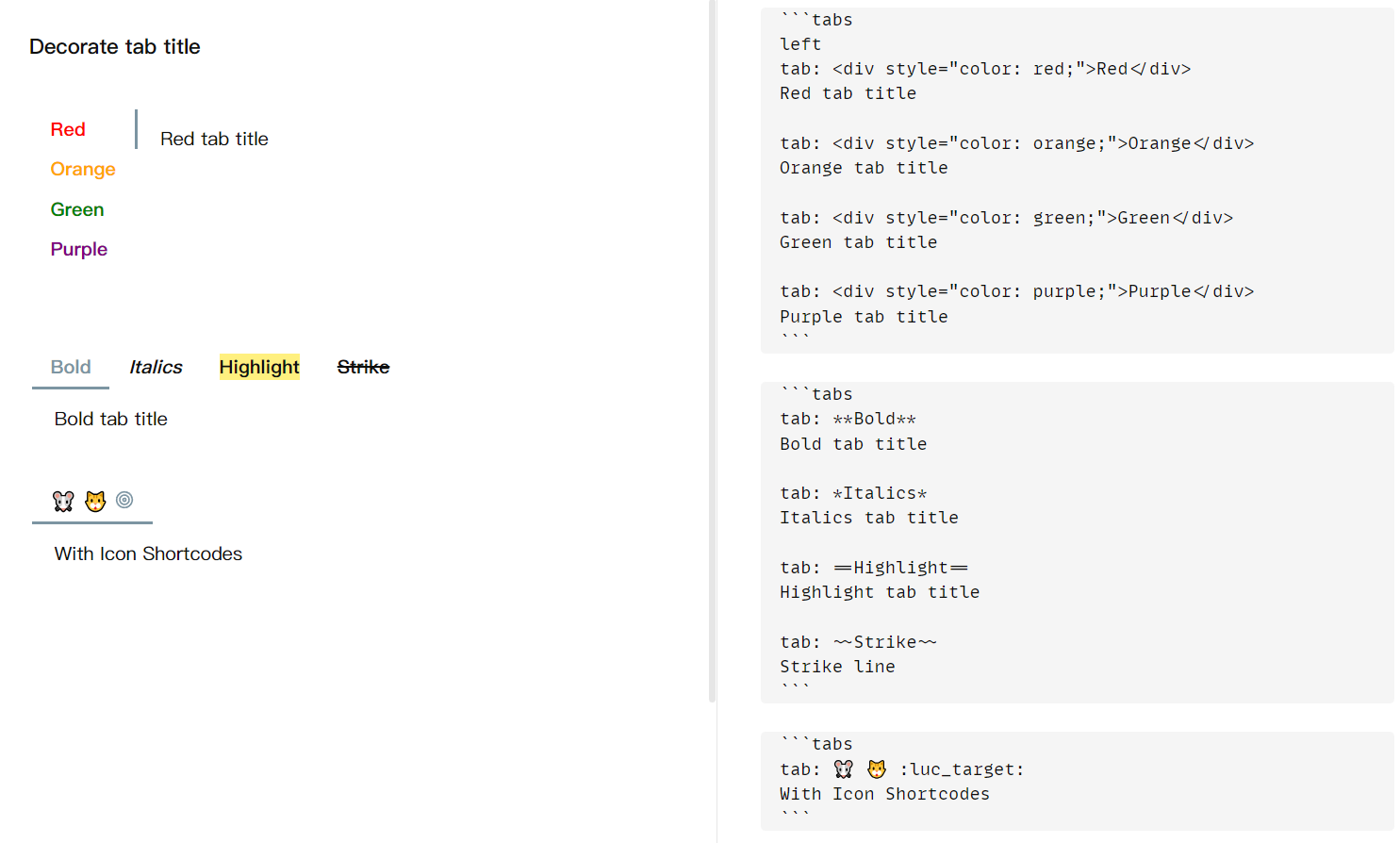
You can decorate tab title too.

tabs-decorate-title

4. Edit tab

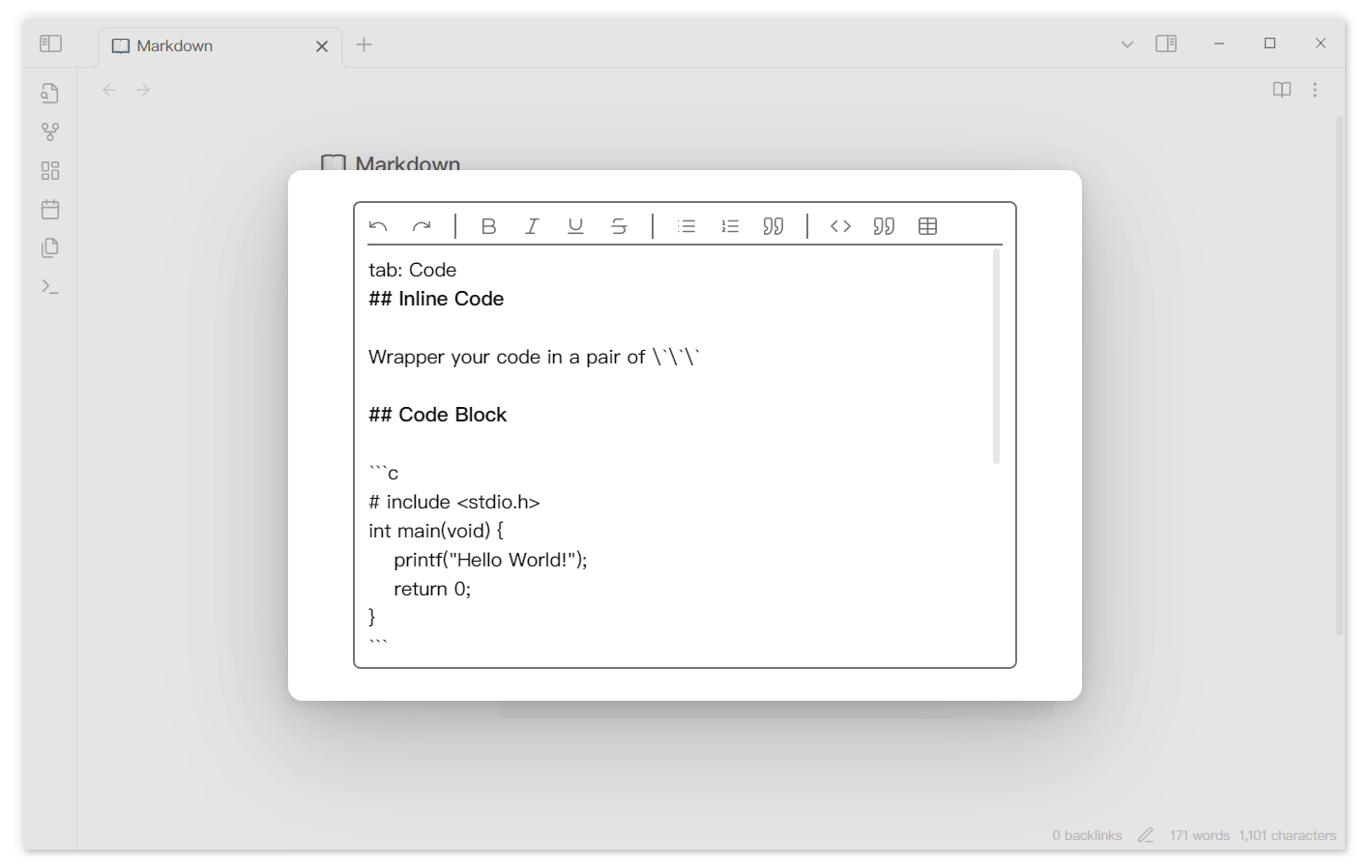
Double click the content can rouse an editor if you turn on the setting 'Double click to edit'. You can also use action button if you set it to 'Edit tab' in setting.

The editor automatically saves the edited content. You can change the interval between your last editing and editor saving in setting 'Auto saving interval'. Content will be saved when the editor is closed. You can also use the shortcut Ctrl+S to save the editing content.
tabs-editing

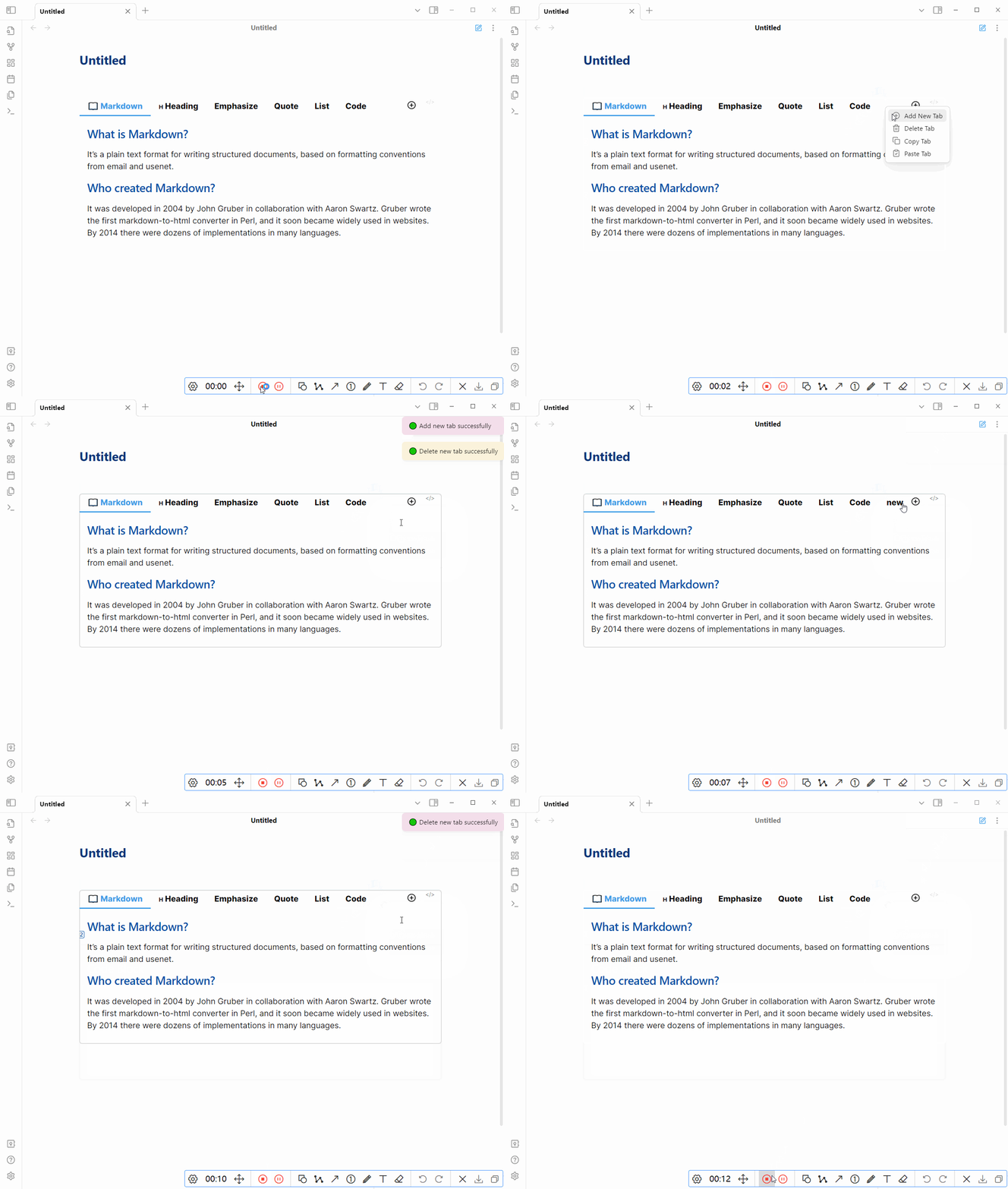
If you want to delete a tab, you can right click the tab and delete it.
tabs-delete

If you accidentally delete a tab, you can use ctrl z to restore it.

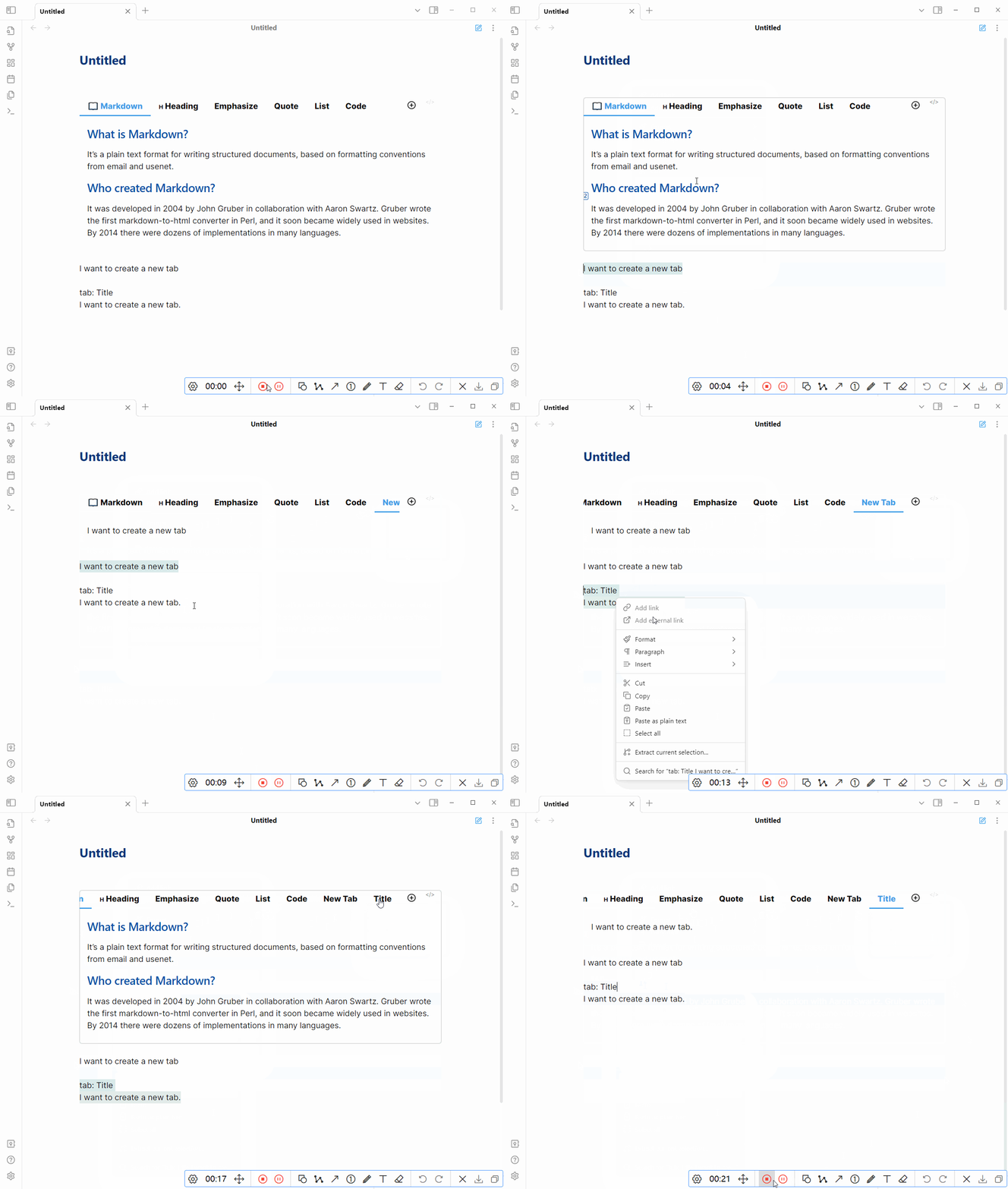
You can quickly create a new tab using the contents of the clipboard.
tabs-paste

tip: if tab nav is too long, try to hold shift and scroll.

Remember to click the save button after editing.

5. Command

Provides a command to quickly create or convert selected text to a Tabs component. Click Cmd-p to open the setting pannel. Search for 'Tabs'.

tabs-command

Showcase

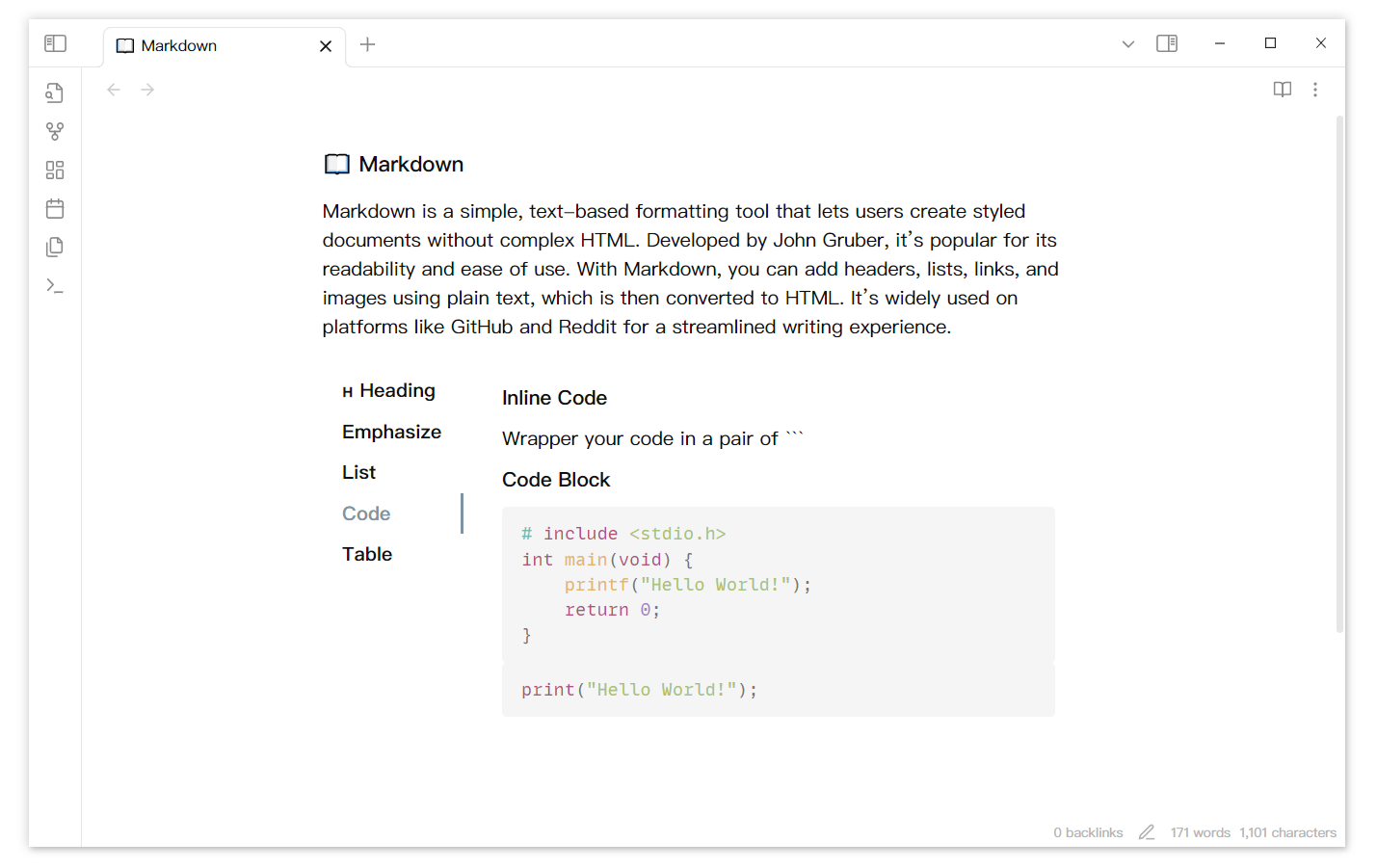
Insert a tab component into markdown file.

tabs-1

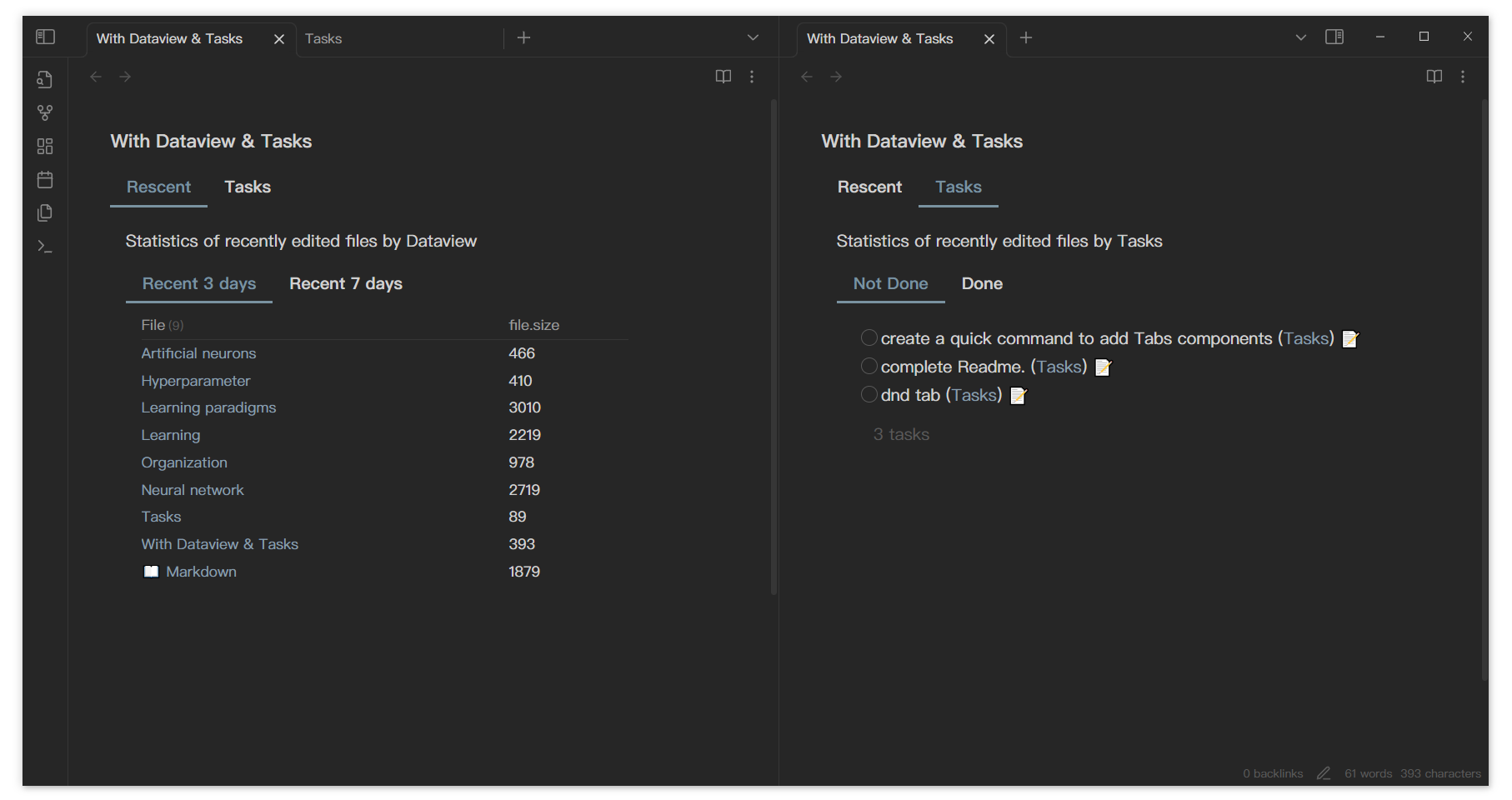
With Dataview & Tasks

From DeusEx01

showcase-DeusEx01

tabs-3

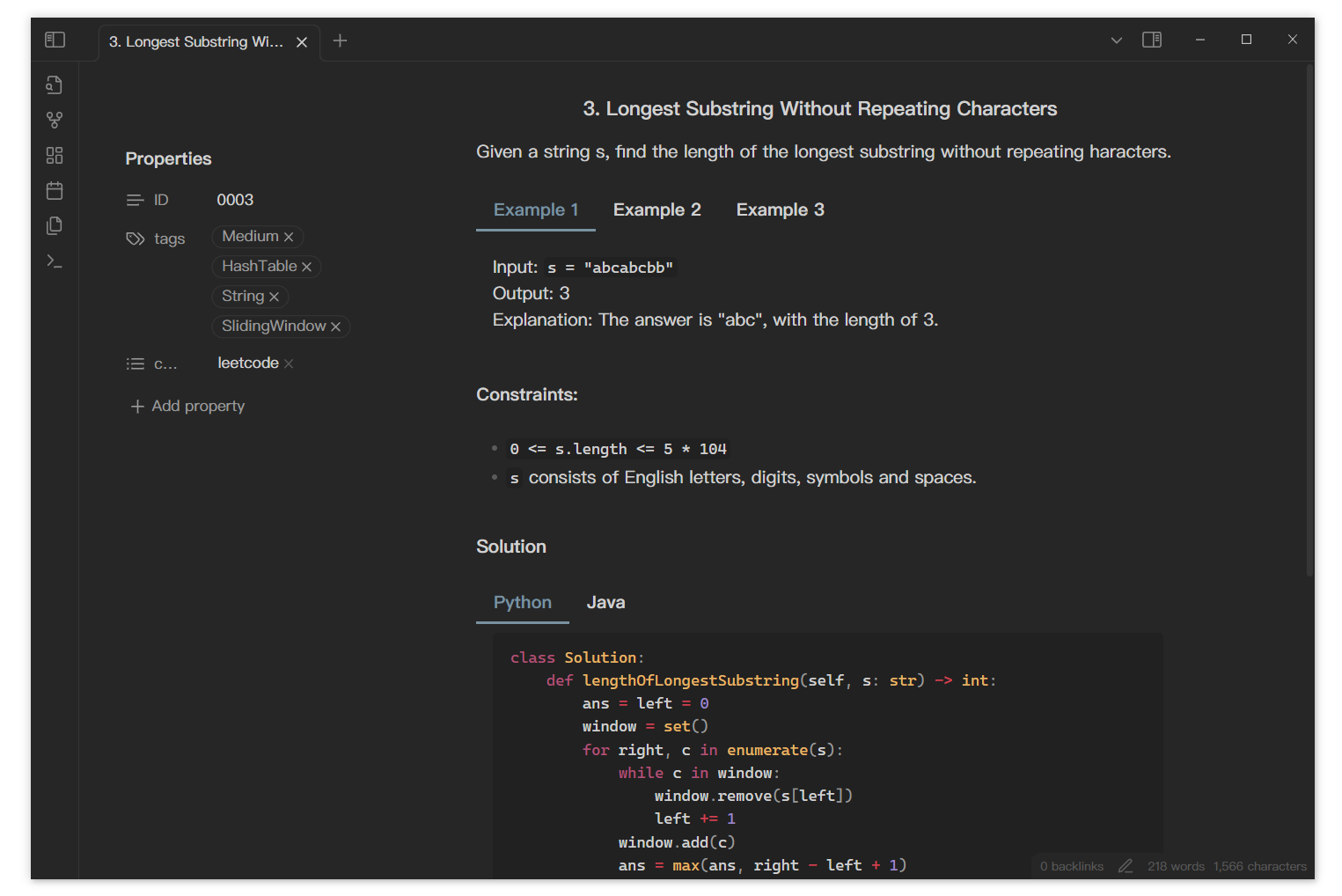
With LeetCode

tabs-7

Tab nav on the left

tabs-nav-left

Tabs in mobile, from DeusEx01

showcase-DeusEx01

If you have a usage you'd like to share, feel free to raise an issue or pull a request. I'll add it to readme.

Todo

  • Tabs drag and drop in different files.
  • Obsidian native editor (Live preview mode)

Similar Plugins

info
• Similar plugins are suggested based on the common tags between the plugins.
Autofit Tabs
a year ago by Bradley Wyatt
Obsidian Plugin that automatically adjusts tab header widths in real-time to perfectly fit each tab's title content while maintaining a clean, seamless interface that prevents awkward text truncation and ensures optimal readability of your document titles.
CodeBlock Tabs
3 years ago by Jemin Mau
Create tab group for contiguous codeblocks.
Disable Tabs
4 months ago by David V. Kimball
Disables having more than one tab open at a time Obsidian.
External Link Opener
3 years ago by zorazrr
Obsidian plugin to open external links in modals or tabs
HTML Tabs
3 years ago by Patrick Tournet
Obsidian plugin allowing the creation and rendering of Tabs and tab panels in your notes.
Minitabs
2 years ago by ssjy1919
Obsidian tabs
Mobile Sidebar Notes
6 months ago by Chris Kephart
Open notes & new tabs in the sidebar on the Obsidian mobile app.
Mononote
3 years ago by Carlo Zottmann
An Obsidian plugin that ensures each note occupies only one tab. If a note is already open, its existing tab will be focussed instead of opening the same file in the current tab.
New Tab +
2 years ago by Raphaël Le Carval
Allow to open markdown files, graph and canvas in new tab as the default behavior.
New Tab Default Page
4 years ago by pseudometa
Obsidian plugin to open a note of your choice when creating a new tab, like in the browser.
Restore Tab Key
3 years ago by jerrymk
An Obsidian plugin to make the tab key insert a tab, and make it feel like any other IDE regarding tabs and indentation.
Shrink pinned tabs
2 years ago by Nicolas Lœuillet
Obsidian plugin to shrink pinned tabs in order to save screen space
Smooth Navigator
a year ago by Michael Schrauzer
Smoothly cycle through open files and splits in Obsidian via the keyboard.
Tab File Path
8 months ago by John Burnett
Tab Group Arrangement
a year ago by situ2001
Arrange the tab groups of Obsidian in a more flexible way
Tab Limiter
a year ago by Henry Gustafson
Limits the number of tabs that can be opened in Obsidian
Tab Selector
2 years ago by namikaze-40p
This is an Obsidian plugin which can quickly switch tabs in various ways.
Tab Shifter
2 years ago by Joshua Rozner
Tab Switcher
5 years ago by Vinzent & phibr0
Tab Switcher - Obsidian Plugin
Vertical Tabs
2 years ago by oxdc
An Obsidian plugin that displays open tabs vertically, allowing users to group and organize tabs for a better navigation experience.
Wheel Tab Switcher
a year ago by 22-2
Switch between Obsidian Tabs using your mouse wheel when hovering over tab headers.