
README file from
GithubFrontmatter to HTML Attributes
An Obsidian plugin that makes a note’s YAML frontmatter available in HTML as data-* attributes for metadata based CSS styling.
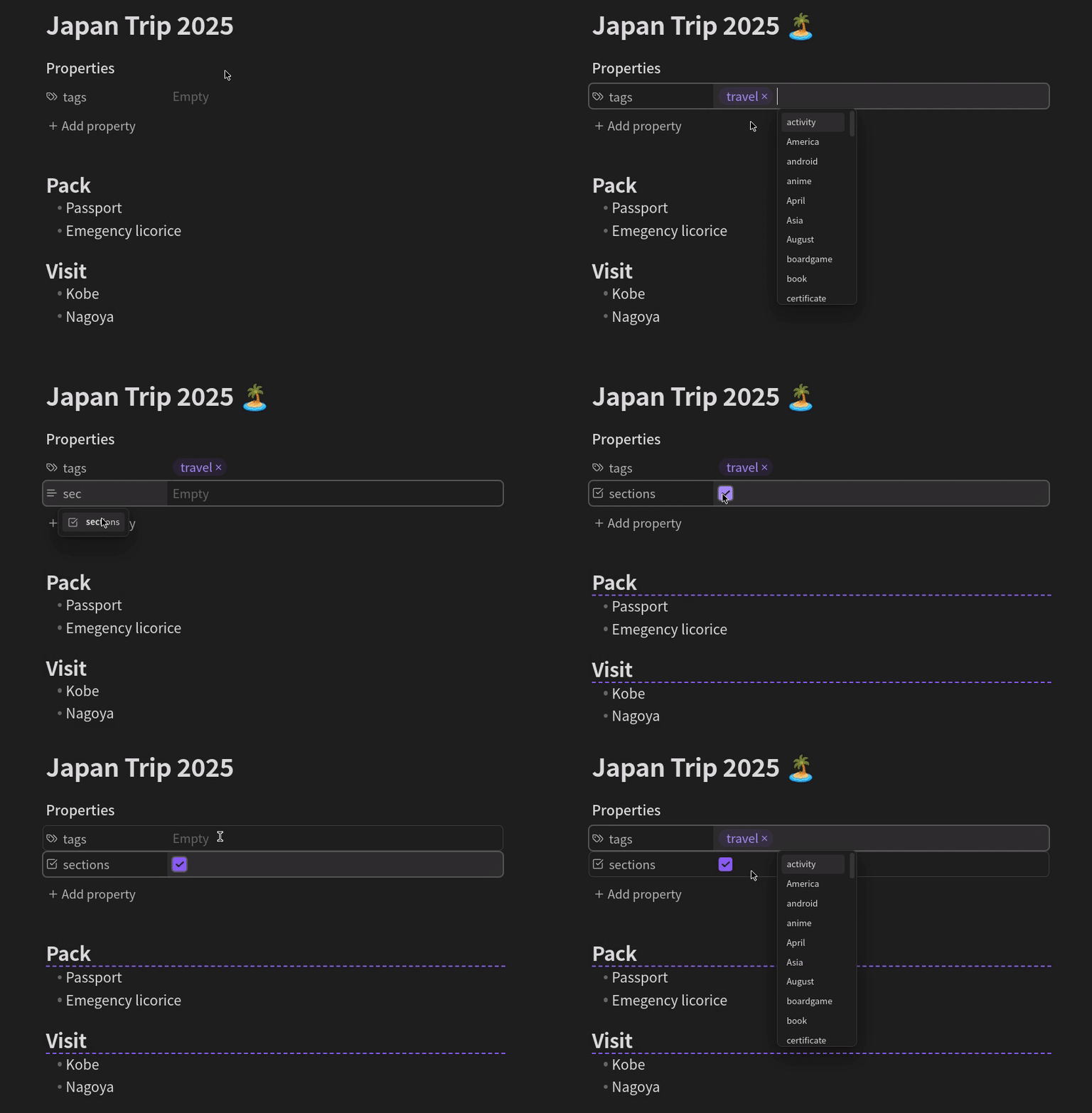
Examples
With the plugin installed, you can use CSS snippets like below
- Display an island icon with the title of every note tagged "travel".
div.workspace-leaf-content[data-tags*='"travel"'] div.inline-title:after { content: " \1F3DD\FE0F"; /** 🏝️ */ } - Underline headings in notes with the "sections" attribute checked.
div.workspace-leaf-content[data-sections="true"] .HyperMD-header-1, /** editing mode */
div.workspace-leaf-content[data-sections="true"] h1 { /** reading mode */
  border-bottom: dashed 2px var(--interactive-accent);
}
Usage
For every item in the YAML frontmatter <foo>, an equivalent attribute data-<foo> is added to the note’s HTML container div.workspace-leaf-content. To style notes based on these attributes, create CSS snippets using attribute selectors.
To match a YAML frontmatter item XXX with value YYY, create a CSS rule for the attribute data-XXX like below.
div.workspace-leaf-content[data-XXX="YYY"] /** additional selectors */ {
  /** styling */
}
To match a tag, use *= instead of = and add quotes, as shown below.
div.workspace-leaf-content[data-tags*='"YYY"'] /** additional selectors */ {
  /** styling */
}
Data types
Lists and objects will be turned into JSON, everything else into a simple string.
For example, a note with a YAML frontmatter
---
tags:
  - travel
  - asia
start: 2025-10-27
end:
insurance: true
---
will be rendered in a container with data attributes as follows.
<div
    class="workspace-leaf-content"
    data-tags='["travel","asia"]'
    data-start="2025-10-27"
    data-end="null"
    data-insurance="true"
>
    <!-- content -->
</div>