
README file from
GithubTTRPG UI Toolkit
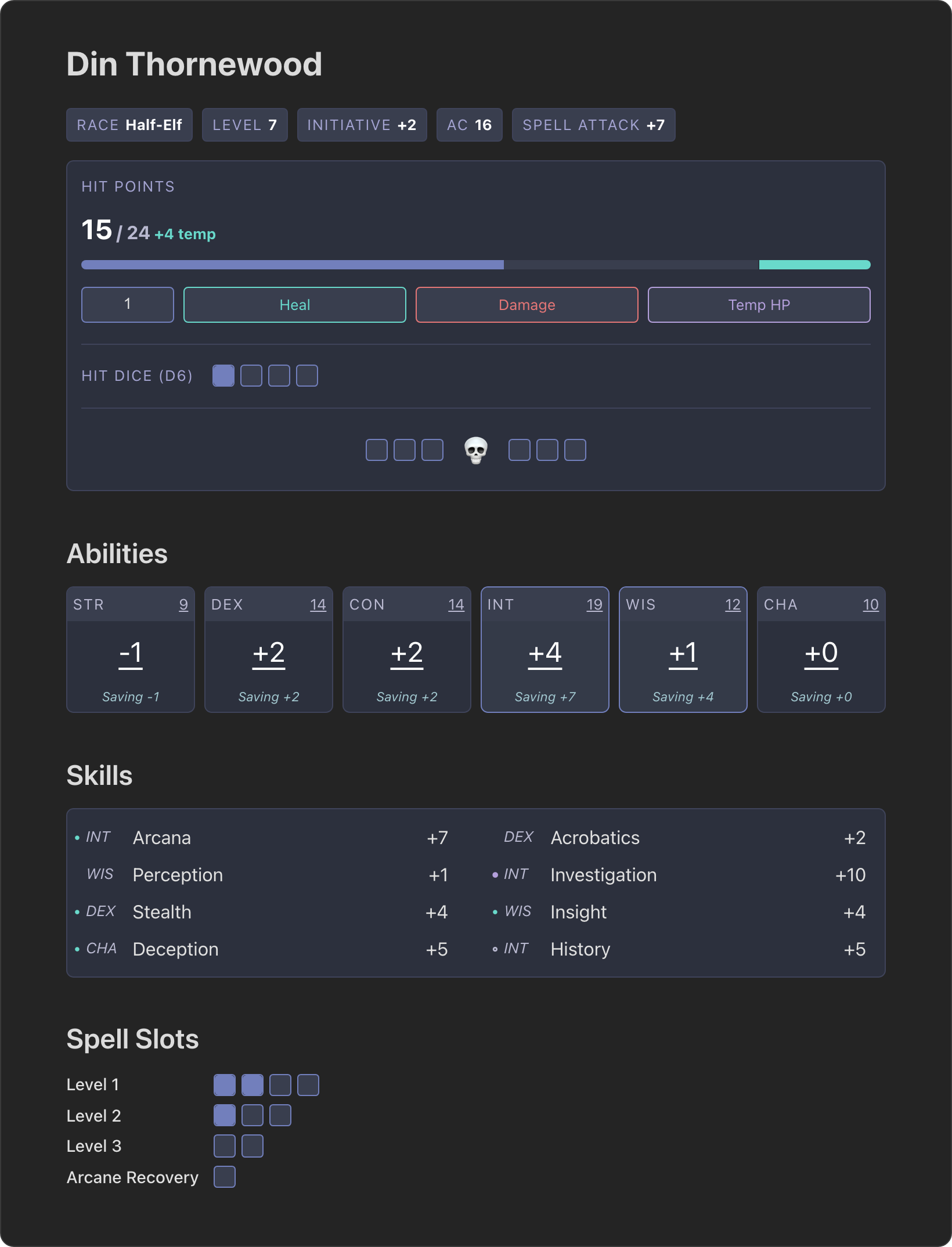
Build interactive character sheets and game master tools inside your Obsidian notes. Each component is a small YAML code block, so a character sheet is still a plain markdown note that lives in your vault next to your spells, backstory, and session notes. HP, spell slots, and other trackers remember their state between sessions.
I built this because I was tired of juggling PDFs and web tools for my characters, and wanted my notes, spells, and current state all in one place.
Features
- Health tracking with current HP, temporary HP, temporary max HP, hit dice, and death saves
- Ability scores and skills with D&D 5e modifiers, saving throws, proficiency, and expertise calculated for you
- Consumables for spell slots, class features, potions, and anything else with limited uses
- Rest buttons that reset consumables and health in the same note with one click
- Badges and stat cards for AC, level, initiative, spell DC, or any value you want on display
- Spell component panels showing casting time, range, components, duration, save DC, and attack bonus
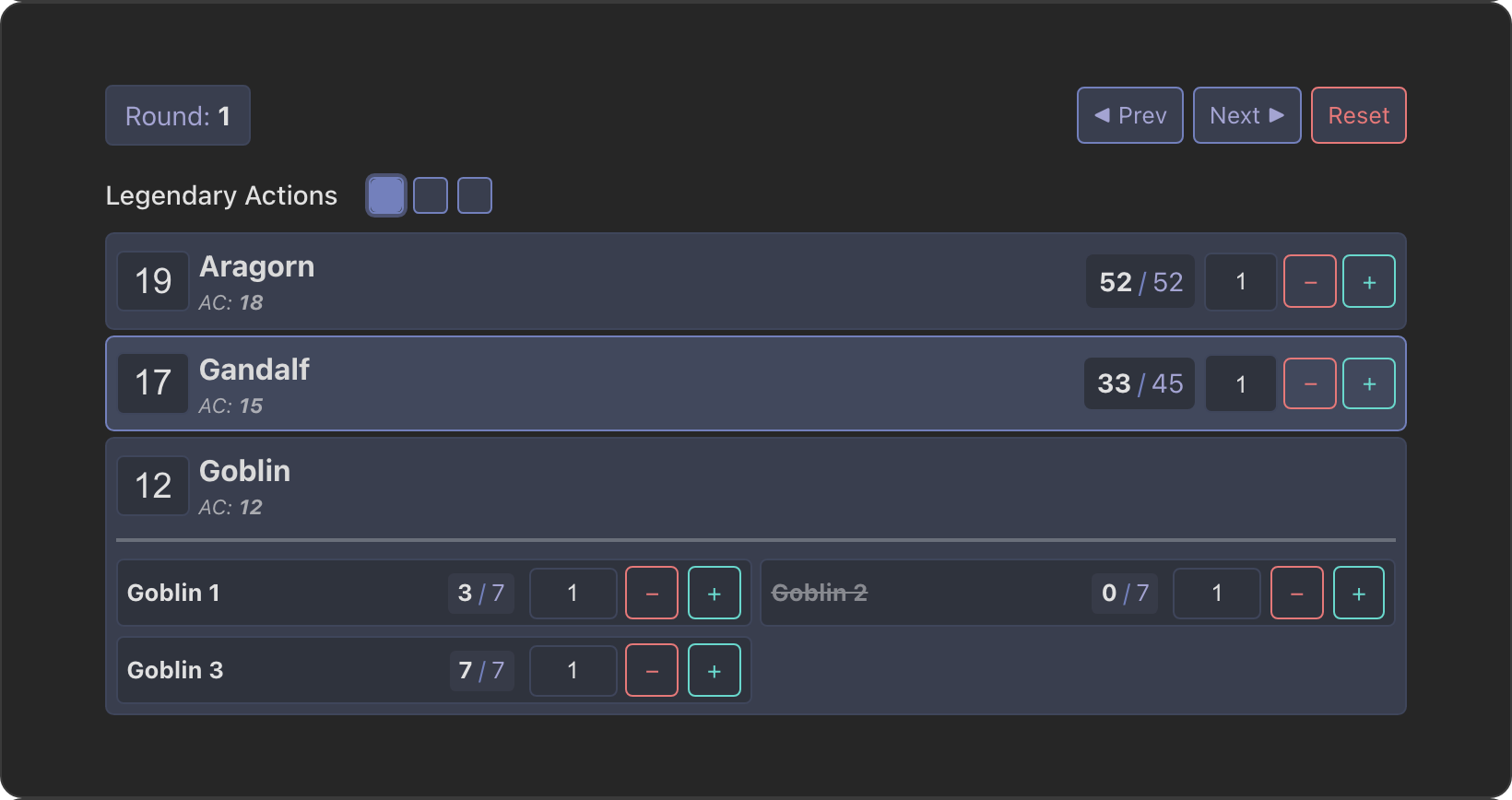
- Initiative tracker with turn order, round counter, per-combatant HP, and per-round resources
- Frontmatter integration that reads level and proficiency bonus from the note's properties
- Dynamic content so any text field can reference frontmatter, ability scores, and skills with
{{ }}templates - System-agnostic cards for Daggerheart and other systems beyond D&D 5e
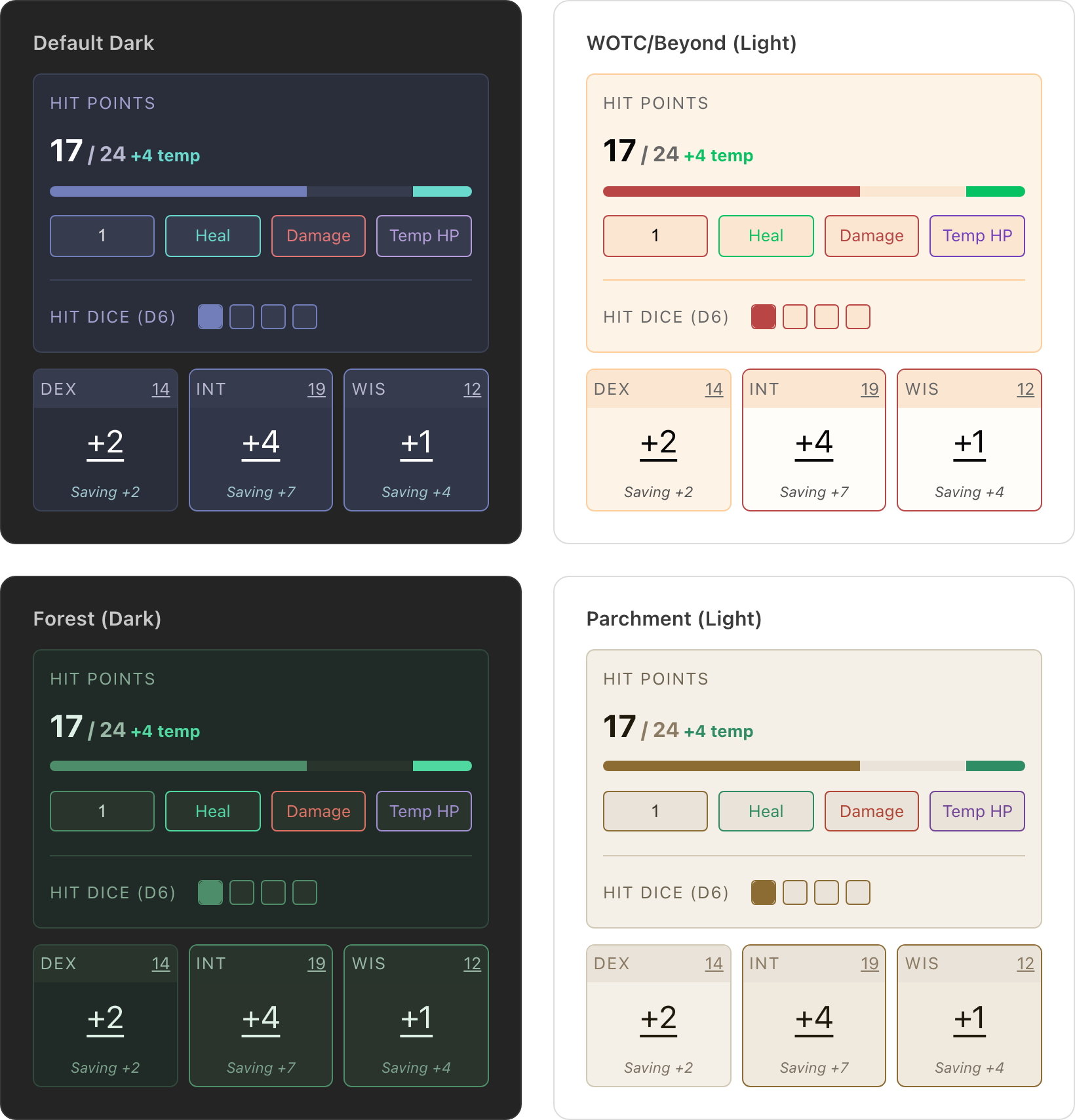
- 21 themes, light and dark, including companions for the ITS theme, with every color adjustable in settings
Installation
- Open Settings > Community plugins in Obsidian
- Click Browse and search for "TTRPG UI Toolkit"
- Click Install, then Enable
You can also open the plugin page and install from there.
Quick Example
Paste this into any note to get a health tracker and a set of ability scores:
---
level: 3
---

```healthpoints
state_key: din_hp
health: 24
hitdice:
  dice: d6
  value: 3
```

```ability
abilities:
  strength: 9
  dexterity: 14
  constitution: 14
  intelligence: 19
  wisdom: 12
  charisma: 10
proficiencies:
  - intelligence
  - wisdom
```
Every component that tracks something needs a state_key that is unique across your vault. State is saved to a JSON file in your vault (.ttrpg-ui-toolkit-state.json by default, configurable in settings).
The Quick Start guide walks through a full sheet with skills, spell slots, and rest buttons. The character generator can build a starting sheet for you.
Running Combat
The initiative tracker keeps turn order, HP, and per-round resources for an encounter inside a note. Combatants can link to their own character or monster notes.
Themes
Pick a preset under Settings > TTRPG UI Toolkit > Styles, or adjust individual colors. There are 21 built-in themes, including light themes and companions for the ITS theme.
Documentation
The documentation site has a live demo of every component and the full configuration reference:
- Quick Start
- General components and D&D 5e components
- State storage, events, and dynamic content
- Themes
Contributing
Bug reports and feature requests go in GitHub issues. Ideas for system-agnostic components are collected in this discussion. For local development setup, see CONTRIBUTING.md.