README file from
GithubObsidian Custom Frames
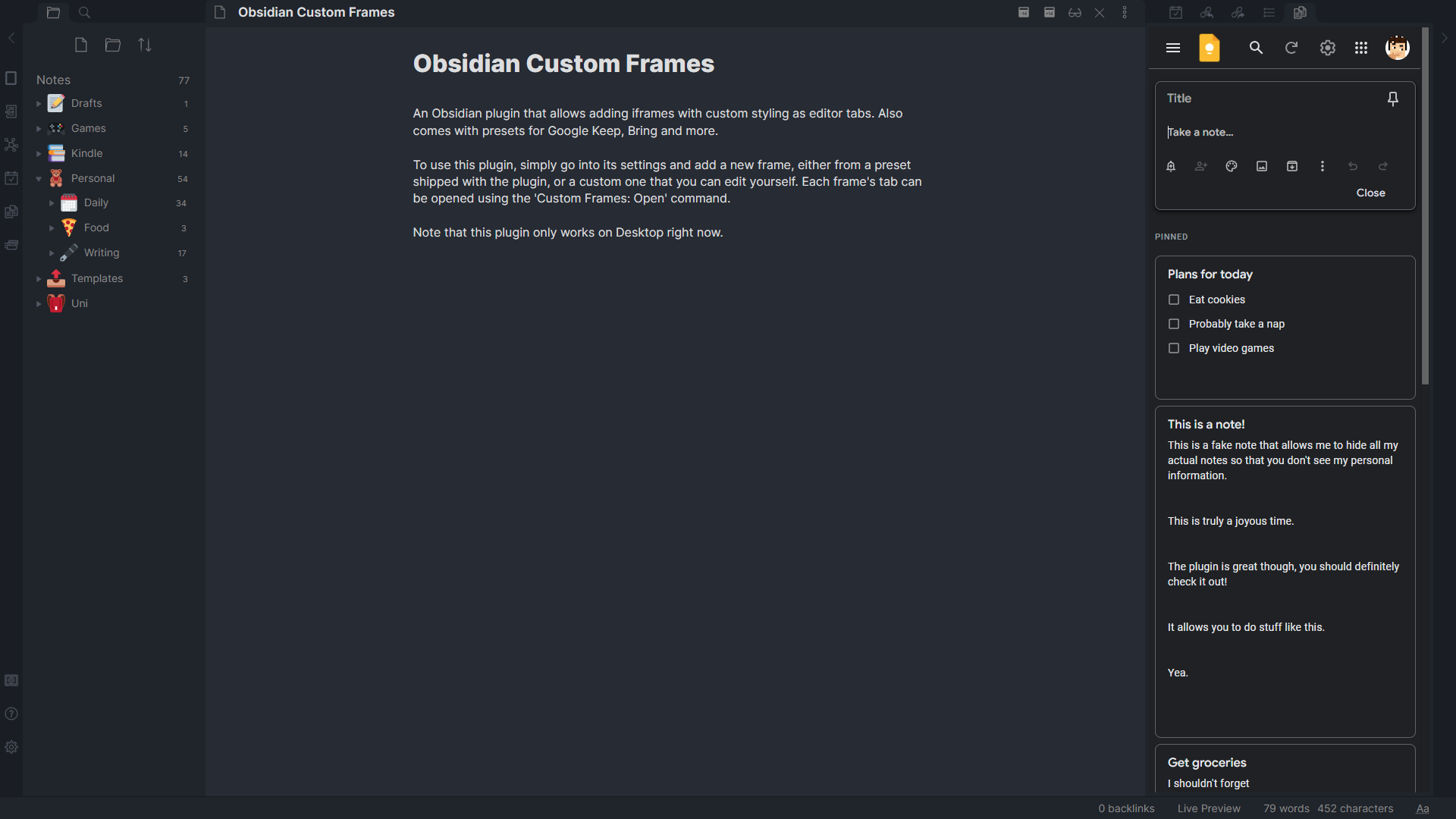
An Obsidian plugin that turns web apps into panes using iframes with custom styling. Also comes with presets for Google Keep, Todoist and more.
🤔 Usage
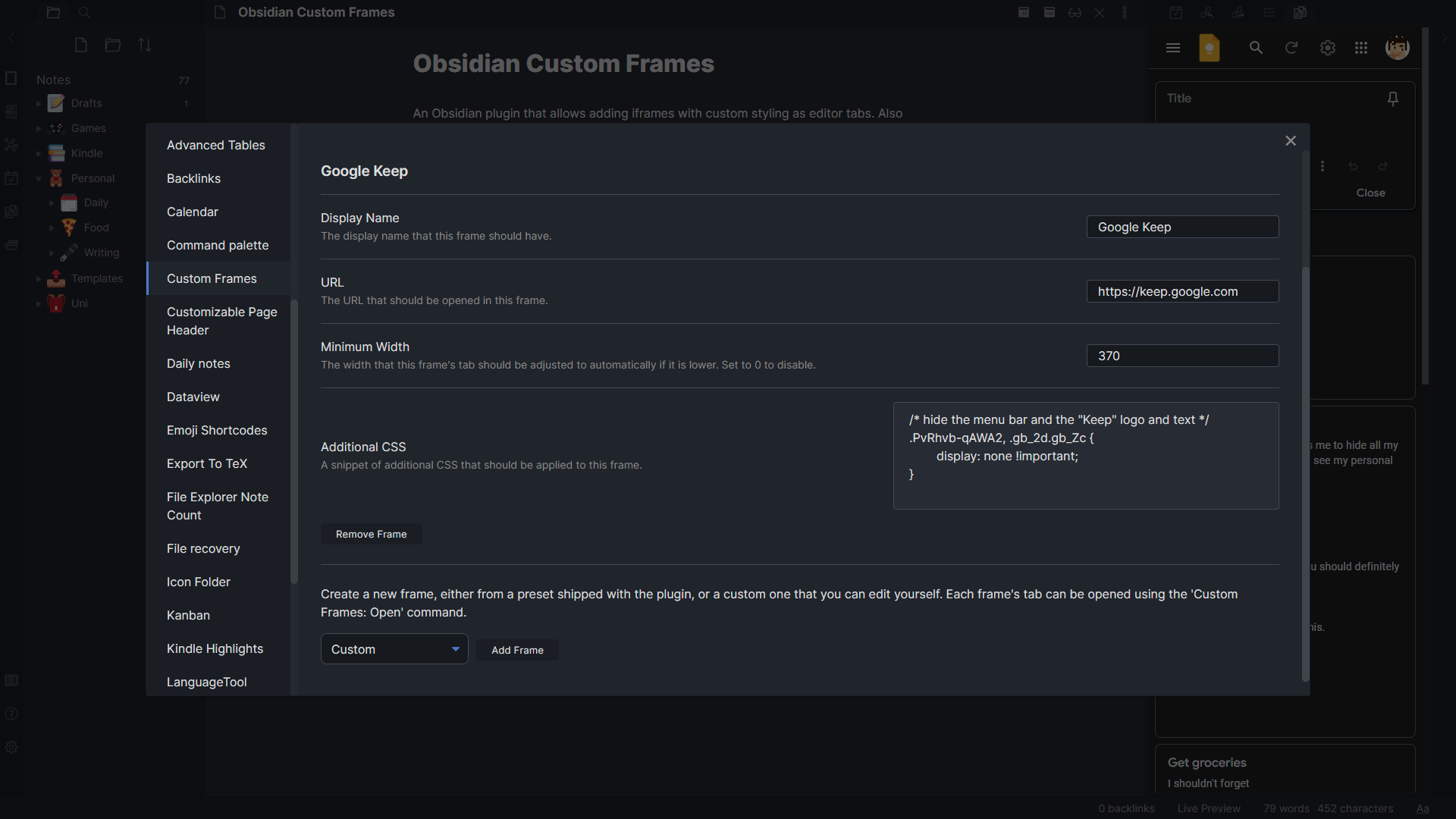
To use this plugin, simply go into its settings and add a new frame, either from a preset shipped with the plugin, or a custom one that you can edit yourself.
🪟 Pane Mode
To open a Custom Frame as a pane, you can use the "Custom Frames: Open" command.
There are also plenty of settings to customize your frame further, including adding custom CSS to the site, adding a ribbon icon, displaying the frame in the center of the editor, and more.
🗒️ Markdown Mode
You can also display your custom frames in your Markdown documents. Custom Frames adds a special code block syntax that transforms the code block into a custom frame in Live Preview and Reading mode. Your code block should look like this:
```custom-frames
frame: YOUR FRAME'S NAME
```
Optionally, you can also pass custom style settings to the embed, which allows you to change things like the embed's height, as well as an additional suffix that will be appended to the frame's regular URL, which can be useful for things like displaying a specific note in Google Keep.
Here's an example using the Google Keep preset:
```custom-frames
frame: Google Keep
style: height: 1000px;
urlSuffix: #reminders
```
📱 On Obsidian Mobile
Unfortunately, Obsidian Mobile does not run on Electron, which is what allows iframes and webviews to be displayed with very few restrictions related to cookies, cross-origin resource sharing, and so on. This means that a lot of sites won't work there, especially ones that you have to log in to. However, when you create a frame, you can toggle the "Disable on Mobile" option to hide a Desktop-only frame in Obsidian mobile.
Need help using the plugin? Feel free to join the Discord server!
📦 Presets
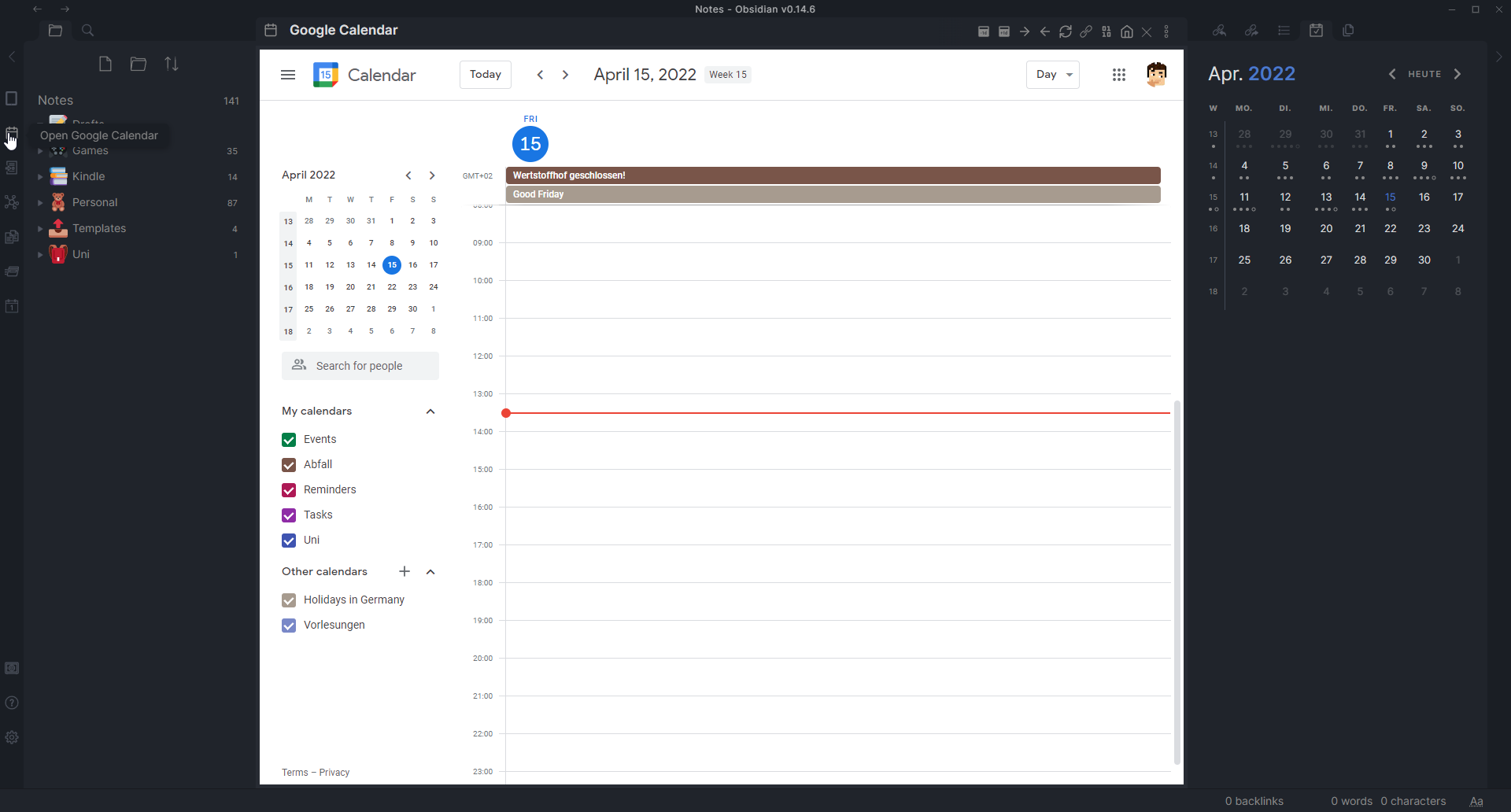
By default, Custom Frames comes with a few presets that allow you to get new panes for popular sites up and running quickly.
- Obsidian Forum
- Google Keep, optimized for a narrow pane on the side
- Google Calendar, optimized by removing some buttons. Close side panel with top-left button.
- Todoist, optimized for a narrow (half-height) side panel by removing some buttons and slimming margins.
- Notion (it's recommended to close Notion's sidebar if used as a side pane)
- Readwise Daily Review
If you create a frame that you think other people would like, don't hesitate to create a pull request with a new preset.
🛣️ Roadmap
- Allow creating links outside of Obsidian that open in a custom frame
- Add more options to Markdown mode, like allowing for back and forward buttons
- Possibly allow extracting selected text into a note similar to how the Note composer plugin works, and potentially allow using a note template that includes the link to the site extracted from
Allow setting a custom icon for each paneAllow displaying custom frames in Markdown code blocksAdd the ability to add a ribbon button for a frame that opens it in the main viewPossibly allow executing custom JavaScript in iframes (though security implications still need to be explored)Add a global setting that causes popups to be opened in a new Obsidian window rather than the default browser(See the web viewer core plugin)
⚠️ Known Issues
There are a few known issues with Custom Frames. If you encounter any of these, please don't report it on the issue tracker.
- Popups and new tabs are opened in the default browser rather than the custom frame by default, which can cause issues logging in to websites that use external logins. To circumvent this issue, enable the web viewer core plugin, which shares its session information with Custom Frames, to open popups within Obsidian.
- Some links refuse to open from within custom frames, especially before Obsidian 1.3.7. You can find more info in this issue.
🙏 Acknowledgements
Thanks to lishid for their help with making iframes work in Obsidian for a purpose like this. Also thanks to them for motivating me to turn Obsidian Keep into a more versatile plugin, which is how Custom Frames was born.
If you like this plugin and want to support its development, you can do so through my website by clicking this fancy image!