Onto Tracker

by Jacob Hart
5
4
3
2
1
Score: 37/100

Description

Category: Task Management

The Onto Tracker plugin allows users to manage projects within Obsidian based on a defined ontology. It tracks files in a specified folder, categorizes them according to user-defined rules, and maps metadata to align with the ontology. Key features include unpacking ontologies for better understanding, creating 'freezes' to snapshot file states, and applying mappings to update metadata automatically. This functionality supports workflows such as archival and content management by structuring files for further tasks like CMS uploads. Users can define rules based on file types and hierarchies, ensuring flexibility and detailed organization within the vault.

Reviews

No reviews yet.

Stats

9
stars
373
downloads
2
forks
593
days
595
days
642
days
1
total PRs
1
open PRs
0
closed PRs
0
merged PRs
0
total issues
0
open issues
0
closed issues
17
commits

Latest Version

2 years ago

Changelog

Initial release for onto tracker obsidian plugin.

Full Changelog: https://github.com/jdchart/onto-tracker/commits/v1.0.0

README file from

Github

Onto Tracker

Manage projects according to an ontology.

Create an obsidian vault that tracks the contents of a folder on your computer. Files are categorized accrodign to a given ontology according to a set of user-defined rules. This content can then be parsed for tasks such as uploading content to a CMS (see some python scripts for this here).

Overview video

  1. Usage
  1. Roadmap
  2. Acknowledgements

Usage

Project settings

project settings

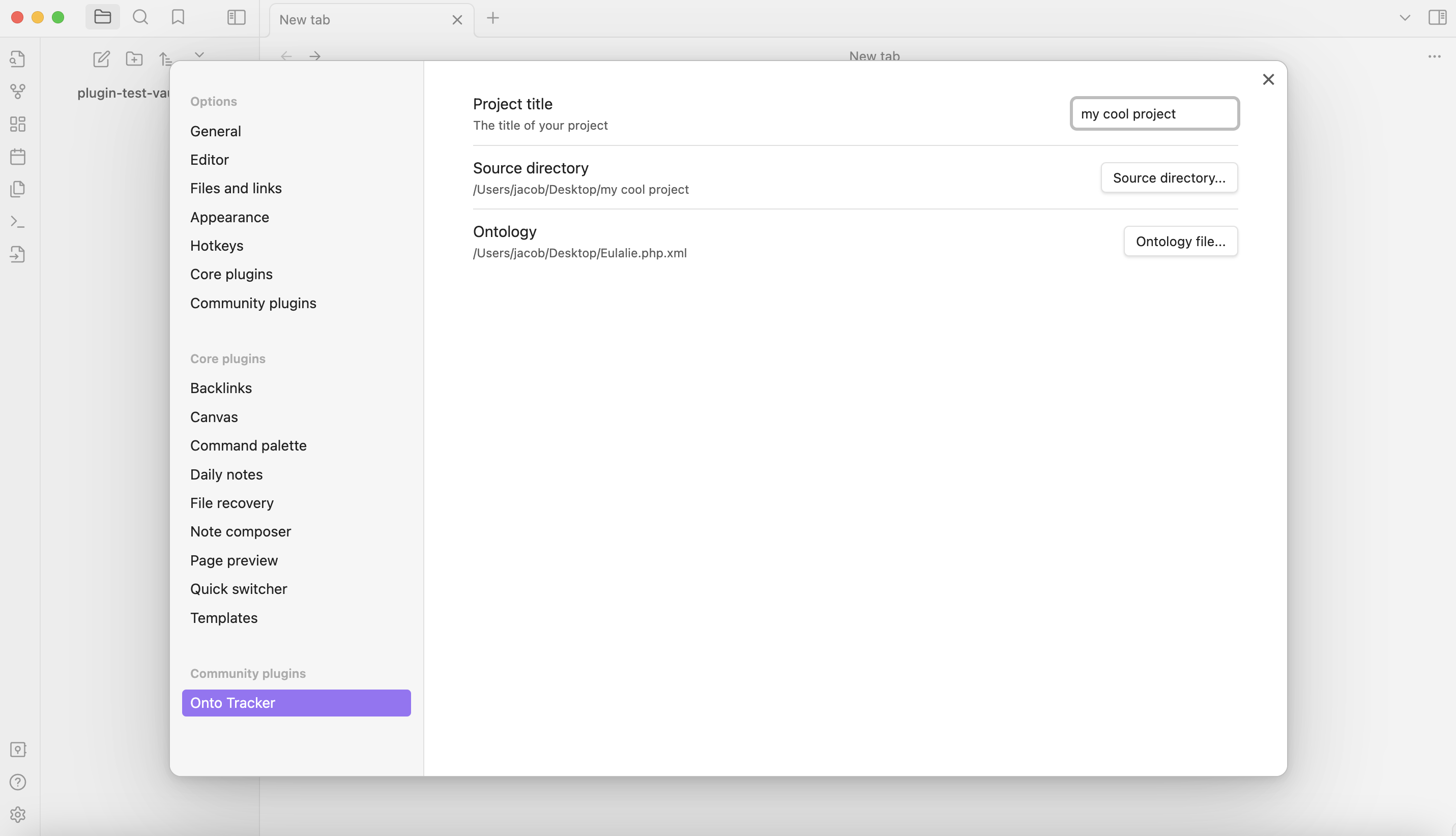
Activate the plugin, then in the settings, give your project a title and set the source folder that contains all of the files you wish to track.

Then set an ontology file - here is an example of an ontology that is used to preserve electroacoustic music projects called Eulalie. Download the file here.

Unpacking ontologies
unpack onto tab

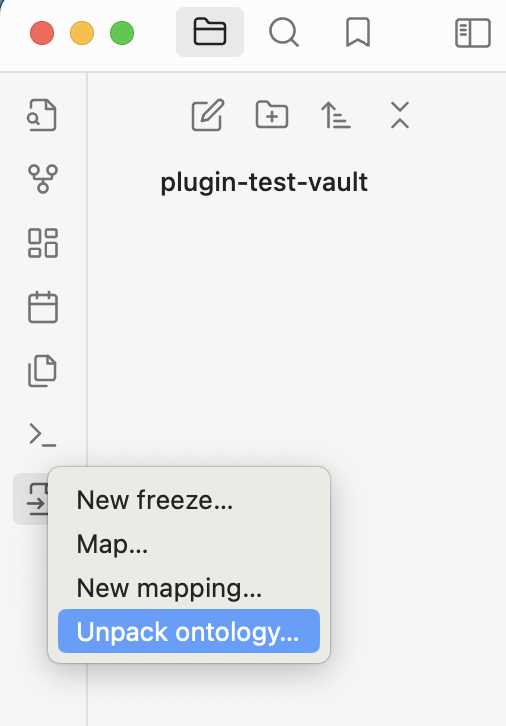
When the plugin is active, a menu will appear in Obsidian's main ribbon. You can click Unpack ontology... to get a better idea about how your ontology works.
unpack onto settings tab

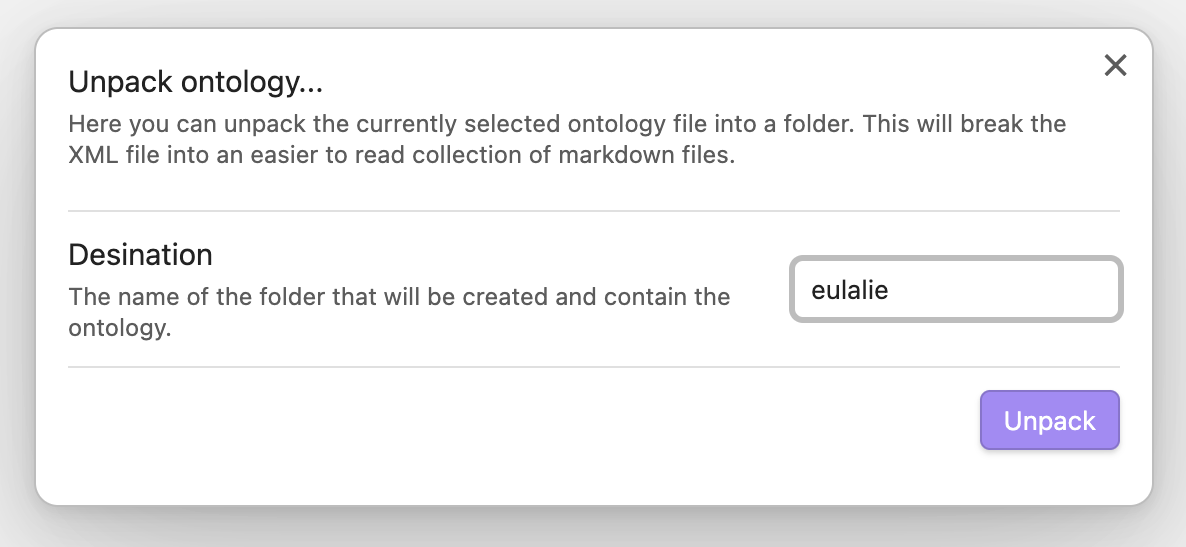
You can set a name for the folder that will be created.
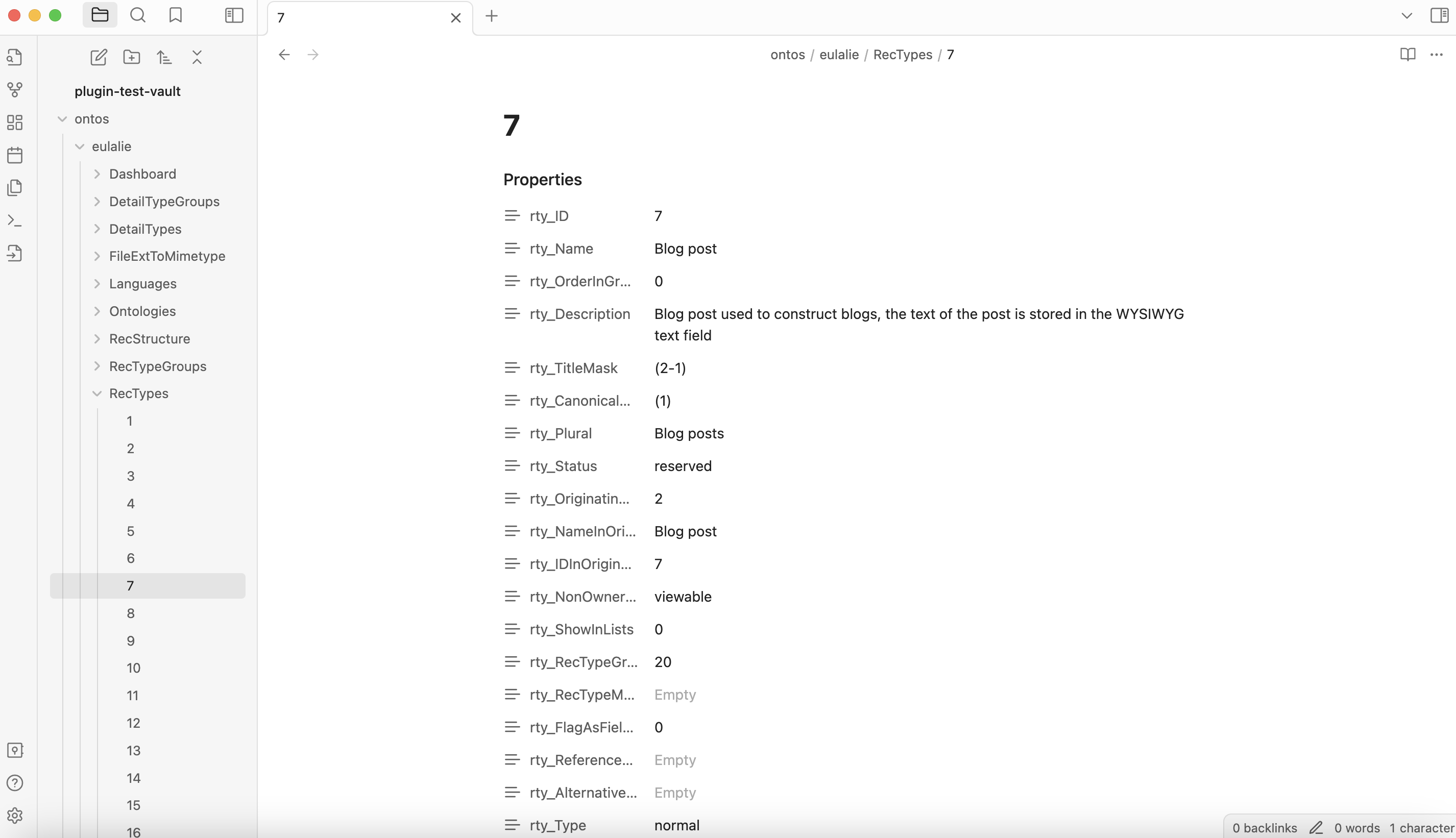
ontoilogy unpacked

You will see that a folder called ontos will be created at the root of your vault. Here you will find your ontology that has been unpacked which you can view as needed.

Creating freezes
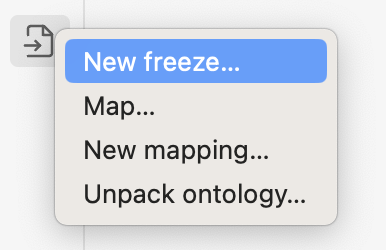
freeze tab

You can perform 'freezes' of the content in the source folder you're tracking. Click on the New freeze... button to get started.
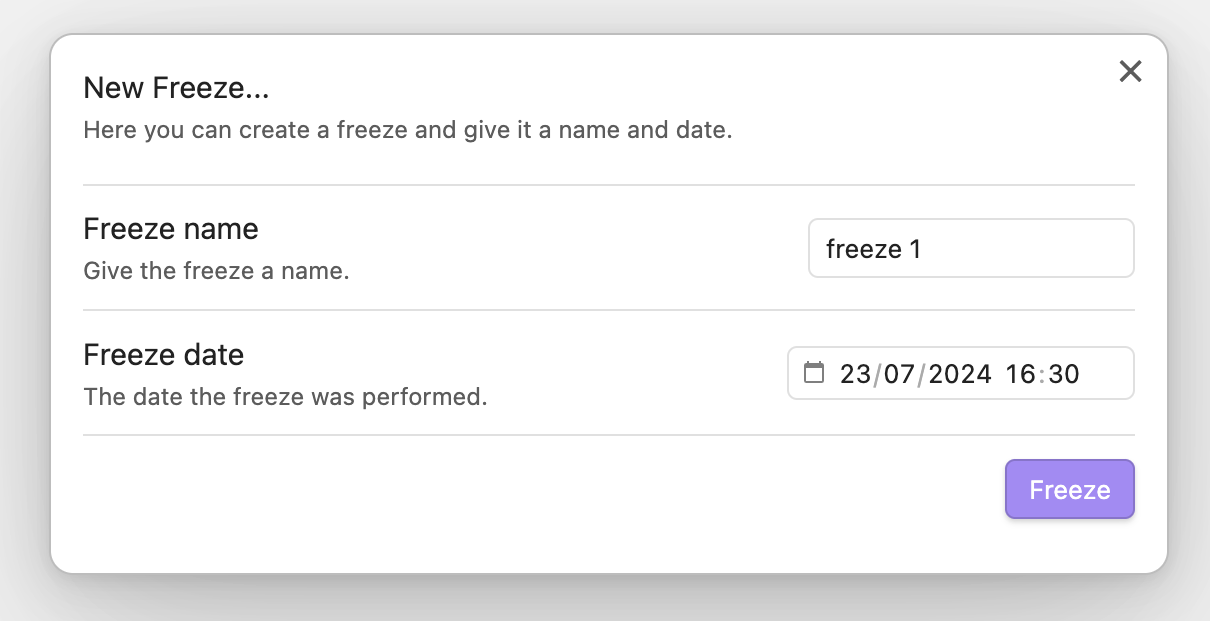
freeze settings tab

You can give your freeze a name and a date.
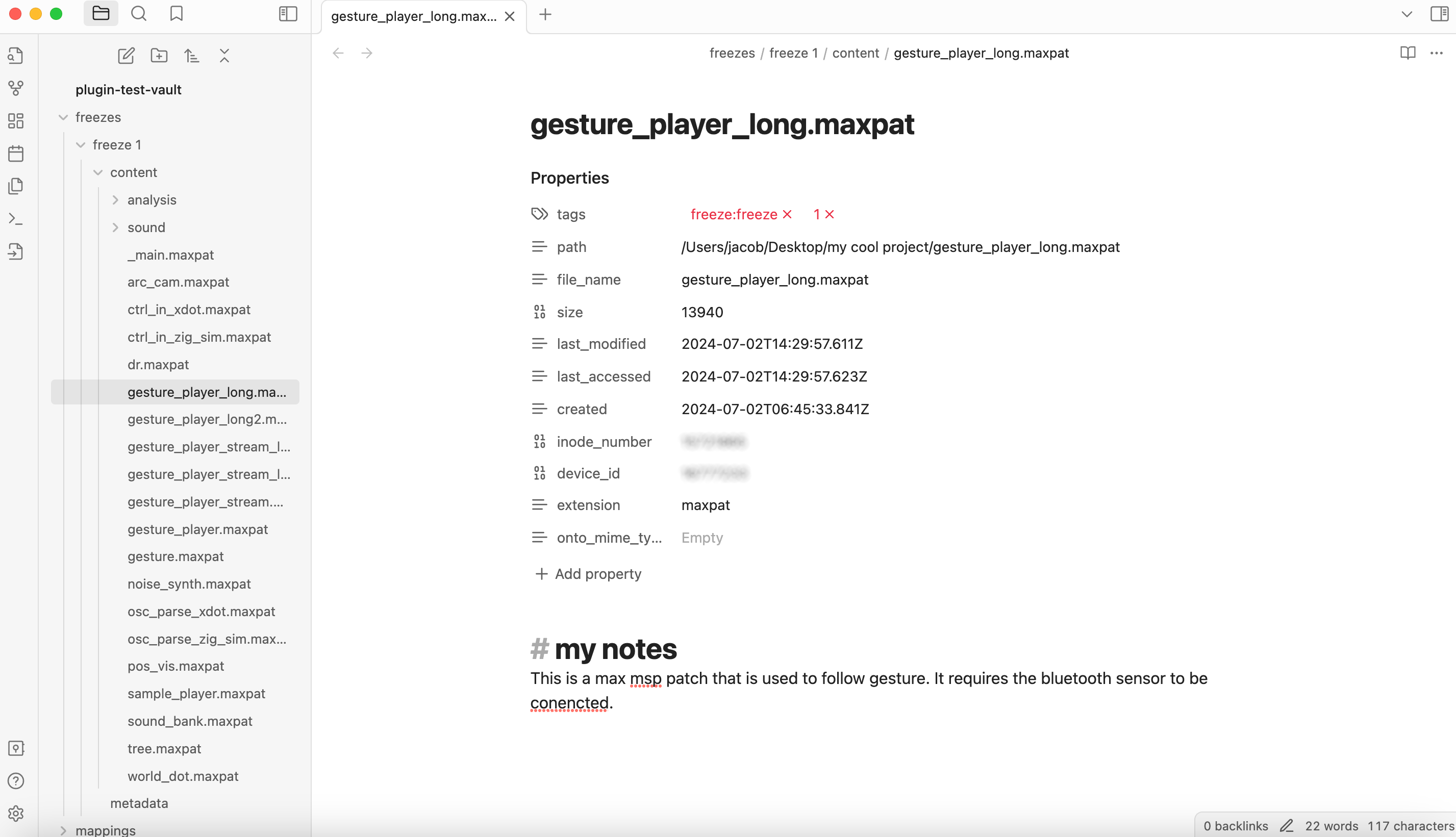
freeze example

Now a folder called freezes will be created at the root of your vault, and a file will be created for each file in the folder you are tracking.

The metadata of each file will give some basic information about the file.

The markdown content is intended to be used to take notes that give contextualising information about the file. Feel free to edit this however you feel fit.

A metadata file shall also be created giving information about the freeze.

Ontology mapping

Finally, you can automatically update each file's metadata according to your ontology. To do this, you will first need to create some rules (we call this a 'mapping').

Creating a mapping
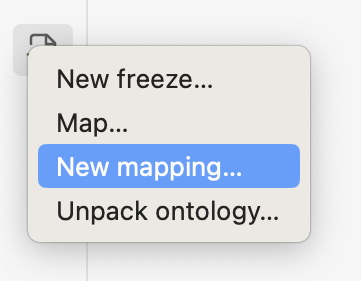
create mapping

Click on New mapping... to create a new mapping.
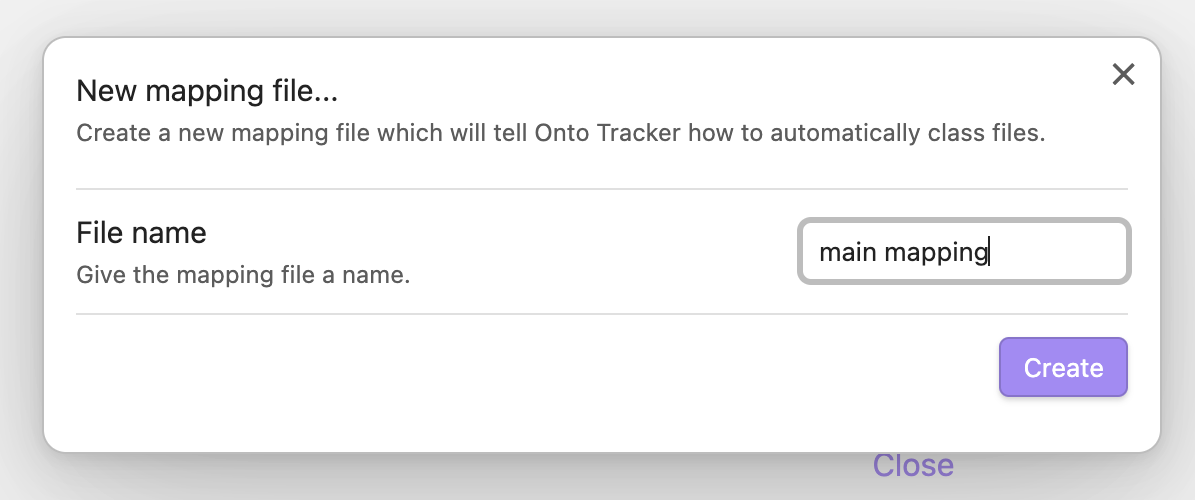
create mapping settings

You can give your mapping a name.

mapping rule

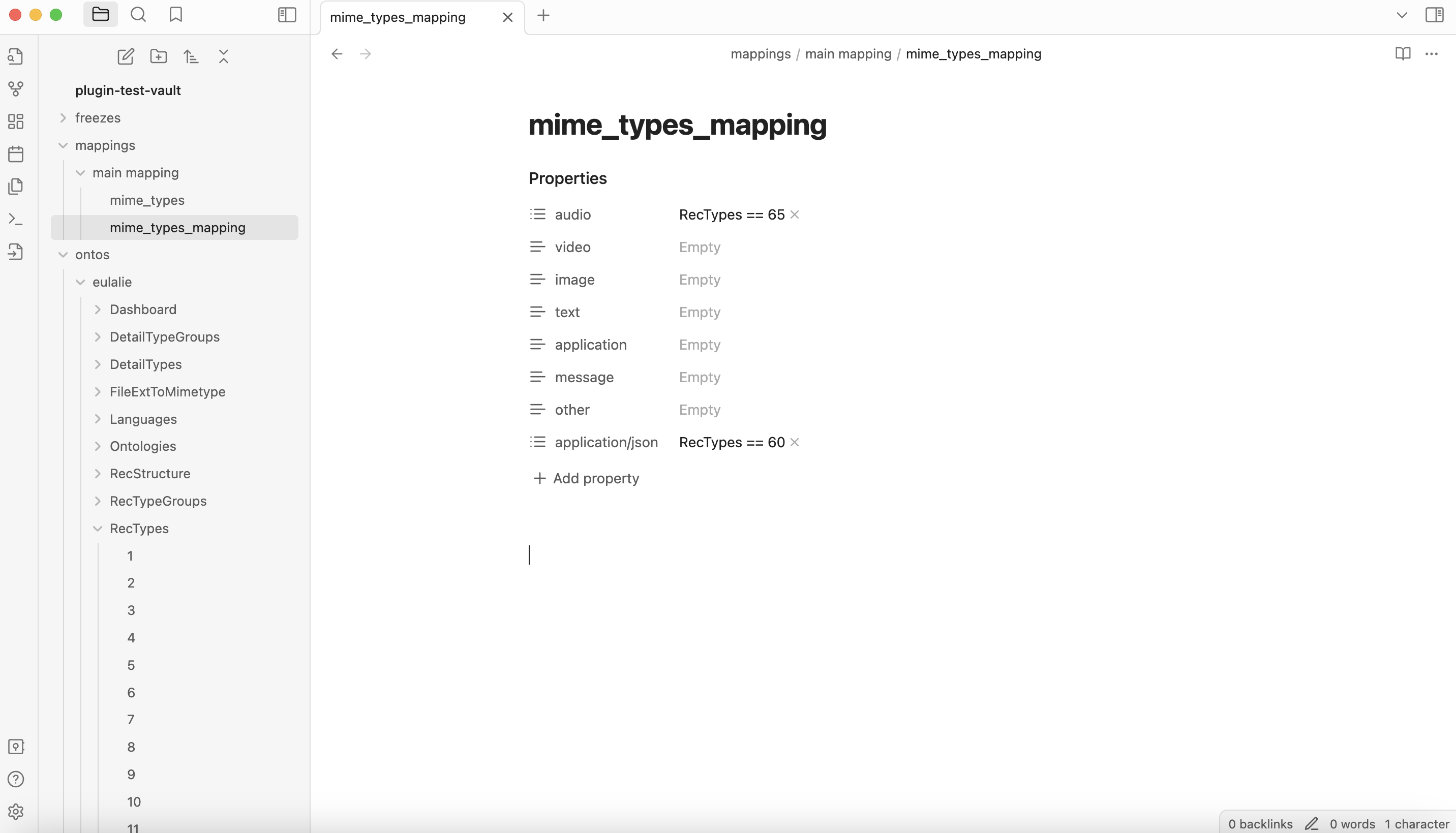
A folder called mappings will have been created in the root of your vault. Here you can open the file called mime_types_mapping to create rules that will assign files to a certain class in your ontology according to file type.

The 6 basic mime types are already created, as well as an 'other' field. You can also add more types and subtypes which will replace main categories (fro example, you can set a rule for audio, and then another for audio/wav).

To create a rule, set the class name, a double equals, and then the index of the rule in the ontology (1-counting, as presented when unpacking an ontoilogy).

Mapping a freeze
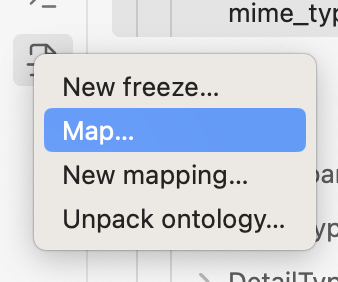
map ribbon

Now that the mapping rules have been created, you can map the files in a freeze by clicking the Map... button.
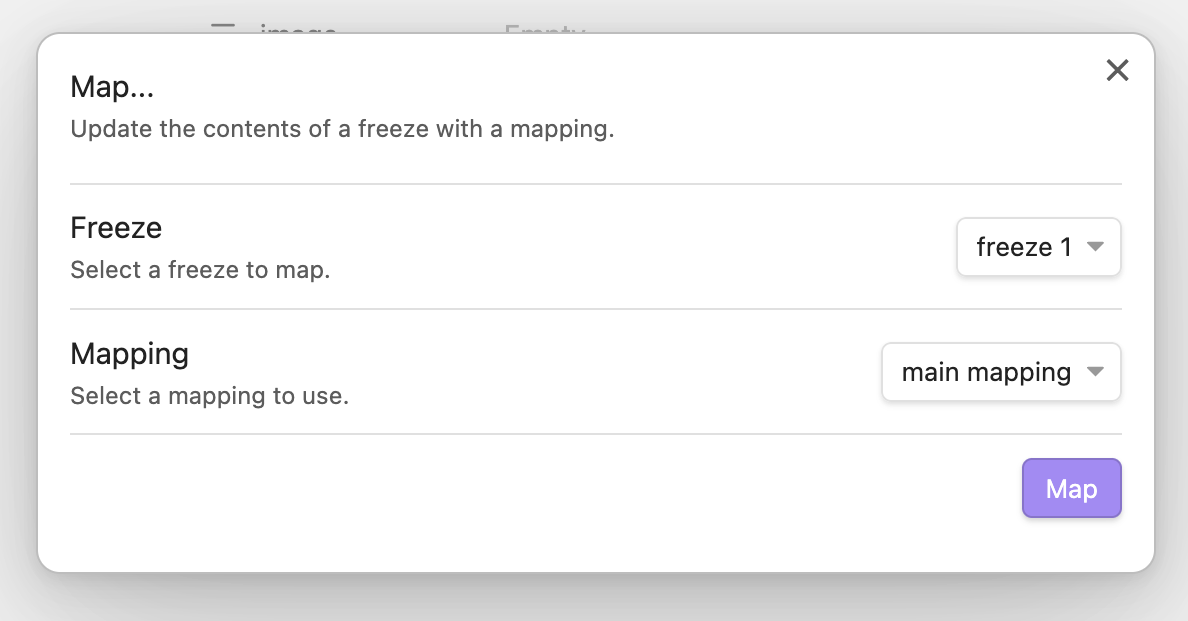
map settings

Choose which freeze and which mapping you wish to use.
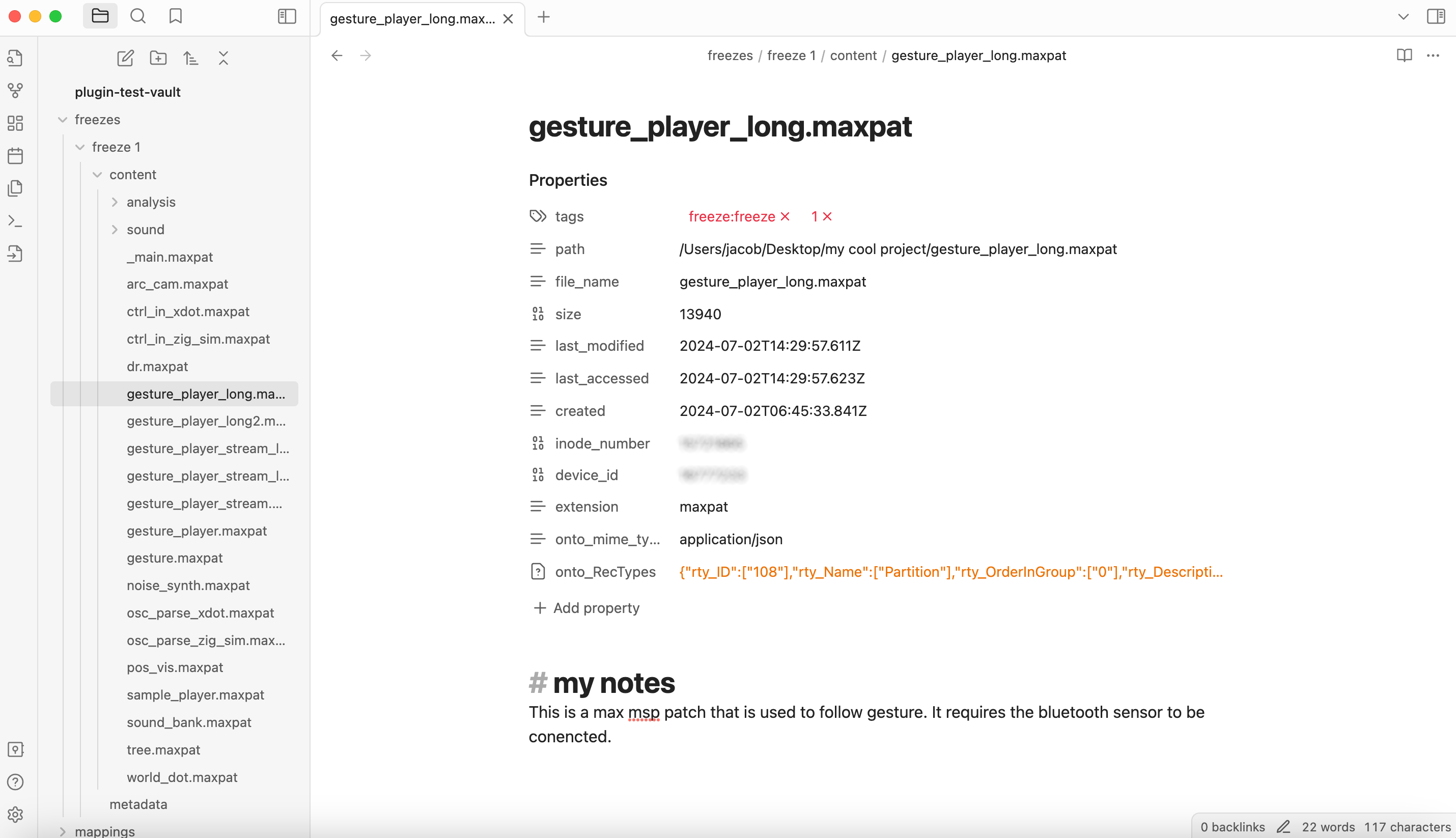
map results

Observe now that the metadate of your freeze files will have been updated (and any notes you wrote in the markdown part of the file are retained).

Roadmap

  • Rule creation for folder placement.
  • Rule creation for file name parsing.
  • Implement "other" mime type parsing.
  • Eulalie default config.
  • Main project record creation.
  • Implement other ontology formats (currently works with heurist format ontologies).
  • Prevent processing when process already in process.
  • Move getFreezeFolderName to utils.

Acknowledgements

Created by Jacob Hart. This project was initially created for the archival work at Art Zoyd Studios. Avec le soutien de la Région Bretagne.

Similar Plugins

info
• Similar plugins are suggested based on the common tags between the plugins.
Binary File Manager
4 years ago by qawatake
An Obsidian plugin to manage binary files
Jira Issue
4 years ago by marc0l92
This plugin allows you to track the progress of Atlassian Jira issues from your Obsidian notes.
Auto Card Link
4 years ago by Nekoshita Yuki
Media DB Plugin
4 years ago by Moritz Jung
A plugin that can query multiple APIs for movies, series, anime, games, music and wiki articles, and import them into your vault.
Task Genius
4 years ago by Boninall
Comprehensive task management plugin for Obsidian
Metadata Menu
4 years ago by mdelobelle
For data management enthusiasts : type and manage the metadata of your notes.
Custom File Explorer sorting
4 years ago by SebastianMC
Take full control over the order and sorting of folders and notes in File Explorer in Obsidian
Meta Bind Plugin
4 years ago by Moritz Jung
A plugin for Obsidian to make your notes interactive with inline input fields, metadata displays, and buttons.
Note aliases
3 years ago by Pulsovi
This plugin manages wikilinks aliases and save them on the aliases list of the linked note
April's Automatic Timelines
3 years ago by April Gras
Simple timeline generator plugin for story tellers using obsidian
Linked Data Vocabularies
3 years ago by kometenstaub
Add linked data to the YAML of your Obsidian notes.
Notes dater
3 years ago by Paul Treanor
Adds created_on and updated_on dates of the active note to status bar
Bulk Exporter
3 years ago by symunona
Bulk export Markdown filtered, renamed and sorted by front matter metadata into a new structure.
Copy Metadata
3 years ago by wenlzhang
An Obsidian plugin to copy metadata to clipboard and insert it into file name.
Auto Tag
3 years ago by Control Alt
Easily generate relevant tags for your Obsidian notes.
Frontmatter generator
2 years ago by Hananoshika Yomaru
A plugin for Obsidian that generates frontmatter for notes
Tag Project
2 years ago by Odaimoko
File Index
2 years ago by Steffo
Obsidian plugin to create a metadata file about the files present in the Vault
Time Things
2 years ago by Nick Winters
Show clock, track time spent editing a note, and track the last time a note has been edited.
Additional Icons
2 years ago by Matthew Turk
Add additional iconsets to Obsidian
Metadata Icon
2 years ago by Benature
change metadata entry icon
Project Browser
2 years ago by Dale de Silva
PARA Workflower
2 years ago by KevTheDevX
Helpful commands for starting and working in your vault with the PARA method.
Update Time
2 years ago by Sébastien Dubois
Obsidian plugin that updates front matter to include creation and last update times
Watched-Metadata
2 years ago by Nail Ahmed
Watches for changes in metadata and updates the note content accordingly.
Todoist Indicator
2 years ago by kapej42
Obsidian plugin to display a badge if project files do not contain a link to Todoist in the properties.
Image Metadata
2 years ago by alexeiskachykhin
Adds image metadata editing capabilities to Obsidian
Virus Total Enrichment
2 years ago by ytisf
An Obsidian plugin to enrich a note with VirusTotal API.
Supercharged Links
5 years ago by mdelobelle
obsidian plugin to add attributes and context menu options to internal links
MetaEdit
5 years ago by Christian B. B. Houmann
MetaEdit for Obsidian
Trello
5 years ago by Nathonius
An Obsidian Plugin that connects Trello cards to Obsidian notes.
Metadata Extractor
5 years ago by kometenstaub
Obsidian Plugin that provides metadata export for use with third-party apps.
Update time on edit
5 years ago by beaussan
Metadata Auto Classifier
2 years ago by Beomsu Koh
AI-powered Obsidian plugin that automatically classifies and generates metadata (tags, frontmatter) for your notes.
ExMemo Assistant
a year ago by ExMemo AI
Using LLMs to manage files and generating metadata such as tags and summaries.
Project Tasks
a year ago by Paul Paterson
An Obsidian Add-in that allows you to create simple projects out of tasks
KoReader Highlight Importer
a year ago by Tahsin Kocaman
Imports highlights and metadata from KoReader into Obsidian notes
Frontmatter Markdown Links
a year ago by mnaoumov
Obsidian Plugin that adds support for markdown links in frontmatter
Boardgame Search
a year ago by Marlon May
A plugin to create notes for boardgames based on the BGG API
Sentinel
a year ago by Giorgos Sarigiannidis
A plugin for Obsidian that allows you to update properties or run commands based on document visibility changes.
Current File Tags
a year ago by Trung Tran
Dataview Autocompletion
a year ago by Daniel Bauer
NetClip
a year ago by Elhary
this plugin is for Obsidian that allows you to browse the web and clip webpages directly into your vault.
Tag Tactician
a year ago by Scott Tomaszewski
Media Companion
a year ago by Nick de Bruin
Fold Properties By Default
a year ago by Tommy Bergeron
Always have editor/metadata properties folded by default.
Task Board
a year ago by Atmanand Gauns
An Obsidian plugin to view and manage your tasks from whole vault using much efficient boards using various methodologies.
LLM Tagger
a year ago by David Jayatillake
Paste Image Into Property
a year ago by Nito
My Thesaurus
a year ago by Mara-Li
A plugin that auto tags file based on contents and a csv file or a Markdown table (inspired by https://github.com/pmartinolli/MyThesaurus)
Content Cards
a year ago by leo
Insert content cards in Markdown, such as timeline, highlightblock, target card, book information card, music information card, movie information card, photoes ablum, business card, content subfield, countdown, SWOT,BCG.
AI Tagger Universe
a year ago by Hu Nie
An intelligent Obsidian plugin that leverages AI to automatically analyze note content and suggest relevant tags, supporting both local and cloud-based LLM services.
Note Favicon
a year ago by mdklab
Obsidian plugin – Show Favicon from Metadata
File Title Updater
a year ago by wenlzhang
An Obsidian plugin that synchronizes titles between filename, frontmatter, and first heading in your notes.
Kanban Status Updater
a year ago by Ankit Kapur
Obsidian plugin that automatically updates the note property when card is moved to a column.
Simple File Info
a year ago by Lukas Capkovic
Another Name
a year ago by Jiyuan Wang
Add a subheading to your note in Obsidian
GitHub Integration
a year ago by Kirill Zhuravlev
Plugin that fetch your github stars into notes
Note UID Generator
a year ago by Valentin Pelletier
Allow you to automatically generate UID for the notes in your vault.
Symbol linking
10 months ago by Evan Bonsignori ; Mara-Li
Adds ability to link with any trigger in Obsidian. Each trigger can limit linking to specific folders or file.
Frontmatter Metadata Link Classes
10 months ago by Varvara Zmeeva / zmeeva.io
Enhanced internal links with automatic classnames based on frontmatter metadata.
T4: Task Tree Time Totaler
9 months ago by Evan Story
Discrete
9 months ago by shkarlsson
Linear
8 months ago by Casey Becking
Papers
8 months ago by William Liang
An obsidian plugin to retrieve and import research papers.
Note Codes
8 months ago by Ezhik
Reference your Obsidian notes from anywhere with simple 4-character codes.
Pretty Properties
6 months ago by Anareaty
Linear Integration
6 months ago by casals
Sync Linear (https://linear.app) issues with Obsidian notes. Create, update, and track Linear issues directly from your vault.
Book Clipper
5 months ago by Hossein Fardmohammadi
Save book details from websites into your notes
Conditional Properties
4 months ago by Diego Eis
Automate frontmatter property updates in your Obsidian notes using simple conditional rules.
Frontmatter to HTML Attributes
2 months ago by Tarek Saier
Makes YAML frontmatter available as data-* attributes in HTML, enabling metadata based CSS styling.