
There are 222 new plugins, 821 plugin updates and 9 new themes during the week 2026-07-26 to 2026-08-01.
This week moved fast. Between 2026-07-26 and 2026-08-01 the community added 222 new plugins and 9 new themes alongside 821 plugin updates. I pulled the ranked entries into one pass so you can see what drew attention.
New Plugins
There are 222 new plugins - see them all at /new. A few stand out. Side-Notes puts incrementing sidenotes in the margin, while Scan Sketch cleans up handwritten pages with perspective correction, background removal and filters. Sidet brings mobile-friendly AI chat into Obsidian, and Attachment Organizer sorts attachments into zone-based folders with conflict detection and batch operations.
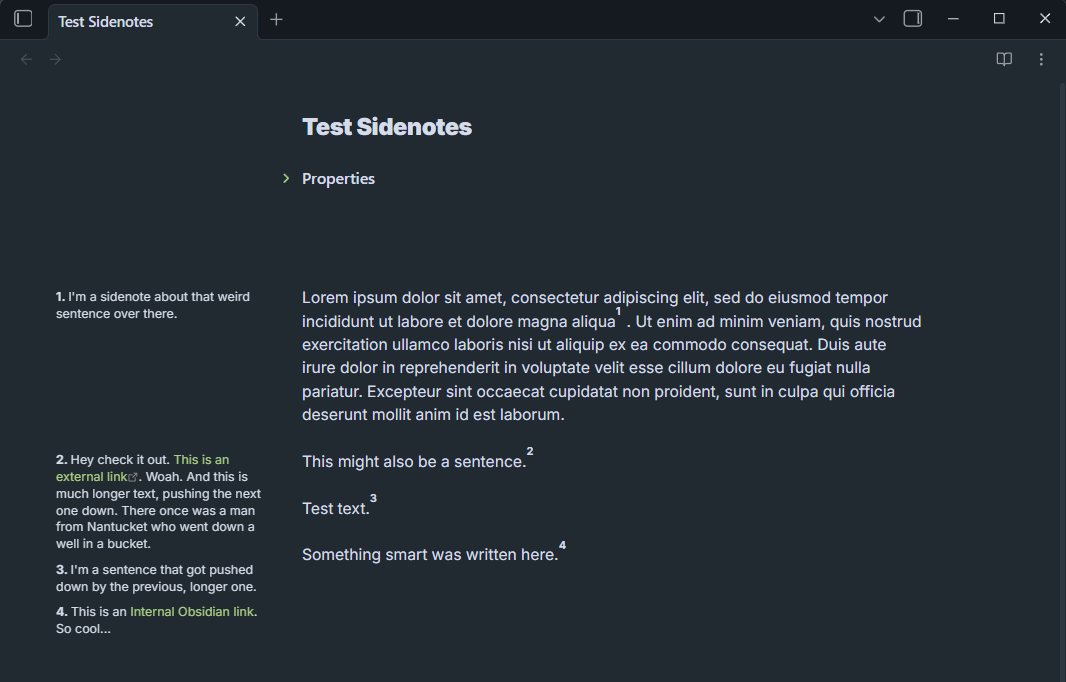
1. Side-Notes
The Side-Notes plugin moves footnotes or HTML span notes into the page margins so commentary stays beside the line it belongs to. It supports numbered sidenotes and unnumbered margin notes, lets you edit notes directly in the margin while writing, and can pin individual notes to the opposite side when one layout does not fit. You can change numbering styles, badge like markers and heading based resets, then tune widths, gaps, offsets, font settings and collision handling for tighter pages. It also fits web published notes through custom CSS and includes experimental PDF export that keeps notes in the margin instead of flattening everything into endnotes.
2. Scan Sketch
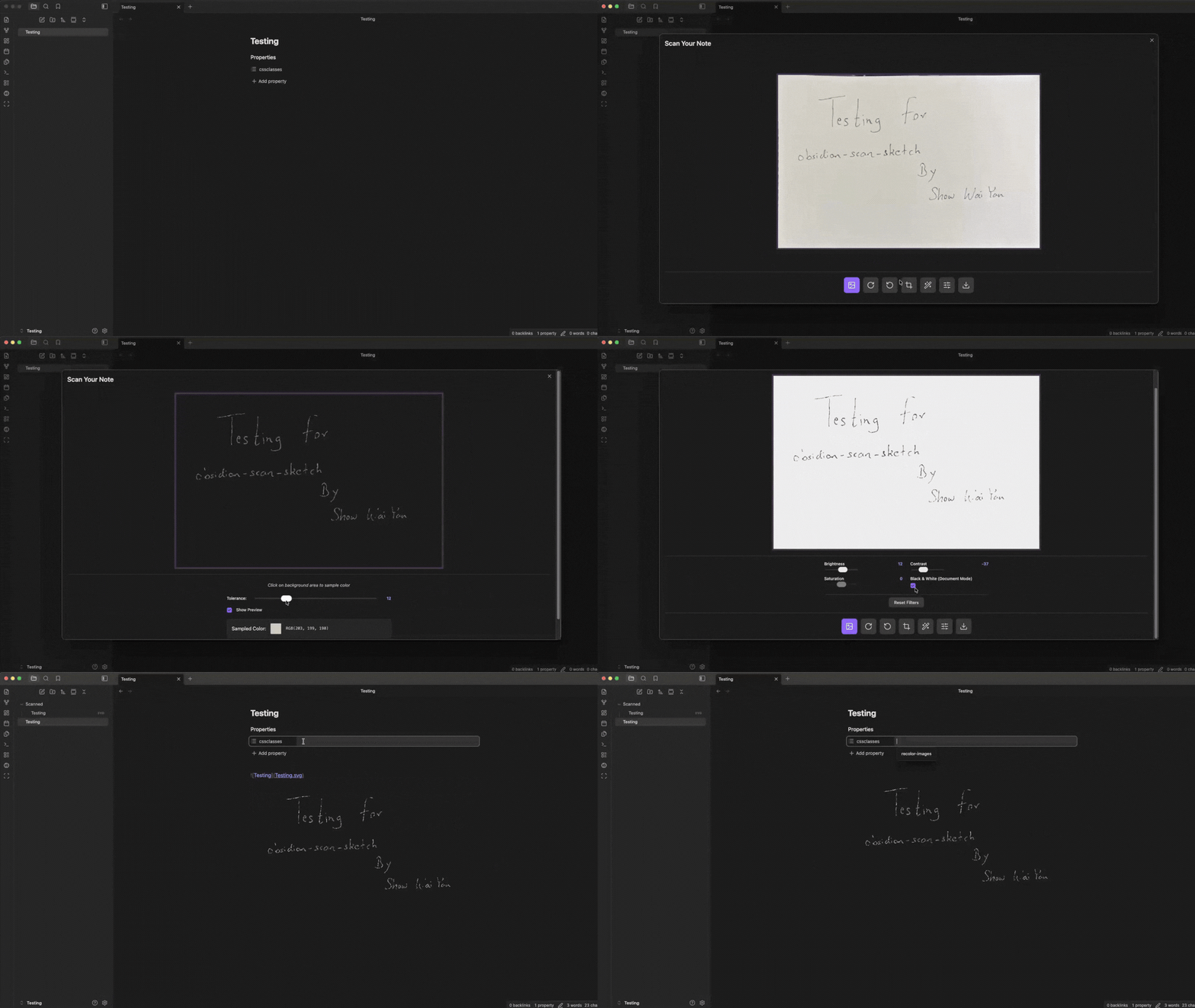
The Scan Sketch plugin turns photos of notebook pages and loose documents into cleaner images you can drop into your notes. It can pull an image from a file picker or the camera, detect page corners, straighten perspective, rotate the shot and let you fine tune the crop by dragging four points. It also includes brightness, contrast, saturation and black and white controls, plus background removal with live preview before export. You can save the result as PNG, JPG or SVG, pick from multiple destination folders and insert the embed link into the active note at the cursor.
The Sidet plugin turns a new tab into a chat home page where you can ask questions, pin common commands and pull notes, selections, web pages or images into the conversation. It keeps the active chat in the main pane instead of squeezing it into a side panel, while a right sidebar handles search, pinning, folders, archiving and export. The plugin also adds local knowledge base lookup, web clipping, online search and wiki card drafting, with a preview before anything is written back to notes. Model settings are managed per service and chats stay separate from note files until you confirm a write action.
The Attachment Organizer plugin helps clean up attachment sprawl by scanning a vault, checking backlinks and grouping files into workspace, staging and optional extra scan zones. It shows whether an item should stay put, move closer to the note that references it, go to staging or be flagged as missing or conflicting. You can preview the full plan before applying changes, filter the results by status and run batch moves in one pass. The plugin also supports undo for the last operation, configurable placement rules, duplicate name checks and custom attachment detection for cases like Excalidraw or Canvas files. It fits people who want attachment folders to stay consistent without sorting files by hand.
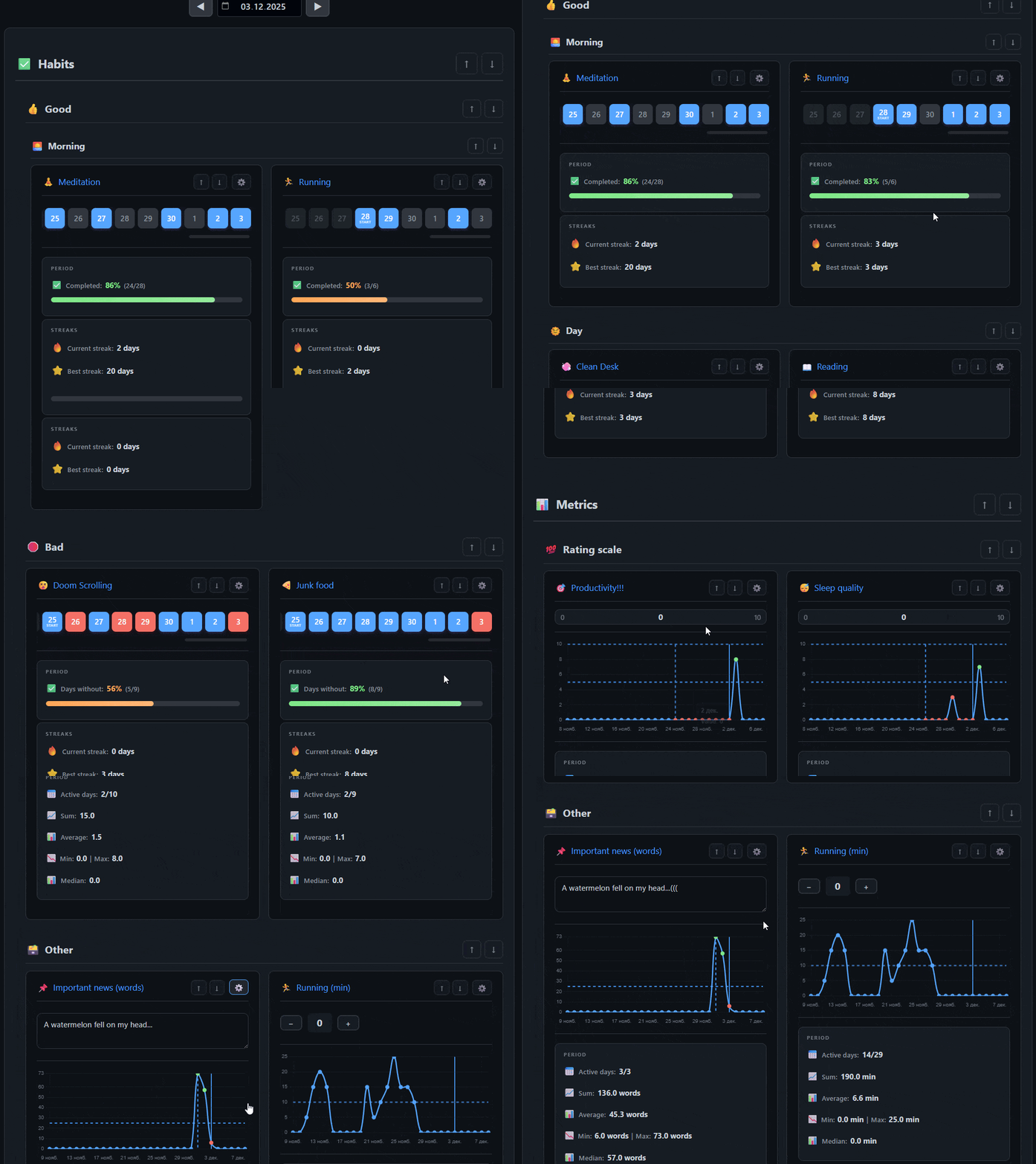
The Habitify plugin turns Markdown notes into habit and metric trackers that live inside your vault instead of a separate database. It supports six tracker types, covering positive and negative habits, numeric logs, counters, text entries and scale based inputs, so the same setup can track routines, health numbers or daily notes. Activity is shown through heatmaps, charts and period stats such as streaks, averages, totals and median values. Trackers stay as normal notes with YAML frontmatter, which makes the data easy to inspect and extend. Folder structure can also act as categories and one date picker controls the visible view across a tracker block.
6. Barosaurus
The Barosaurus plugin brings notes, commands, open tabs, headings, bookmarks, folders and tags into one command bar, then lets you act on the selected result from the same place. You can rename, move, bookmark, open items in different layouts, append notes to today's note and create a new file when nothing matches. Ranking shifts with context, so editor actions rise when text is selected and frequent choices stay near the top while you type. The bar also supports nested pickers for tasks like moving files or choosing colours, with breadcrumbs that preserve your query when you step back.
The Ribbon Folder plugin turns the ribbon into a place for grouped commands instead of a long row of separate buttons. You can create custom groups, give each one a Lucide or SVG icon and open its commands from a small menu when you click or hover over the button. Each command in the group can also get its own display name and icon, which helps when you want a cleaner sidebar without losing quick access to actions you use often. Menu display can be set to icons, labels or both, and the plugin supports English and simplified Chinese. It suits people who rely on the ribbon but want it organised around tasks rather than a cluttered list of standalone commands.
8. Weread Vault
The Weread Vault plugin brings WeChat Read books, highlights, thoughts and reviews into one long lived reading vault, then keeps personal notes separate so a fresh sync does not wipe them out. It can import pasted book lists, create entries for paper books, open note creation from the shelf or a book card and let you pick books by title, author or bookId. Imported Markdown, TXT and DOCX notes stay in the same workflow, with support for tables, images and follow up editing. Book detail views also combine synced reading material with local notes. This makes the plugin useful for readers who treat highlights, commentary and reading notes as one connected knowledge base.
The PDF++ Exporter plugin takes annotations and notes linked from Markdown back into a PDF as standard highlights, rectangles and popup comments, so the file can be shared outside the vault without losing context. It works with text selections and area captures, pulls comments from callouts, paragraphs or list items and lets you control colour filters, opacity, link replacement text and sticky note output for viewer compatibility. The plugin is built for people who review papers, contracts or other documents in notes first and need a final annotated PDF later. It also handles dummy PDFs that point to remote files, using cached or fetched copies when needed, which keeps the export flow usable even when the source is not a local PDF.
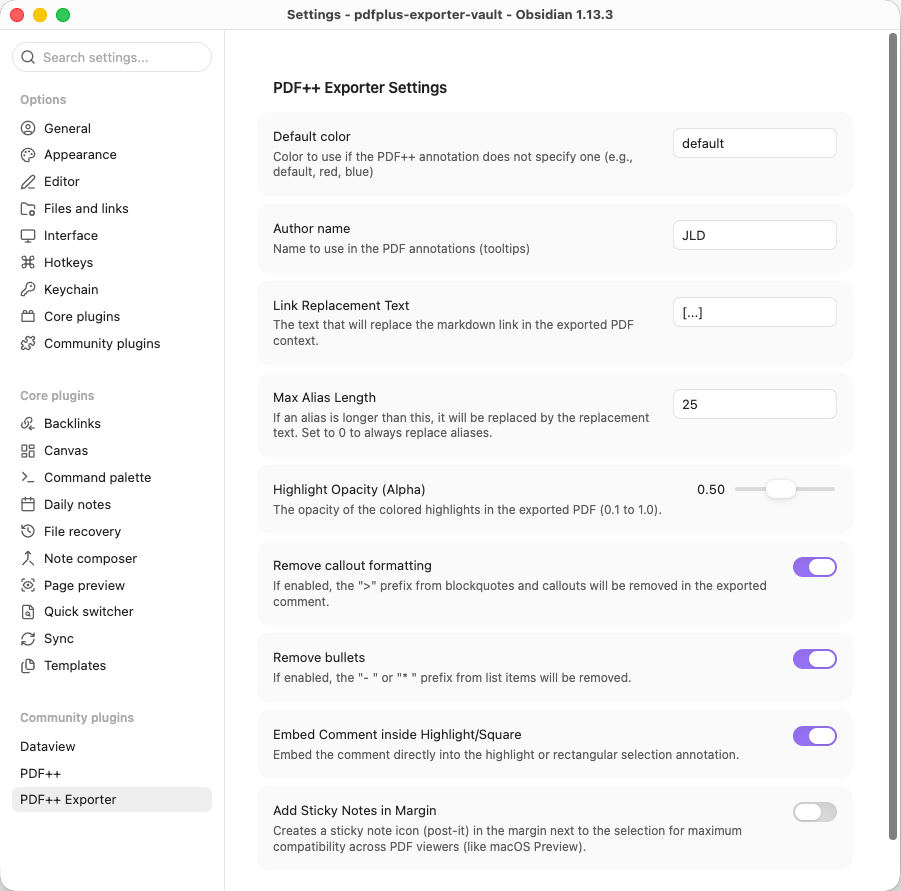
index=10 pluginId=crisp-annotations
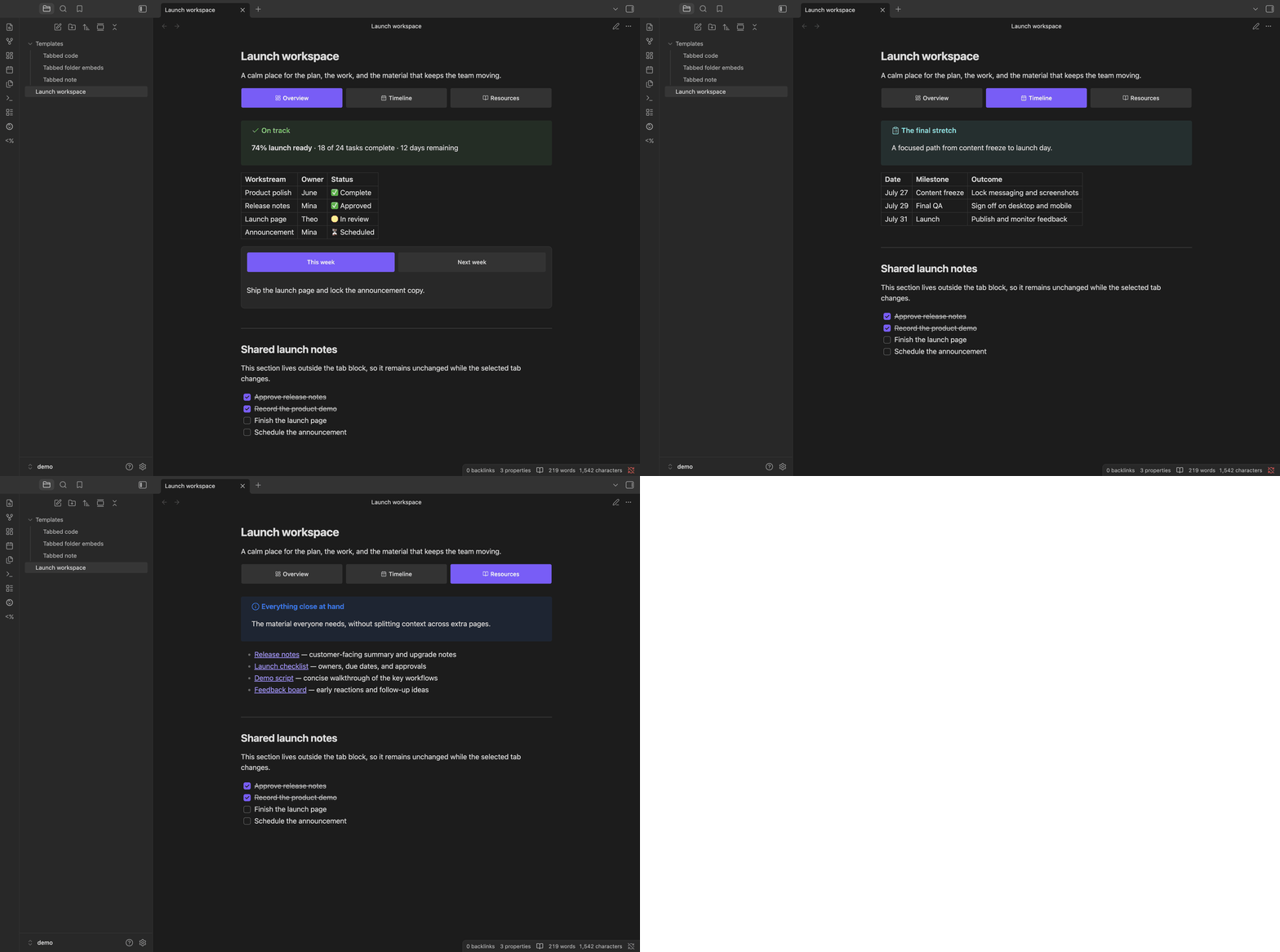
The Tabsdown plugin adds tabbed content blocks to notes using ordinary Markdown fences instead of custom page layouts. It renders each tab through the normal Markdown pipeline, so links, embeds, callouts, math, Mermaid diagrams and compatible community plugin blocks can live inside the same switchable view. The plugin stays interactive in Reading View and in Live Preview when the cursor is outside the block, while Source Mode keeps the raw fenced text visible. It also supports nested tabs, optional Lucide icons, theme aware styling, Style Settings controls and keyboard friendly tab semantics. When the source is malformed, it shows a diagnostic instead of hiding the content, which makes broken blocks easier to fix.
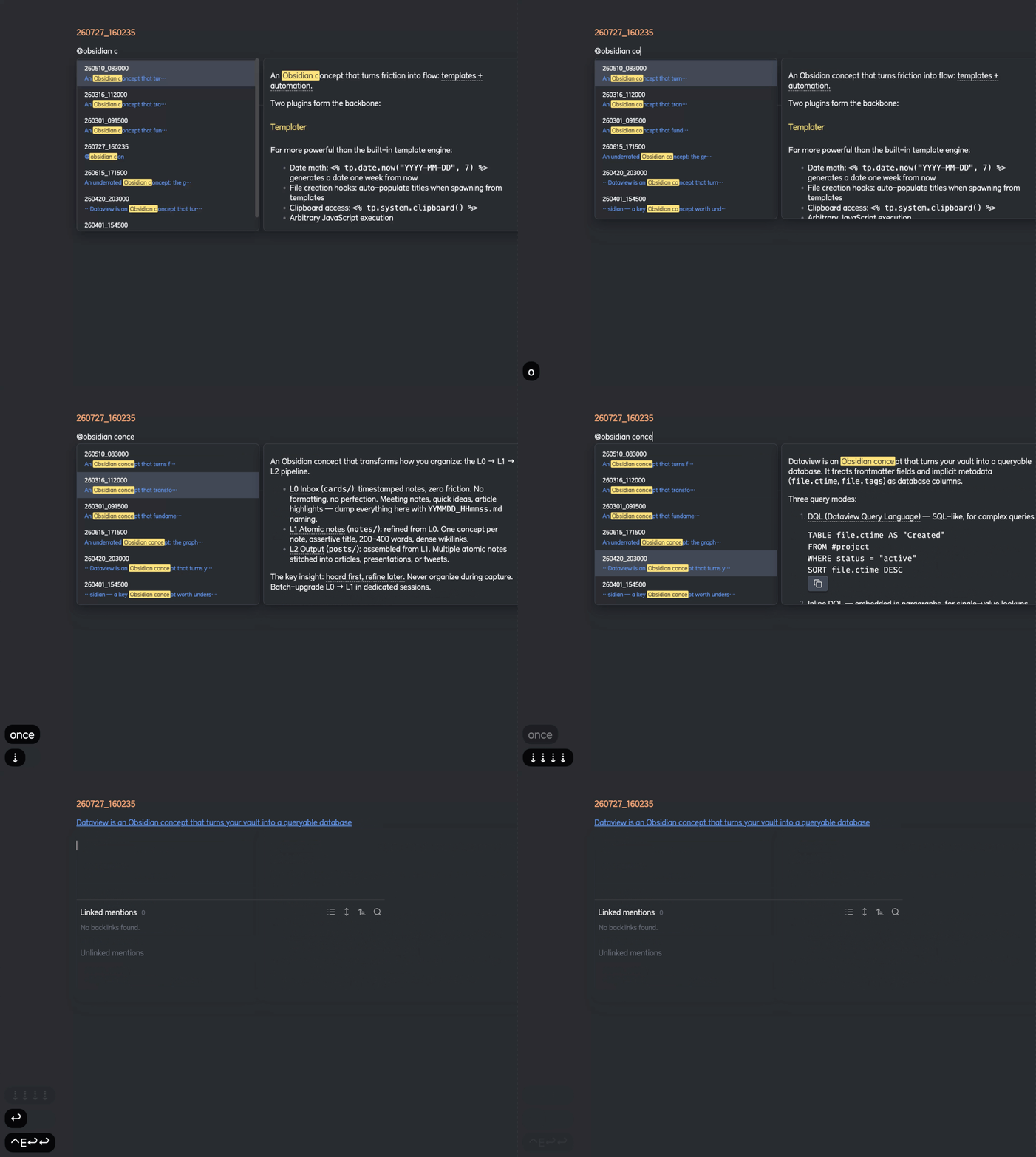
The Mention Autocomplete plugin turns `@` into a content search shortcut for linking notes when titles are not enough. It scans markdown files, ignores frontmatter, and finds matches from note text, then shows the matching sentence in the picker so you can spot the right note fast. A rendered side panel lets you inspect the full note before inserting the link. When selected, it creates a wikilink with an alias based on the matching sentence or heading, which makes links more readable in running notes. It also supports keyboard navigation, click to dismiss behaviour, live index updates after file changes and Chinese pinyin input without breaking the selection flow.
13. Local Fonts
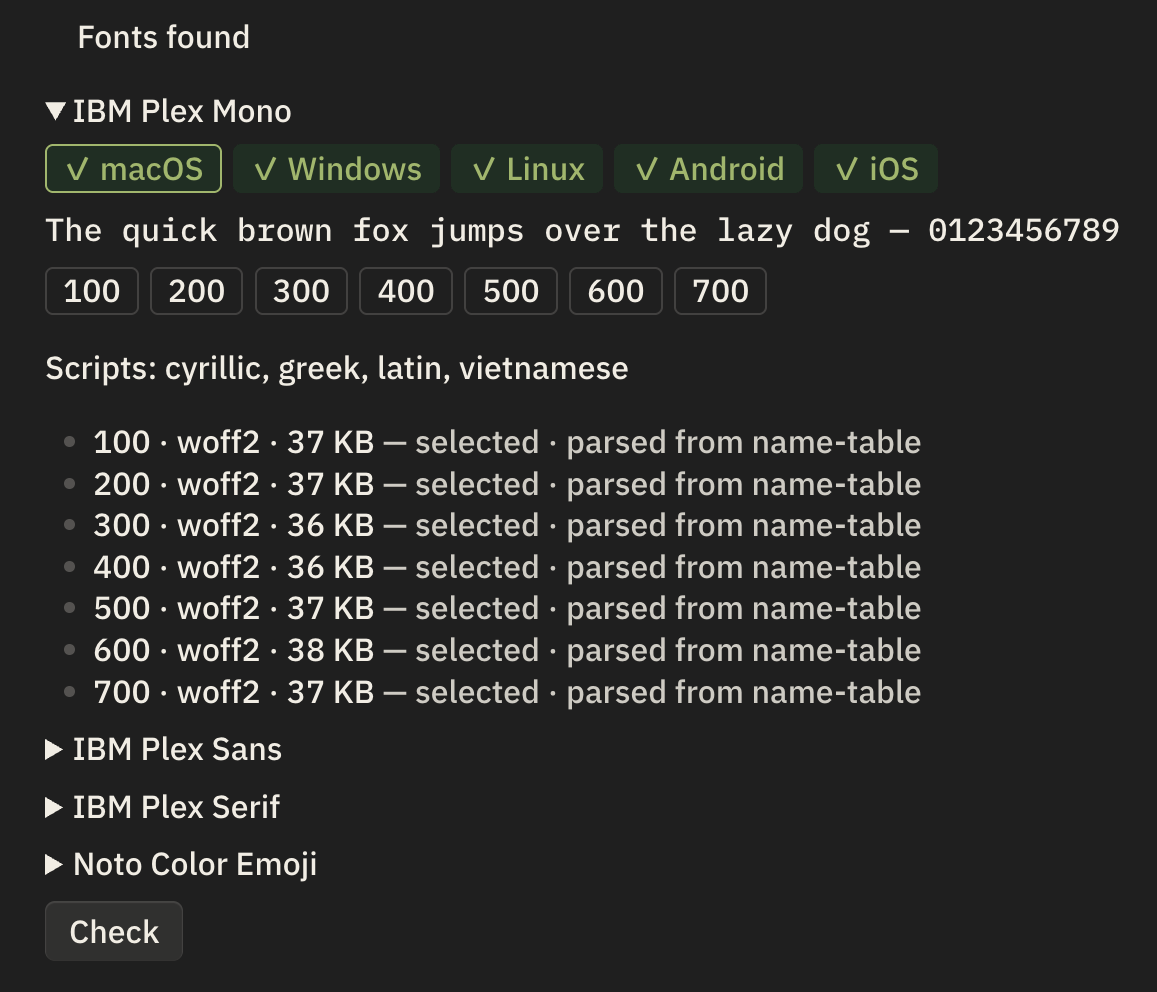
The Local Fonts plugin lets you load font files from a folder in your vault and apply them to body text, interface text, monospace text, headings and emoji. It scans subfolders, reads family and style metadata from the files themselves, and picks a format that suits the current device instead of relying on file names. The plugin also handles mixed desktop and mobile cases, including emoji fonts that need different builds on Chromium and WebKit. A diagnostics view shows weights, script coverage, file formats, colour support and which face was chosen for the device. There is also a Check action to verify what actually rendered after you change fonts.
14. Property Panels
The Property Panels plugin turns frontmatter into editable panels that live inside a note instead of staying tucked away in the default properties view. It lets you build different panel layouts for folders, tags, or linked notes, then fill them with text, number, toggle, date, rating, progress, select, multi select, link, and read only fields. Option lists can come from static values, other notes, Markdown lists, or folders in the vault. The plugin also gives fine control over labels, icons, spacing, colors, and placement around note content, linked mentions, or properties. It fits people who rely on structured metadata and want faster editing without hand editing YAML.
15. Multi Cloud Sync
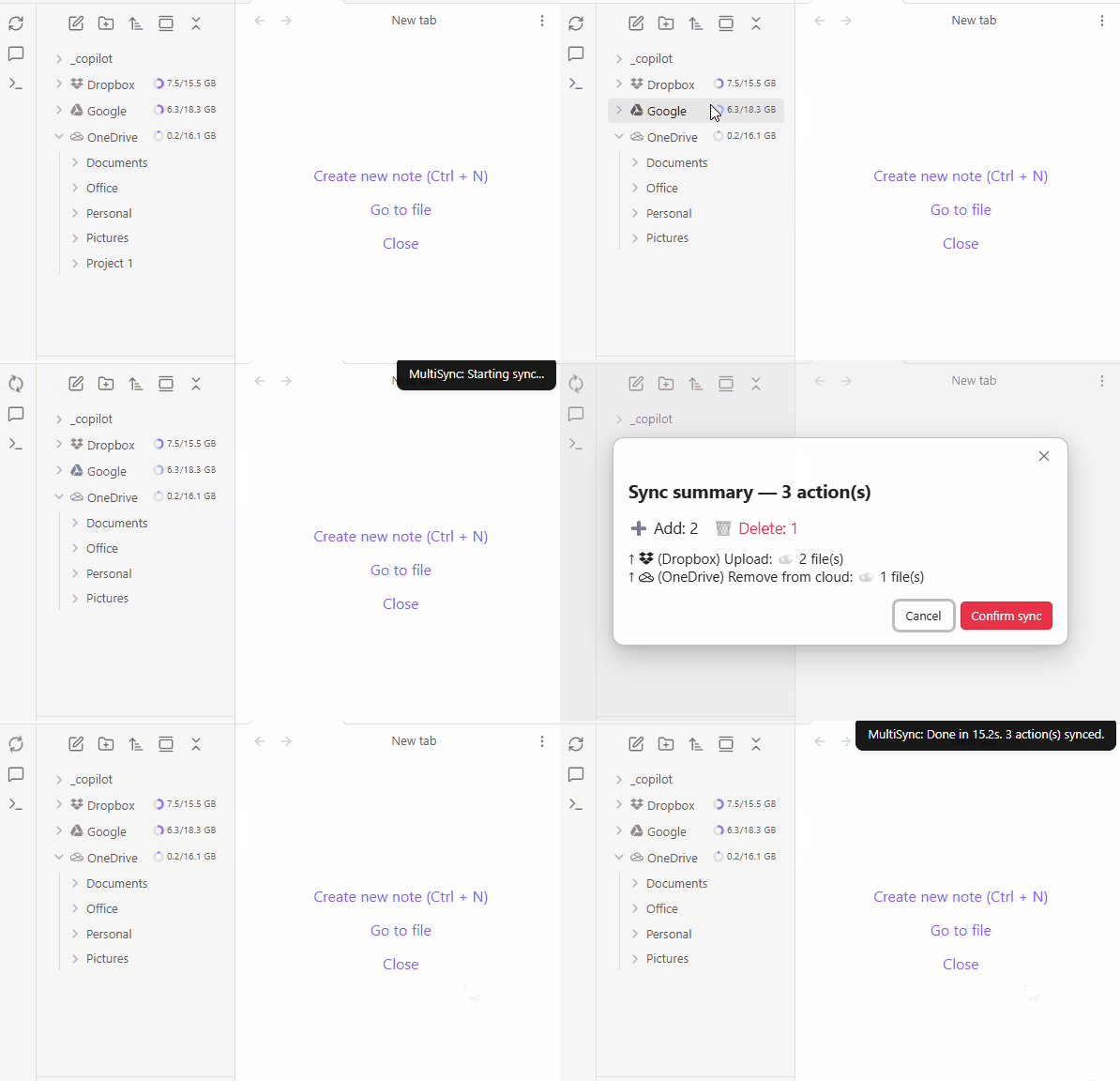
The Multi Cloud Sync plugin lets you connect selected vault folders to more than one cloud provider and keep those mappings in sync without treating the whole vault as a single unit. It focuses on folder level control, so you can pair local folders with cloud folders across Dropbox, Google Drive, OneDrive and an experimental Notion option. That makes migration, backup layout changes and mixed storage setups easier to manage. The plugin also includes sync confirmation, trash bin safeguards for cloud and local files, dry runs, real time sync and smart content merge for pro users.
Most Downloaded (2026-07-26 to 2026-08-01)
| Rank | Plugin | Downloads | Links |
|---|---|---|---|
| 1 | Excalidraw | 108,682 | Details / GitHub |
| 2 | TaskNotes | 91,481 | Details / GitHub |
| 3 | Claudian | 82,179 | Details / GitHub |
| 4 | Templater | 62,861 | Details / GitHub |
| 5 | Tasks | 62,558 | Details / GitHub |
| 6 | Dataview | 43,435 | Details / GitHub |
| 7 | Omnisearch | 29,755 | Details / GitHub |
| 8 | Git | 27,881 | Details / GitHub |
| 9 | Copilot | 27,287 | Details / GitHub |
| 10 | Calendar | 24,398 | Details / GitHub |
| 11 | Notebook Navigator | 24,095 | Details / GitHub |
| 12 | Editing Toolbar | 24,022 | Details / GitHub |
| 13 | Kanban | 21,874 | Details / GitHub |
| 14 | Style Settings | 19,963 | Details / GitHub |
| 15 | Outliner | 19,411 | Details / GitHub |
Plugin Updates
There were 821 plugin updates in the last one week's time. You can see all the plugin updates on Obsidian Plugin Stats webapp.
Notable Updates
- Claudian - v2.0.41 - Changelog
- Templater - v2.24.3 - Changelog
- Tasks - v8.3.0 - Changelog
- Omnisearch - v1.30.1 - Changelog
- Notebook Navigator - v3.3.0 - Changelog
New Themes
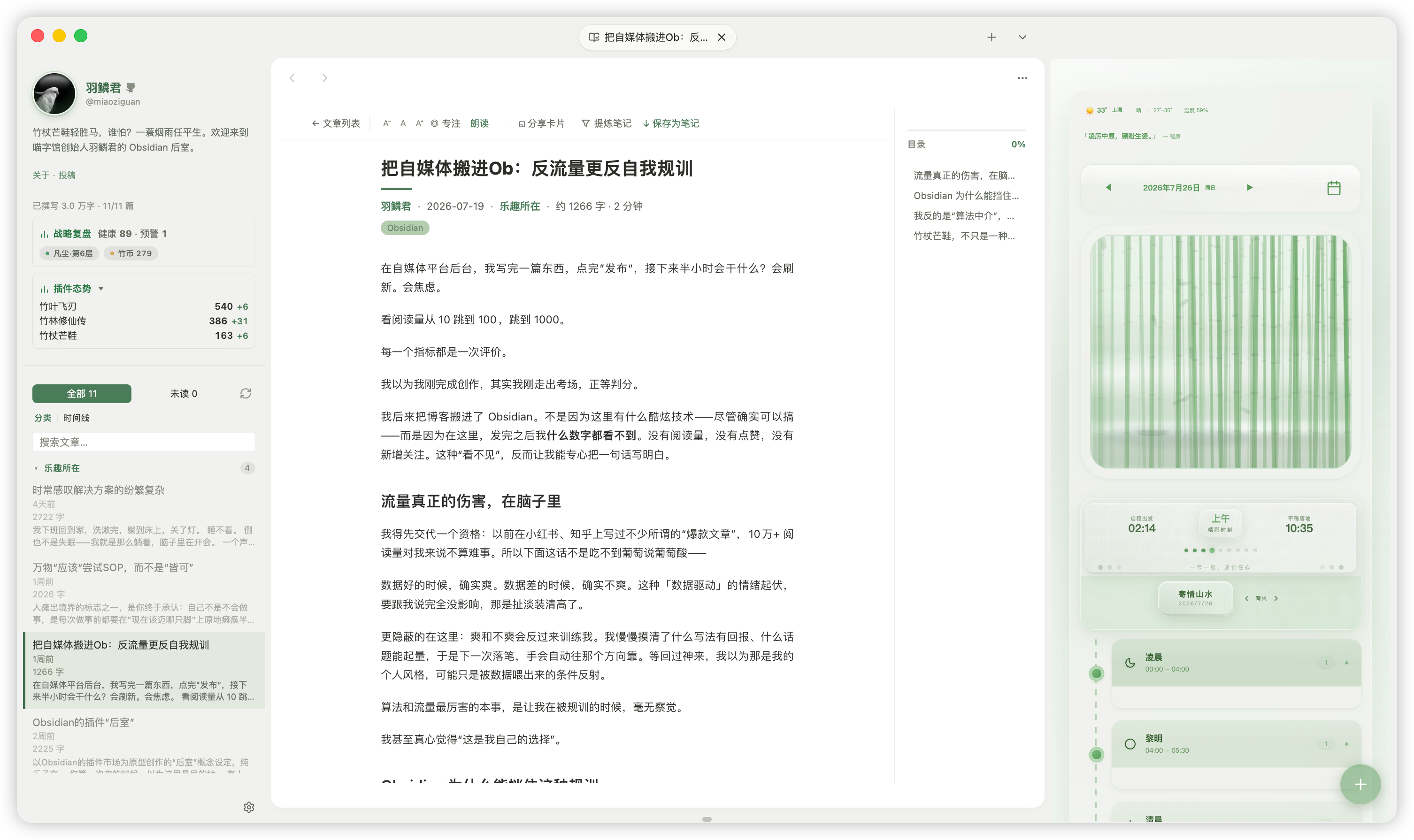
1. Bamboo China
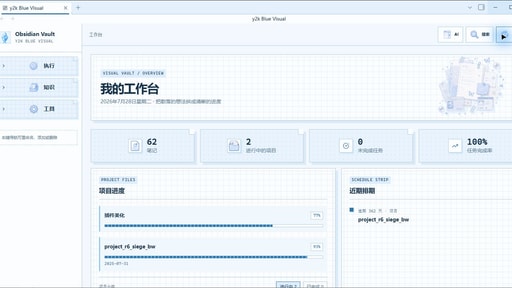
4. pixel-blue
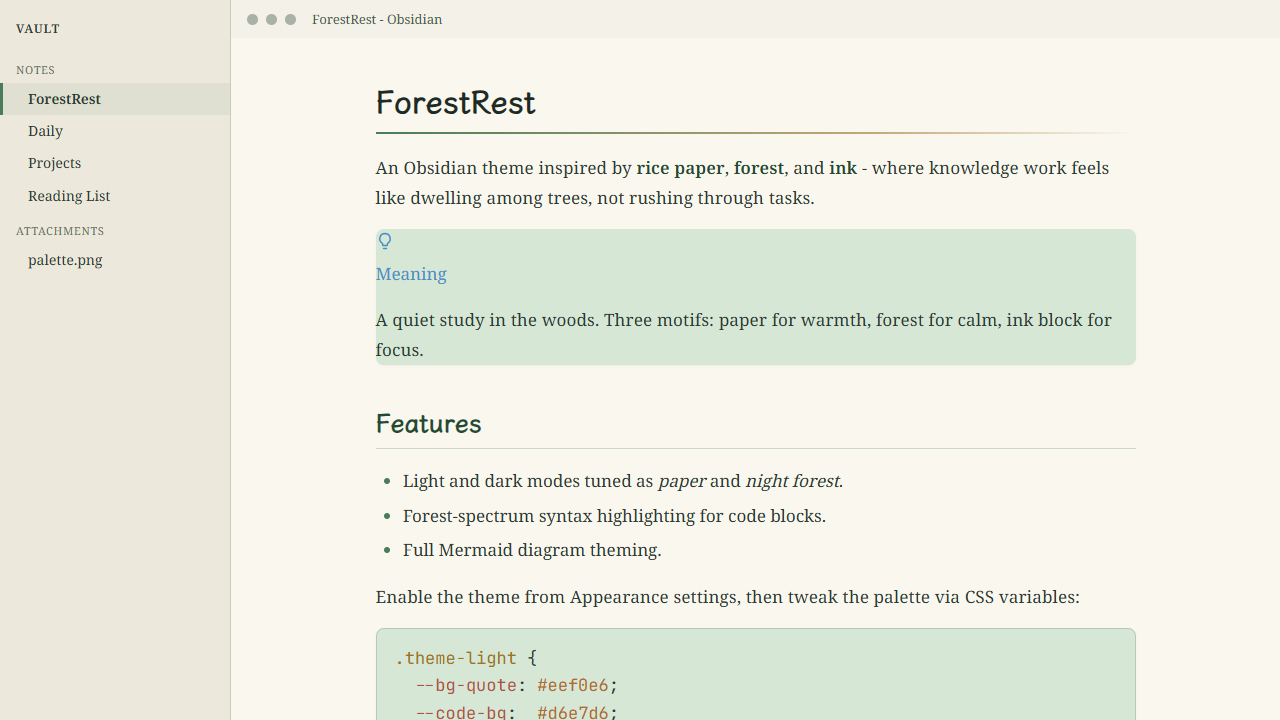
5. ForestRest
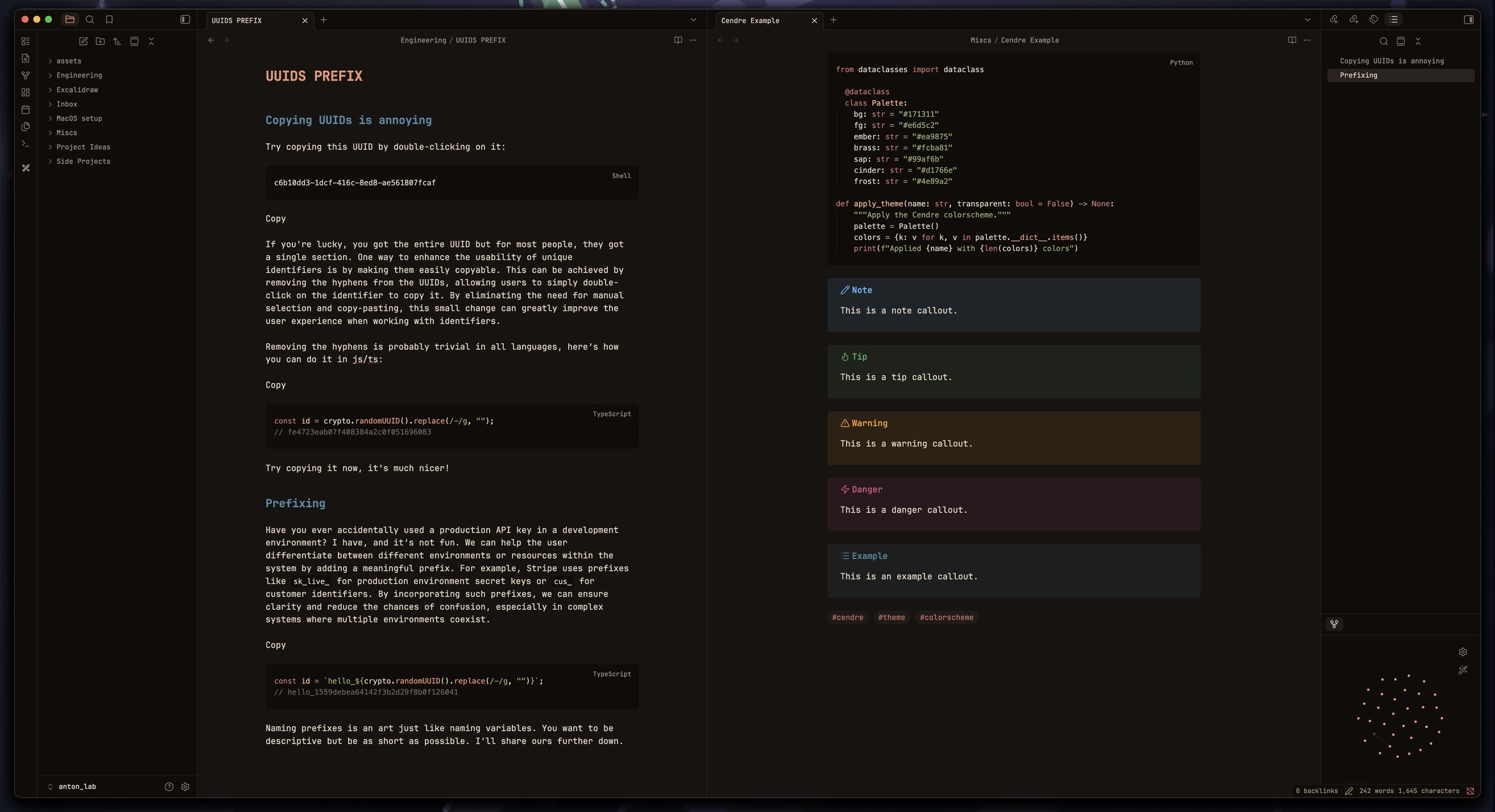
6. cendre
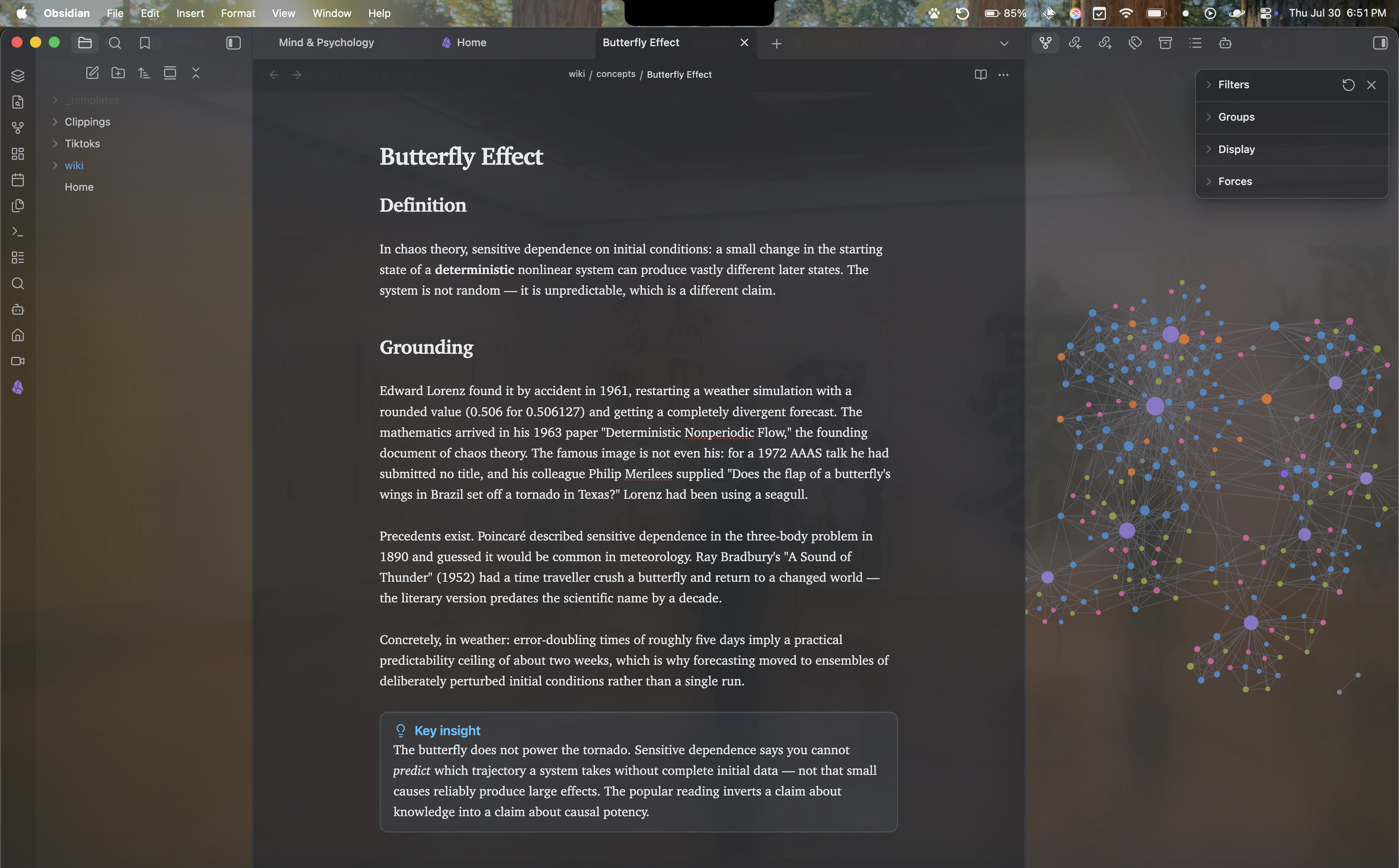
7. Isinglass
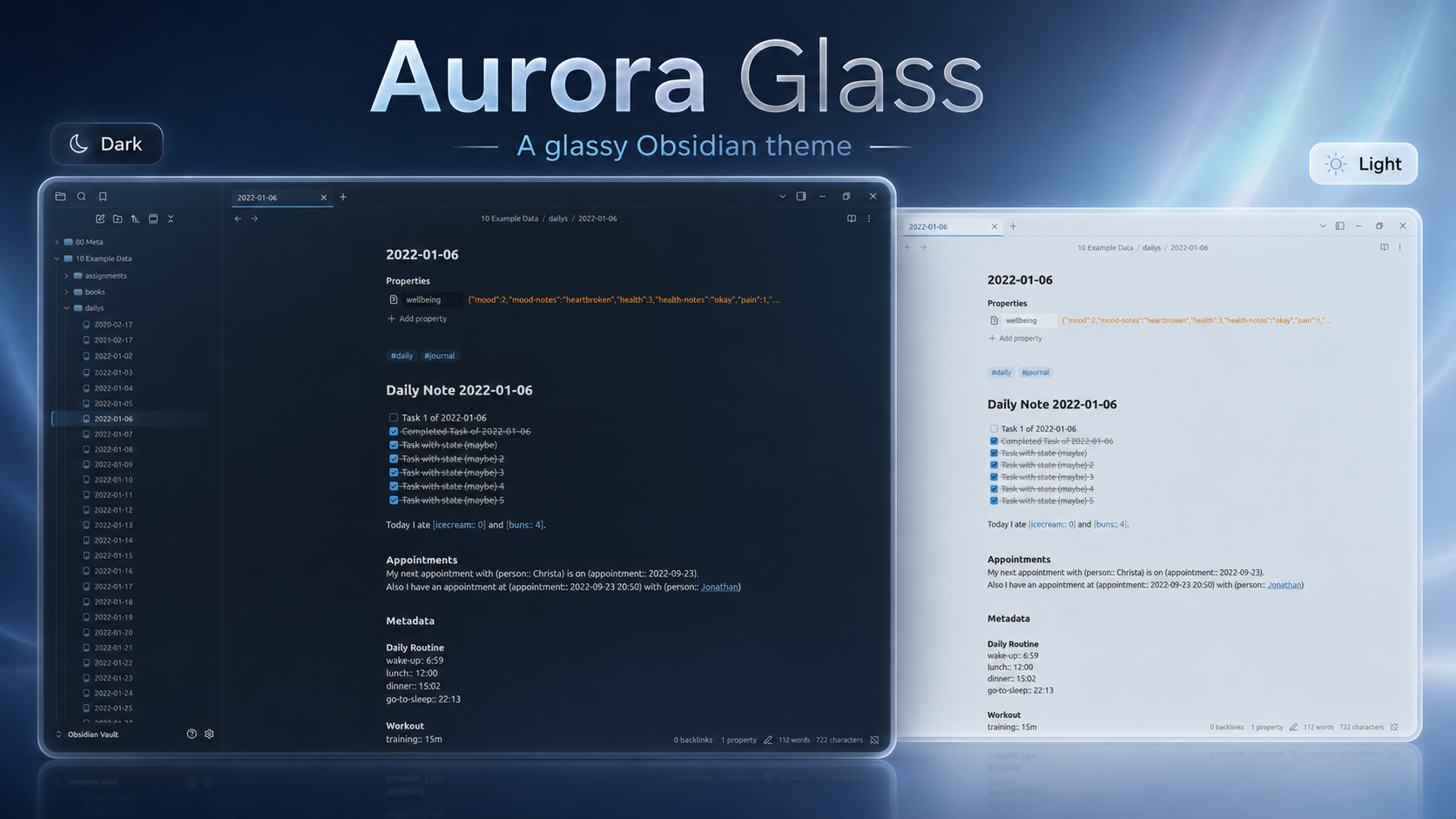
8. Aurora Glass
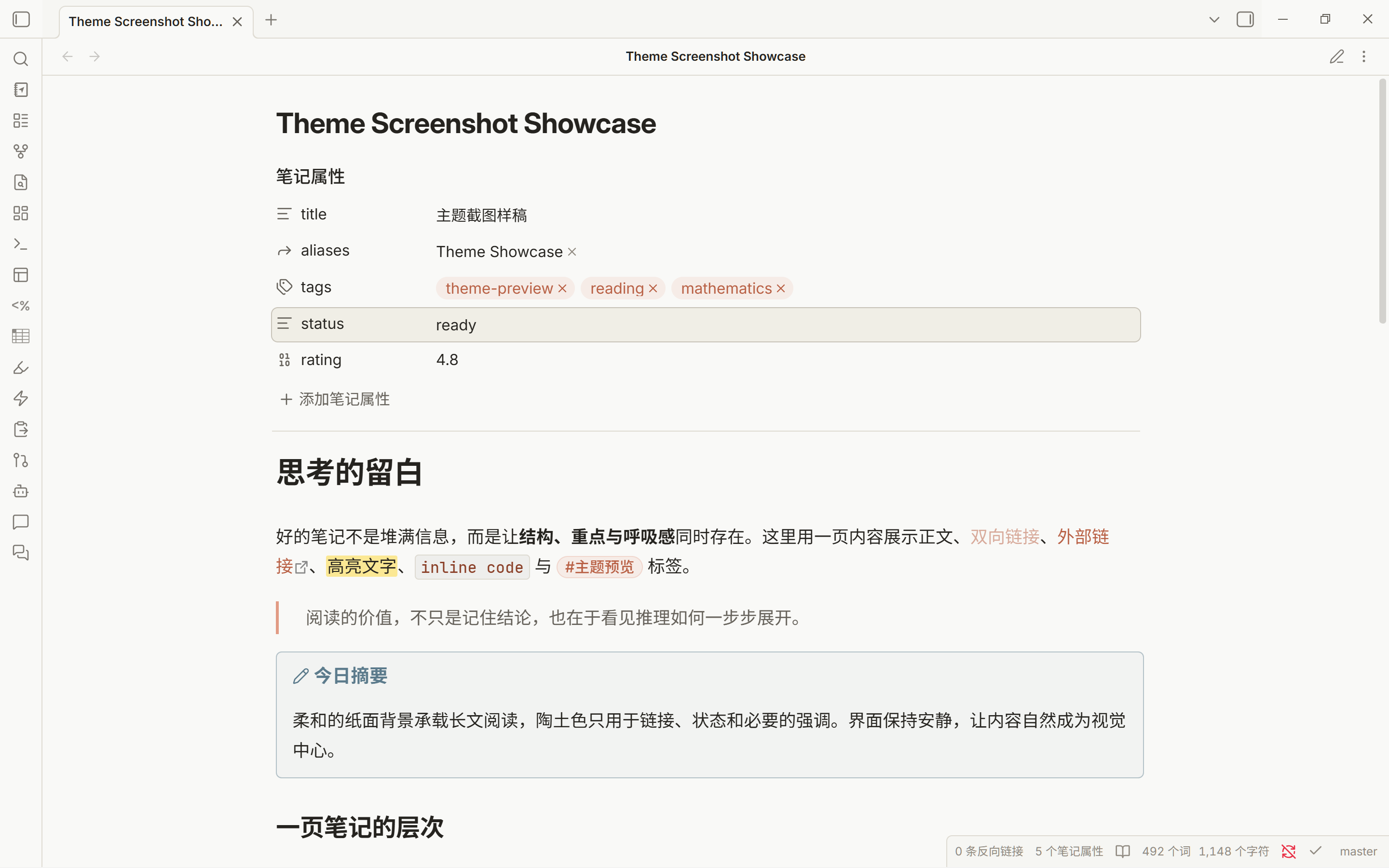
9. Paper Ember
Browse the newest plugins on /new and the latest updates on /updates while you catch up. See you next week!