
README file from
Githubpixel-blue
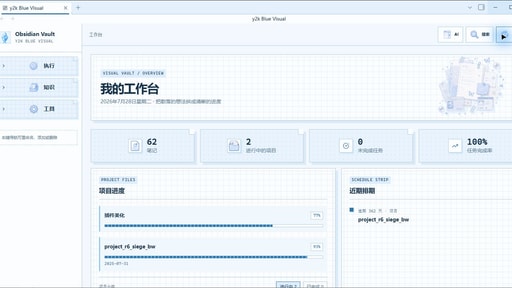
A soft blue-and-pink Y2K theme for Obsidian with crisp pixel-grid details, high-contrast notices, and matching light and dark modes.
Install
After the theme is accepted into the Obsidian community directory:
- Open Settings → Appearance.
- Select Manage next to Themes.
- Search for pixel-blue and install it.
For manual testing, copy manifest.json and theme.css into:
<vault>/.obsidian/themes/pixel-blue/
Then reload Obsidian and select pixel-blue under Settings → Appearance.
Features
- Soft sky-blue panels with pink Y2K accents
- Pixel-grid workspace and editor background
- Coordinated light and dark modes
- Styled tabs, navigation, prompts, menus, settings, and status bar
- High-contrast system notices and selections
- No network requests or external assets
License
MIT