
README file from
GithubIsinglass
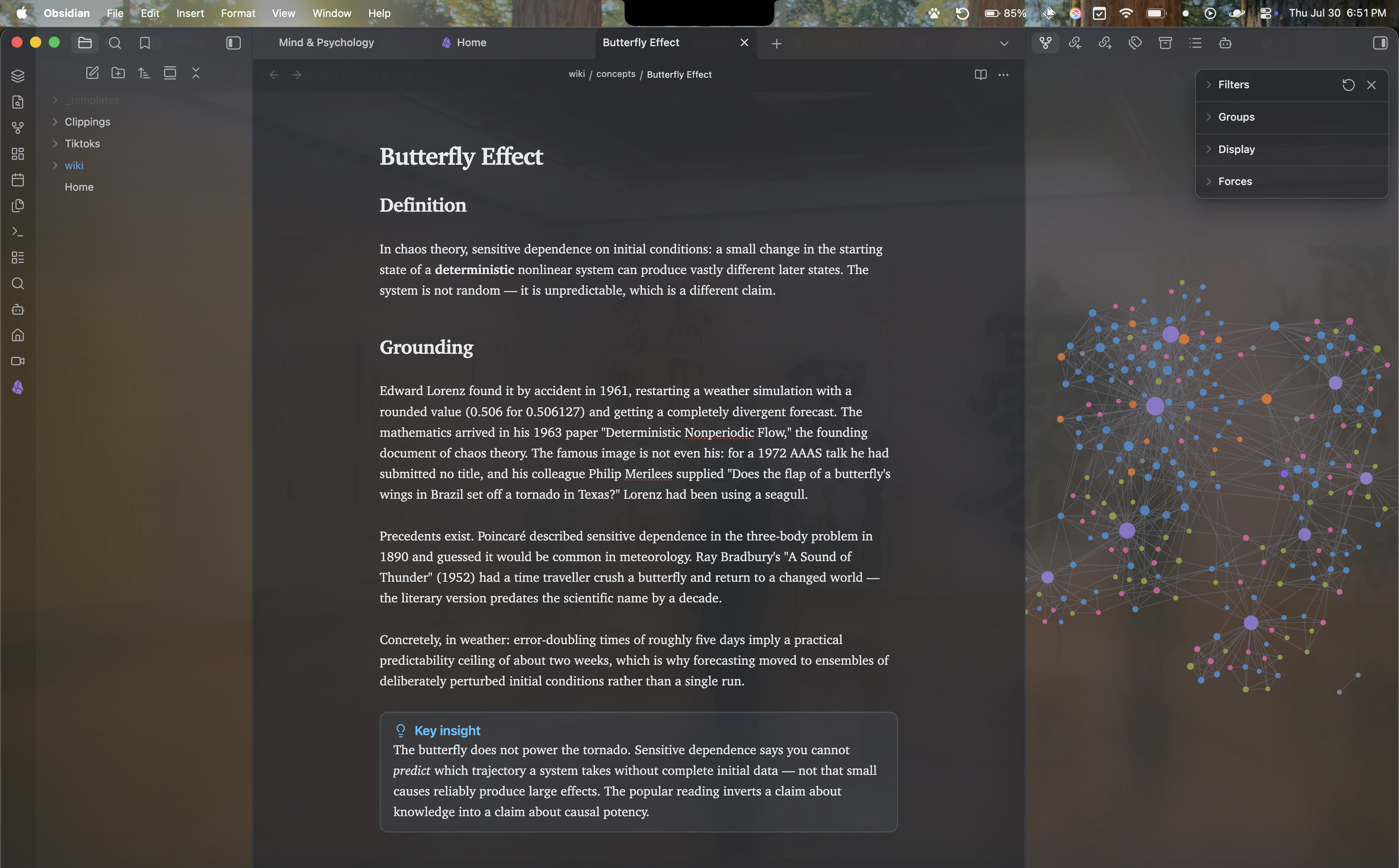
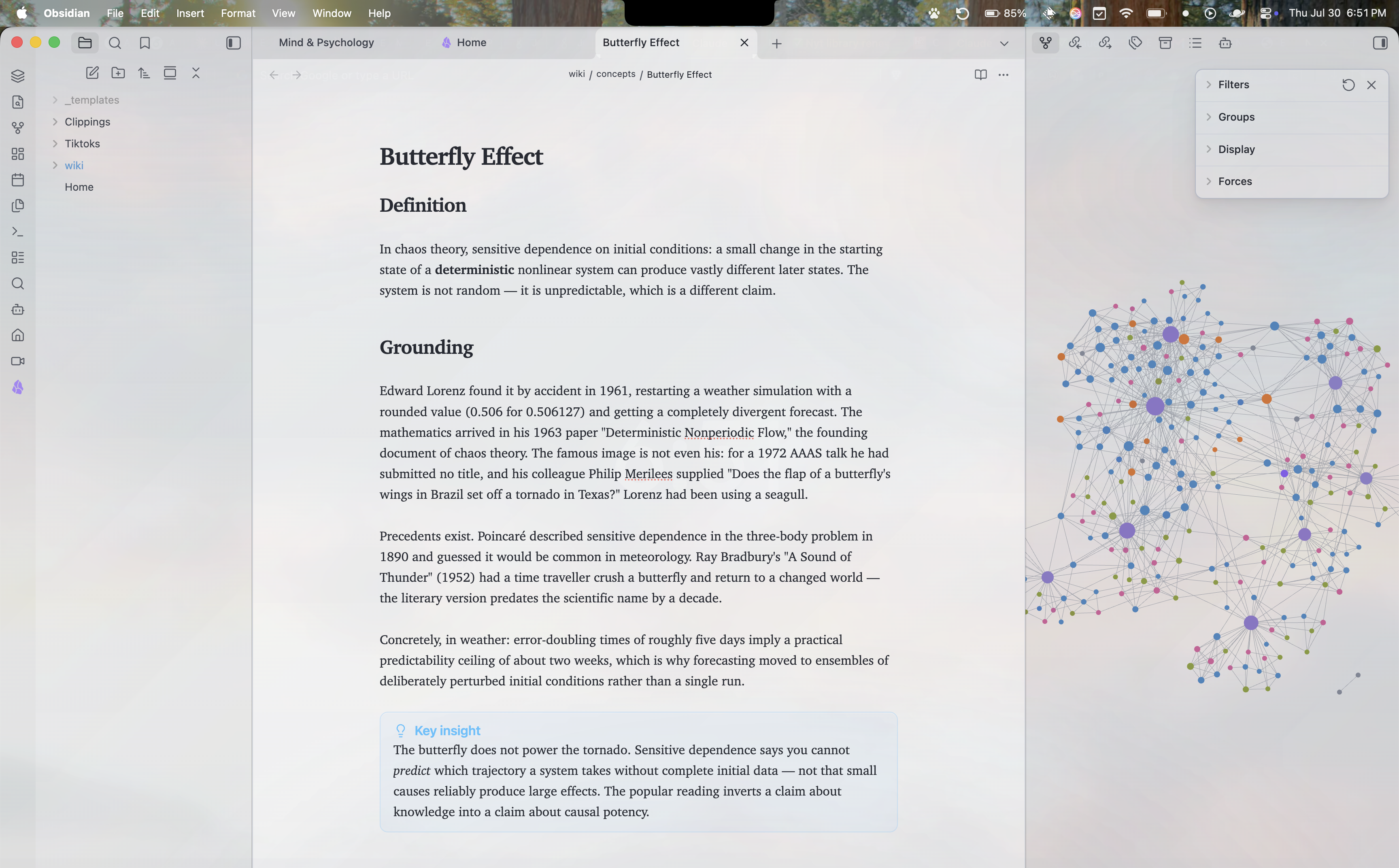
A minimal, translucent frosted-glass theme for Obsidian. Light and dark, for macOS, Windows, and iOS. Colourless by design: luminance does the work, hue only whispers.
Isinglass is a thin transparent sheet of mica.
What you get out of the box
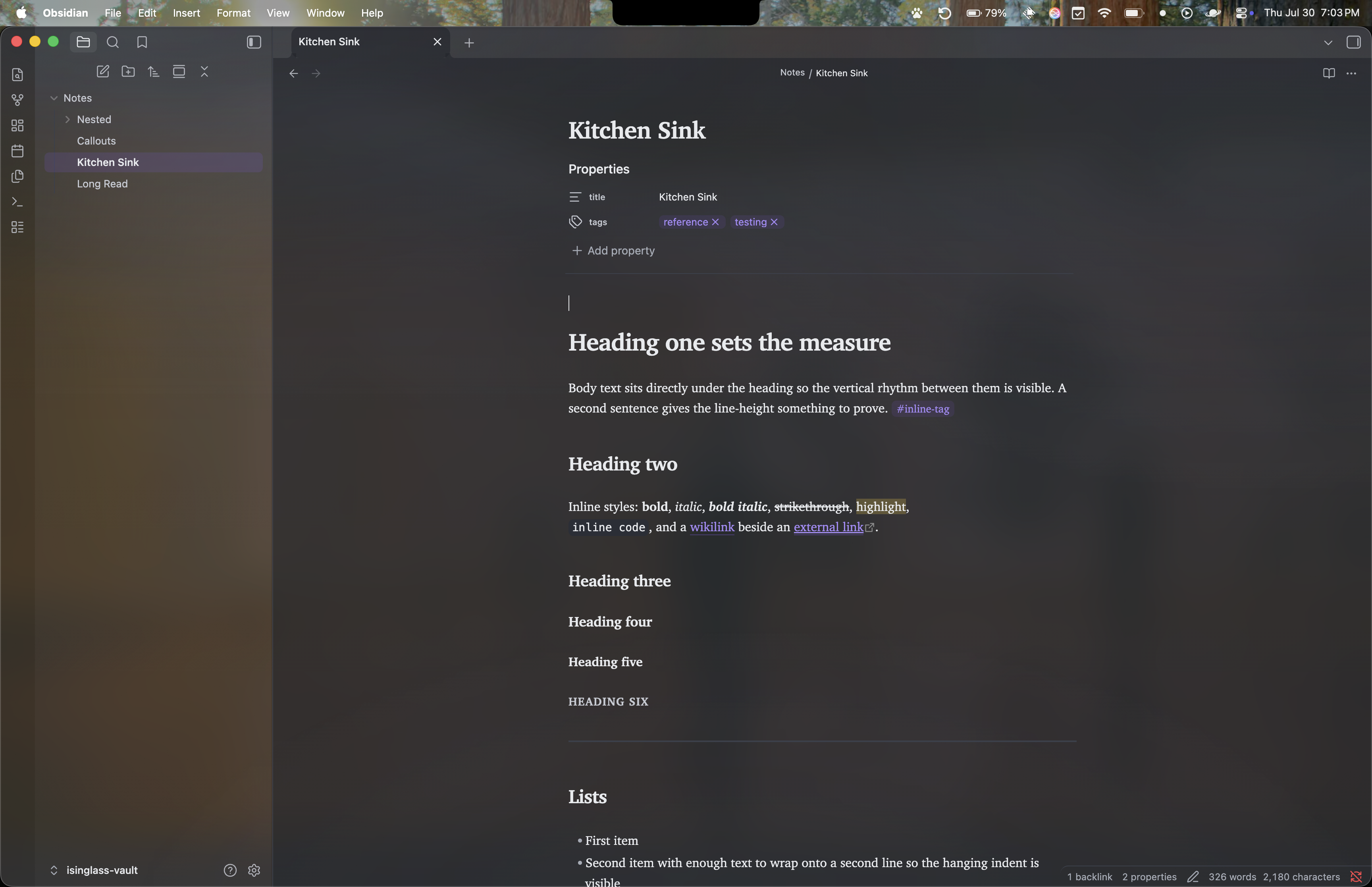
- A layered glass interface: a soft neutral luminous field behind frosted panes, specular edges, fine grain, and real backdrop blur on floating surfaces (menus, command palette, modals, popovers).
- Both modes, colourless. Your accent colour drives highlights, links, and the graph's focus colour; the surfaces themselves stay neutral.
- New York (ui-serif) for reading, the system font for interface, on every platform. Nothing bundled.
- Styled support for Dataview, Tasks, and Notebook Navigator, plus Canvas, Bases, and the graph.
Built to stay legible
Translucency fights contrast, so this theme verifies instead of eyeballing: every build
composites every text token over every surface, at every translucency state, against
worst-case backdrops, and fails if any pair drops below WCAG AA. Enforced budgets keep
backdrop-filter use, !important count, and file size in check.
The theme honours prefers-reduced-transparency and prefers-reduced-motion, ships an
opaque high-contrast mode, and responds to the OS "reduce transparency" setting.
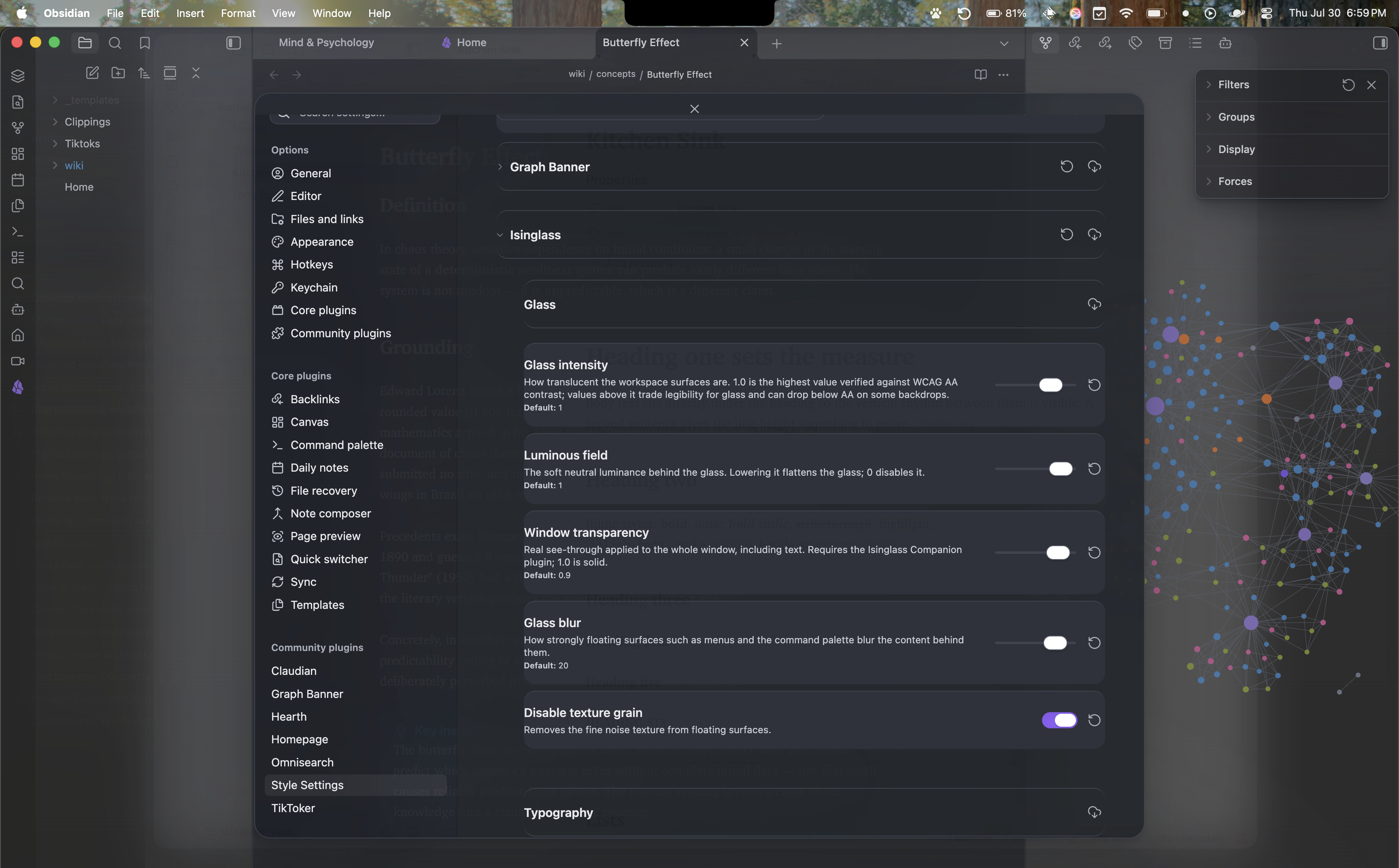
Style Settings
Install the Style Settings plugin for:
- Glass intensity (up to 30% past the AA-verified ceiling, labelled as such)
- Luminous field strength
- Glass blur, texture grain
- Window transparency (with the companion plugin below)
- Reading line width, body line height, compact density
- Hide tab bar / ribbon / status bar
- High contrast mode (with a command)
Going further: real window transparency
Out of the box, every platform gets the painted glass above. Obsidian currently ships a window-transparency regression (since 1.8.9) that blocks true see-through on macOS; two optional extras in this repo work around it:
- Isinglass Companion (
companion/, a small plugin): keeps the window appearance in sync with your Obsidian theme so the OS material always matches, and applies the "Window transparency" slider for real whole-window see-through. - macOS vibrancy patch (
companion/patch-macos-vibrancy.mjs): restores true OS-blurred frost behind the window by fixing Obsidian's missingtransparentwindow flag. One-line in-place patch, full backup,--revertincluded. Re-run after Obsidian updates. Use at your own discretion — it modifies the installed app. - Windows: the Pseudo Mica plugin enables real Mica/Acrylic materials; Isinglass detects it and opens its surfaces automatically. No patch needed.
The theme detects a real material via Obsidian's own translucency state and re-balances itself: the painted field steps back and the genuine frost carries the glass.
Install
Until the theme is in the community gallery: copy manifest.json and theme.css into
<your vault>/.obsidian/themes/Isinglass/, then select Isinglass under Settings →
Appearance → Themes.
Development
npm install
npm run build   # sass -> theme.css, then contrast + budget verification
npm run watch
Edit the SCSS modules in src/, never theme.css. The build fails on any WCAG AA
regression or budget overrun.
Licence
MIT