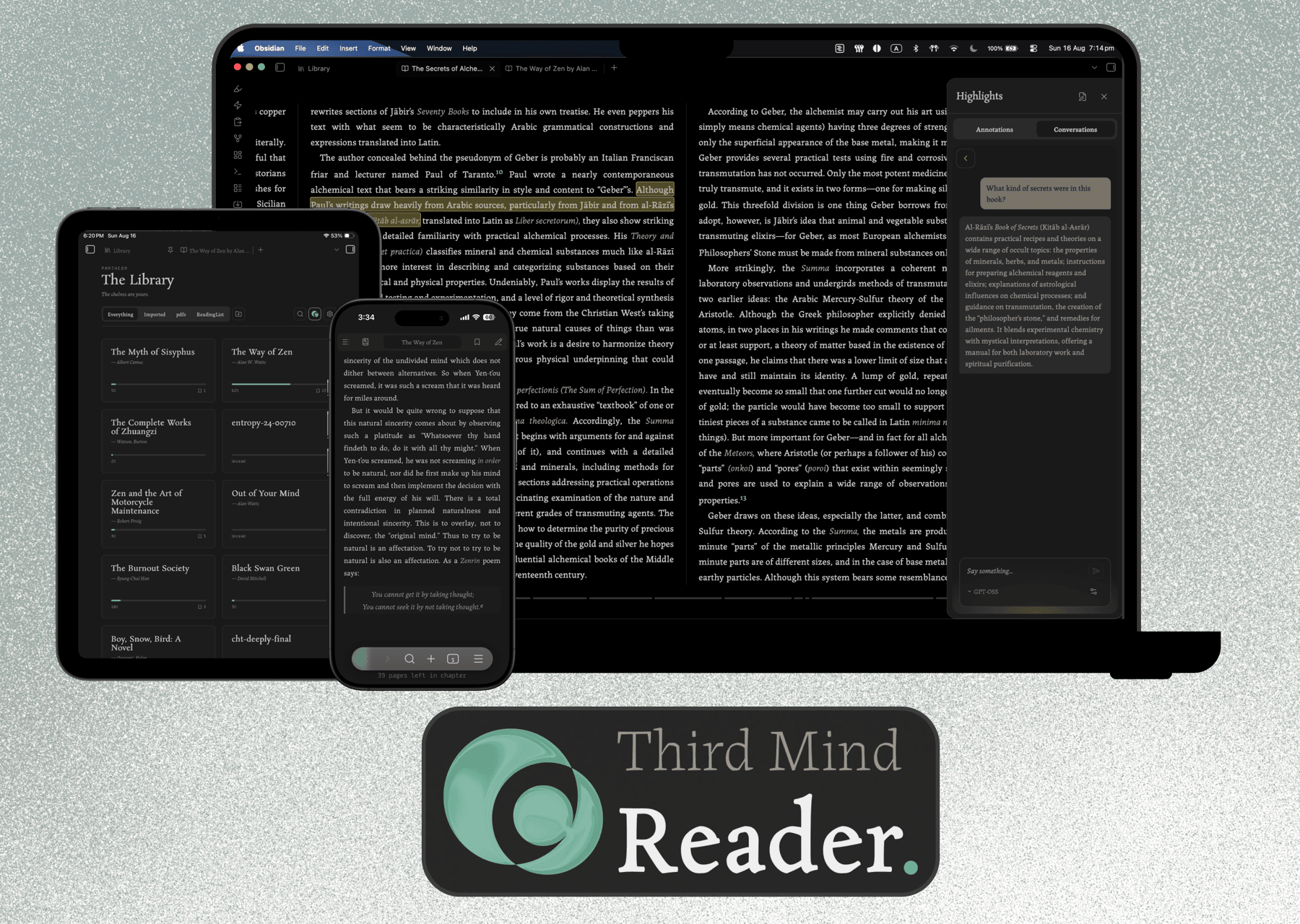
Third Mind Reader

by Rohan Bell
5
4
3
2
1
Score: 30/100

Description

Category: Learning & Knowledge Management

The Third Mind Reader plugin adds an EPUB and PDF reader that opens books as tabs and writes every highlight into a companion Markdown note in your vault. It keeps reading, annotation and note linking in one flow with chapter navigation, in book search, progress tracking, bookmarks and per book position memory. Selected text opens the Gloss toolbar, which can save plain highlights or, when you configure a provider, run Explain, Examine and chat style AI actions beside the passage. Companion notes store quotes, notes and full AI exchanges as normal vault files with links back to the source. PDFs use the same toolbar through the built in viewer, while deferred AI lets mobile reading hand off local inference to desktop.

Reviews

No reviews yet.

Stats

53
stars
181
downloads
0
forks
4
days
4
days
4
days
0
total PRs
0
open PRs
0
closed PRs
0
merged PRs
2
total issues
2
open issues
0
closed issues
19
commits

Latest Version

4 days ago

Changelog

Housekeeping, mostly. Submitting to the community plugin list runs your code through an automated review, and the important issues have been addressed in this release.

Fixes:

  • Clicking a highlight that has no note attached now opens the note box. The little "add a note" link that appeared on hover was, on desktop, almost impossible to actually click. Now the highlight itself is the button.

  • Text should break more sensibly at the end of a line: hyphenated words, dashes, quotes, currency and anything that isn't English prose. This comes from an update to Pretext, the text layout engine, which also closes a hole where an odd enough book could break the reader.

Importing books:

  • The importer takes a folder now, instead of asking you to pick each book by hand. Point it at your Apple Books folder and it finds every book inside, then you tick the ones you want.

  • It does this without touching your filesystem at all any more. The plugin can no longer read anything outside your vault, though it might feel slightly unintuitive. Small price for better security, I say.

Under the hood:

  • Removed two decade-old compatibility shims that came in with the zip library. They never ran, but they looked enough like something dodgy to fail the automated review, and they're no loss.

  • The HTML sanitiser (the thing that makes sure a book can't run code at you) is on its latest version.

Install: Settings → Community plugins → Browse → Third Mind Reader.

README file from

Github

Third Mind Reader

Third Mind Reader running on a laptop, tablet and phone

An opinionated EPUB & PDF reader for Obsidian. Books open as tabs like anything else in your vault, designed to be minimal and unobtrusive to ensure the reading experience stays front and centre, and every highlight you make is written straight into a plain markdown note just like any other note in your vault.

How this was built: the code here is largely AI-generated and directed by me — see below.

Why this exists

Most reading setups scatter your thinking. You read in one app, take notes in another, and the ideas you actually cared about end up spread across formats you'll never open again. It gets messy quickly; ask me how I know.

Third Mind Reader keeps all of it in one place. Your highlights and annotations become a companion note the moment you make them: tagged, linked back to the book, visible in graph view. Nothing to sync, nothing to export. If you uninstalled the plugin tomorrow, every note you'd made would still be sitting in your vault as ordinary markdown.

Design approach

Third Mind Reader is a tool to help you capture thoughts as you read, and answer questions without needing to break the reading flow. Its aesthetics are also designed to be warm and literary; it should carry the same character as the smell of a page or the quiet anticipation of a library. Your thoughts need space to emerge, and the design is built to accommodate for this.

I thought the act of annotation can look different too, with the technologies available to us now. Which is why I created the Gloss Bar to enable some interesting interactions and capture thoughts in the best way when annotating. If you'd prefer to only annotate, Lite mode keeps the experience simple and AI-free.

Everything follows my design system; I'm a designer by trade, and spent a lot of time curating the experience. While the design is opinionated, that doesn't mean it's rigid. Look for the 3C logo in the library and the reader, where you can toggle my styling or use your Obsidian's settings and themes.

Reading
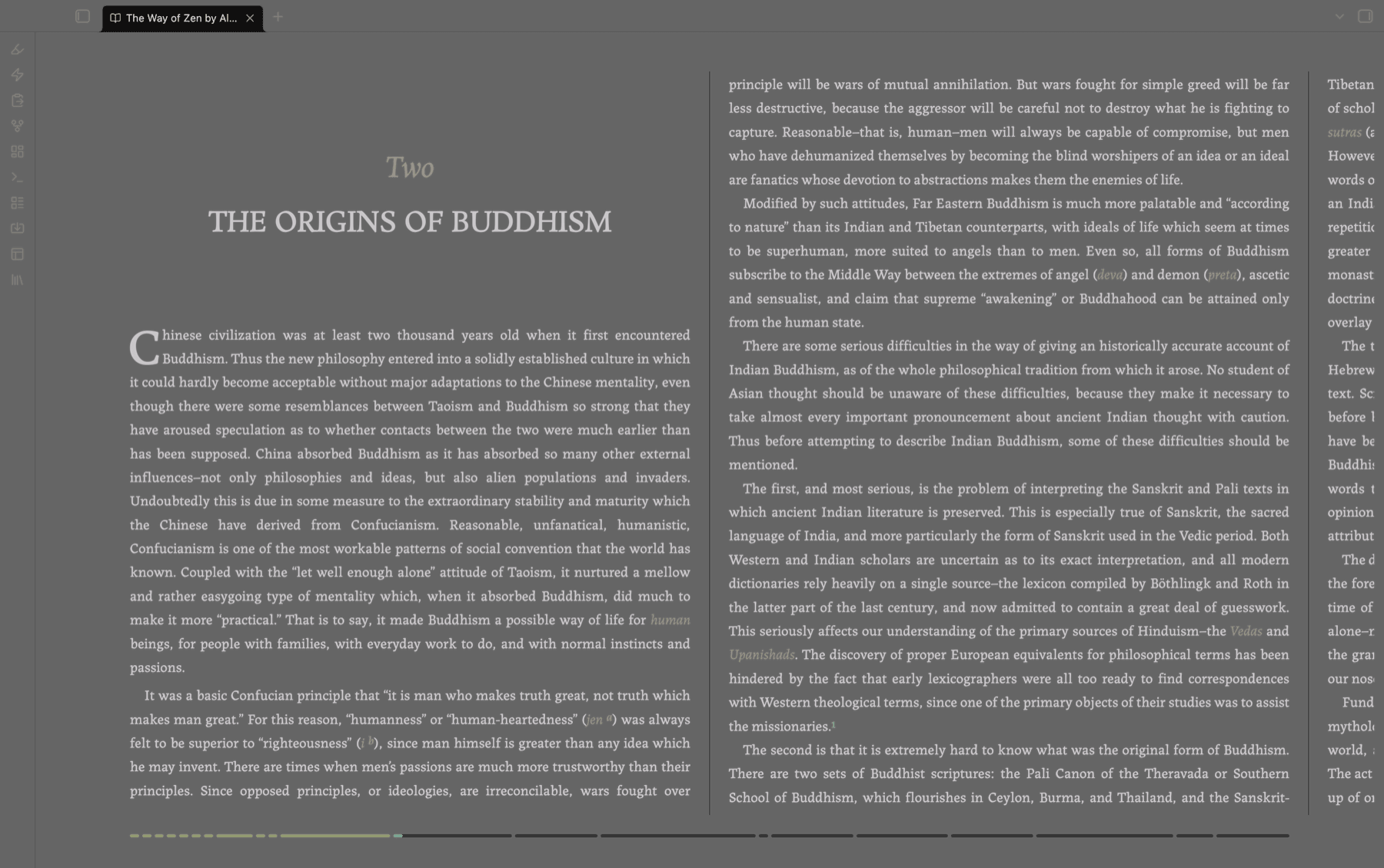
A book open as a two-page spread in the reader

A two-page spread or a single page, depending on the window size you prefer. It's got all the standard bells & whistles: chapter navigation, table-of-contents panel, in-book search across the whole book, a live progress bar, and per-book position memory so you come back where you left. Body text follows Obsidian's own text size, but you can override this in the settings.

The source EPUB is never modified.

Gloss — The Annotation Layer

Select any text and a small toolbar appears. The name derives from the medieval scholarly practice of glossing; of annotating manuscripts between the lines and in the margins. This interaction is the heart of the whole thing, and the reason I built this reader.
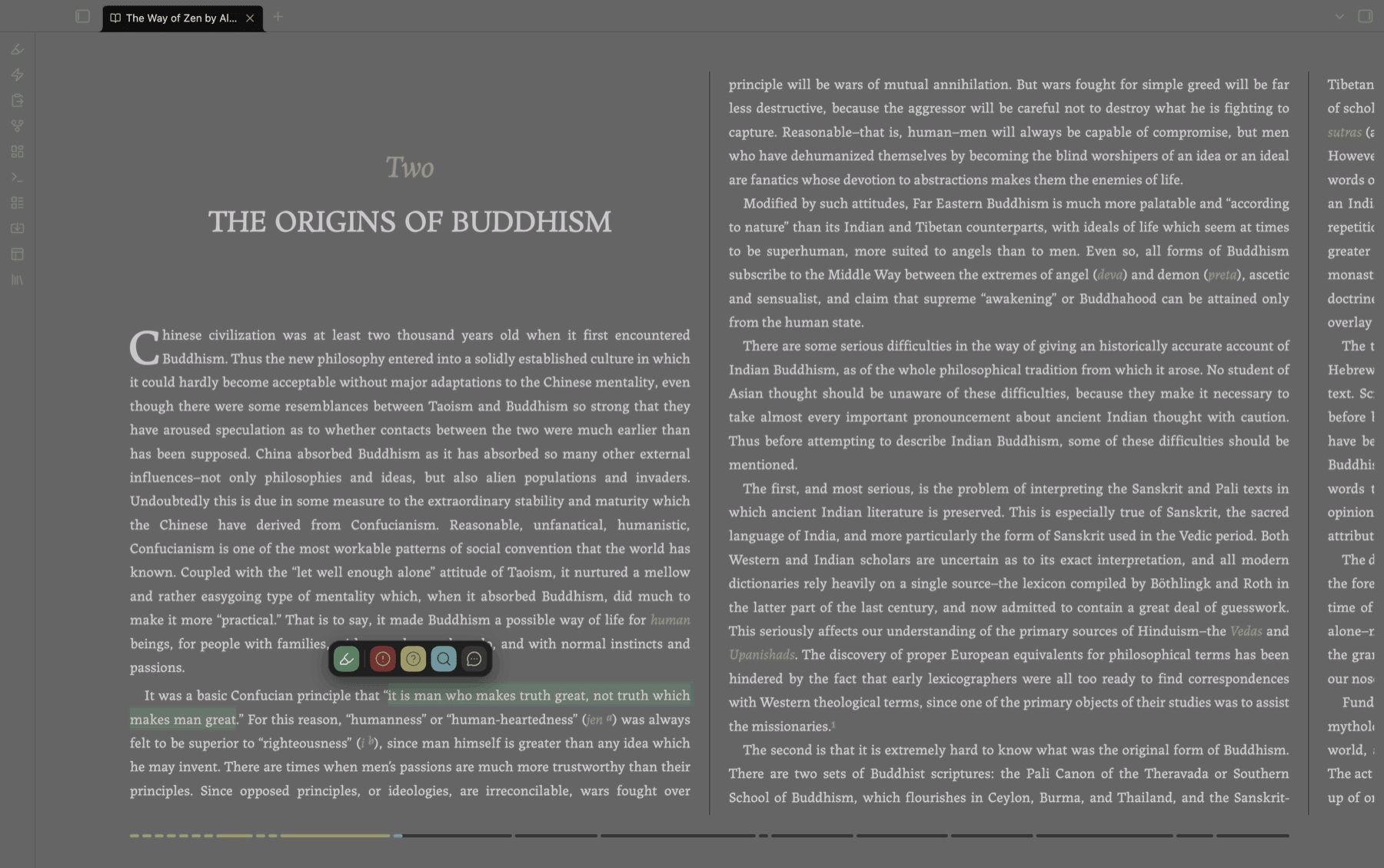
The Gloss toolbar open over a selected passage

What the toolbar offers depends on whether you've set up an AI provider. With one, there are five modes:

Mode What it does
1 Emphasise A plain highlight with your own note. No AI.
2 Exclaim Captures your reaction, and opens it as a conversation
3 Explain Asks for a quick clarification of the passage
4 Examine Digs deeper, with citations
5 Enquiry Opens an open-ended back-and-forth

If you don't want AI anywhere near your reading, you don't have to have it. AI is off until you add a provider, and with it off the reader runs in Lite mode: the toolbar offers Emphasise alone, and the annotations pane drops its conversation tab. You get a clean highlighter and a notes file, and the plugin doesn't bother you about any AI stuff. Add a provider and the other four modes appear.

You can type [[ while annotating and get the same file suggestions you'd get anywhere else in Obsidian, which makes connecting a passage to something already in your vault about as frictionless as it gets. Easy breezy.

Companion notes

One note per book, created on your first annotation and filed in an Annotations folder inside whichever folder you use as the Library. Frontmatter, tags, and a wikilink back to the source file. Each annotation is a colour-coded callout carrying the quote, your note, and — if you used an AI mode — the full exchange written out verbatim.

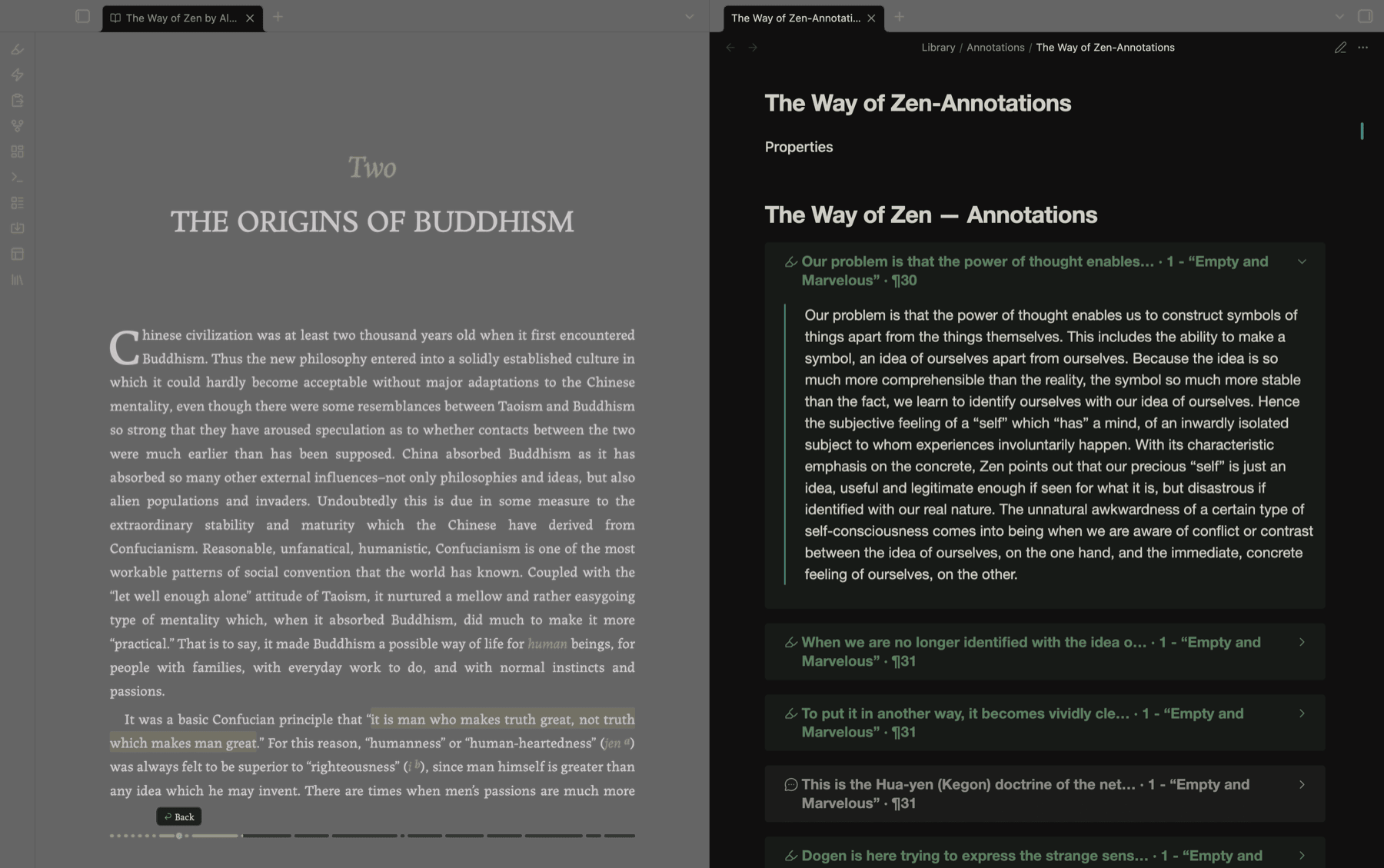
A book and its companion note side by side

They're first-class vault notes from the moment they exist, so your reading feeds the same graph as everything else you think about. Also, a fun side effect is that you can share your annotations with other readers who use the plugin and read the same book/file; all your annotations will appear for them just the same!
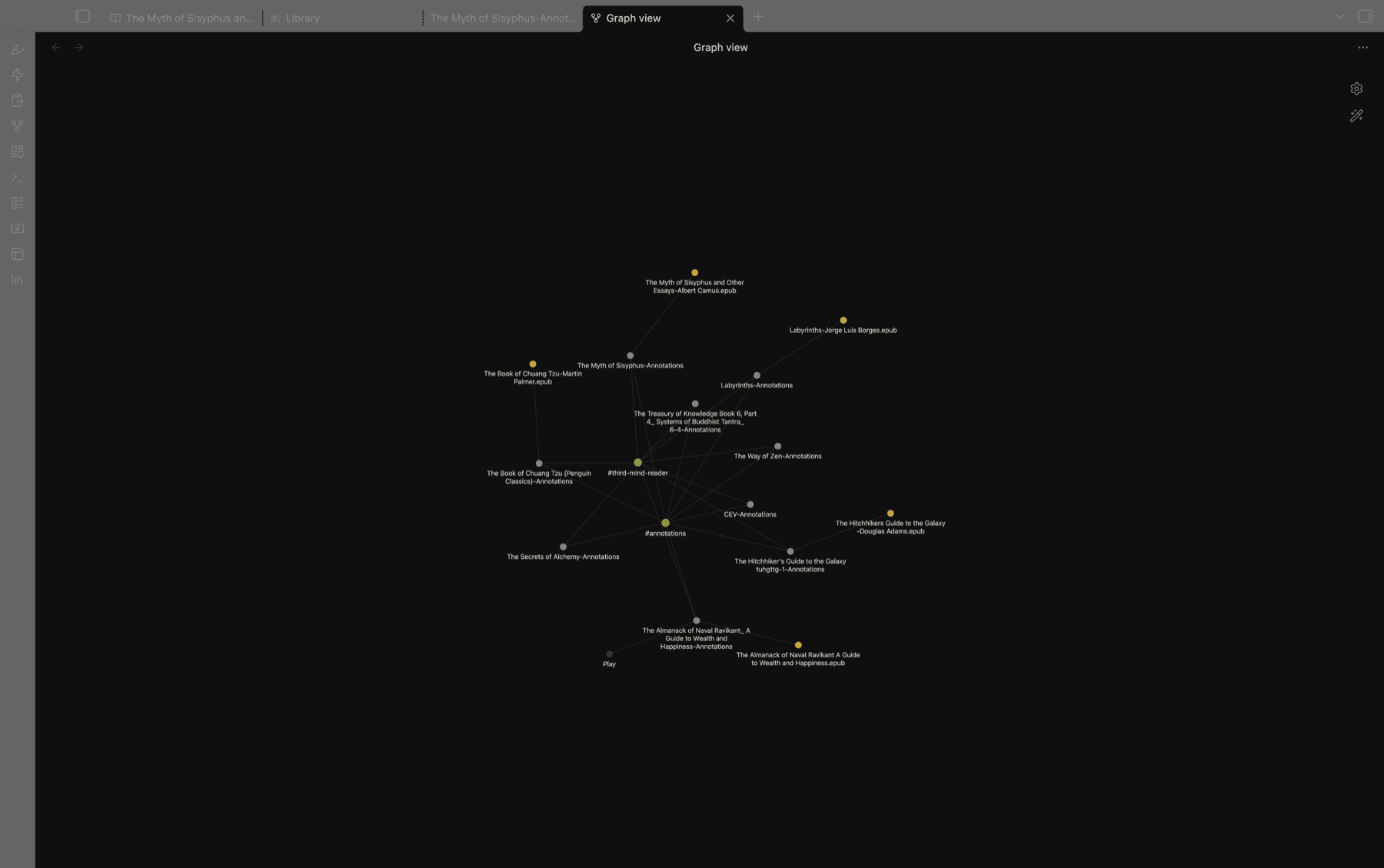
Companion notes linked to their books in graph view

The annotations pane

A slide-in panel listing every highlight in the book, grouped by chapter. Click one to jump straight to it.
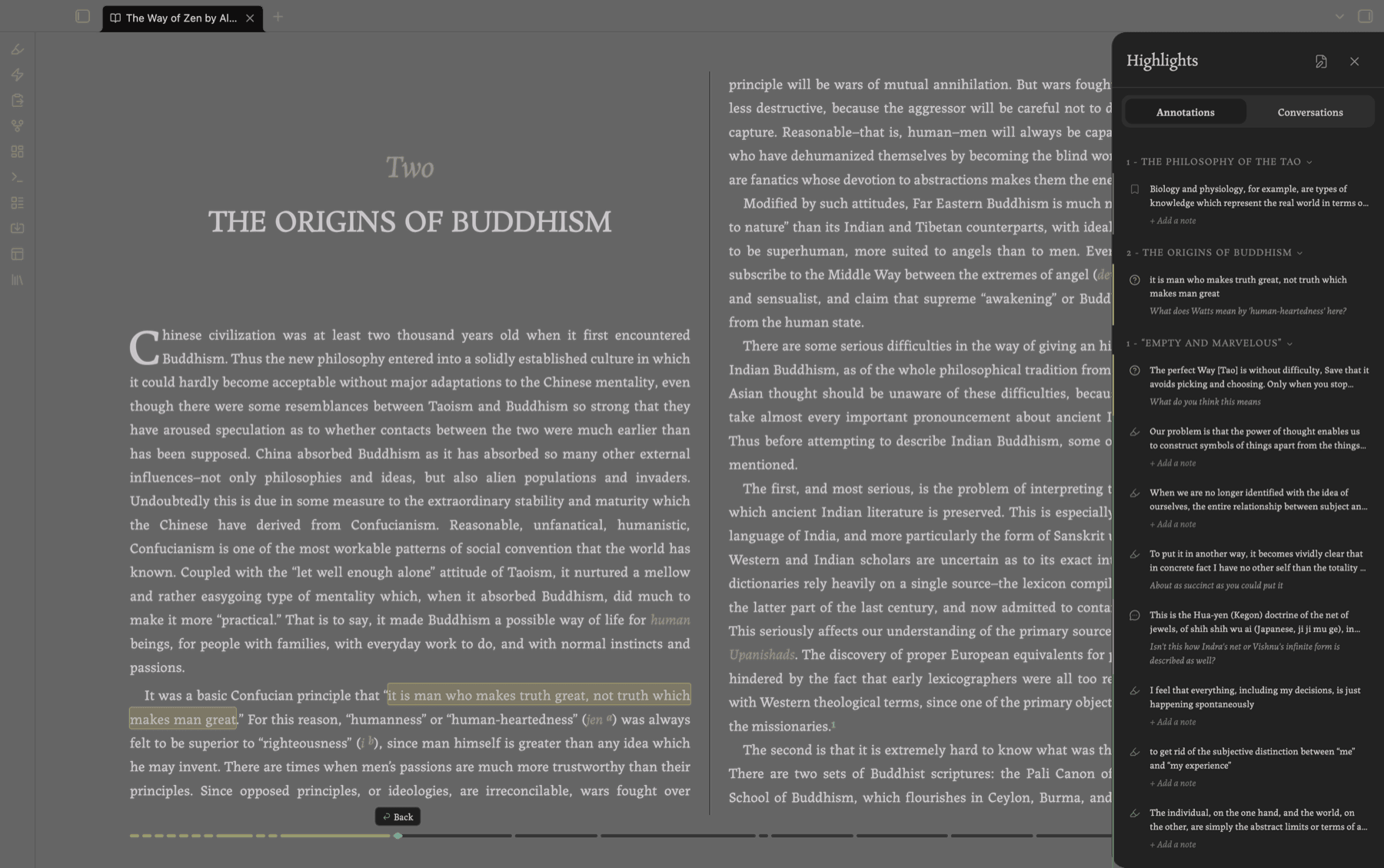
The annotations pane listing highlights by chapter

Anything AI-bearing gets its own tab, where the conversation unfolds in place — pinned quote, chat, model picker.
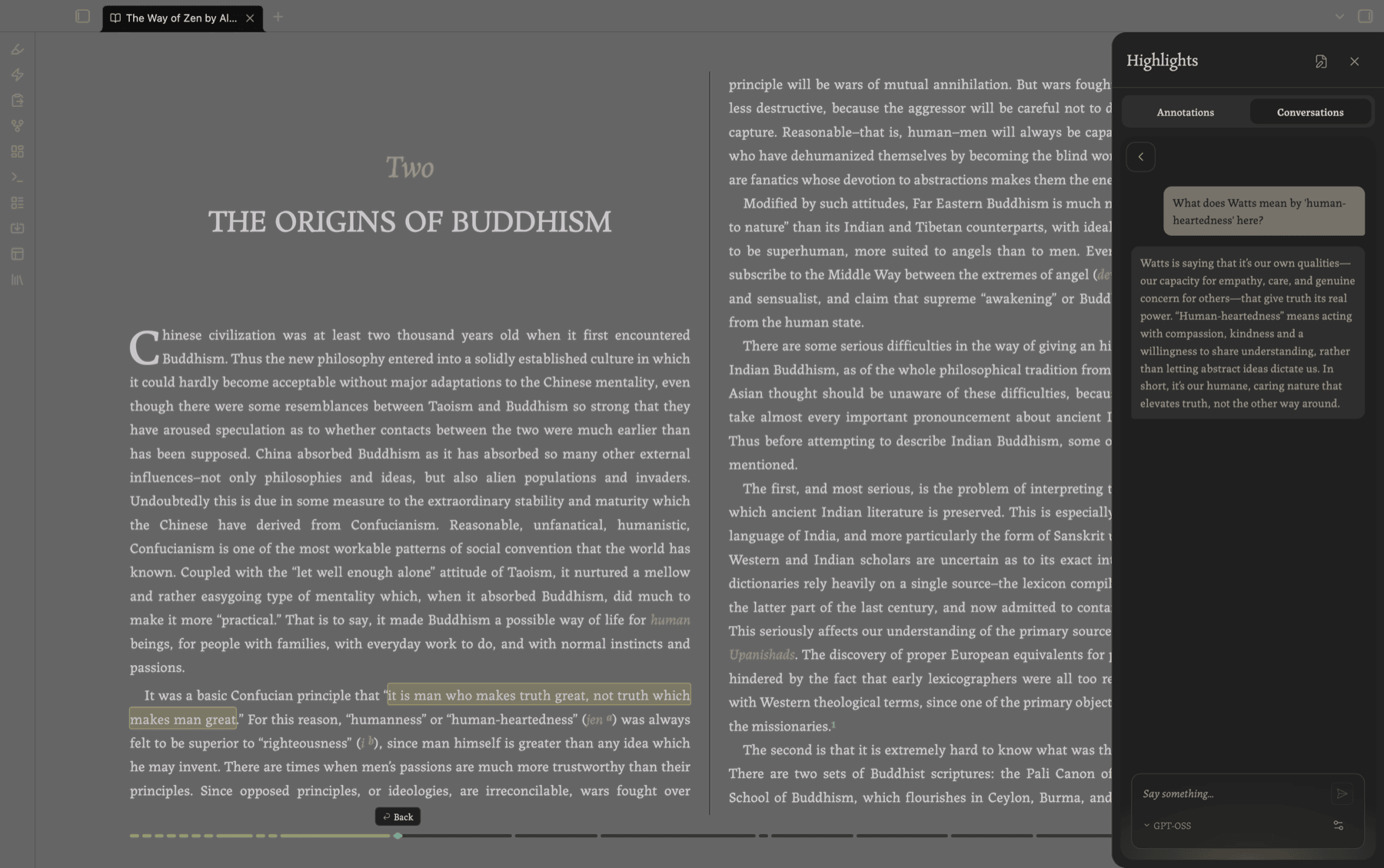
An AI conversation open beside the passage it came from

Local first. Point it at Ollama or LM Studio and nothing ever leaves your machine. Cloud providers (Anthropic, OpenAI, OpenRouter) work too if you'd rather, with your own key. Either way, the whole exchange goes to the companion note rather than being trapped in a chat window somewhere.

Bookmarks

Mark any page. A bookmark is an annotation with no text range: so same annotation note, same list.
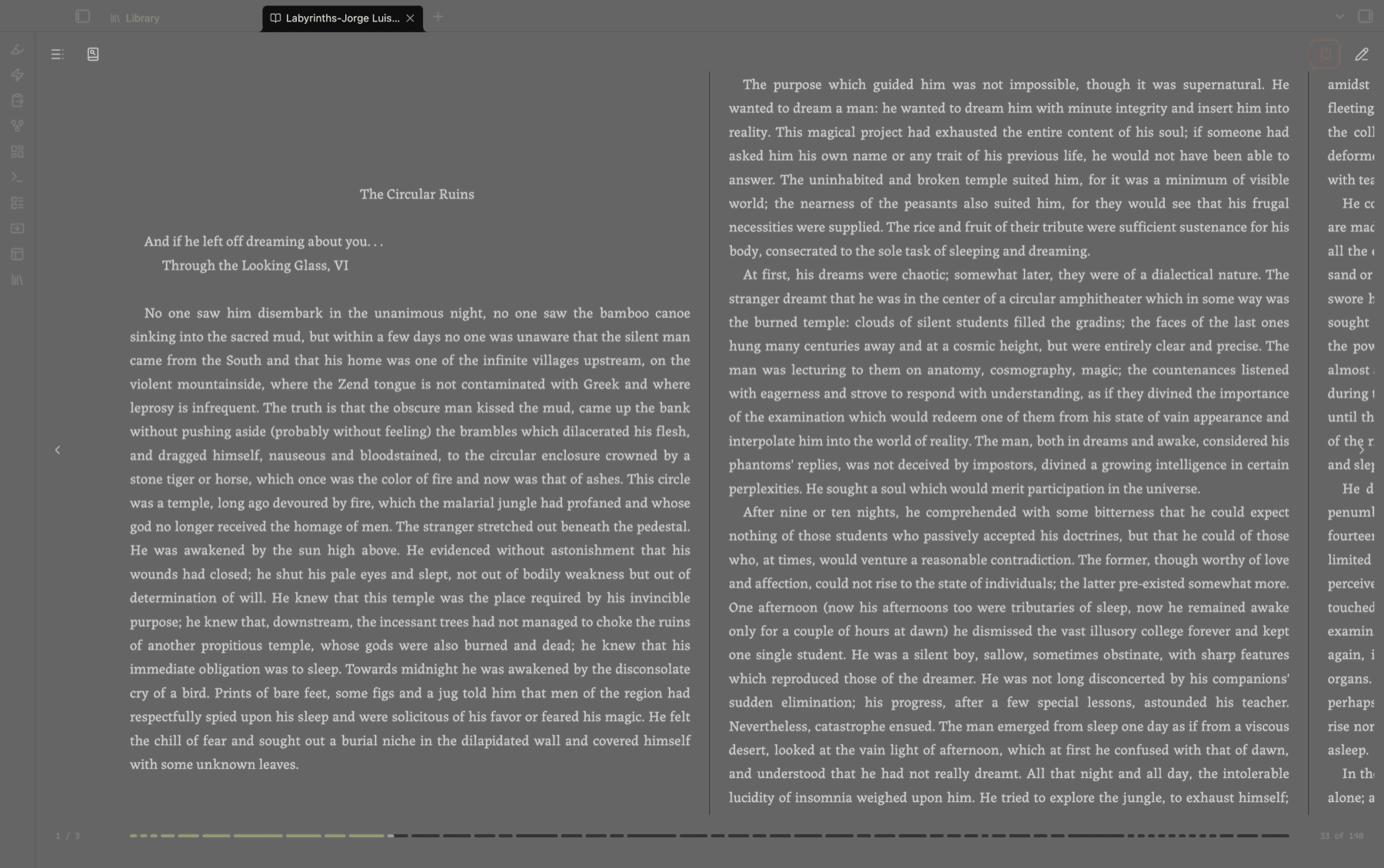
Setting a bookmark from the reader toolbar

PDFs

The same Gloss toolbar works inside Obsidian's own PDF viewer. Annotations anchor as standard Obsidian PDF deep links, so they behave properly with graph, search, and other PDF plugins. PDFs show up in the Library alongside your books.
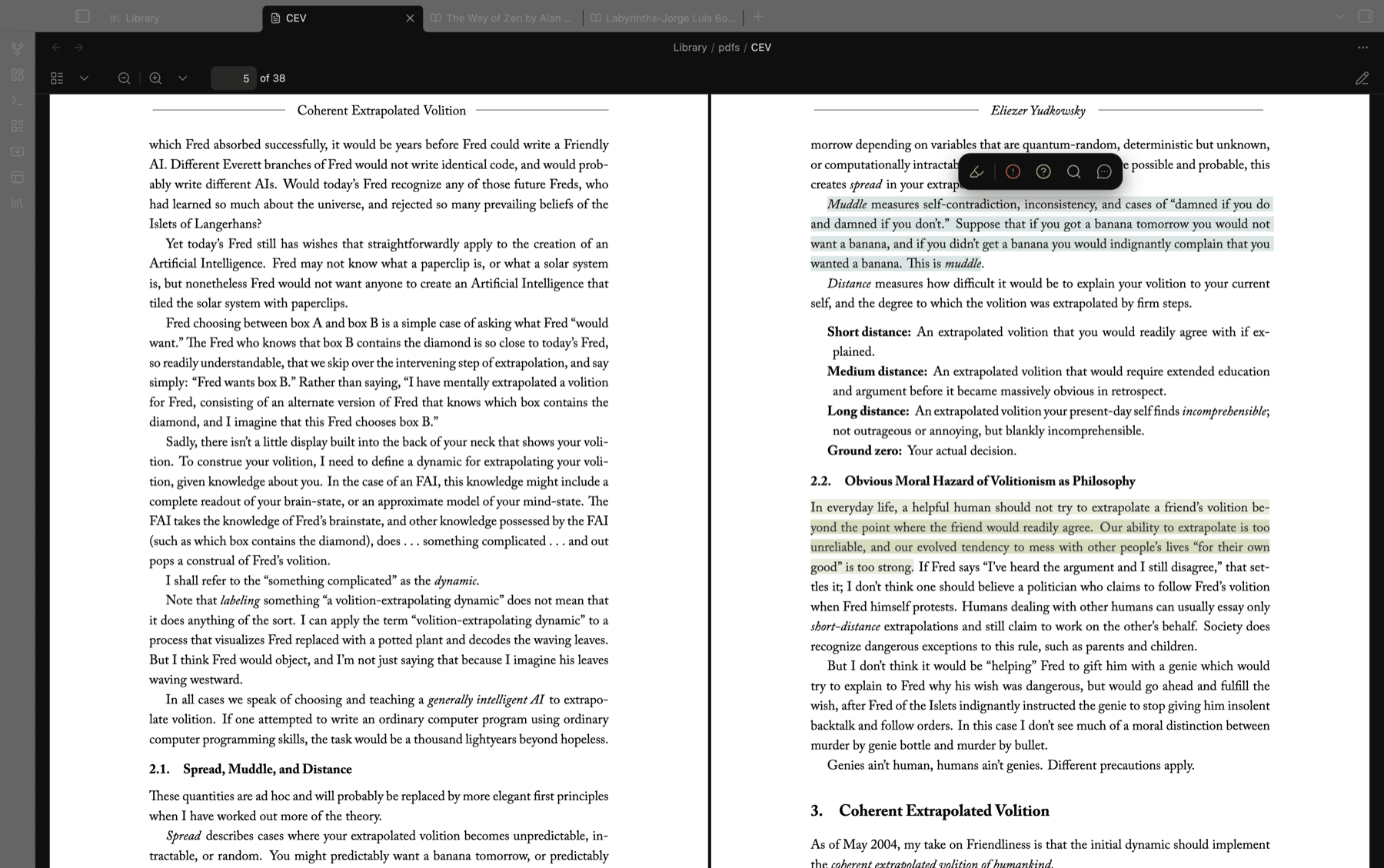
The Gloss toolbar over a selection in a PDF

The Library

A shelf of every book and PDF in your Library folder, with reading progress and annotation counts, current reads sorted to the top, and subfolders as collections. The first time you enable the plugin it asks where your library is: point it at a folder you already keep books in, or let it make one for you.
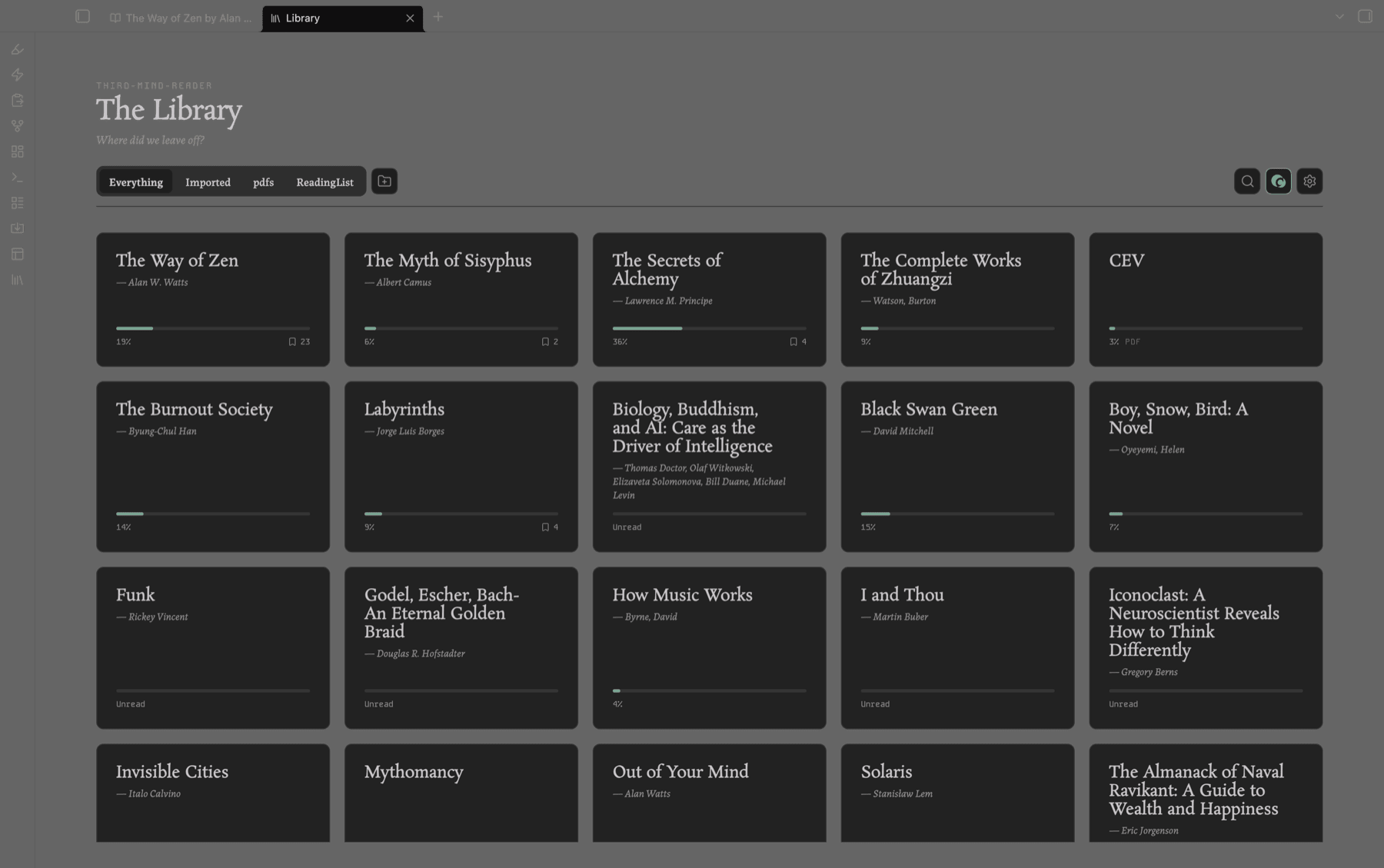
The Library shelf showing books with reading progress

Mobile

The full reader on phones and tablets. Tap the edges to turn pages, tap the middle for controls, everything sized for touch.
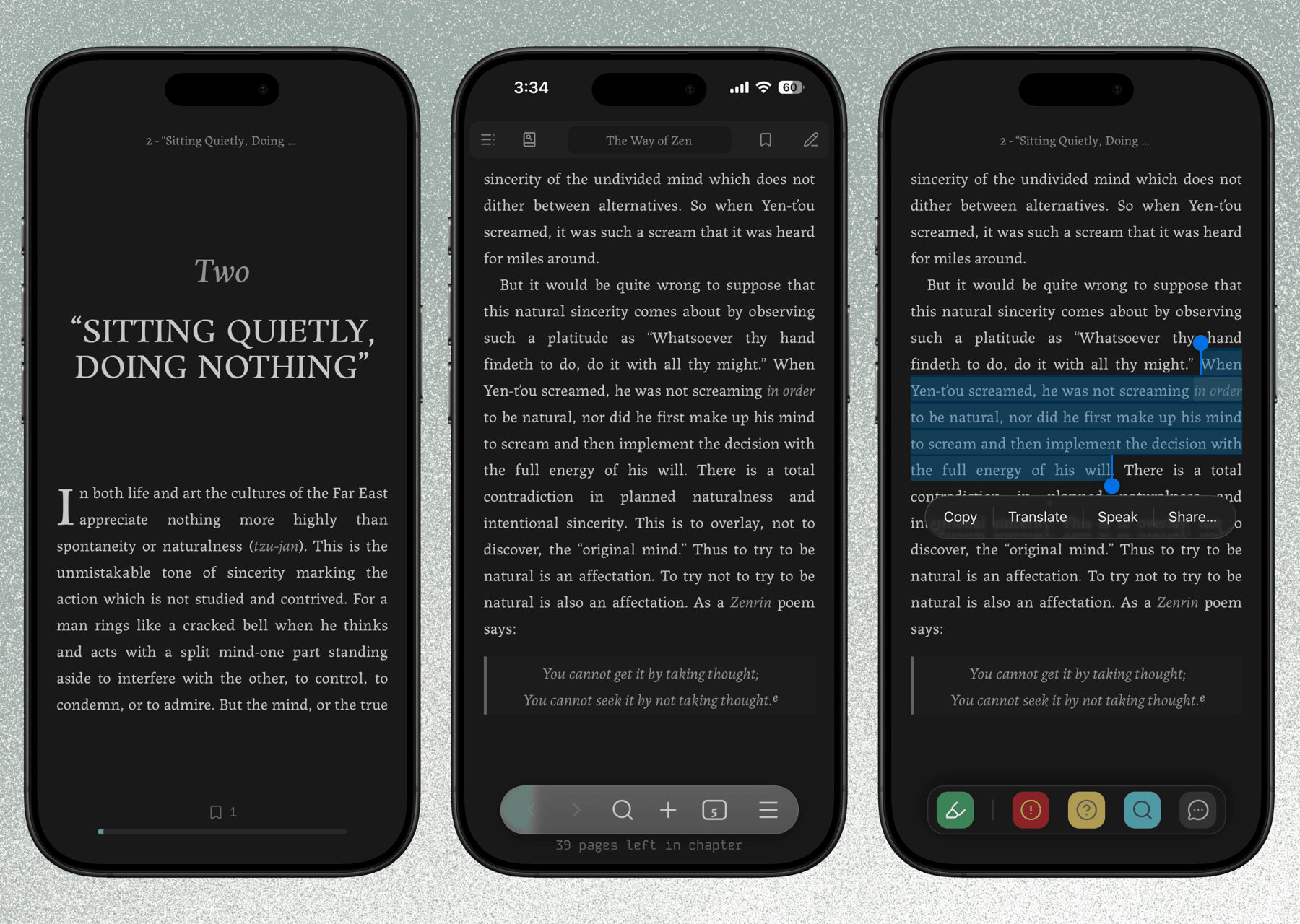
The reader on a phone

Tablets get an experience close to the desktop one; phones get a layout built for them.
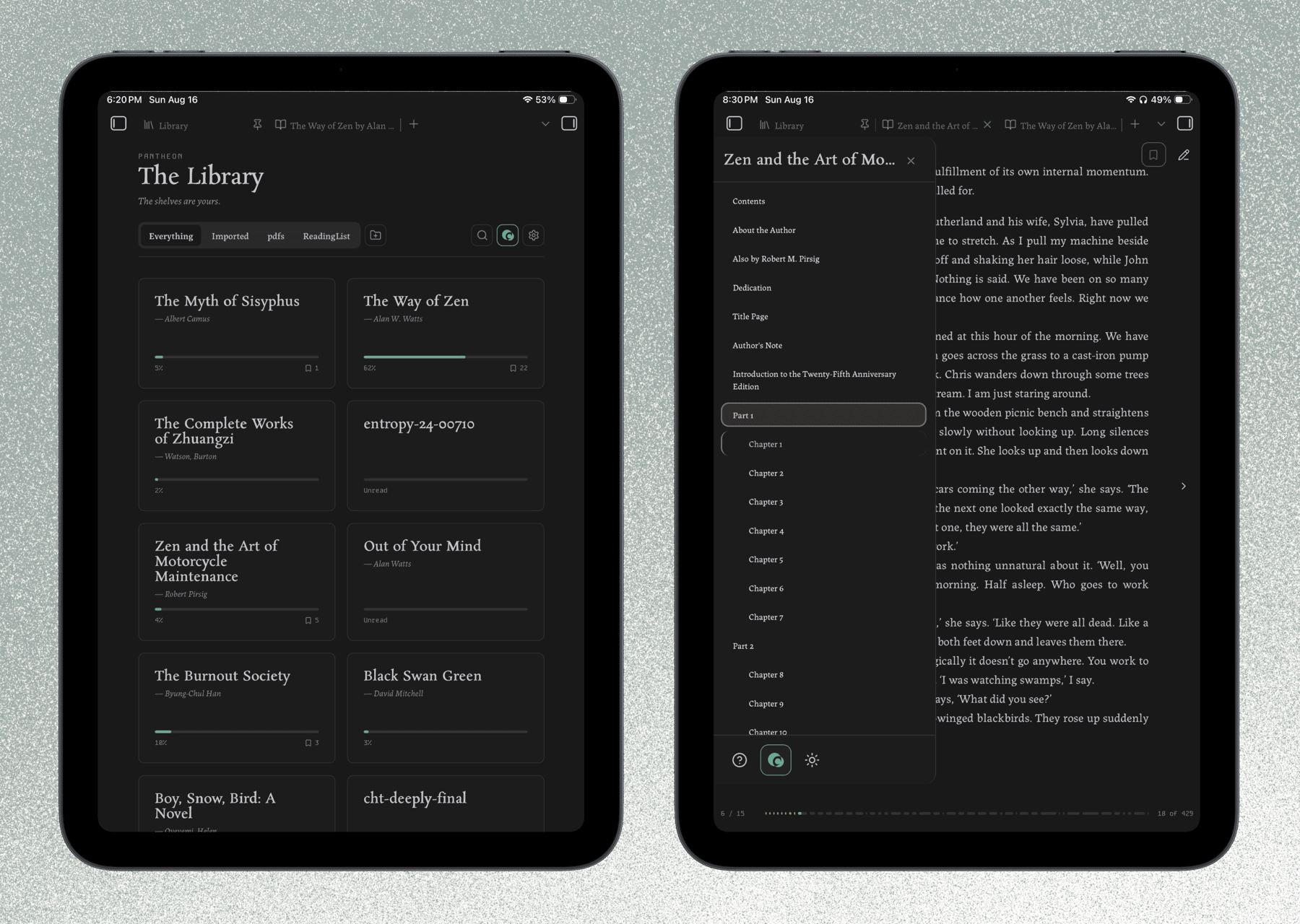
The reader on a tablet

If you'd rather keep inference local but read on your phone, turn on deferred AI: your questions are saved into the companion note as you read, and answered automatically by your local model the next time that book opens on desktop.

Install

  1. In Obsidian, go to Settings → Community plugins → Browse.
  2. Search for Third Mind Reader and install it.
  3. Enable it.
  4. Open any .epub in your vault to start reading — or select text in a PDF to annotate it.

Keys

A cheat sheet — "How to use the reader" — opens the first time you open a book. To bring it back: the ? button at the bottom of the table-of-contents panel, or the command palette.

Key Action
/ Previous / next page
t Table of contents
h Highlights & annotations pane
b Create or remove a bookmark
s Search in book
15 Gloss mode (while text is selected)
Esc Close a panel, or dismiss the Gloss toolbar

On mobile, tap the left or right edge to turn the page and the middle to reveal the controls.

Requirements & disclosures

  • Desktop and mobile. Phones and tablets are fully supported, though Android has seen less testing than iOS — reports welcome. Importing books from outside the vault is desktop-only (it uses Node/Electron APIs mobile doesn't have); books already in your vault open anywhere.
  • DRM-free books only. Encrypted EPUBs (Adobe DRM, Readium LCP) are detected and refused with an explanation rather than opening as garbage. This won't change; LCP decryption needs a certified licensee key an open-source plugin has nowhere to keep. Font-obfuscated books (common in InDesign exports) are unaffected and open normally.
  • Network use is optional. AI features send the text you select plus your prompt to the provider you configure. No network request is made unless you actively use an AI feature. No telemetry, no ads.
  • API keys. Cloud providers need your own key, entered in settings and held in Obsidian's encrypted secret storage. Local models need none of course.
  • Your data. Annotations are written to companion notes in your vault. The source EPUB is never touched.
  • Pop-out windows. The reader works in Obsidian's main window; a book moved into a pop-out window says so and offers to move itself back. Full pop-out support is on the list.

How this was built

The code in this repository is largely AI-generated. I directed it: architecture, specs, review, and a lot of testing and fine tuning. I wrote very little of the TypeScript by hand.

What I authored is the part I'm actually qualified for — the product and system design, the interactions, the reading experience, and the design language underneath it. Most features started as a written spec before any code existed, and the visual system predates the plugin entirely. So while the implementation is generated, the decisions are mine, as is the responsibility.

I'm saying this up front because you should know it before installing something, and in the spirit of FOSS you should know how a thing was made.

What that means in practice:

  • I'm still learning. I understand how the codebase fits together, and that understanding has already fixed real bugs. I won't be as fast as a maintainer who wrote every line, but I intend for the code to keep getting better.
  • Bug reports are genuinely useful. I'd much rather hear about a problem than not.
  • Fork it. It's AGPL-3.0. If you'd do this better, please do.

Building this has given me a new appreciation for how professionals write software, and I'm still working out what doing it properly looks like.

Credits & licensing

  • Licensed under AGPL-3.0-or-later — see LICENSE.
  • Built on jszip (MIT), @chenglou/pretext (MIT), and DOMPurify (MPL-2.0 / Apache-2.0).
  • Bundled fonts: Rosarivo, Labrada, Kode Mono (SIL Open Font License).
  • If you build your own reader on this code, a one-line credit to Third Mind Reader is appreciated. "Third Mind Reader" / "TMR" is a held name — please rename your fork, thanks.

Contributing

I'm not looking for external contributions at the moment, but I'd encourage you to fork it and make the reader yours. Suggestions and bug reports are welcome via issues, or the feedback button in the plugin settings.

If you're feeling generous, you can send me a little tip here:

ko-fi

Similar Plugins

info
• Similar plugins are suggested based on the common tags between the plugins.
Smart Connections
4 years ago by Brian Petro
Find related notes and excerpts while writing. Your link building copilot displays relevant content in graph + list view. A local embedding model powers semantic search. Zero setup. No API key.
PDF++
4 months ago by ryotaushio
PDF++: the most Obsidian-native PDF annotation & viewing tool ever. Comes with optional Vim keybindings.
Markmind
5 years ago by Mark
A mind map, outline for obsidian,It support mobile and desktop
Annotator
5 years ago by Elias Sundqvist
A plugin for reading and annotating PDFs and EPUBs in obsidian.
Pandoc
5 years ago by Oliver Balfour
Pandoc document export plugin for Obsidian (https://obsidian.md)
Image Converter
2 months ago by xryul
⚡️ Convert, compress, resize, annotate, markup, draw, crop, rotate, flip, align images directly in Obsidian. Drag-resize, rename with variables, batch process. WEBP, JPG, PNG, HEIC, TIF.
Obsidian Enhancing Export
4 years ago by YISH
This is an enhancing export plugin base on Pandoc for Obsidian (https://obsidian.md/ ). It's allow you to export to formats like Markdown、Markdown (Hugo https://gohugo.io/ )、Html、docx、Latex etc.
Text Extractor
4 years ago by Simon Cambier
A (companion) plugin to facilitate the extraction of text from images (OCR) and PDFs.
Weread Plugin
4 years ago by hank zhao
Obsidian Weread Plugin is a plugin to sync Weread(微信读书) hightlights and annotations into your Obsidian Vault.
Smart Composer
2 years ago by Heesu Suh
AI chat assistant for Obsidian with contextual awareness, smart writing assistance, and one-click edits. Features vault-aware conversations, semantic search, and local model support.
ChatGPT MD
4 years ago by Bram Adams
A (nearly) seamless integration of ChatGPT into Obsidian.
PDF Highlights
6 years ago by Alexis Rondeau
Extract highlights, underlines and annotations from your PDFs into Obsidian
YOLO
8 months ago by Lapis0x0
Agent-native AI assistant — chat, write, learning, all in one.
Claude Sidebar
2 months ago by derek-larson14
Run Claude Code, Codex, and other agent CLIs in Obsidian
Gemini Scribe
2 years ago by Allen Hutchison
An obsidian plugin to interact with Google Gemini
Better PDF
6 years ago by MSzturc
Goal of this Plugin in to implement a native PDF handling workflow in Obsidian
Smart Second Brain
3 years ago by Leo310, nicobrauchtgit
A free, open-source Obsidian plugin that makes your vault smarter: better search, an interactive knowledge graph, and an AI assistant that knows your notes.
ePub Reader
4 years ago by caronchen
An ePub reader plugin for Obsidian.
AI Providers
2 years ago by Pavel Frankov
This plugin is a hub for setting AI providers (OpenAI-like, Ollama and more) in one place.
Khoj
4 years ago by Debanjum Singh Solanky
Your AI second brain. Self-hostable. Get answers from the web or your docs. Build custom agents, schedule automations, do deep research. Turn any online or local LLM into your personal, autonomous AI (gpt, claude, gemini, llama, qwen, mistral). Get started - free.
BMO Chatbot
3 years ago by Longy2k
Generate and brainstorm ideas while creating your notes using Large Language Models (LLMs) from Ollama, LM Studio, Anthropic, Google Gemini, Mistral AI, OpenAI, and more for Obsidian.
Math+
4 months ago by ocapraro
This is an Obsidian plugin for taking math notes using Excalidraw.
Tars
2 years ago by Tarslab
Obsidian tars plugin that supports text generation based on tag suggestions, using services like DeepSeek, Claude, OpenAI, OpenRouter, SiliconFlow, Gemini, Ollama, Kimi, Doubao, Qwen, Zhipu, QianFan & more.
HiNote
a year ago by Kai
Add comments to highlighted notes, use AI for thinking, and flashcards for memory.
Github Copilot
2 years ago by Vasseur Pierre-Adrien
A bridge between Obsidian and Github Copilot
AI image analyzer
2 months ago by swaggeroo
Analyze images with AI to get keywords of the image.
Smart Context
2 years ago by 🌴 Brian
Raindrop Highlights
4 years ago by kaiiiz
An Obsidian.md plugin that syncs highlights from Raindrop.
Marker PDF to MD
2 years ago by L3N0X
Make use of different AI models to convert your pdfs into markdown with perfect ocr, latex formulas, tables, images and more! Supports Mistral AI OCR (free) and self hosted variants!
AI Assistant
3 years ago by Quentin Grail
AI Assistant Plugin for Obsidian
InfraNodus AI Graph View
2 years ago by Nodus Labs
Advanced graph view for Obsidian: text analysis, topic modeling, and AI with InfraNodus AI text analysis tool: https://infranodus.com
Note Definitions
2 years ago by Dominic Let
Obsidian plugin for seamless viewing of personal definitions
Timestamp Notes
4 years ago by Julian Grunauer
This plugin allows side-by-side notetaking with videos. Annotate your notes with timestamps to directly control the video and remember where each note comes from.
Extract PDF Annotations
5 years ago by Franz Achermann
This is a plugin for https://obsidian.md. It extracts Annotations from PDF Files.
Smart Templates
2 years ago by 🌴 Brian Petro
Smart Templates is an AI powered templates for generating structured content in Obsidian. Works with Local Models, Anthropic Claude, Gemini, OpenAI and more.
Gemini Assistant
3 years ago by eatgrass
Your AI assistant in obsidian
Quiz Generator
3 years ago by Edward Cui
Generate interactive flashcards from your notes using models from OpenAI (ChatGPT), Google (Gemini), Ollama (local LLMs), and more. Or manually create your own to use with the quiz UI.
Book Reader
a month ago by EltonLabs
Read EPUB, FB2 and PDF books directly inside Obsidian — a beautiful, distraction-free book reader with text highlighting, notes, and reading progress that syncs into your vault. Works on both desktop and mobile (Windows, macOS, Linux, Android, iOS).
Enhanced Annotations
3 years ago by ycnmhd
PDF break page
3 years ago by CG
Plugin for obsidian that adding shortcuts to create breakpages for pdf exports.
Bookshelf
2 years ago by Philip Weinke
Your personal bookshelf in Obsidian
NanoBanana PRO
a month ago by reallygood83
Mesh AI
2 years ago by Chasebank87
AI Tagger Universe
2 years ago by Hu Nie
An intelligent Obsidian plugin that leverages AI to automatically analyze note content and suggest relevant tags, supporting both local and cloud-based LLM services.
AI Tagger
3 years ago by Luca Grippa
Simplify tagging in Obsidian. Instantly analyze and tag your document with one click for efficient note organization.
ibook
4 years ago by bingryan
export mac ibook annotations/hightlights to obsidian vault
Awesome Reader
4 years ago by AwesomeDog
Make Obsidian a proper Reader.
AI for Templater
2 years ago by TfTHacker
Extends Templater with AI Chat commands using the OpenAI Client Library
Chat with Bard
3 years ago by Artel250
An obsidian plugin that enables you to talk to Google Gemnini directly
Large Language Models
2 months ago by eharris128
The LLM plugin gives Obsidian users access to local and web-based, large language models via several chat interfaces: modal, widget, FAB window, and commands.
Slide Note
3 years ago by Jinyan Xu
Kindle Export
5 years ago by Simeon Stanek
A plugin which converts .md files from Obsidian to your Kindle/PocketBook
AI Research Assistant
3 years ago by Interweb Alchemy
Prompt Engineering Research Tool for AI APIs
Cubox
a year ago by delphi-2015
Cubox Official Obsidian Plugin
Focus and Highlight
4 years ago by BO YI TSAI
A plugin for obsidian to focus and highlight on a specific heading in Reading mode.
Media Slider
2 years ago by Aditya Amatya
An obsidian plugin that helps to make slider for images, audios, videos, pdfs, markdown, etc in obsidian notes.
Vault Chat
3 years ago by Exo Ascension
A ChatGPT bot trained on your vault notes. Ask your AI questions about your own thoughts and ideas!
LLM Summary
2 years ago by QSun
wip
Caret
2 years ago by Jake Colling
Caret, an Obsidian Plugin
YouTube Video Summarizer
2 years ago by mbramani
Generate AI-powered summaries of YouTube videos directly in Obsidian using Google's Gemini AI.
Arcana
3 years ago by A-F-V
Supercharge your Obsidian note-taking through AI-powered insights and suggestions
AI LLM
2 years ago by Sparky4567
Lets to use local llms in your Obsidian Vaults, extend your stories or create entirely new texts based on your previous input
WordWise
3 years ago by ckt1031
Writing companion for AI content generation.
InlineAI
2 years ago by FBarrca
SideNote
10 months ago by mofukuru
Obsidian plugin: Add comment on the part of sentence and refer in comment view.
Metadata Auto Classifier
2 years ago by Beomsu Koh
AI-powered Obsidian plugin that automatically classifies and generates metadata (tags, frontmatter) for your notes.
Canvas Conversation
4 years ago by André Baltazar
A plugin for Obsidian that allows you to create a canvas conversation using ChatGPT.
Star Gate
2 months ago by starhunter
obsidian gate plugin
AI Mentor
3 years ago by clementpoiret
GPT Assistant
3 years ago by M7mdisk
Ask GPT from your notes and get personalized answers based on your knowledge base.
AI Editor
3 years ago by Zekun Shen
BookFusion
3 years ago by BookFusion
BookFusion Obsidian Plugin
HackerNews
5 years ago by arpitbbhayani
Displays top stories from Hacker News inside Obsidian.
PDF Folder to Markdowns
a year ago by CrisHood
Convert a folder of PDFs into a folder of Markdown files with embedded PDFs. This plugin is useful for users who want to migrate their PDF notes from different apps (e.g., Boox) or organize their reference materials inside Obsidian.
ChatCBT
3 years ago by Claire Froelich
AI-powered journaling plugin for your Obsidian notes, inspired by cognitive behavioral therapy
WuCai highlights Official
3 years ago by 希果壳五彩
WuCai highlights Official, for Sync highlights into your obsidian notes
Interlinear Glossing
3 years ago by Mijyuoon
An Obsidian plugin for interlinear glosses used in linguistics texts.
Explain Selection With AI
2 years ago by Ben Wurster
This is my first go at making an Obsidian plugin to elaborate on and describe selected bits of information and their context.
Air Quotes
3 years ago by Alan Grainger
Plugin for Obsidian. Search and insert quotes from a source text as you type. This is great for reading a physical book or eReader while taking notes on a separate laptop or phone.
Flashcard Generator
3 years ago by ChloeDia
Obsidian Plug-in to automatically create a set of questions/answers on your notes !
AI Notes Summary
3 years ago by R. Ian Bull (irbull)
An Obsidian plugin that uses ChatGPT to generate a summary of referenced notes
Notemd
a year ago by Jacob
A Easy way to create your own Knowledge-base! Notemd enhances your Obsidian workflow by integrating with various Large Language Models (LLMs) to process your notes, automatically generate wiki-links for key concepts, create corresponding concept notes, perform web research, and more.
SwiftLaTeX Render
3 years ago by gboyd068
GPT-LiteInquirer
3 years ago by ittuann
💬 Experience OpenAI ChatGPT assistance directly within Obsidian, drafting content without interrupting your creative flow.
Plugins Annotations
2 years ago by Andrea Alberti
Obsidian plugin that allows adding personal comments to each installed plugin.
Silicon AI
3 years ago by deepfates
Add some intelligence to your notes with Silicon AI for Obsidian
brAIn
3 years ago by lusob
PDF Writer
2 years ago by Jobelin Kom
Obsidian plugin To write and fill a PDF
Strapi Exporter AI
2 years ago by Cinquin Andy
[prod] - 🚀 Strapi Exporter: Supercharge Your Obsidian-to-Strapi Workflow, export an obsidian notes directly to your Strapi API
LLM Test Generator
a year ago by Aldo E George
ChatGPT Definition
3 years ago by julix14
Canvas LLM Extender
3 years ago by Pasi Saarinen
Let the OpenAI LLM add nodes to your Obsidian canvas
Proofreader
a year ago by pseudometa (aka Chris Grieser)
AI-based proofreading and stylistic improvements for your writing. Changes are inserted as suggestions directly in the editor, similar to suggested changes in word processing apps.
Nova
7 months ago by Shawn Duggan
Nova - AI plugin for Obsidian that edits your documents directly through natural conversation. Stop copying from chat, start collaborating with AI.
Claudian Plus
2 months ago by wuyifan-code
Daily News Briefing
a month ago by Adam Chen
Get AI-powered daily news summaries directly in your Obsidian vault. Stay informed about your topics of interest with smart, automated news collection and summarization.
Intelligence
3 years ago by John Mavrick
AI Summarize
2 years ago by Alp Sariyer
Easy to use AI Summary tool for your notes in Obsidian
Images to Notes
a year ago by Rodolfo Terriquez
Turn photos of your handwritten notes into markdown
AI bot
2 years ago by kuzzh
The AI Bot Plugin is a powerful tool designed to enhance your note-editing experience in Obsidian by leveraging the capabilities of AI. This plugin allows you to interact with an AI assistant directly within Obsidian, making it easier to generate, edit, and organize your notes with intelligent suggestions and automated tasks.
AI Zhipu
2 years ago by Tarslab
AI-zhipu is an Obsidian plugin that helps you utilize the Zhipu API. 智谱AI obsidian 插件
Paperless
2 years ago by Talal Abou Haiba
Annotate Audio
2 years ago by VidE
PDF Paste
2 years ago by Cormac
Vision Recall
2 years ago by Travis Van Nimwegen
Transform screenshots into searchable Obsidian notes using AI vision and text analysis
LLM workspace
2 years ago by Olivér Falvai
PDF2Image
2 years ago by RasmusAChr
AI Chat
2 years ago by arenasys
Bible sidecar
2 years ago by Janis Ringli
This repository contains a plugin for obsidian that lets you view the bible in a sidebar within obsidian.
Convert to Markdown
a month ago by notenerd
Convert PDF, Word, PowerPoint, Excel, and image files in your vault into Markdown notes with images and dropped assets listed alongside the output. Process everything fully offline on your machine — no cloud, service, external binary, or API key required; documents parse deterministically while images use local OCR with confidence reporting.
Readeck Importer
2 years ago by Makebit
Import bookmarks from Readeck to Obsidian
CoCo AskAI
2 years ago by Yukee
CoCo-AskAI is an Obsidian plugin that enables AI-powered note assistance, enhancing the writing experience with customizable functions.
Hardcover
7 months ago by aliceinwaterdeep
Sync your Hardcover.app library to your Obsidian notes.
Reverse Prompter
2 years ago by Ryan Halliday
Let AI generate prompts to keep you writing
Markpilot
2 years ago by Taichi Maeda
AI-powered inline completions and chat view for Obsidian
AI integration Hub
2 years ago by Hishmat Salehi
A modular AI integration hub for Obsidian
Codian
a month ago by bcs
Open-source Obsidian plugin for local coding agents
Book Clipper
9 months ago by Hossein Fardmohammadi
Save book details from websites into your notes
AI LaTeX Generator
2 years ago by Aayush Shah
An Obsidian plugin that generates latex code from natural language inputs.
Qiaomu Reader
11 days ago by 向阳乔木
已上架 Obsidian 社区插件市场:搜索 Qiaomu Reader 安装。Read EPUB, PDF and MOBI, highlight passages, keep linked notes and ask optional AI.
BibDesk Integration
2 years ago by Andrea Alberti
Integration of Obsidian with bibtex files
downloadPDF
2 years ago by Frieda
Weread Vault
2 months ago by 茜宁郑
Sync WeRead highlights, import book lists, and connect personal reading notes in Obsidian.
PDF++ Exporter
2 months ago by jldiaz
Remember Scrollposition
9 months ago by s-blu
A plugin that saves the scroll position for each note to return you to where you left off
Open Interpreter
2 years ago by Mike Bird
The power of Open Interpreter in your Obsidian vault
AI Revisionist
2 years ago by Synaptic Labs
Memos AI Sync
2 years ago by leoleelxh
obsidian-memos-sync-plugin,将 Memos 内容同步到 Obsidian 的插件,提供无缝集成体验。
Ayanite
2 years ago by jemstelos
Remaining reading time
a year ago by ununnamed
Shows the remaining reading time in status bar
Feedly Annotations Sync
2 years ago by Nick Felker
Download my Feedly annotations
Handwriting OCR
a year ago by ikmolbo
Transform handwritten documents and scanned images into editable text with Handwriting OCR's AI-powered handwriting to text conversion.
HandLayers
a month ago by [email protected]
PDF to Markdown Native
a month ago by Andres Herle Lang
Student Repo
2 years ago by Feirong.zfr
学生知识库助手(Student Repository Helper)是一个面向学生或学生家长的Obsidian 插件,这款插件旨在解决学生在学习阶段面临的资料管理难题,将学习过程中产生的各类重要资料,如试卷、笔记、关键文档、绘画手工作品等,进行系统性的数字化整合与管理,并利用 AI 助手定期进行学习分析总结。随着时间的推移,它将助力你逐步搭建起一座专属你自己的知识宝库,这座宝库将伴随你一生,成为你知识成长与积累的见证。
Blog AI Generator
2 years ago by Gareth Ng
Obsidian Plugin: generate blog via AI based on the current note.
ShaahMaat-md
2 years ago by Mihail Kovachev
FleurEPUB
11 days ago by JC5