
README file from
GithubSave time linking, tagging, and organizing: Smart Connections finds relevant notes so you don't have to!
I just stumbled across a forgotten 20-page Google Doc I poured my heart into months ago, and the rush of lost momentum hit me like a punch.
— Brian (December 2022)
[!QUESTION] Is this you? You're an Obsidian power‑user, researcher, writer, or lifelong learner with hundreds or thousands of notes. You capture ideas quickly, but later struggle to find and connect them when it matters most.
[!WARNING] The Problem
Valuable insights disappear in a sea of unlinked notes, forcing endless scrolling, rereading, and duplicated work. Time you wanted for creativity leaks away into manual organization.
Smart Connections v4
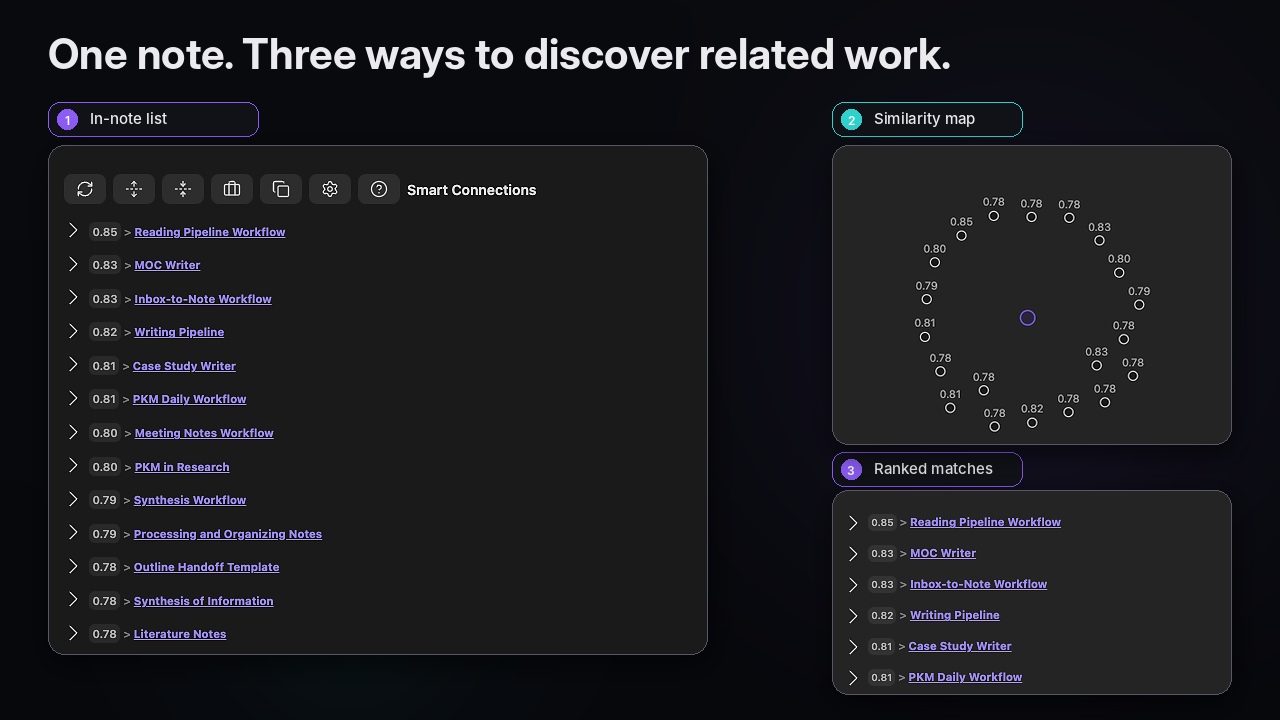
[!NOTE] What Smart Connections does
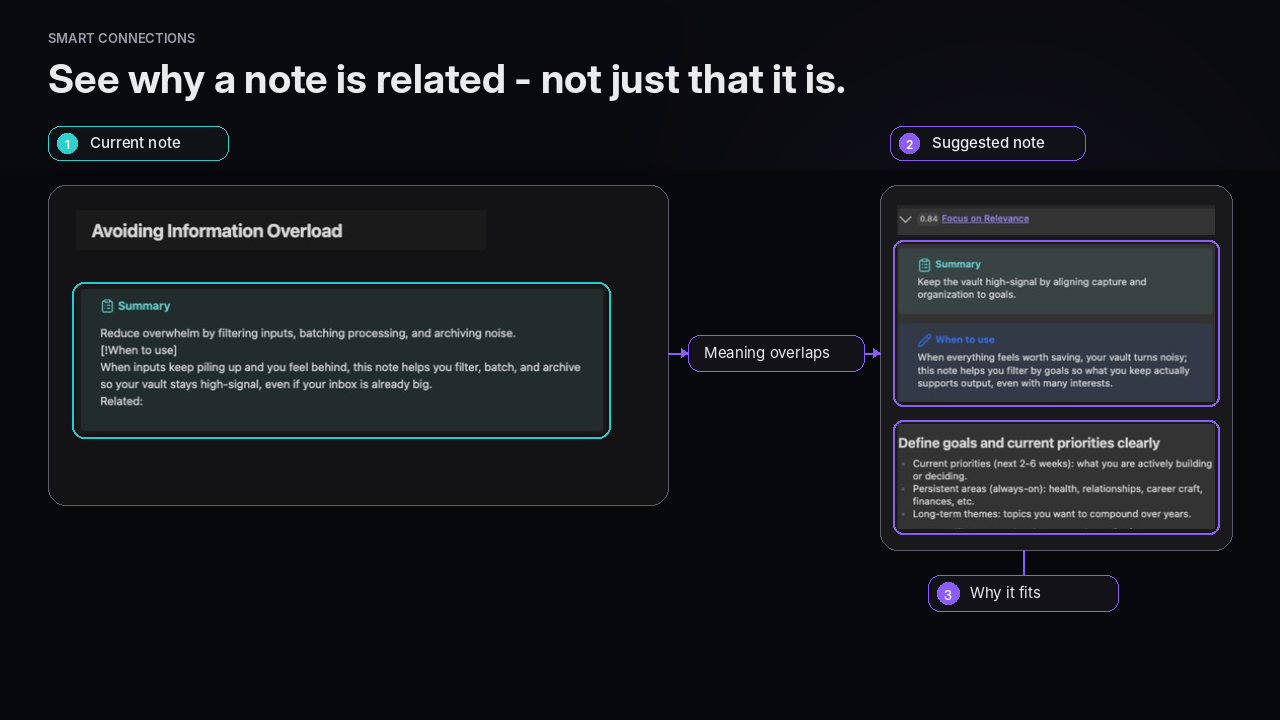
Smart Connections uses local embeddings and your Smart Environment to surface notes that are semantically related to what you are working on right now. Start with the overview, then jump into the Connections view guide, Lookup guide, and settings guide as your workflow gets deeper.
✔️ Zero-setup: ships with a local embedding model that just works
🔐 Private and offline by default
📲 Works on mobile devices
📦 Ultra-lightweight bundle with minimal third party dependencies
🔍 Streamlined codebase with minimal/no dependencies can be audited >3× faster than comparable AI plugins
🌐 Source available core, local-first data
⚔️ Mission driven, user aligned, community supported
[!SUCCESS] What success looks like
With Smart Connections running, ideas resurface when you need them, writing flows faster, and your note taking system finally feels like the trusted second brain you imagined.
[!FAILURE] The Cost of Doing Nothing Stay stuck sifting through files, forgetting past research, and wasting precious creative energy on housekeeping instead of creation. Without help, your vault keeps growing into a maze. You keep redoing work you already did once, and important ideas stay buried.
Walkthrough video
See Smart Connections (and how it pairs with Smart Chat) in action:

Watch on YouTube
Feature walkthrough
Access the Getting Started guide from Smart Connections settings.
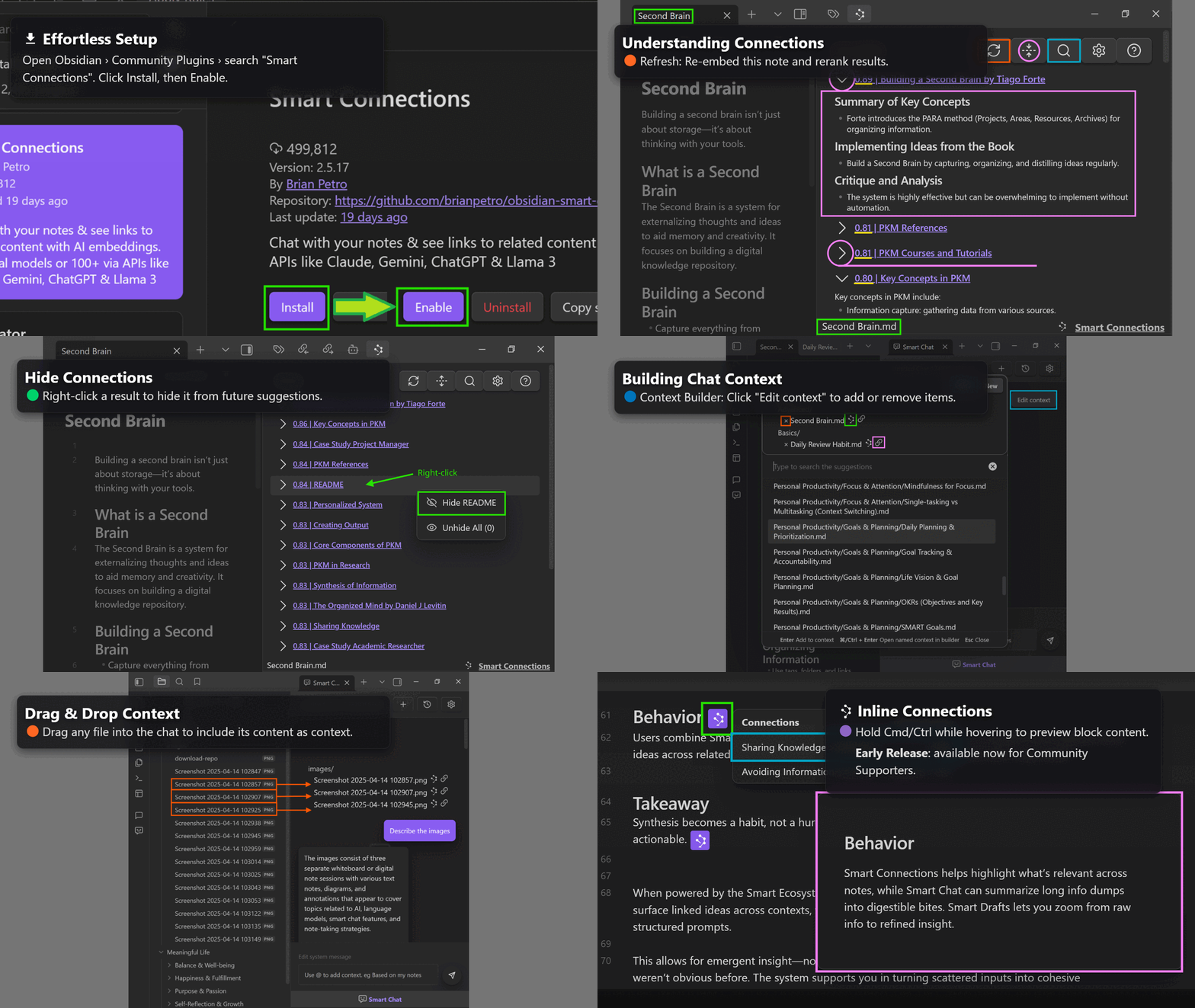
Watch the feature walkthrough slideshow or read the Getting Started guide to see how Smart Connections fits into your workflow, including Connections view, Lookup view, inline Pro features, and Smart Environment settings.
Learn more
Core docs
| Path | Use it for |
|---|---|
| Smart Connections overview | Understand what Smart Connections does end-to-end. |
| Getting Started | Install and reach your first successful workflow fast. |
| Connections list feature | Learn the scan -> confirm -> act workflow for related notes. |
| Lookup view | Run semantic searches across your vault on demand. |
| Settings guide | Configure indexing, filters, ranking, and UI defaults. |
Pro surfaces
| Path | Use it for |
|---|---|
| Inline connections (Pro) | Trigger note suggestions while writing in the editor. |
| Bases integration (Pro) | Blend semantic context with Obsidian Bases workflows. |
| Pro plugins overview | Compare active Pro plugin capabilities and plans. |
Pick a path
| If you want to... | Start here |
|---|---|
| Reach your first win fast | Getting Started |
| Understand the core daily loop | Connections list feature |
| Search by meaning across the vault | Lookup view |
| Tune results for a large or specialized vault | Settings guide |
| Explore advanced workflows | Pro plugins overview |
Getting started
It "just works"
Surface relationships between notes with zero-setup.
[!TLDR] 3 step plan
- Install and enable Smart Connections from Obsidian Community plugins.
- Keep writing. The built in local model automatically indexes your vault.
- Open the Connections view to see relevant notes and drag links directly into what you are working on.
Find Smart Connections in the Obsidian Community plugins.
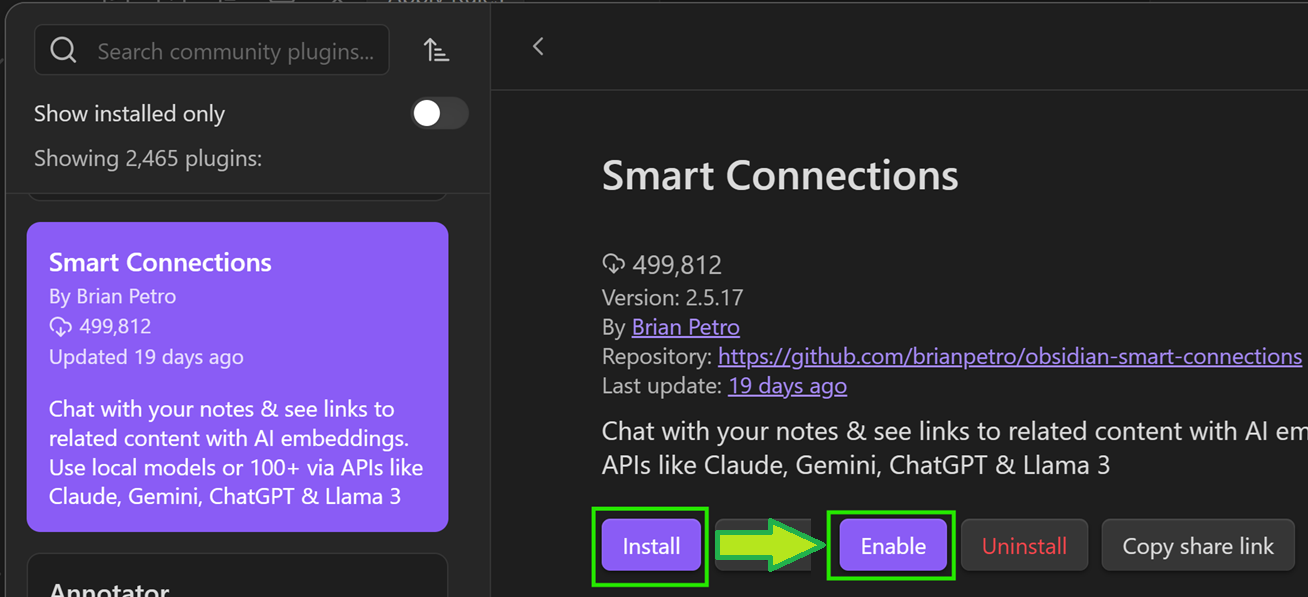
Install and enable, that is it
A local model starts creating embeddings right away. No extra apps, no CLI tools, and no API key required.
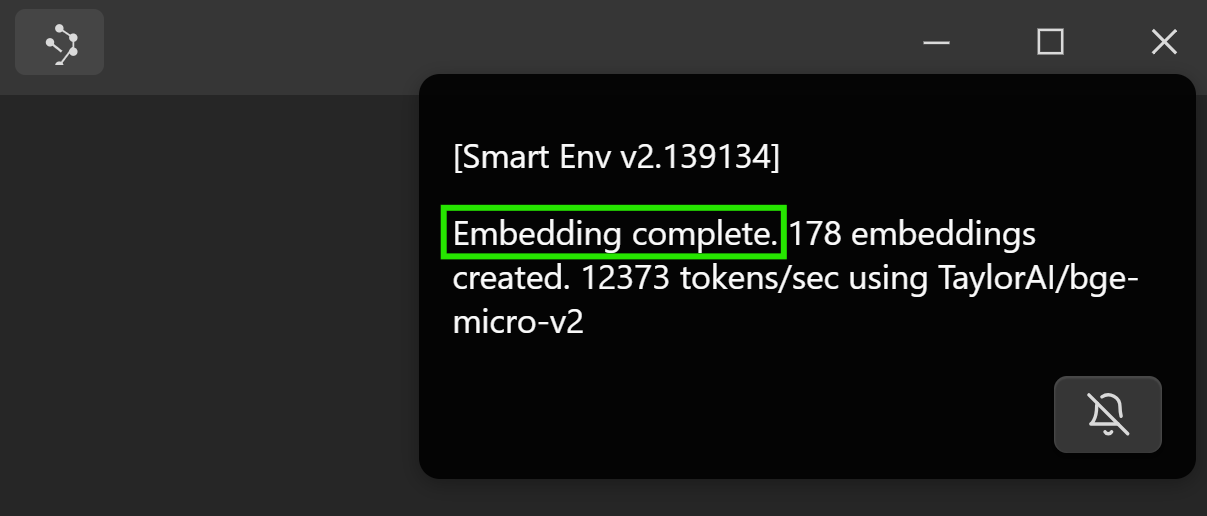
Open it from the left ribbon (Connections icon) or from the command palette by running the Open: Connection view command.
Using the Connections view
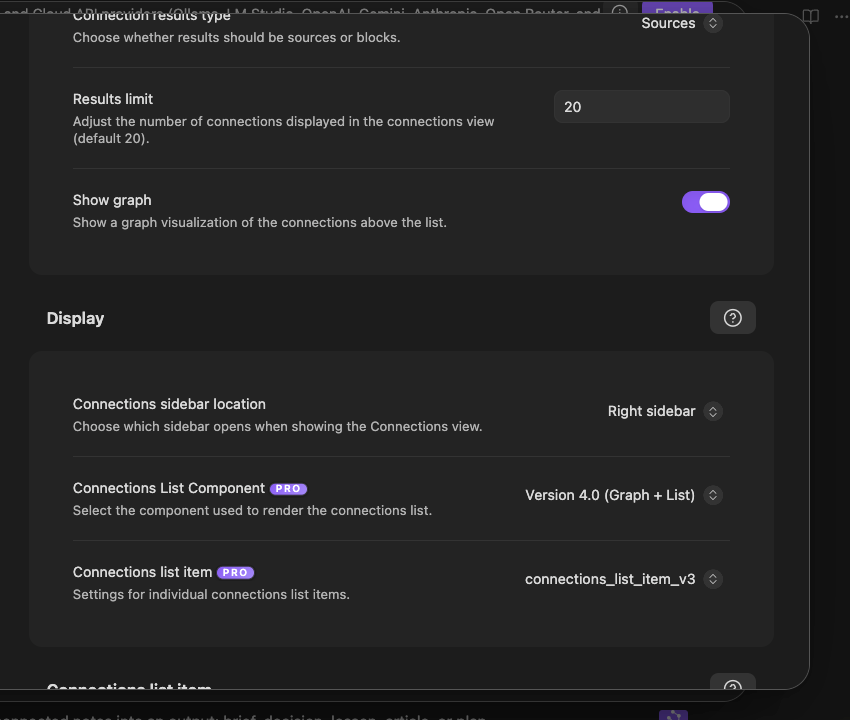
Connections view results update automatically when you change notes. The name of the current note appears at the bottom left of the Connections view.
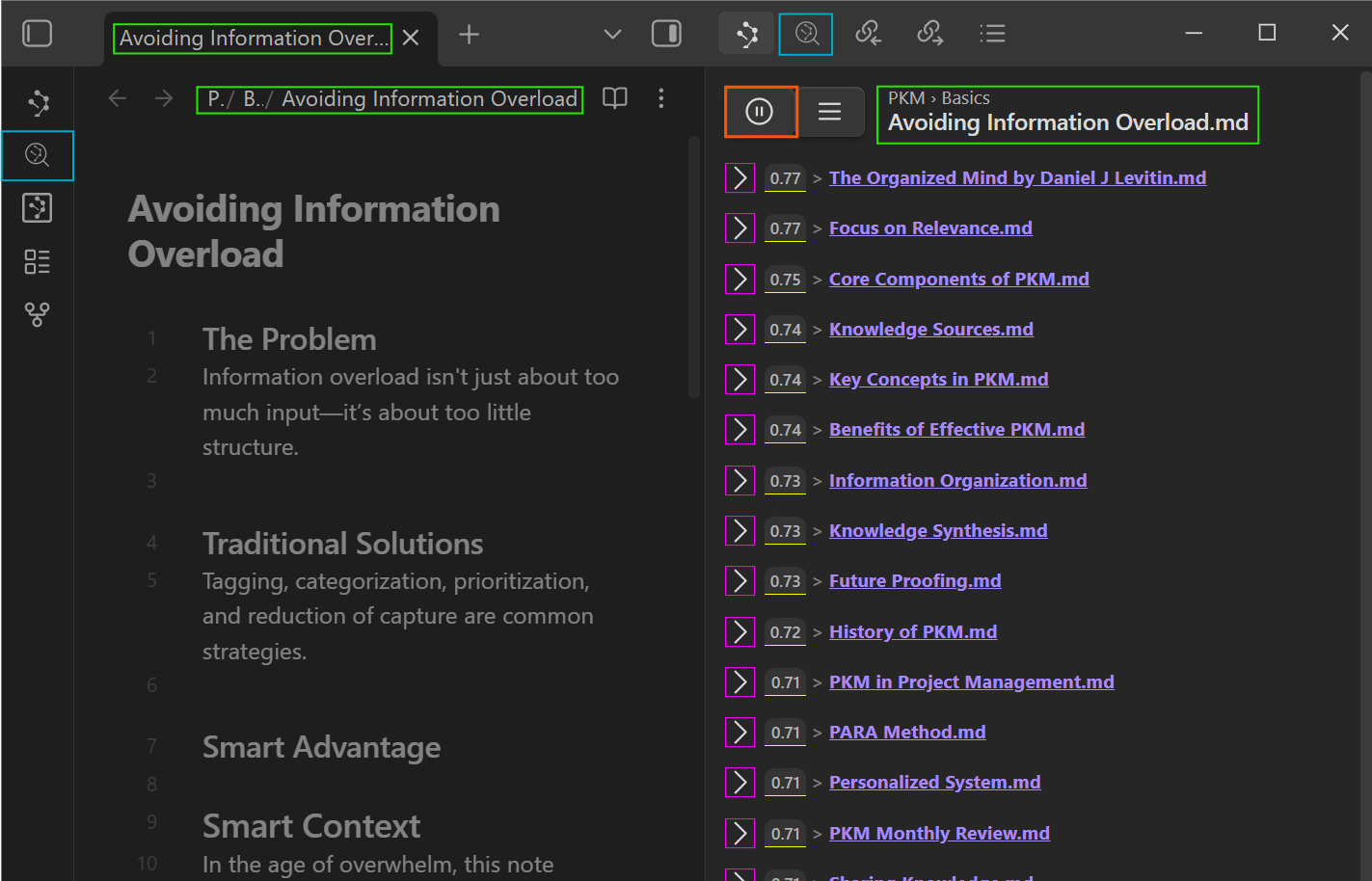
- Result score (yellow underline)
The score reflects semantic similarity between the result and the current note. Exact numbers depend on the embedding model. - Show or hide content (magenta)
Expand or collapse individual results. Use the top row button to expand or collapse all. - Play / pause updates (orange)
Control whether the Connections view automatically updates when you change notes. - Lookup query (teal)
Opens the Lookup view for a semantic search across your vault.
[!NOTE] Semantic search
Semantic queries do not behave like plain text search. A note that contains the exact query text might not appear if it is not actually similar in meaning.
Interacting with connection results
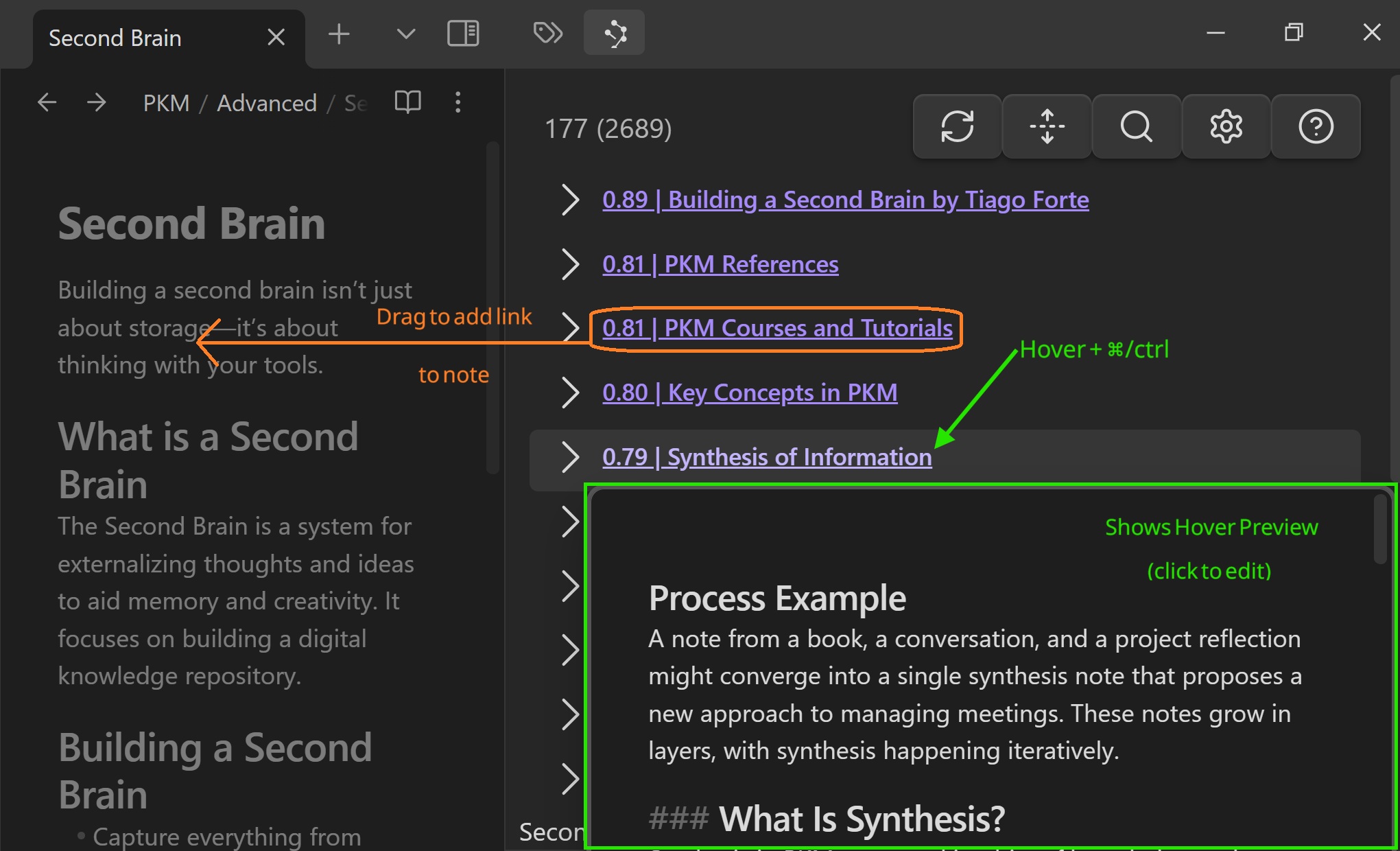
- Drag a result into a note to create a link.
- Hold Cmd or Ctrl while hovering over a result to show Obsidian's Hover Preview.
Hiding and unhiding connections
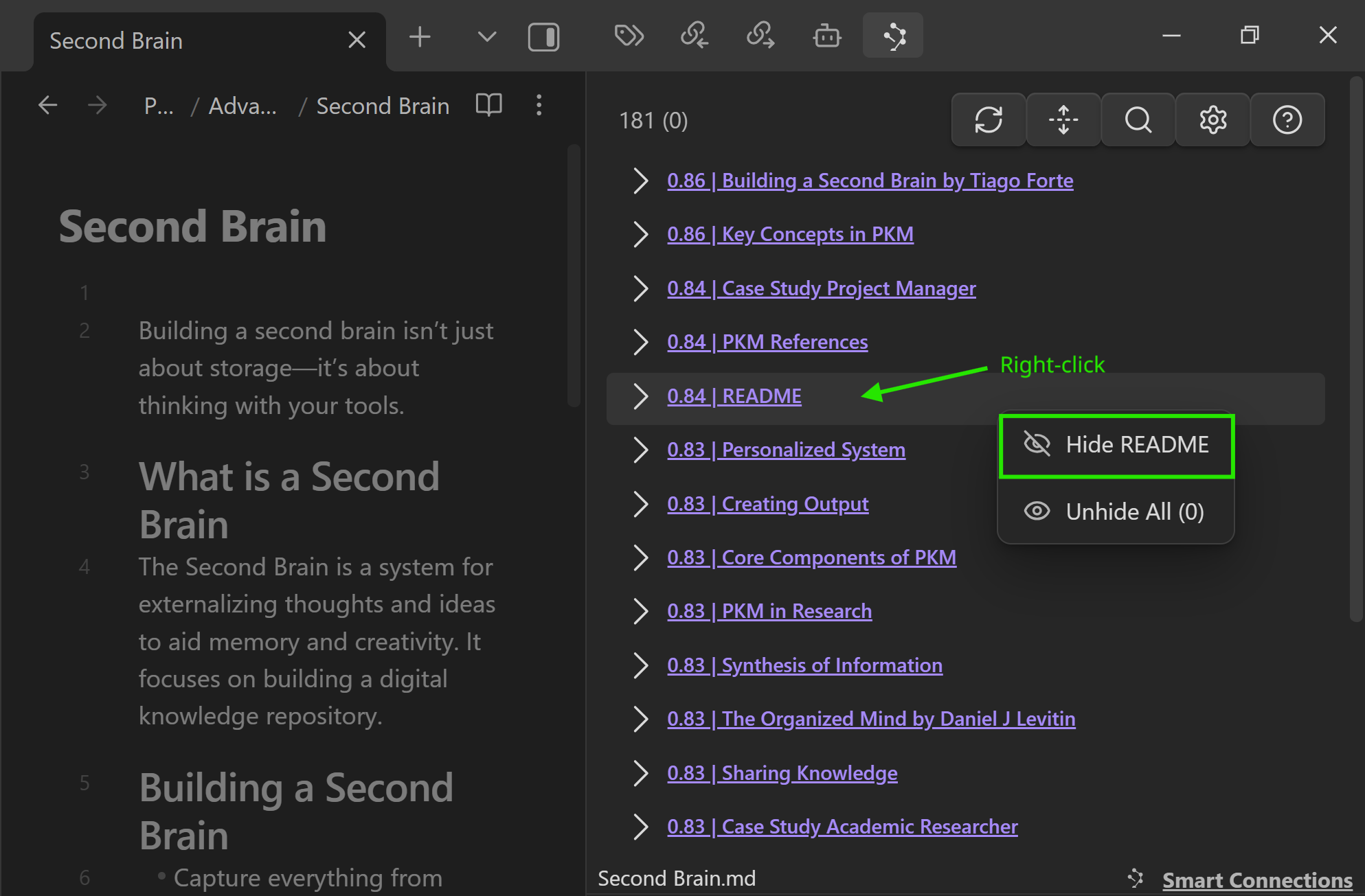
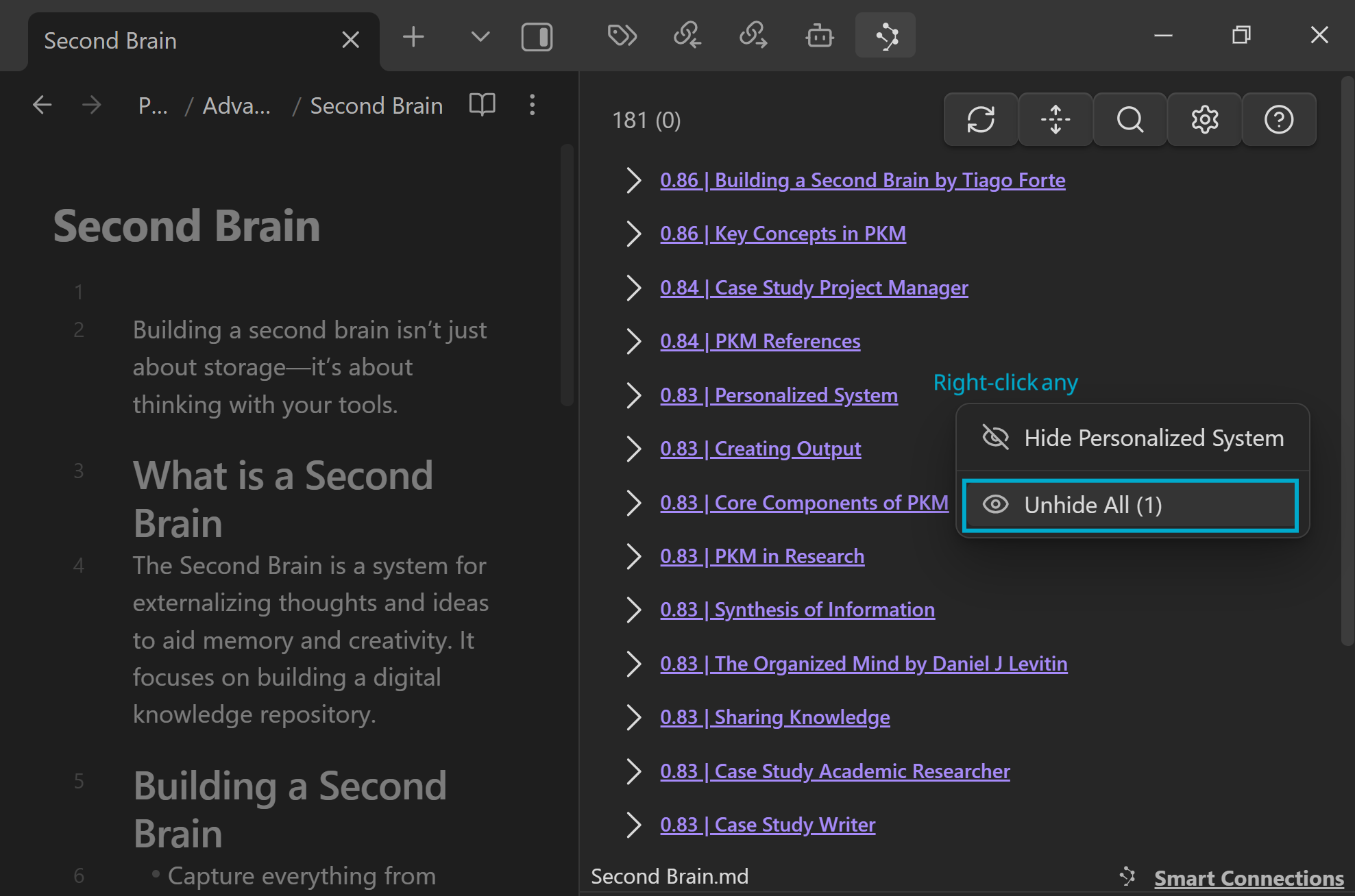
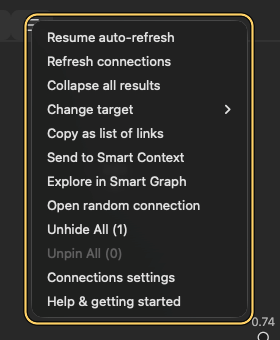
Right click a result to hide it from the list:
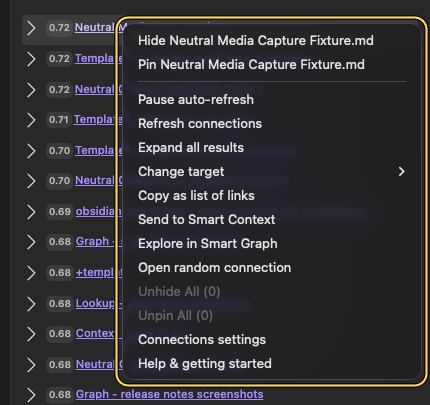
Right click any result and use Unhide all to bring hidden items back:
Open it from the ribbon (Lookup icon) or from the command palette by running the Open: Lookup view command.
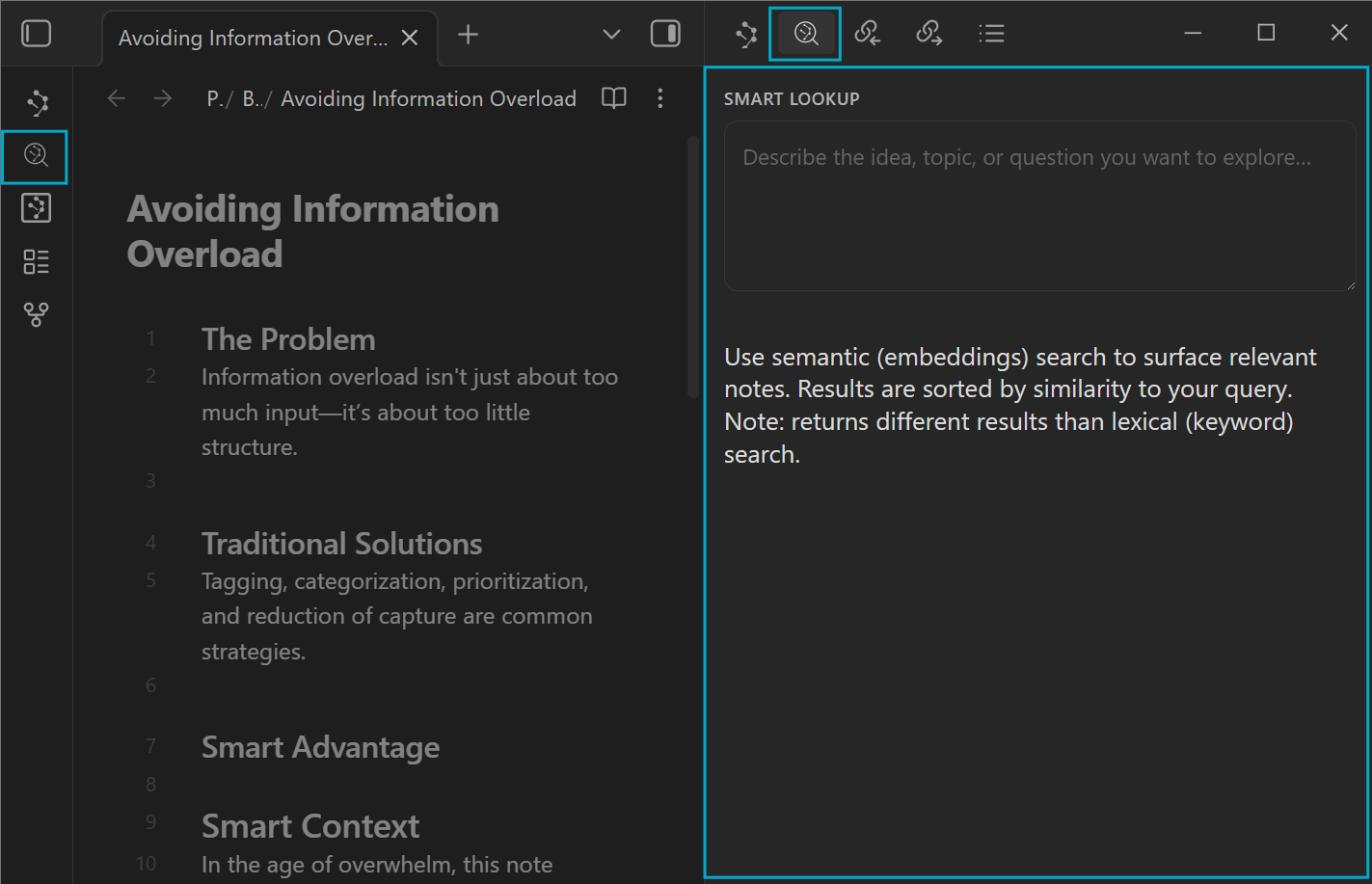
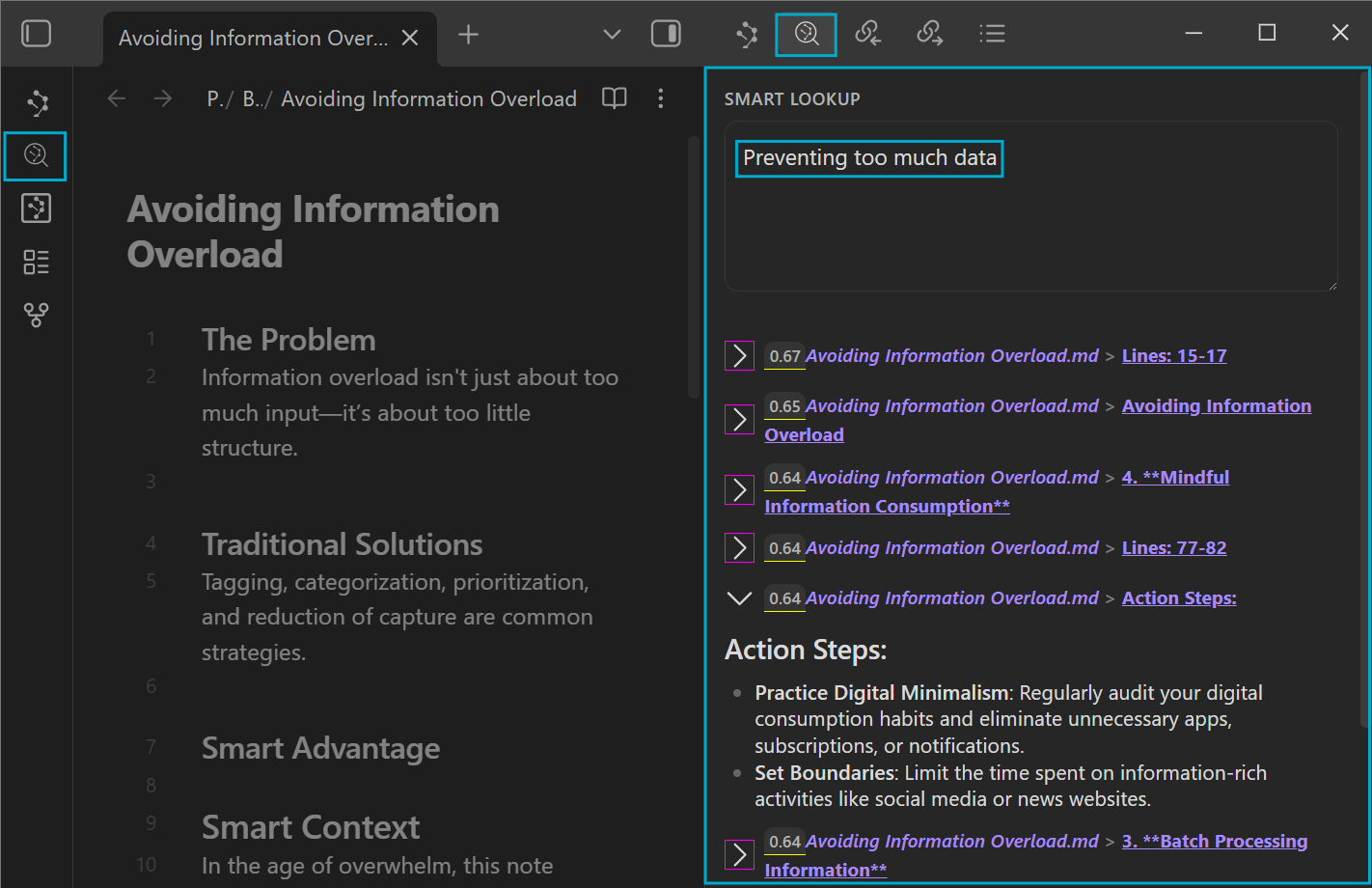
[!NOTE] Semantic search
Semantic queries do not work like regular search queries. For example, a note containing the exact query text may not be returned in the results.
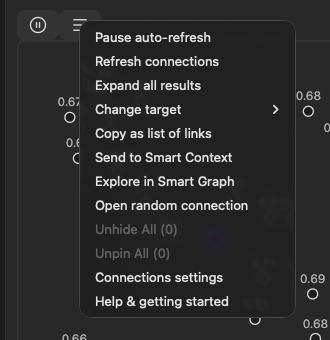
- Click the random connection icon in the ribbon, or
- Run the
Open: Random note from connectionscommand from the command palette.
Note: the random connection command requires the Connections view to be active.
What's new in v4?
Smart Connections v4 focuses the core plugin on a simple promise: install, enable, and AI-powered connections just work. Advanced configuration and power-user workflows now live in Pro plugins. Read Introducing Pro Plugins to learn more, then use the Pro plugins overview when you are ready to compare advanced workflows.
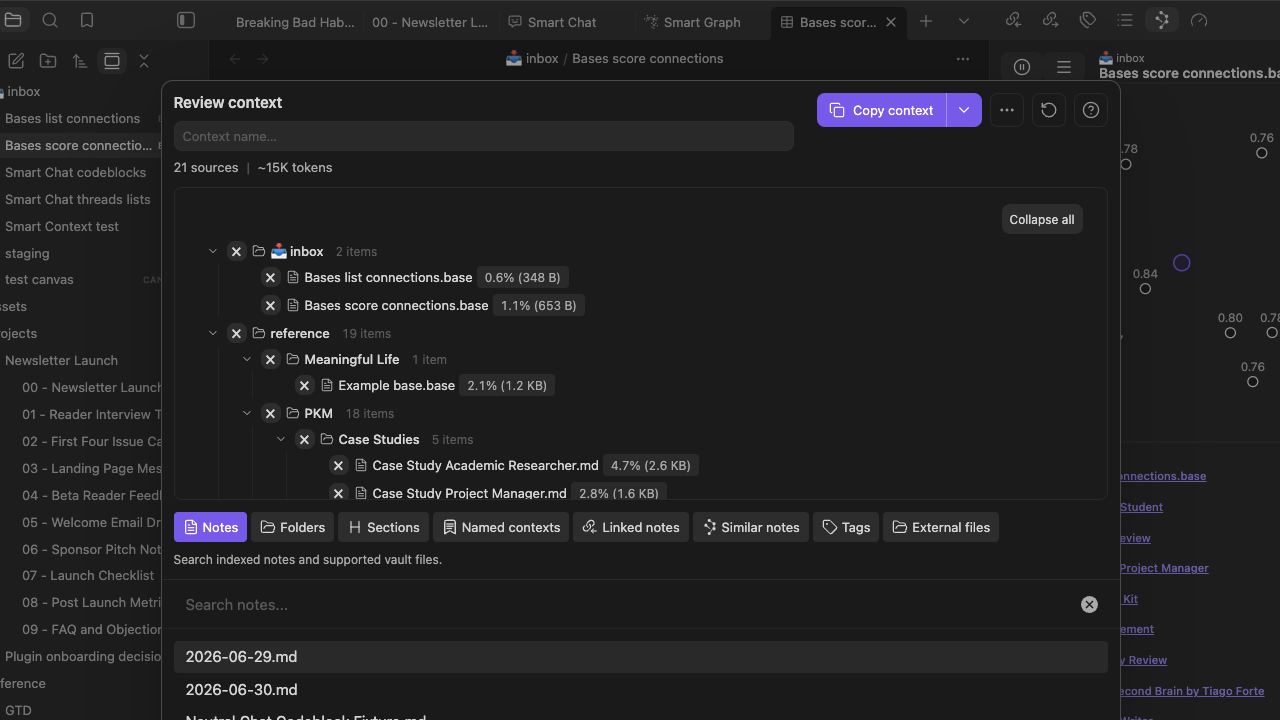
Examples of Pro features:
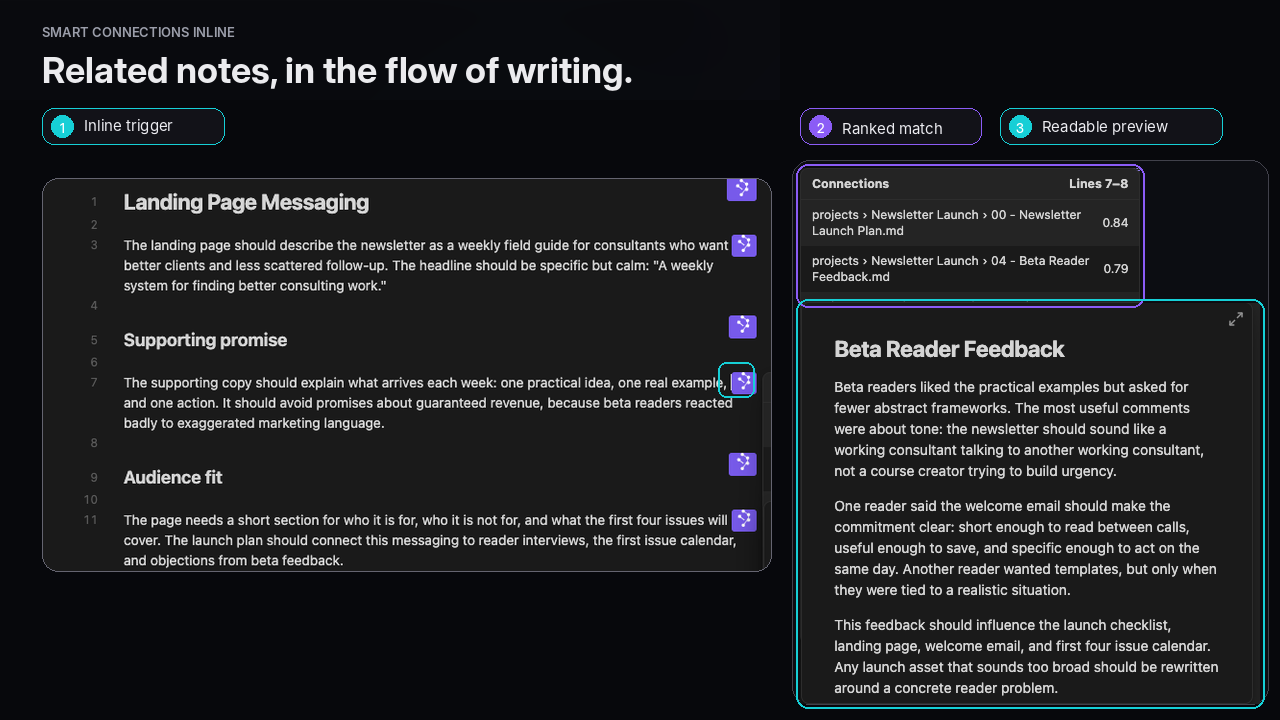
- Inline connections
Small badges in the editor that show how many strong matches a block has, with a pop-over of related blocks and notes. - Footer connections
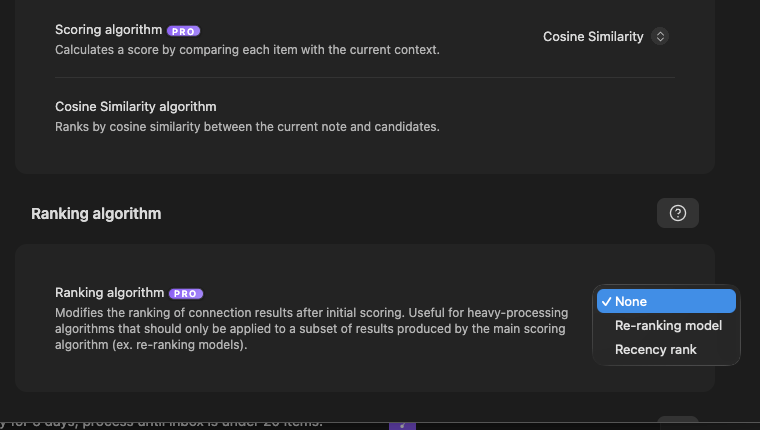
A persistent panel that updates as you type so high value connections stay visible while you write. - Configurable scoring and ranking
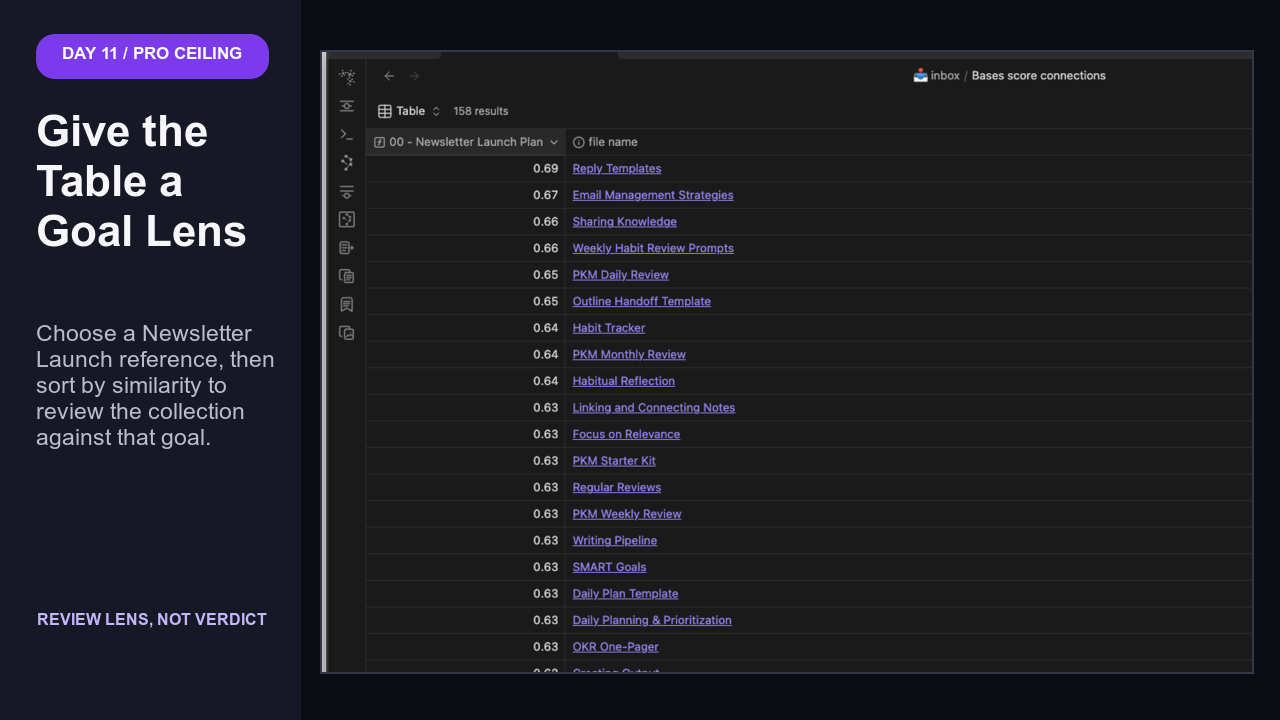
Choose different algorithms for how results are scored and optionally add a rerank stage. - Connections in Bases
Usescore_connectionandlist_connectionsin Obsidian Bases to show similarity columns and related note lists in tables. - Advanced filters and models
Extra Smart Environment controls for embeddings, collections, and include or exclude rules. - Early release experiments
New ideas launch in Pro channels first so supporters can shape how they evolve.
Connections Pro is part of the Pro plugins family and is available to active project supporters. It is still built on the same source-available Smart Environment. Supporting Pro helps fund development of all Smart Plugins and the free core.
Examples of events you might see:
- Initial indexing complete for your vault
- Sources reimported after model changes
- Warnings when exclusions block indexing on specific folders or files
Objectives of the new Events system:
- make the environment inspectable and understandable
- reduce the number of Obsidian native notifications
Private by Design, Local-first by Default
User-aligned means privacy and local first are design constraints, not optional checkboxes.
- Embeddings are created locally by default.
- Your notes stay on your machine.
- Smart Environment gives you a single place to control common configurations that apply to all Smart Plugins.
Privacy should not be a premium feature. Smart Plugins are private by default!
Mission-driven
The Obsidian community opened my eyes to user-aligned software. Smart Connections is built on a set of principles designed to keep power in the hands of individuals, not platforms.
[!INFO] Your guide
Built by Brian, a fellow Obsidian user who felt the same pain, Smart Connections pairs hard won experience with source available AI expertise to lead you from overwhelm to insight.
Built for You
[!NOTE] Why Smart Connections
Smart Connections started as a personal tool. The Obsidian community turned it into a shared project and helped refine it into something that can actually keep up with real workflows.
Smart Connections exists so you can:
- Spend less time hunting through old notes.
- Spend more time writing, synthesizing, and shipping.
- Stop worrying that important research is lost somewhere in your vault.
It is not about features for their own sake. It is about empowerment.
User testimonials
Hearing from those who use Smart Connections brings to life the impact it has on individuals' workflows and creativity.
Here's what some of them have to say:
- "Smart Connections is revolutionary for my process of attempting to wrangle decades of sprawling unorganized notes, journals etc. Amazing work! Look forward to seeing it evolve." - Ronny
- "I've switched over from Mem to Obsidian when I found this plugin"
- "I actually decided to start using Obsidian BECAUSE of Smart Connections."
- Let me take the opportunity to say what a brilliant plug in you have created it has completely transformed the way I am able to use notes.
- I can already see this will be a game-changer for my research and personal note-taking.
- Hi Brian, you've created one of the most powerful Obsidian's plugin, in the name of all the Obsidian users, i really want to thank you ! It makes our lives easier and more creative ❤️
- thanks so much for this and the wonderful plugin.
- "This is such a game-changingly helpful plugin"
- "This plugin has become a vital part of my life"
- "This is by far my favourite Obsidian plug-in and it is immensely helpful. I'll be doing a full video about using it for PhD research"
- "It's astonishing the power it provides to deal with scientific research and scientific articles included in the vault."
- "Smart Connections is easily in my Top 3 [plugins], it changes radically the use of [Obsidian], many thanks for that."
- "[Smart Connections] significantly changed how I use PKM"
- "This is an AWESOME little plugin. Thanks for sharing."
- "Hopping on to also say thanks. I have been wanting this feature in something ever since reading about tad starners remembrance agent in the 90s! And this is even better."
- "I'm having so much fun using your chat plugin to search my notes better and get insights."
- "This is undoubtedly an excellent plugin that makes a significant improvement in how we interact with our notes."
- "I have been using Smart Connections with Obsidian. It is excellent. I am finding more and more uses for it. I am intrigued by the idea of being able to use a local embedding model." - Eamonn
- "Huge fan of Smart Connections so much that I even wrote a post about how I use it to massively save time on summarizing legal cases (I also talk about my whole crazy workflow and the other tools I use, but SC gets a big shout-out)" - Carey
- "I love the latest version of Smart Connections and just used it for an amazing use case: I took my Obsidian notes and used them for qualifying my yearly performance review." - Jarrett
- "Thanks for your incredible work - I am a performer and a sound artist and your plugin is really helping me make the most of Obsidian, make all kinds of fruitful connections." - Adrienne
- "I'm currently writing a book and this is proving helpful in the process." - Michael
- "Love the plugin! use it all the time. I'm also doing a webinar about it for my community." - Alex
- "I use your app every day. I am a product manager and have a knowledge base of products that I reference in my writing and user story creation." - Todd
- "On a personal note, man do I wish I had access to these kinds of things when I was doing my PhD." - Mikey
- "Smart Connections is truly the best new plugin of the year. Please keep it up!" - Larry
- "Brian, you've done a great job. Smart Connections is the best Obsidian plugin ever." - Es
- "I really do love the app. It saved me from having to buy Mems and stick with Obsidian." - Greg
- "Thanks for making Smart Connections. I use it every day and it has completely changed the game." - Joe
- "I am glad to see your updates on smart connections in the new year. Thank you for your selfless contribution." - 嘿然笑道
- "Love this app! V2 looks to have an awesome feature as well. Keep up the great work." - Austin
- "I wanted to show my support for Smart Connections and would love to not only get early access to Version 2.0, but help out wherever I can. Thanks!!" - Danny
- "Great plugin, use it as my standard right pane." - Guenter
- "I believe it one of the best plugin for Obsidian!" - Viktor
- "Thank you for the great plugin. I definitely had to vote for it :)" - Marc
- "Good luck and great work on the plugin so far!" - Harpreet
- "Thank you again for your amazing plugin." - Eduardo
- "Hey, thanks for a great app." - Robert
- "Smart Connections is a really great program, and I am looking forward to working with v2.0." - Jarrett
- "Keep up the great work ♡" - Duke
- "Such an amazing plug-in. Thanks for supercharging my notes!" - Simon
- "Thank you for the plugin! It looks very promising, I am still exploring it." - Damien
- "Big thanks to you for creating such a slick tool. Excited to see where it goes!" - Khael
- "Thank you for this amazing tool!" - Pablo
- "Keep up the good work :-)" - Dorian
- "Thanks for your work on Smart Connections. Excited for v2" - Eli
- "Absolutely love what you're doing here and I can't wait to see how this plugin continues to grow over the next year!" - Ryan
- "You're crushing it!" - Chad
- "Way to go, Brian. Smart Connections Rocks!" - Arne
- "Tks a lot for the effort you put in this tool!" - Marcelo
- "Thanks for a great plug-in BTW." - Ali
- "Thanks for the plugin ! It really helps in my work :)" - Jordan
- "I am just discovering it, but enjoying it so far!" - Nick
- "Thank you for all your work on Smart Connections." - Ed
- "In my top 3 of the most useful plugins." - Mickaël
- "Thank you for your hard work. - from South Korea" - 오송인
- "I love this extension so much. So many potential features by the way."
- "This plugin is fantastic"
- "This is a terrific idea"
- "This plugins could be a Game changer!"
- "I personally love the app"
- "This app is such a game changer"
- "Absolutely LOVE this plugin"
- "Smart-connections is a fantastic plugin"
- "Hi, amazing plugin! 🔥"
- "Absolutely mind blowing"
- "I love this plugin"
- "Now it serves me as a way to brainstorm potential connections, and I have seen major improvements over the past few months. I especially enjoy using it as part of my book digestion and relation process."
- "this is just such an incredible plugin!"
- "Tried it, and it worked as well as I could hope! Thanks for making this."
- "This is an amazing extension."
- This is really cool...
- "This is an amazing plugin!"
- "With smart connections, by just opening one such note, I can find all the others that reference the concept"
- "Has amazing potential to unlock lots of new info that can be added to your vault"
- "Great plugin!"
- "Loving the plugin so far!"
- "Smart Connections is so cool. I'm noticing similarities between notes that talk about the same thing but don't share any words."
- "Thanks for doing this. I love the idea to have OpenAI help look through my notes to find connections"
Even more love for Smart Connections 🥰
FAQs and troubleshooting
Smart Chat is no longer bundled inside Smart Connections, as planned in the last major release, it has been moved to its own dedicated plugin. You can now install Smart Chat directly from the Obsidian Community plugins or learn more here.
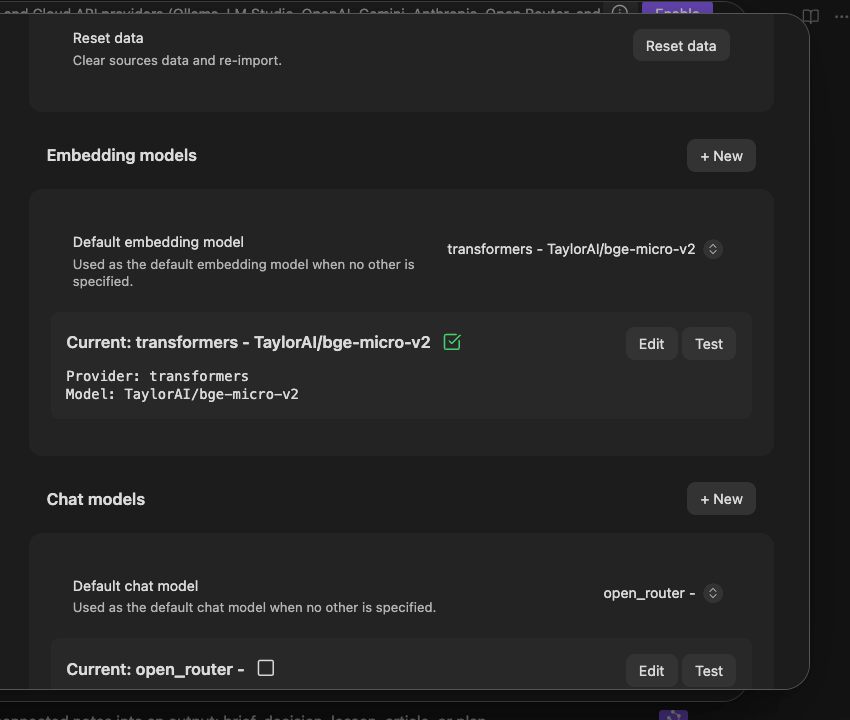
To keep the Core Smart Connections plugin simple and “just works,” all API‑based model integrations (cloud and local) have moved into Smart Chat Pro, the Pro version of the Smart Chat plugin. This lets advanced model routing and multi-provider support be maintained sustainably, while the free Smart Plugins stay focused on essential core features that work with third-party interfaces like ChatGPT, Claude and Gemini.
For more about Pro plugins, read Introducing Pro Plugins.
Smart Connections is one piece of a larger ecosystem of local first, user aligned tools. I build Smart Plugins to explore new ideas, ship practical workflows, and keep complexity manageable inside Obsidian. Smart Connections is the piece that handles the space between notes (connections).
Most AI features need continuous maintenance. As providers and APIs change, deeply configurable options require far more support, testing, and refactoring than simple defaults.
Introducing Pro plugins: how the project stays sustainable without compromising the open core. Core Smart Plugins remain free and source available. Pro plugins sit on top of that core, built on the same open Smart Environment. They do not remove the essentials from the free plugins; instead they collect advanced options in one place and fund the work needed to maintain them. Pro plugins (including Connections Pro) are available to all past project supporters. Not yet a supporter? Get Pro plugins here.
Smart Environment is the shared local core that powers Smart Connections, Smart Chat, and the rest of the Smart Ecosystem.
- It keeps an up to date index of your notes using embeddings.
- It listens for Obsidian events so indexing and stats stay in sync with your vault.
- It gives you one place to manage models, sources, and exclusions across all Smart Plugins.
Smart Environment is undergoing major upgrades to better enable local-first AI tooling. If you have joined Community Lean Coffee sessions, you have already seen glimpses of what this future looks like.
In short, Smart Environment aims to be your local-first core: a PKM inspired backend for your personal data that will eventually let you vibe code your own frontend components on top of your notes.
Connections Pro
Learn more about Connections Pro.
More Smart Plugins
Quickly assemble many notes into a single prompt or document using context selectors, links, and templates with Smart Context. Want to know how I manage thousands of ChatGPT threads from Obsidian? Start a new thread inside of a note and come back to it later with Smart Chat!
See the currently available Core Smart Plugins.
Together with Smart Environment, Smart Plugins are an experiment in how AI can empower individuals to do extraordinary work without sacrificing privacy to data hungry giants.
[!NOTE] Welcome to our Smart Community 😊 Hey there! I'm 🌴 Brian. I built Smart Connections to help solve my organization problems. My hope is that it can save you from the same chaos!
- How does it feel when you realize you forgot something that was important to you? Why capture more notes if the ideas get lost in oblivion?
- What if you didn't spend so much time organizing? What could you have done with all that lost time spent organizing?
These are the questions I'm trying to answer. Smart Connections is one piece, albeit a corner piece, representing an important first step in exploration of how AI can empower individuals like you and I.
Smart Connections isn't a silver-bullet. But, it is the a key Smart Tool that can empower us to do more!
License
Smart Connections license (Smart Plugins License): https://smartconnections.app/legal/license/
This repository is source available. You may use, modify, and redistribute the code, with a restriction on general-purpose competing Obsidian offerings. See the license page above for a plain-English summary, scenarios, FAQ, and full text.