Silicon AI

by deepfates
5
4
3
2
1
Score: 29/100

Description

Category: 3rd Party Integrations

The Silicon AI plugin enhances note connectivity within Obsidian by leveraging OpenAI's text embeddings. It creates a panel that analyzes and links related notes, helping users explore relationships between their content. By entering an OpenAI API key, users can enable this feature to view contextual suggestions and related notes seamlessly. This plugin is particularly useful for researchers, writers, and anyone managing interconnected ideas, offering a streamlined way to uncover insights and associations across their vault.

Reviews

No reviews yet.

Stats

129
stars
5,294
downloads
10
forks
1,186
days
936
days
1,215
days
3
total PRs
2
open PRs
0
closed PRs
1
merged PRs
8
total issues
5
open issues
3
closed issues
0
commits

Latest Version

3 years ago

Changelog

Just needed to update the manifest

README file from

Github

Silicon: AI for Obsidian

This is a plugin for Obsidian (https://obsidian.md). It adds a panel that connects your notes using text embeddings from the OpenAI API.

Get Started

All you need is an OpenAI API key (which you can get at https://beta.openai.com/signup). Once you have your API key, you can install the plugin by following these steps:

  • Find the latest release on the releases page (https://github.com/deepfates/silicon/releases).
  • Download the files main.js, manifest.json, and styles.css
  • Make a silicon folder in the Obsidian plugins directory. The location of this directory may vary depending on your operating system, but it's usually in [your vault]/.obsidian/plugins
  • Copy the downloaded files to your new silicon folder
  • Open Obsidian and go to the settings page
  • Under the "Community Plugins" tab, enable community plugins and then enable Silicon.
  • Go to the "Silicon" tab in the Obsidian settings page and enter your OpenAI API key.
  • Click "Save" to save your changes.
  • Now you can use Silicon to connect your notes by clicking the "Silicon" button in the panel on the right side of the Obsidian window. The plugin will use text embeddings to find related notes and display them in the panel.
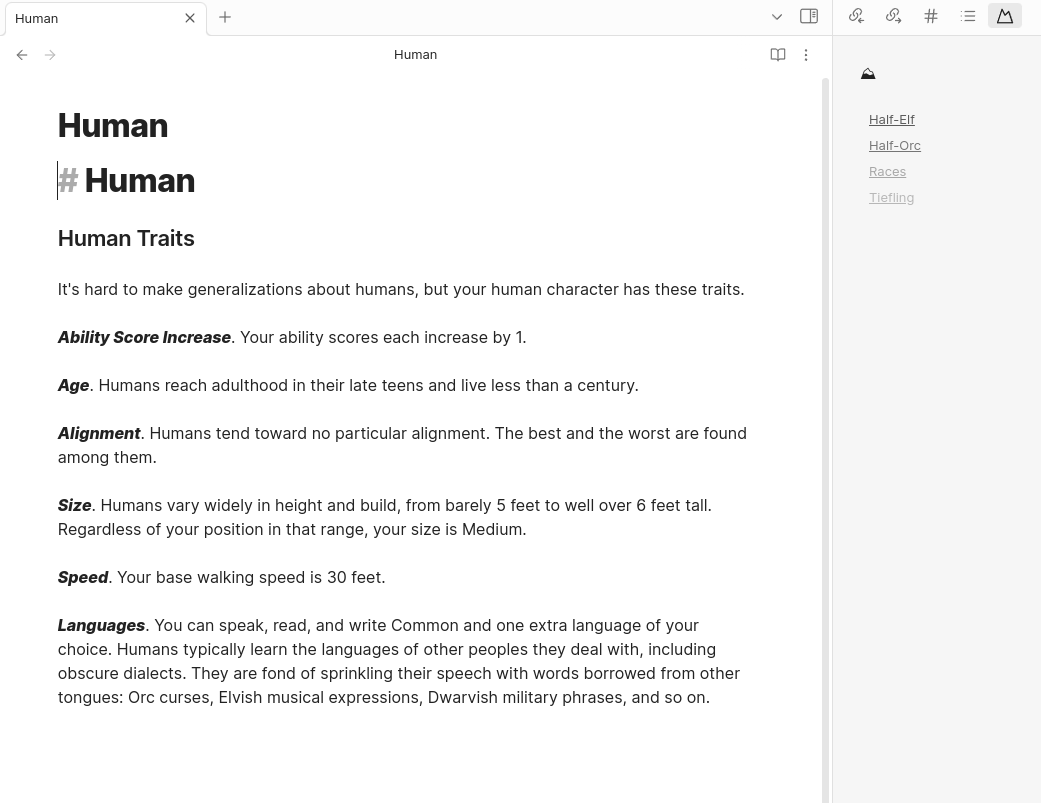
Silicon Screenshot


This project uses Typescript to provide type checking and documentation. The repo depends on the latest plugin API (obsidian.d.ts) in Typescript Definition format, which contains TSDoc comments describing what it does.

Note: The Obsidian API is still in early alpha and is subject to change at any time!

Development

  • Clone your repo to a local development folder. For convenience, you can place this folder in your .obsidian/plugins/your-plugin-name folder.
  • Install NodeJS, then run npm i in the command line under your repo folder.
  • Run npm run dev to compile your plugin from main.ts to main.js.
  • Make changes to main.ts (or create new .ts files). Those changes should be automatically compiled into main.js.
  • Reload Obsidian to load the new version of your plugin.
  • Enable plugin in settings window.
  • For updates to the Obsidian API run npm update in the command line under your repo folder.

Releasing new releases

  • Update your manifest.json with your new version number, such as 1.0.1, and the minimum Obsidian version required for your latest release.
  • Update your versions.json file with "new-plugin-version": "minimum-obsidian-version" so older versions of Obsidian can download an older version of your plugin that's compatible.
  • Create new GitHub release using your new version number as the "Tag version". Use the exact version number, don't include a prefix v. See here for an example: https://github.com/obsidianmd/obsidian-sample-plugin/releases
  • Upload the files manifest.json, main.js, styles.css as binary attachments. Note: The manifest.json file must be in two places, first the root path of your repository and also in the release.
  • Publish the release.

You can simplify the version bump process by running npm version patch, npm version minor or npm version major after updating minAppVersion manually in manifest.json. The command will bump version in manifest.json and package.json, and add the entry for the new version to versions.json

Adding your plugin to the community plugin list

How to use

  • Clone this repo.
  • npm i or yarn to install dependencies
  • npm run dev to start compilation in watch mode.

Manually installing the plugin

  • Copy over main.js, styles.css, manifest.json to your vault VaultFolder/.obsidian/plugins/your-plugin-id/.

Improve code quality with eslint (optional)

  • ESLint is a tool that analyzes your code to quickly find problems. You can run ESLint against your plugin to find common bugs and ways to improve your code.
  • To use eslint with this project, make sure to install eslint from terminal:
    • npm install -g eslint
  • To use eslint to analyze this project use this command:
    • eslint main.ts
    • eslint will then create a report with suggestions for code improvement by file and line number.
  • If your source code is in a folder, such as src, you can use eslint with this command to analyze all files in that folder:
    • eslint .\src\

Funding URL

You can include funding URLs where people who use your plugin can financially support it.

The simple way is to set the fundingUrl field to your link in your manifest.json file:

{
    "fundingUrl": "https://buymeacoffee.com"
}

If you have multiple URLs, you can also do:

{
    "fundingUrl": {
        "Buy Me a Coffee": "https://buymeacoffee.com",
        "GitHub Sponsor": "https://github.com/sponsors",
        "Patreon": "https://www.patreon.com/"
    }
}

API Documentation

See https://github.com/obsidianmd/obsidian-api

Similar Plugins

info
• Similar plugins are suggested based on the common tags between the plugins.
Smart Connections
4 years ago by Brian Petro
Find related notes and excerpts while writing. Your link building copilot displays relevant content in graph + list view. A local embedding model powers semantic search. Zero setup. No API key.
Text Generator
5 years ago by Noureddine Haouari
Text Generator is a versatile plugin for Obsidian that allows you to generate text content using various AI providers, including OpenAI, Anthropic, Google and local models.
Smart Composer
2 years ago by Heesu Suh
AI chat assistant for Obsidian with contextual awareness, smart writing assistance, and one-click edits. Features vault-aware conversations, semantic search, and local model support.
ChatGPT MD
4 years ago by Bram Adams
A (nearly) seamless integration of ChatGPT into Obsidian.
YOLO
8 months ago by Lapis0x0
Agent-native AI assistant — chat, write, learning, all in one.
Claude Sidebar
2 months ago by derek-larson14
Run Claude Code, Codex, and other agent CLIs in Obsidian
Gemini Scribe
2 years ago by Allen Hutchison
An obsidian plugin to interact with Google Gemini
Smart Second Brain
3 years ago by Leo310, nicobrauchtgit
A free, open-source Obsidian plugin that makes your vault smarter: better search, an interactive knowledge graph, and an AI assistant that knows your notes.
AI Providers
2 years ago by Pavel Frankov
This plugin is a hub for setting AI providers (OpenAI-like, Ollama and more) in one place.
Khoj
4 years ago by Debanjum Singh Solanky
Your AI second brain. Self-hostable. Get answers from the web or your docs. Build custom agents, schedule automations, do deep research. Turn any online or local LLM into your personal, autonomous AI (gpt, claude, gemini, llama, qwen, mistral). Get started - free.
Note Linker
4 years ago by Alexander Weichart
🔗 Automatically link your Obsidian notes.
BMO Chatbot
3 years ago by Longy2k
Generate and brainstorm ideas while creating your notes using Large Language Models (LLMs) from Ollama, LM Studio, Anthropic, Google Gemini, Mistral AI, OpenAI, and more for Obsidian.
Tars
2 years ago by Tarslab
Obsidian tars plugin that supports text generation based on tag suggestions, using services like DeepSeek, Claude, OpenAI, OpenRouter, SiliconFlow, Gemini, Ollama, Kimi, Doubao, Qwen, Zhipu, QianFan & more.
HiNote
a year ago by Kai
Add comments to highlighted notes, use AI for thinking, and flashcards for memory.
Github Copilot
2 years ago by Vasseur Pierre-Adrien
A bridge between Obsidian and Github Copilot
AI image analyzer
2 months ago by swaggeroo
Analyze images with AI to get keywords of the image.
Smart Context
2 years ago by 🌴 Brian
AI Assistant
3 years ago by Quentin Grail
AI Assistant Plugin for Obsidian
InfraNodus AI Graph View
2 years ago by Nodus Labs
Advanced graph view for Obsidian: text analysis, topic modeling, and AI with InfraNodus AI text analysis tool: https://infranodus.com
Smart Templates
2 years ago by 🌴 Brian Petro
Smart Templates is an AI powered templates for generating structured content in Obsidian. Works with Local Models, Anthropic Claude, Gemini, OpenAI and more.
Gemini Assistant
3 years ago by eatgrass
Your AI assistant in obsidian
Quiz Generator
3 years ago by Edward Cui
Generate interactive flashcards from your notes using models from OpenAI (ChatGPT), Google (Gemini), Ollama (local LLMs), and more. Or manually create your own to use with the quiz UI.
AI Commander
3 years ago by Simon Yang
Aloud
3 years ago by Adrian Lyjak
Obsidian TTS Plugin
NanoBanana PRO
a month ago by reallygood83
Mesh AI
2 years ago by Chasebank87
AI Tagger Universe
2 years ago by Hu Nie
An intelligent Obsidian plugin that leverages AI to automatically analyze note content and suggest relevant tags, supporting both local and cloud-based LLM services.
AI Tagger
3 years ago by Luca Grippa
Simplify tagging in Obsidian. Instantly analyze and tag your document with one click for efficient note organization.
AI for Templater
2 years ago by TfTHacker
Extends Templater with AI Chat commands using the OpenAI Client Library
Chat with Bard
3 years ago by Artel250
An obsidian plugin that enables you to talk to Google Gemnini directly
Large Language Models
2 months ago by eharris128
The LLM plugin gives Obsidian users access to local and web-based, large language models via several chat interfaces: modal, widget, FAB window, and commands.
Add links to current note
6 years ago by MrJackphil
This plugin adds a command which allows to add a link to the current note at the bottom of selected notes
AI Image OCR
a year ago by Rootiest
Obsidian plugin for AI-powered text extraction from images
AI Research Assistant
3 years ago by Interweb Alchemy
Prompt Engineering Research Tool for AI APIs
Vault Chat
3 years ago by Exo Ascension
A ChatGPT bot trained on your vault notes. Ask your AI questions about your own thoughts and ideas!
Auto Tag
3 years ago by Control Alt
Easily generate relevant tags for your Obsidian notes.
Caret
2 years ago by Jake Colling
Caret, an Obsidian Plugin
YouTube Video Summarizer
2 years ago by mbramani
Generate AI-powered summaries of YouTube videos directly in Obsidian using Google's Gemini AI.
Arcana
3 years ago by A-F-V
Supercharge your Obsidian note-taking through AI-powered insights and suggestions
AI LLM
2 years ago by Sparky4567
Lets to use local llms in your Obsidian Vaults, extend your stories or create entirely new texts based on your previous input
Crossbow
3 years ago by shoedler
Obsidian plugin to find possible backlinks in your notes
WordWise
3 years ago by ckt1031
Writing companion for AI content generation.
InlineAI
2 years ago by FBarrca
Metadata Auto Classifier
2 years ago by Beomsu Koh
AI-powered Obsidian plugin that automatically classifies and generates metadata (tags, frontmatter) for your notes.
Semantic Search
3 years ago by bbawj
Semantic search for Obsidian.md
Canvas Conversation
4 years ago by André Baltazar
A plugin for Obsidian that allows you to create a canvas conversation using ChatGPT.
Star Gate
2 months ago by starhunter
obsidian gate plugin
AI Mentor
3 years ago by clementpoiret
GPT Assistant
3 years ago by M7mdisk
Ask GPT from your notes and get personalized answers based on your knowledge base.
AI Editor
3 years ago by Zekun Shen
ChatCBT
3 years ago by Claire Froelich
AI-powered journaling plugin for your Obsidian notes, inspired by cognitive behavioral therapy
Explain Selection With AI
2 years ago by Ben Wurster
This is my first go at making an Obsidian plugin to elaborate on and describe selected bits of information and their context.
Flashcard Generator
3 years ago by ChloeDia
Obsidian Plug-in to automatically create a set of questions/answers on your notes !
AI Notes Summary
3 years ago by R. Ian Bull (irbull)
An Obsidian plugin that uses ChatGPT to generate a summary of referenced notes
Notemd
a year ago by Jacob
A Easy way to create your own Knowledge-base! Notemd enhances your Obsidian workflow by integrating with various Large Language Models (LLMs) to process your notes, automatically generate wiki-links for key concepts, create corresponding concept notes, perform web research, and more.
Cardify
3 years ago by joshuakto
plugin to create individual pages for line separated elements
GPT-LiteInquirer
3 years ago by ittuann
💬 Experience OpenAI ChatGPT assistance directly within Obsidian, drafting content without interrupting your creative flow.
brAIn
3 years ago by lusob
Send to Canvas
a year ago by wenlzhang
An Obsidian plugin that allows you to send tasks, blocks, and notes to Canvas files as plain text, links, and embeds.
Strapi Exporter AI
2 years ago by Cinquin Andy
[prod] - 🚀 Strapi Exporter: Supercharge Your Obsidian-to-Strapi Workflow, export an obsidian notes directly to your Strapi API
LLM Test Generator
a year ago by Aldo E George
ChatGPT Definition
3 years ago by julix14
text2anki-openai
3 years ago by Mani Batra
Canvas LLM Extender
3 years ago by Pasi Saarinen
Let the OpenAI LLM add nodes to your Obsidian canvas
Proofreader
a year ago by pseudometa (aka Chris Grieser)
AI-based proofreading and stylistic improvements for your writing. Changes are inserted as suggestions directly in the editor, similar to suggested changes in word processing apps.
Nova
7 months ago by Shawn Duggan
Nova - AI plugin for Obsidian that edits your documents directly through natural conversation. Stop copying from chat, start collaborating with AI.
Claudian Plus
2 months ago by wuyifan-code
Daily News Briefing
a month ago by Adam Chen
Get AI-powered daily news summaries directly in your Obsidian vault. Stay informed about your topics of interest with smart, automated news collection and summarization.
Related Notes
a year ago by Oluwasanya Awe
Intelligence
3 years ago by John Mavrick
AI Summarize
2 years ago by Alp Sariyer
Easy to use AI Summary tool for your notes in Obsidian
Images to Notes
a year ago by Rodolfo Terriquez
Turn photos of your handwritten notes into markdown
AI bot
2 years ago by kuzzh
The AI Bot Plugin is a powerful tool designed to enhance your note-editing experience in Obsidian by leveraging the capabilities of AI. This plugin allows you to interact with an AI assistant directly within Obsidian, making it easier to generate, edit, and organize your notes with intelligent suggestions and automated tasks.
Vault LLM Assistant
a year ago by Brians Tjipto
An obsidian notebook plugin that uses LLM (OpenAI or Gemini) to answer questions and create new notes about your vault
AI Zhipu
2 years ago by Tarslab
AI-zhipu is an Obsidian plugin that helps you utilize the Zhipu API. 智谱AI obsidian 插件
Vision Recall
2 years ago by Travis Van Nimwegen
Transform screenshots into searchable Obsidian notes using AI vision and text analysis
LLM workspace
2 years ago by Olivér Falvai
AI Chat
2 years ago by arenasys
CoCo AskAI
2 years ago by Yukee
CoCo-AskAI is an Obsidian plugin that enables AI-powered note assistance, enhancing the writing experience with customizable functions.
Reverse Prompter
2 years ago by Ryan Halliday
Let AI generate prompts to keep you writing
Markpilot
2 years ago by Taichi Maeda
AI-powered inline completions and chat view for Obsidian
ai-writer
2 years ago by Donovan Ye
A plugin for Obsidian that uses AI to help you write better and faster.
Note Linker with Previewer
2 years ago by Nick Allison
Obsidian Plugin to find and Link notes
AI integration Hub
2 years ago by Hishmat Salehi
A modular AI integration hub for Obsidian
Codian
a month ago by bcs
Open-source Obsidian plugin for local coding agents
AI LaTeX Generator
2 years ago by Aayush Shah
An Obsidian plugin that generates latex code from natural language inputs.
Mention Things
a year ago by Philipp Stracker
Obsidian plugin to use the familiar @-notation or other symbols to trigger linked autocompletions
You and Your Research
2 years ago by Neo Zhang
AI Companion
9 months ago by Kowshik
An Obsidian plugin that provides AI assistance using OpenAI's API, triggered by the `/ai` slash command.
LLM docs
a year ago by Shane Lamb
Chat with LLM in regular markdown files in Obsidian
Open Interpreter
2 years ago by Mike Bird
The power of Open Interpreter in your Obsidian vault
AI Revisionist
2 years ago by Synaptic Labs
Understory
3 months ago by Rosetta Zidian Guo
A connection-sustain plugin: find connections and conflicts, update them over time
Weekly Review notes linker
2 years ago by Aditya Khowal and Brandon Boswell
Memos AI Sync
2 years ago by leoleelxh
obsidian-memos-sync-plugin,将 Memos 内容同步到 Obsidian 的插件,提供无缝集成体验。
Atomizer
2 years ago by Zac Bagley
An AI-Driven Obsidian plugin designed to turn lengthy text into insightful atomic notes. Perfect for turning source notes into ideas in a Zettelkasten workflow.
Ayanite
2 years ago by jemstelos
AI-AnkiSync
2 years ago by goev
Notes Refresher
2 years ago by Connor Park
Obsidian plugin for AI-generated note refreshers
NoteSmith
a year ago by csteamengine
Student Repo
2 years ago by Feirong.zfr
学生知识库助手(Student Repository Helper)是一个面向学生或学生家长的Obsidian 插件,这款插件旨在解决学生在学习阶段面临的资料管理难题,将学习过程中产生的各类重要资料,如试卷、笔记、关键文档、绘画手工作品等,进行系统性的数字化整合与管理,并利用 AI 助手定期进行学习分析总结。随着时间的推移,它将助力你逐步搭建起一座专属你自己的知识宝库,这座宝库将伴随你一生,成为你知识成长与积累的见证。
Blog AI Generator
2 years ago by Gareth Ng
Obsidian Plugin: generate blog via AI based on the current note.
Suggest Notes
2 years ago by Doggy-Footprint
[depricated] 옵시디언에서 링크 생성할 때 `[[` 입력이 타이핑 경험을 헤쳐서 자동 링크를 지원하는 플러그인
Third Mind Reader
4 days ago by Rohan Bell
An opinionated EPUB & PDF reader for Obsidian. Read, annotate, and chat with your books. Every highlight stays in your vault as plain markdown, linked back to where it came from. Desktop and mobile, AI optional.