
README file from
GithubWhat is it?
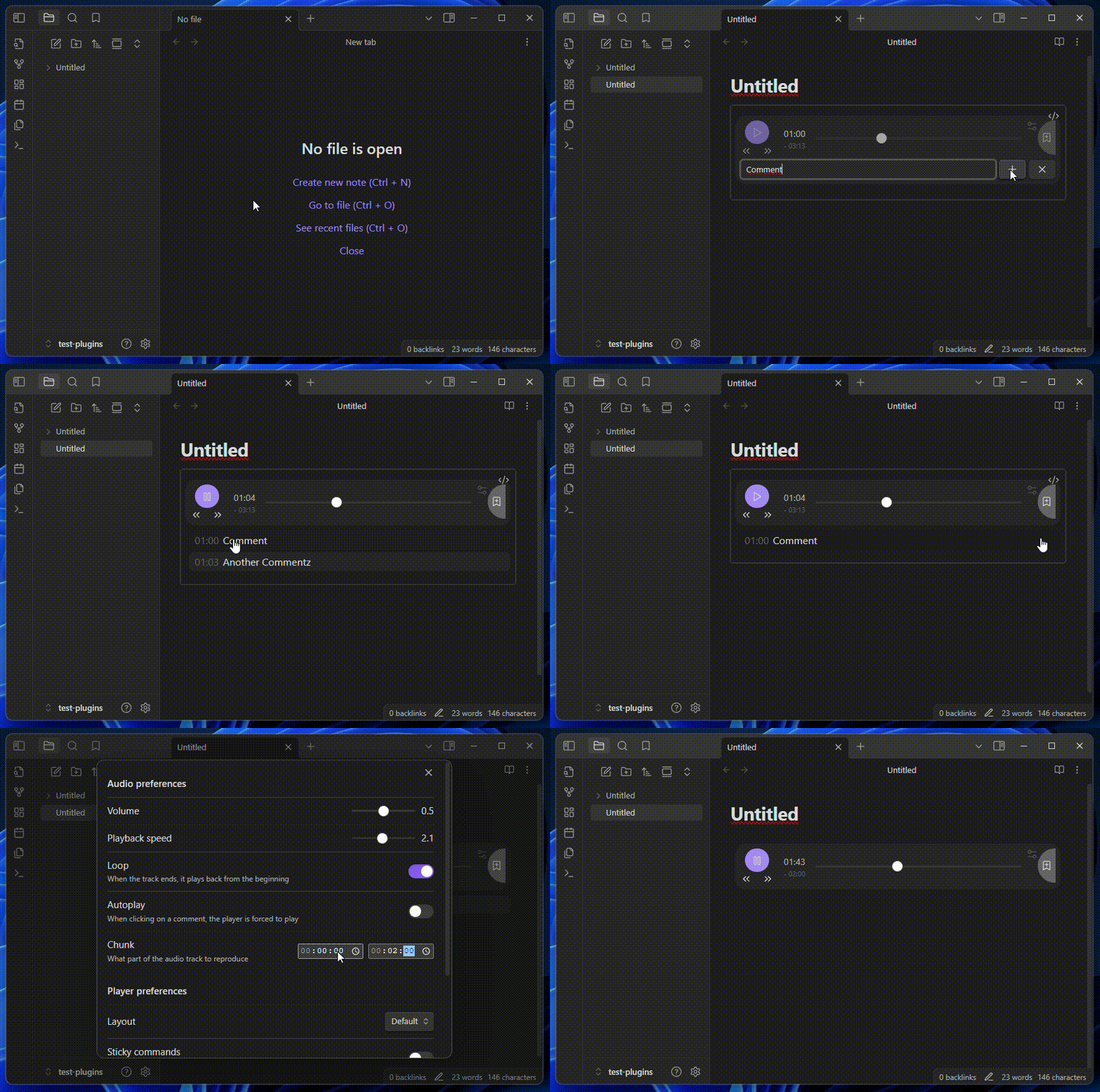
- Reproduce an audio file
- Tweak listening experience by changing: volume, playback speed, looping...
- Add comments to desired timestamps. They are formatted as LRC
- Quickly jump to a specific timestamp by left-clicking on the related comment
- Modify/Delete a comment by right-clicking on it (dedicated button for mobile)
- Inuitive keyboard shortcuts
- Mobile compatible
- Controllabe with Obsdian commands
- Localized interface:
en,it,zh-cn,es,pt-br(Want to add your language?) - Precision down to the millisecond
``` annotate-audio
#32a9143a94c3700d
source: [[My Audio.mp3]]
chunk: 00:00.00-02:52.10
volume: 0.5
speed: 1
loop: false
layout: 0
sticky: false
autoplay: false

[00:37.07]Section 1
[12:45.34]Section 2
[14:01.90]Section 3
```
The first line is the ID. You are free to personalize it (# + 16 characters hexadecimal) but don't move it around
Options
Each audio-box has its owns. They can be tweaked manually or, more easily, using the dedicated modal. (Their order is not important but they need to be placed before the comments)
| Name | Default | Values | Description |
|---|---|---|---|
source |
WikiLink to the audio file to reproduce | ||
volume |
0.5 |
0.0 → 1.0 |
Player base volume |
speed |
1 |
0.0 → 1.0 |
Player playback speed |
loop |
false |
true/false |
Loop-back to beginning after getting to the end of the audio |
sticky |
false |
true/false |
Main controls become sticky, following you as you scroll down |
layout |
0 |
0,1,2 |
What player layout to display (feel free to make your own) |
chunk |
undefined |
MM:SS.ss-MM:SS.ss |
Section of audio to play |
autoplay |
false |
true/false |
When clicking on a comment, the player starts playing from there instead of simply moving there |
unstoppable |
false |
true/false |
When creating/modifing a comment, the player doesn't stop |
decimals |
0 |
0,1,2,3 |
How many decimals are displayed when showing time |
There are also some options only available in specific layouts
| Layout | Name | Default | Values | Description |
|---|---|---|---|---|
| 1, 2 | title |
undefined |
Title of the player. If not present: not shown. If not set: name of audio file (or its alias, if present) |
Obsidian Commands
| Name | Action |
|---|---|
Add audiobox |
Insert an already-configured audio-box inside the note |
Insert comment |
Insert a comment in the last interacted audiobox |
Pause audiobox |
Pause player in the last interact audiobox |
Play audiobox |
Play player in the last interact audiobox |
Toggle audiobox |
Toggle player in the last interact audiobox |
Move forward |
Move player forward in the last interact audiobox |
Move backward |
Move player backward in the last interact audiobox |
Development
For all the changes, check CHANGELOG.md
Road-Map
- Allow hotkeys inside input text box
- Follow native folder exclusion in the audio file search
- Render markdown even when modifying a comment. "Live-Preview" (https://github.com/nothingislost/obsidian-cm6-attributes)
Known Issues
titleoption inside modal is not displayed correctly on mobile- Layout-unique options are visible inside other layouts
- Audiobox in "reading" and "editing" mode are not in sync
- Checking when to use cache - by looking at the options hashing - is not efficiently done
Biglayout's wavegraph cannot handle file bigger than 2GiB
Credits
These are the sources on which I've initially developed this plugin:
- Original Repo: "obsidian-audio-player" by noonesimg
- Other Fork: "obsidian-enhanced-audio-player" by Yidaotus
- Other Fork: "obsidian-audio-player" by dtkav