README file from
Github🫣 Obsidian Spoilers
Obsidian plugin for creating hidable blocks of content
Quickly and easily hide content in your Obsidian documents.
Spoiler blocks
Initially spoiler blocks will appear like the following:

The first button will show/hide the content and the second button will copy the text to your clipboard
Below are the different kinds of spoiler blocks that are available
📄 Plain text blocks
You can create plain-text hidden content using the spoiler code block language:
```spoiler
This text is hidden with a spoiler
```
🔮 Markdown blocks
You can place markdown content in spoiler blocks by using the spoiler-markdown code block language:
```spoiler-markdown

## Markdown

Markdown works within the code block.

[github.com](https://github.com)
```
When revealed the markdown will be visible
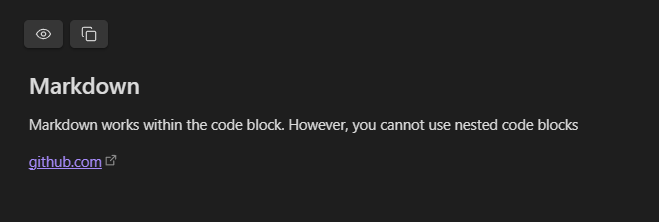
[!NOTE] Code blocks are not supported within markdown blocks
🔑 Environment variables
You can store environment variables using the spoiler-env code block language:
```spoiler-env
TEST=TEST
DOUBLE_LINE=`This is the first line
This is the second line`
```
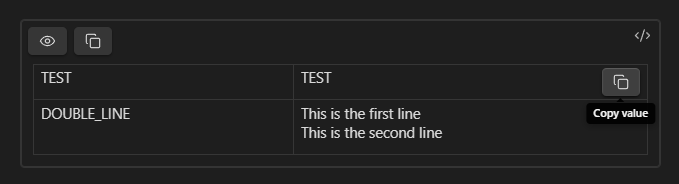
These are parsed using dotenv and are displayed in a table:
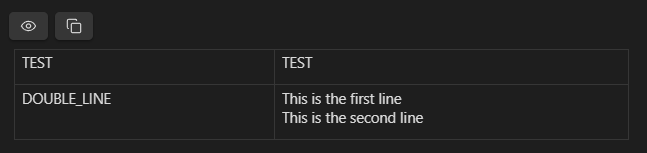
Which allows you to copy individual keys and values