
README file from
GithubSmart Chat (fmr. Smart ChatGPT)
[!QUESTION] Why let useful chats become orphaned browser tabs? Put the thread beside the project, meeting, research note, or draft it belongs to.
[!WARNING] The Problem Good chats drift away from the notes that matter.
[!NOTE] What Smart Chat does Smart Chat keeps provider bookmarks and user-owned thread state with the notes they belong to. After a provider creates a recognized durable conversation URL, the codeblock can save that URL in the note. Works with ChatGPT, Claude, Gemini, Grok and more. No API key required.
[!SUCCESS] What success looks like Start a thread from the note, resume it later from the same note, keep chats with your work, and close the loop by marking threads done.
Quick start
[!TLDR] 3 steps
- On Obsidian desktop, install Smart ChatGPT from Obsidian Community plugins and enable it.
- Insert a provider codeblock from the command palette, such as Insert OpenAI ChatGPT codeblock.
- Chat in the embedded view. After the provider creates a recognized durable conversation URL, confirm that Smart Chat saved the thread URL in the note before relying on it to resume later.
![[chat-codeblock-native-selector-core-crop-highlighted-desktop-2026-07-27.png]]
Flow
- Add a provider codeblock to the note where the thread belongs.
- Start or resume the conversation inside the embedded chat UI.
- After the provider creates a recognized durable conversation URL, confirm that Smart Chat saved it in the note.
- Mark the thread done when the work is complete, or surface it later with Dataview.
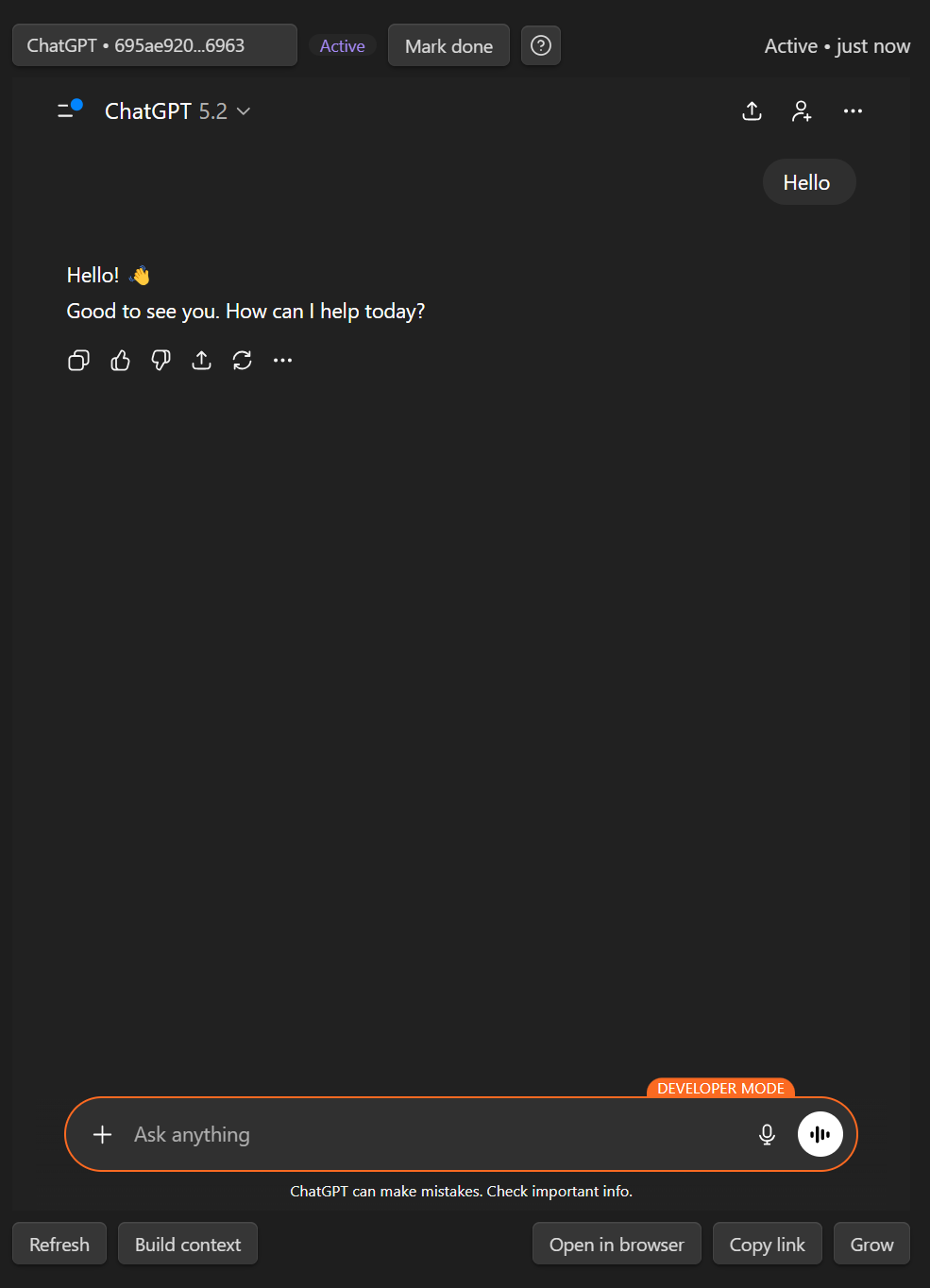
Getting started with codeblocks
Minimal example: ChatGPT with Core
```smart-chatgpt
```
Example of a saved universal block (Smart Chat Pro)
```smart-chat
chat-active:: 1767302492 https://chatgpt.com/c/6956e559-8060-8329-8150-7167e477c05a
chat-done:: 1767132305 https://chatgpt.com/c/69544c91-0c78-832e-8e49-d21049a33e51
```
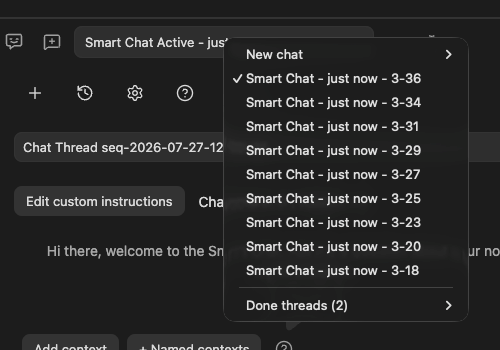
Supported provider codeblocks
| Codeblock | Provider |
|---|---|
smart-chat |
All providers and API chat (Pro). |
smart-chatgpt |
ChatGPT, including recognized Codex and Sora links |
smart-claude |
Claude |
smart-gemini |
Gemini |
smart-grok |
Grok |
smart-perplexity |
Perplexity |
smart-deepseek |
DeepSeek |
smart-aistudio |
Google AI Studio |
smart-openwebui |
Open WebUI |
smart-kimi |
Kimi |
Dataview snippets
Because Smart Chat stores thread state directly in your notes, Dataview can turn your vault into an async dashboard.
# In Progress
```dataview
LIST WITHOUT ID file.link
WHERE chat-active
SORT file.mtime DESC
```
# Completed
```dataview
LIST WITHOUT ID file.link
WHERE chat-done
SORT file.mtime DESC
```
FAQ
- Claude won't sign in: Enable Obsidian's Web viewer core plugin, log in via Web viewer, then refresh the embedded chat.
- Google sign-in errors: Use Web viewer to complete authentication, then return to the note and refresh.
- Do I need an API key? No. Use the web UIs you already use.
- Where does my data live? The codeblock stores thread links in your notes.
- Does Smart Chat work on mobile? The saved thread links are accessible on mobile, but the full embedded web UI experience depends on Obsidian desktop webview support.
- Can I use Open WebUI (Ollama) with Smart Chat? Yes. Use the
smart-openwebuicodeblock and set the base URL in Settings → Smart ChatGPT → Open WebUI base URL.
Developed by Brian | smartconnections.app