
README file from
GithubAbout 🗞️
This extension takes your latest copied image from your clipboard and either converts it to Markdown or MathJax. The extensions have three different OCR providers that you can pick between
- Texify (Recomended) - Self Hosted service that convert your image to Markdown
- SimpleTex - Hosted service that converts converts your image to Latex wrapped in Math Block
- pix2tex - Self Hosted service that converts your image to Latex wrapped in Math Block
See GIF below for example of usage with a keybinding:
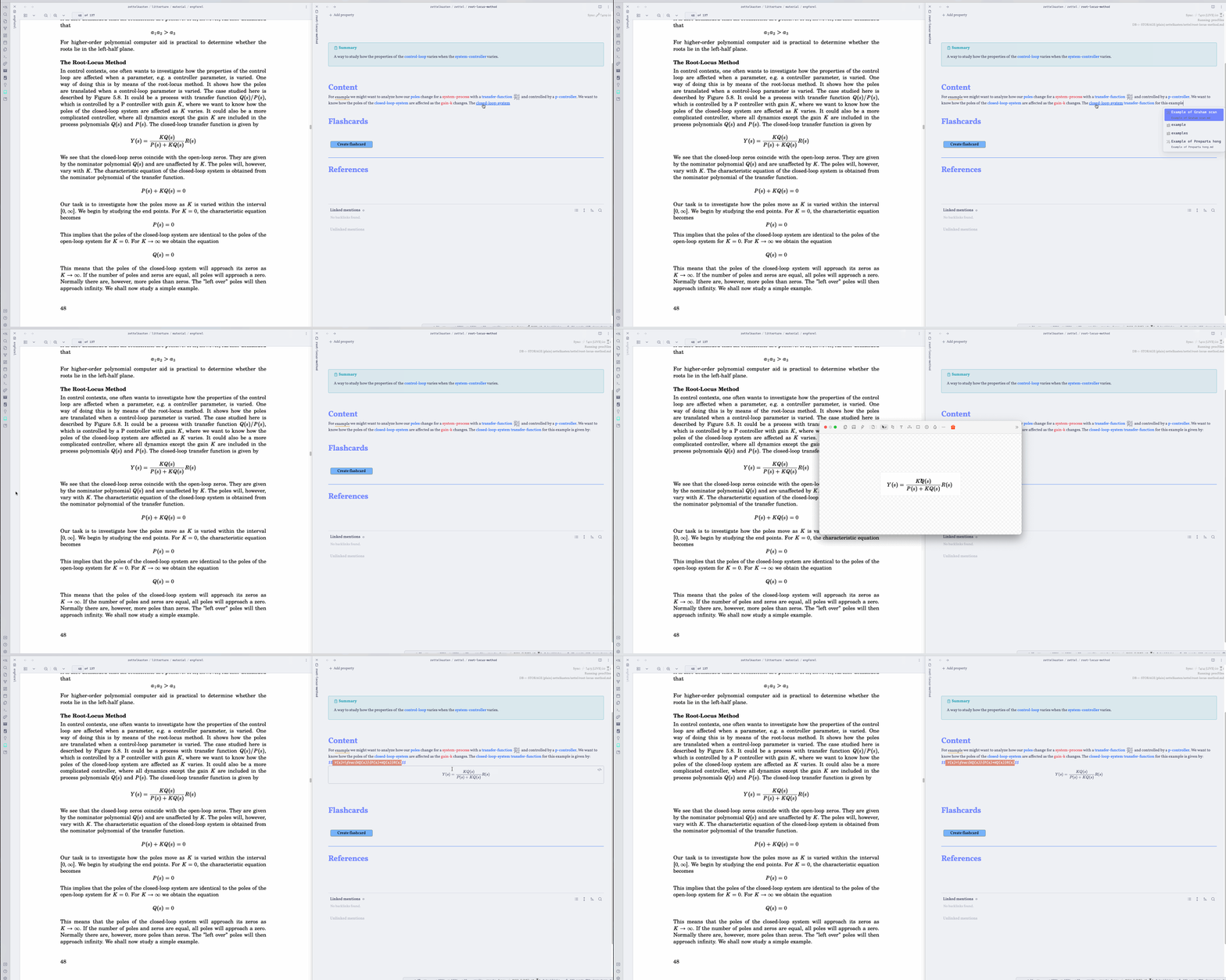 A couple of things happen here
- I take a screenshot of the formula on the left
- I use a keybinding to trigger the OCRToLatex
- A loading indicator is inserted
Setup 🚀
To get started first get an api token, see below. Then go to settings and insert it. After this you are ready to use the plugin. Try to snip a math formula to your clipboard and run the command `Generate latex from last image to clipboard
Texify ⭐
This provider requires you to self host it, if you don't have a server or a computer that can run the model I would recomend using SimpleTex instead.
To setup this project clone the repo texify-wep-api and follow the setup for that project. Now a web service will be exposed and you can paste the URL into the field url in Obsidian settings. If you run on localhost this will be ´localhost:5000` but you could host this on your own server and you would then use the appropiate URL.
Note: The first request to Texify will be slow because the model needs to be loaded, after the first request the API will much faster.
SimpleTex
Getting API Token 🔐
To use this plugin you need to create a developer account at https://simpletex.cn. Below I describe how to do this
- Go to https://simpletex.cn/api
- Click "Go to API Dashboard"
- Create an account
- After this go to
User Access Tokenand clickCreate token - Copy the token and paste into Obsidian settings
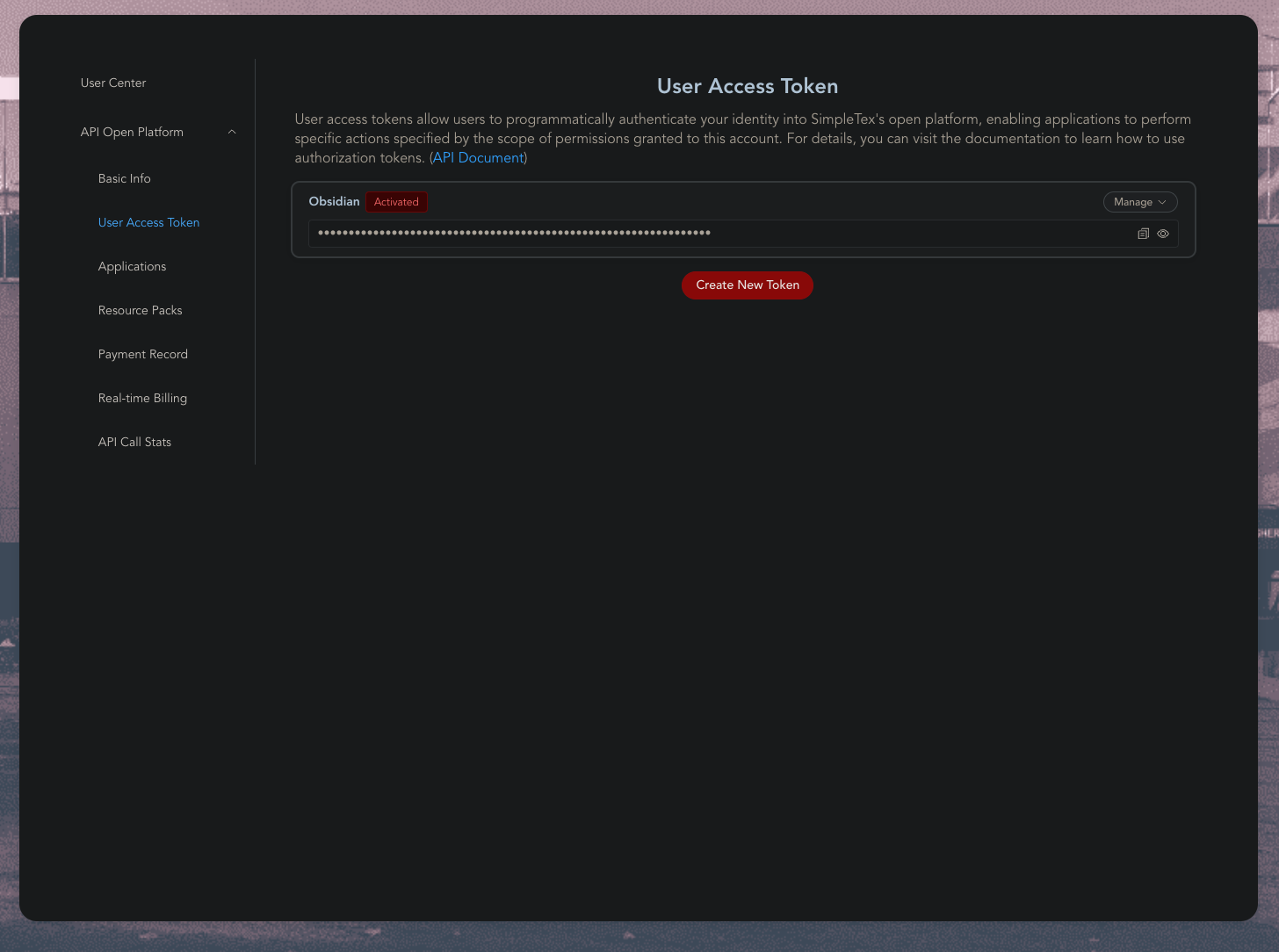
- Now you are ready to use the addon 🥳
Pix2Tex
This is an self hosted alternative to SimpleTex. There are two main way to host it, either your run through Docker or host directly with python. Note: Docker does not work on ARM, for example M series MacBooks, use Python instead.
Docker 🐳
You can host Pix2Tex in Obsidian by using Docker. This is well explained in their docs https://hub.docker.com/r/lukasblecher/pix2tex
Python 🐍
You can run the project directly with Python by
- Installing the package with
pip install pix2tex[api] - Running the Web Api with:
python -m pix2tex.api.run
Configuring Obsidian
Enter the URL to the container, you need to postfix /predict/ e.g. http://localhost:8502/predict/
Optional: add username and password, if container is behind a basic auth proxy (e.g. nginx)
Future improvements ✅
- Convert already pasted images
Contributing or requesting feature 😍
- If you are missing something from the Plugin, please open an Issue
- If you wish to contribute, please open a PR
Attribution 🙏
Thanks to these libraries and services for making this plugin possible