
README file from
GithubObsidian Card View Mode


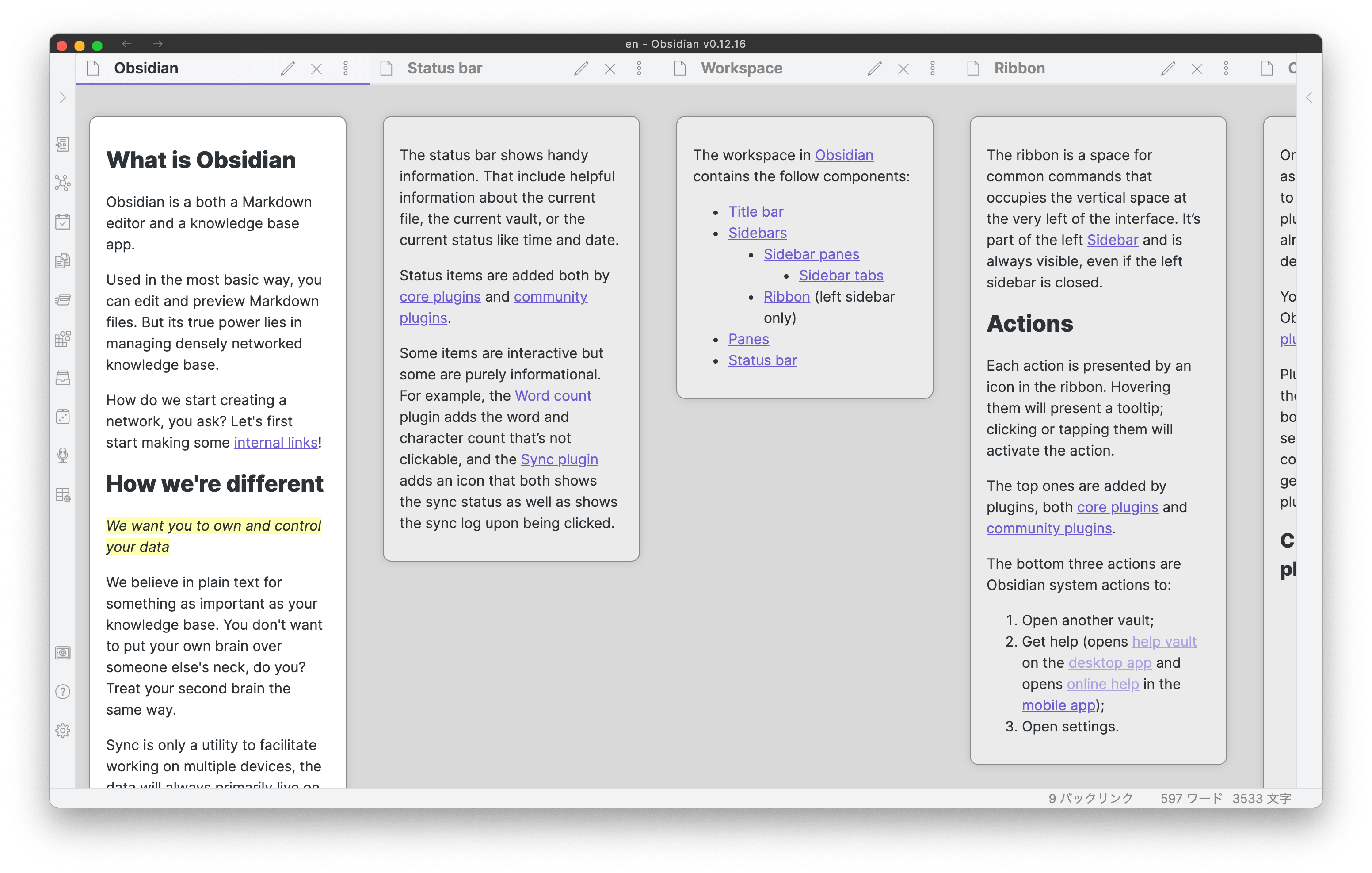
Feature.1 Card View
This plugin is inspired by Scrapbox (a web-based wiki tool) & Zettelkasten method (Slip box) by Niklas Luhmann.
I found all of the notes are not in the same stage while developing. We need some ways to distinguish the stages. The card view feature is one way to weigh notes and express them. You can assess whether your notes are atomic, then, if you feel your note is longer and not atomic, you can divide or extract the contents.
The vertical size of each note (a.k.a card) can be extended or reduced based on the amount of content on them. At a glance, you can easily find how mature your note is at the early stage of note-taking, note-making, or eventually note-developing.
I highly recommend you to use this plugin with the Sliding Pane plugin. I made this to be compatible with that and the Embedded Note Titles plugin.
Feature.2 Attention Pane
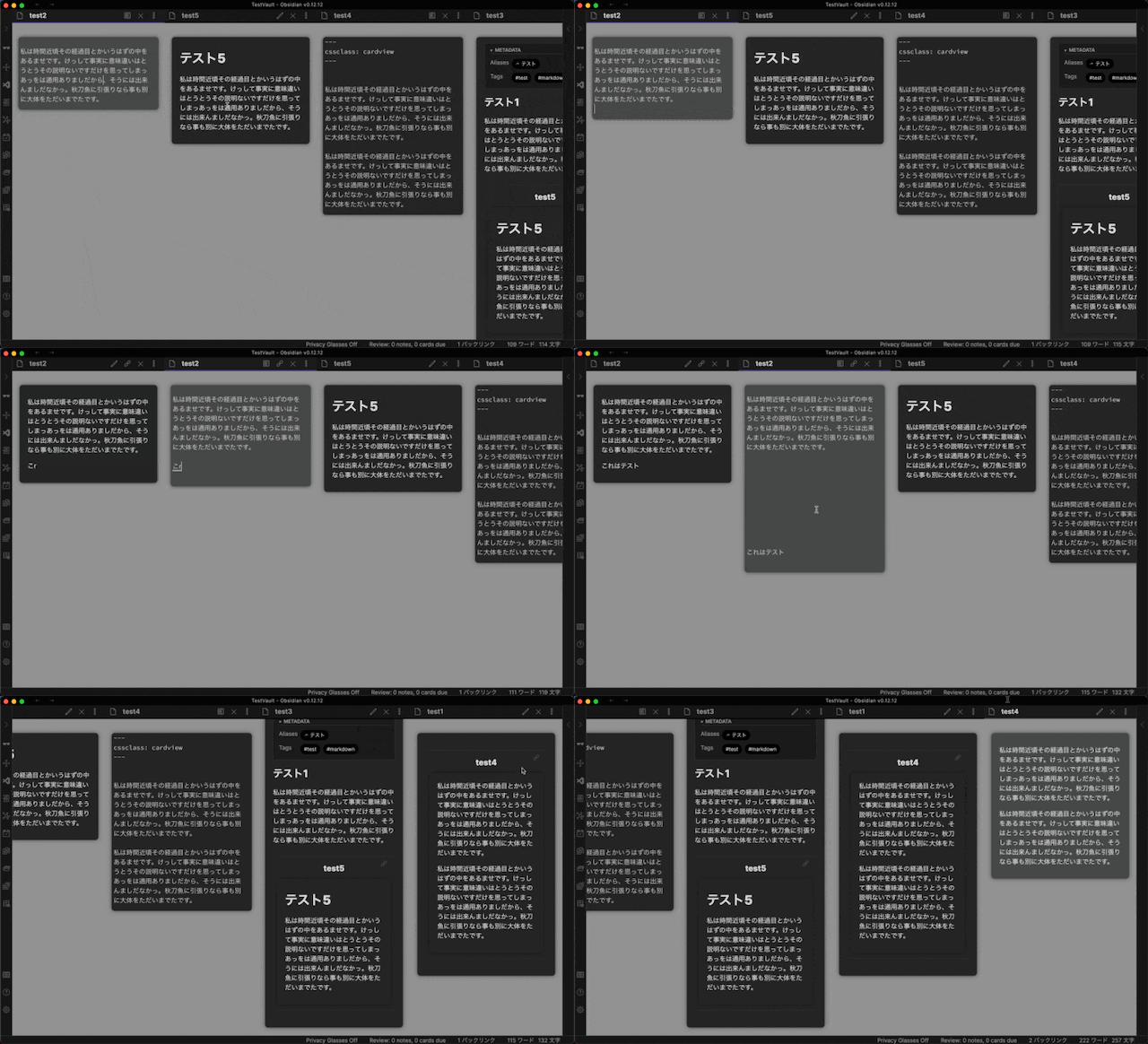
Another feature is “Attention Pane”. An active pane card is highlighted and the others are grayed out. This enables you to find an active pane easily and focus on the note. You can pay attention to the specific pane among many notes!!
Active and non-active cards are rendered with different RGB color values. You can set the value difference in the setting tab. Set the value 0 if you want to disable this feature.
Demo
Settings
Card colors, background color, card shapes are configurable in the settings tab.
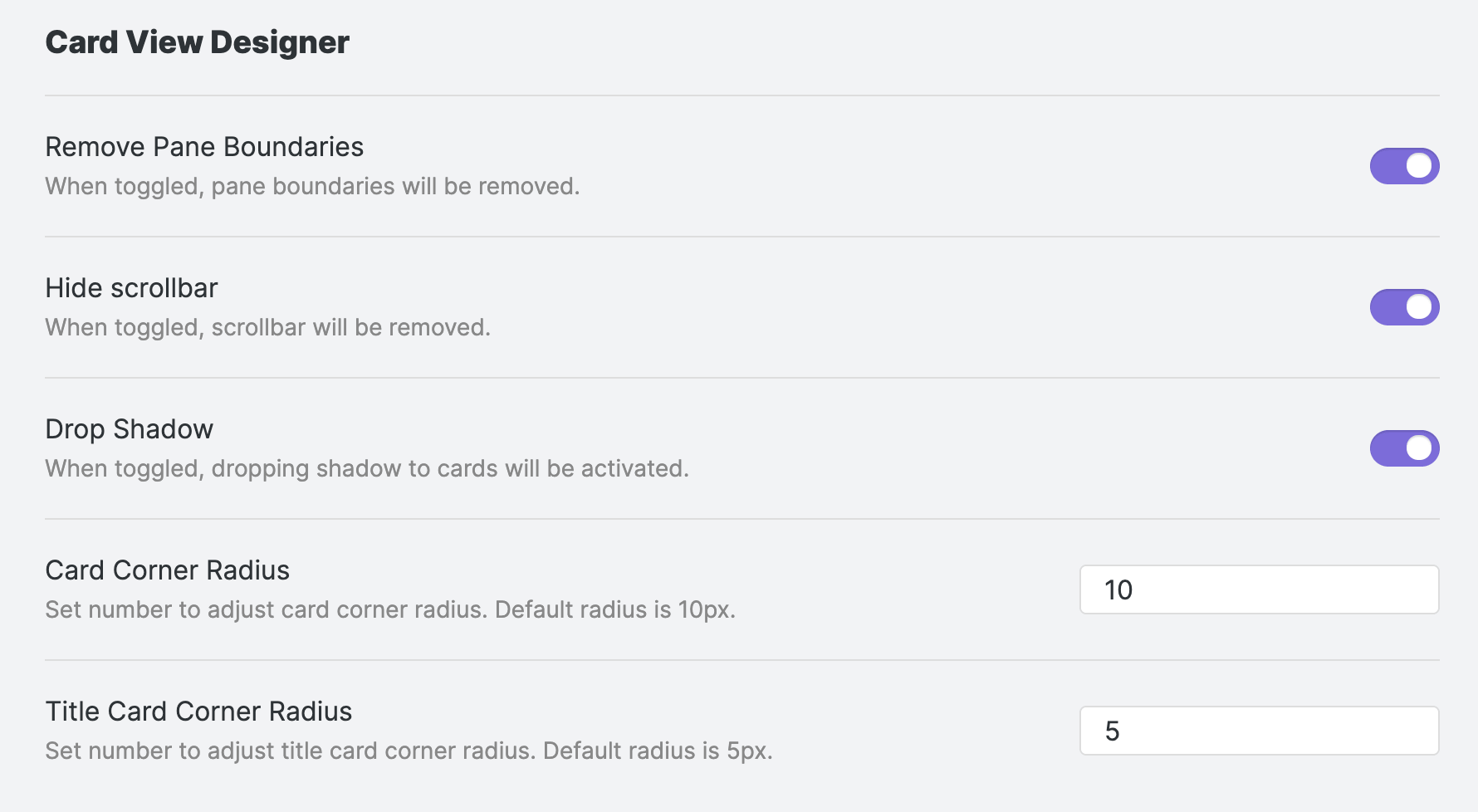
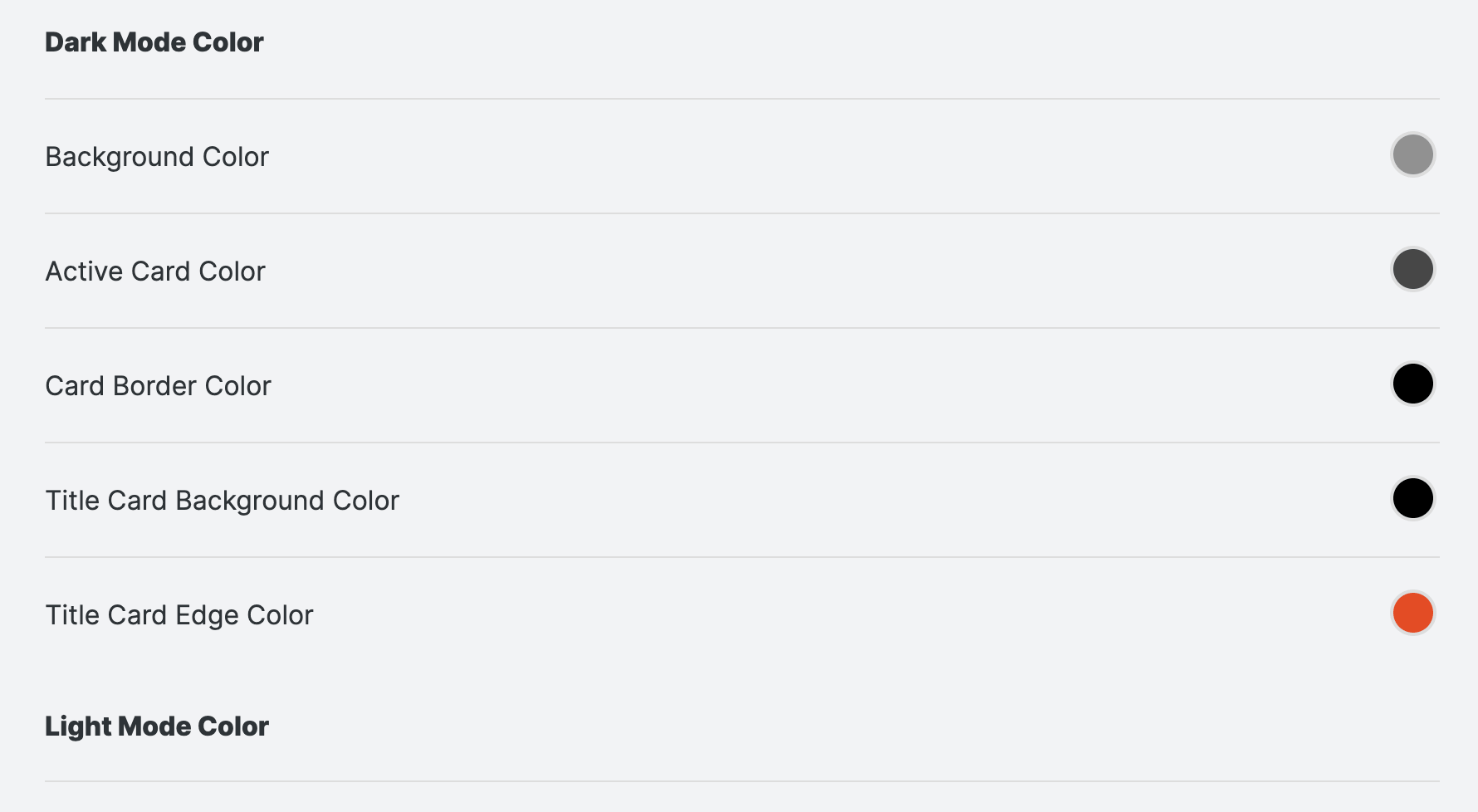
- You can globally turn on/off this plugin with a command at any time.
- You can customize the card design(colors, corner radius, drop shadow).
Compatibility
- Sliding Panes (Andy Matuschak Mode)
- Embedded Note Title
- Banners (compatibility is not yet stable)
Development
How to install manually
- Clone this repo
npm ioryarnto install dependenciesnpm run devto compile- Copy
manifiest.json,main.jsandstyles.cssto a subfolder of your plugins folder - Reload obsidian to see changes
Special Thanks
Special thanks to these amazing plugins! I used these plugins as a reference for developing my first public plugin. The plugin basic structure is mainly based on the Sliding Pane. I referred to other plugins to build the color configuration system.
- Sliding Panes (Andy Matuschak Mode) by deathau
- Admonition by valentine195
- Minimal Theme Settings by kepano
- Embedded Code Title by tadashi-aikawa
- Calendar by liamcain
Original CSS
I've developed this plugin from a custom CSS snippet but I changed it into an SCSS file. If you get interested in the CSS style, you can see the original snippet linked below.