Momo

by Capybara
5
4
3
2
1
Score: 50/100

Description

The Momo plugin provides card style notes while handling file names, titles, storage locations and formatting automatically. Writing a few lines in its input box and pressing Enter creates a note. Tags and locations organise entries, with several ways to browse them. The list view supports scanning, filtering and bulk organisation, while focus view presents one note at a time with surrounding cards faded into the background. A rotating globe displays recorded locations that open their associated notes when selected. Location view groups entries in a continent, country and place hierarchy. Random review resurfaces older notes, and selectable colour schemes change the interface. Notes remain ordinary files in the vault that can be opened, edited and synced normally. Uninstalling the plugin leaves those files untouched.

Reviews

No reviews yet.

Stats

0
stars
216
downloads
0
forks
5
days
4
days
4
days
0
total PRs
0
open PRs
0
closed PRs
0
merged PRs
0
total issues
0
open issues
0
closed issues
26
commits

README file from

Github

Momo

简体中文 | 日本語

Momo is a card-note plugin.

It manages file names, titles, storage and formats for you, leaving only the note itself: every note is kept with tags and places, and revisited through different views and review modes, so you can meet your past self again in whatever way feels most comfortable.

Its philosophy is just one sentence:

Protect your attention, and thereby protect your emotions — put yourself where the leverage is greatest.

When you wander in Momo, you are talking with hundreds, thousands, tens of thousands of voices from the past. In Momo, you are not alone. Every note you have written is borrowed from your past self, and from the people and things that walked beside you for a while; it is also a gift to your future self, and to someone who may one day read it.

Momo has been doing the subtracting for you since day one:

  • No more managing file names, titles, storage or formats. Type a few words in the composer box, press Enter, and it is a note. What the file is called, where it lives, what it looks like — Momo handles it all.
  • Mark notes with tags and places. Small marks like #tag and "Beijing" are all the organizing there is.
  • Random review is a stroll with your past self. Nothing scheduled — just a quiet afternoon when an old note drifts gently into view.
  • A view for every way you like to read. List, focus, globe, places — read however you please.

What it looks like

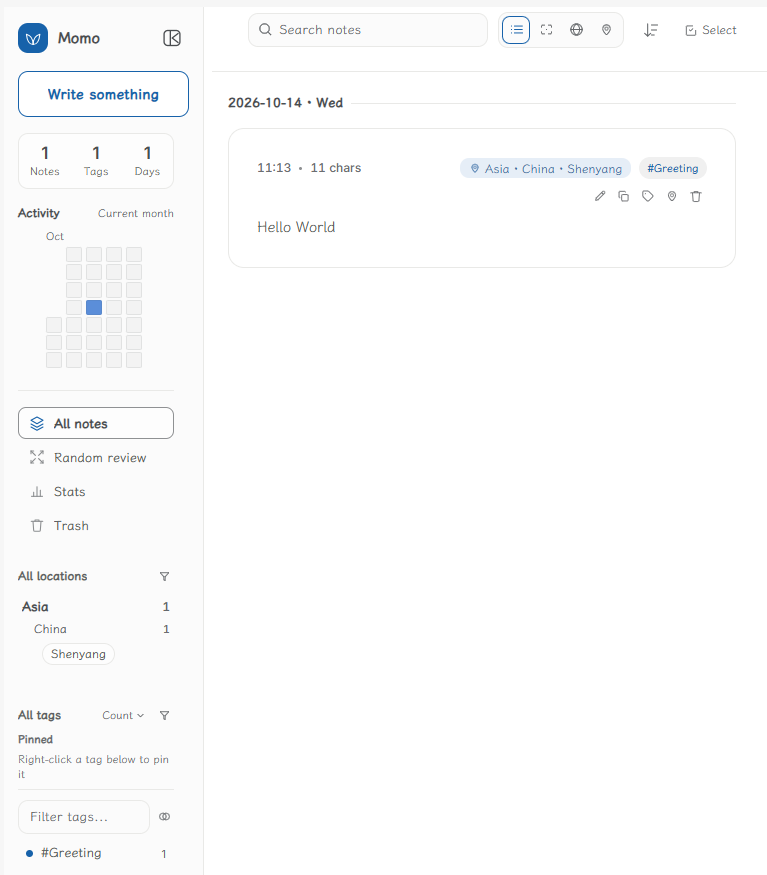
  • List view: every note spread out like a card — scanning, filtering and batch tidying, all in one screen.
alt text

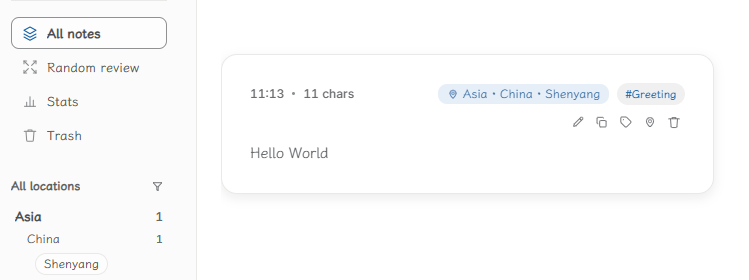
  • Focus view: one note at a time, the cards above and below fading into the background — read in peace and quiet.
    alt text

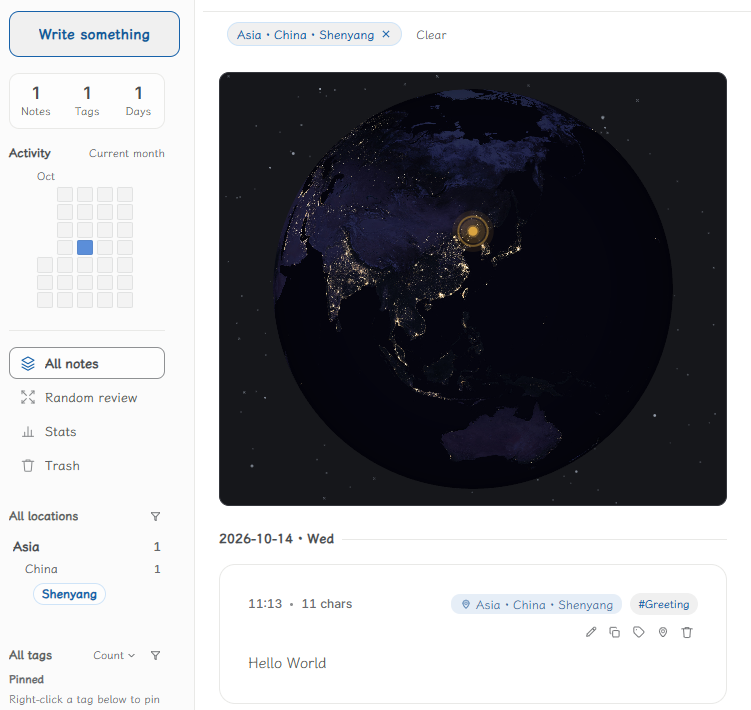
  • Globe view: the places you have recorded land on a slowly turning Earth — tap a point of light, and there are the words you wrote there.
    alt text

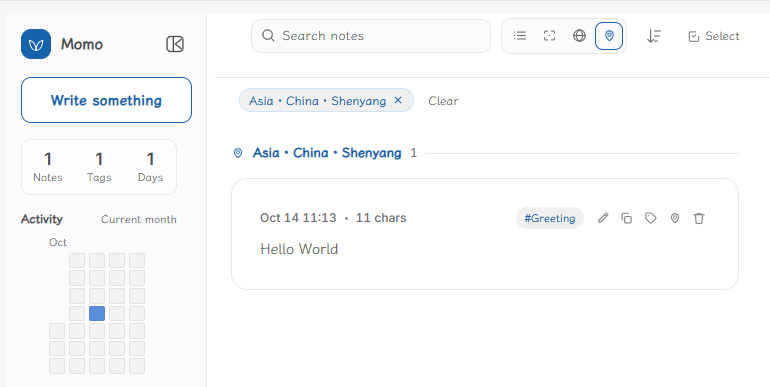
  • Places view: folded into a tree of continent → country → place — click a level to see it.
    alt text

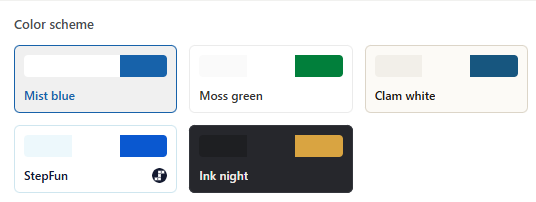
  • Rich color schemes: from mist blue and moss green to ink night — pick the one you like.
    alt text

FAQ

Where is my data? All of it is in your own library, as ordinary note files you can open, edit and sync with Obsidian itself. The plugin keeps just one small ledger (what is in the trash, and your interface preferences), nothing more.

Will uninstalling lose anything? No. Not a single one of your note files will be touched.

License

GNU Affero General Public License v3.0 or later — see LICENSE. Copyright (C) 2026 iamxiaobing47.

Similar Plugins

info
• Similar plugins are suggested based on the common tags between the plugins.
Card View Switcher
5 years ago by qawatake
An Obsidian plugin to provide a quick switcher with card view
Tag Summary
4 years ago by J.D Gauchat
New Bullet With Time
4 years ago by Boninall
A plugin allows you to auto add current time to new bullet line.
Achievements
4 years ago by Zachatoo
Add achievements to Obsidian to help guide the user to build good habits in Obsidian.
GPT-3 Notes
4 years ago by micahke
An Obsidian plugin to generate notes based on GP3 output.
Reading comments
4 years ago by BumbrT
Reading comments, for consuming books or large articles in markdown with https://obsidian.md/.
Whisper
3 years ago by Nik Danilov
Speech-to-text in Obsidian using Whisper
Auto Classifier
3 years ago by Hyeonseo Nam
Auto classification plugin for Obsidian using ChatGPT.
TagMany
3 years ago by Joshua Martius
Tag many Notes at once in Obsidian
HTML Tabs
3 years ago by Patrick Tournet
Obsidian plugin allowing the creation and rendering of Tabs and tab panels in your notes.
Editor Autofocus
3 years ago by Mgussekloo
Consecutive Lists
3 years ago by Josh Tucker
AI Tagger
3 years ago by Luca Grippa
Simplify tagging in Obsidian. Instantly analyze and tag your document with one click for efficient note organization.
Mindmap
3 years ago by YunXiaoYi
An Obsidian plugin for creating Mindmaps.
Relative Timestamps
2 years ago by Charles Young
Quick Cards
2 years ago by Camus Qiu
Table Extended
6 years ago by AidenLx
Extend basic table in Obsidian with MultiMarkdown table syntax
Cursor Location
5 years ago by Sean Slater
Display the cursors line and column in Obsidian
Ghost Fade Focus
5 years ago by Sami Korpela
Ghost Fade Focus plugin for Obsidian
Mapbox Location Image
2 years ago by Aaron Czichon
Render a mapbox location image based on provided coordinates
LLM Summary
2 years ago by QSun
wip
Callout Toggles
2 years ago by Aly Thobani
An Obsidian plugin to quickly add, change, or remove callout wrappers in your notes.
BookNav
2 years ago by jemberton
A plugin for ObsidianMD that enables book style navigation links in a note.
Masking Type
2 years ago by Telehakke
Obsidian plugin.
Bottom to Top
2 years ago by Henry Gustafson
Trakt.tv Sync
2 years ago by Nick Felker
Sync Trakt checkins to Obsidian file
AI bot
2 years ago by kuzzh
The AI Bot Plugin is a powerful tool designed to enhance your note-editing experience in Obsidian by leveraging the capabilities of AI. This plugin allows you to interact with an AI assistant directly within Obsidian, making it easier to generate, edit, and organize your notes with intelligent suggestions and automated tasks.
Markdown Tags
2 years ago by John Smith III
Enhance your Markdown documents with custom tags. Use predefined or custom labels, customizable colors, and arrow indicators to visually track tasks and statuses.
Post Webhook
2 years ago by MasterB1234
A plugin for Obsidian that sends notes to Webhook endpoints (e.g. n8n, Make.com, Zapier) for streamlined automation and integration.
Varinote
2 years ago by Giorgos Sarigiannidis
A plugin for Obsidian that allows you to add variables in Templates and set their values during the Note creation.
AI Tagger Universe
2 years ago by Hu Nie
An intelligent Obsidian plugin that leverages AI to automatically analyze note content and suggest relevant tags, supporting both local and cloud-based LLM services.
tidit
2 years ago by codingthings.com
tidit is an Obsidian - https://obsidian.md - plugin that adds timestamps to your document as you type — when you want it, how you want it, where you want it.
Auto Bullet
a year ago by takitsuba
Notes Explorer
a year ago by Atmanand Gauns
Plugin for Obsidian.md. Explore your notes as cards in gallery or masonry view. A new way to revise your content.
Banyan
a year ago by ratiger
A card-based homepage for Obsidian —— browse, organize, and navigate notes effortlessly with multi-tag filtering.
Time Inserter
a year ago by heycalmdown
Obsidian plugin to insert current time at cursor position with exact or rounded formats
Card Viewer
a year ago by vsme
一个用于在 Obsidian 中解析和查看电影、电视剧、书籍、音乐和 HTML 内容卡片的插件。
Card View Mode
3 months ago by yo-goto
Obsidian Card View Mode Plugin
RavenHogwarts Toolkit
2 months ago by ravenhogwarts
A personal toolkit plugin (OTK) that integrates various Obsidian utilities
inBox Sync
2 months ago by maoruibin
inBox 笔记的 Obsidian 插件
Home Cards
4 days ago by ttangents
Home Cards plugin for Obsidian. Show a start page of note cards, in sections drawn from recent activity, properties, tags and links, styled by your active theme.