

README file from
GithubObsidian Journey Plugin - Discover the story between your notes!


Hey there and welcome!
Alexis here - Obsidian enthusiast and student at the University of Life!
I want to show you a new Obsidian plugin I've been working on.
This plugin automatically creates an outline for your publishing.
An outline for an article, a blog post, or even a book!
Why do we need this?
I’ve noticed that my creative output using Obsidian hasn't been as prolific as I’d like it to be.
I have hundreds of atomic notes in my vault, I’ve followed every best-practice, but right now, Obsidian didn’t help me take that next step.
It’s really hard to extract a good story from my vault.
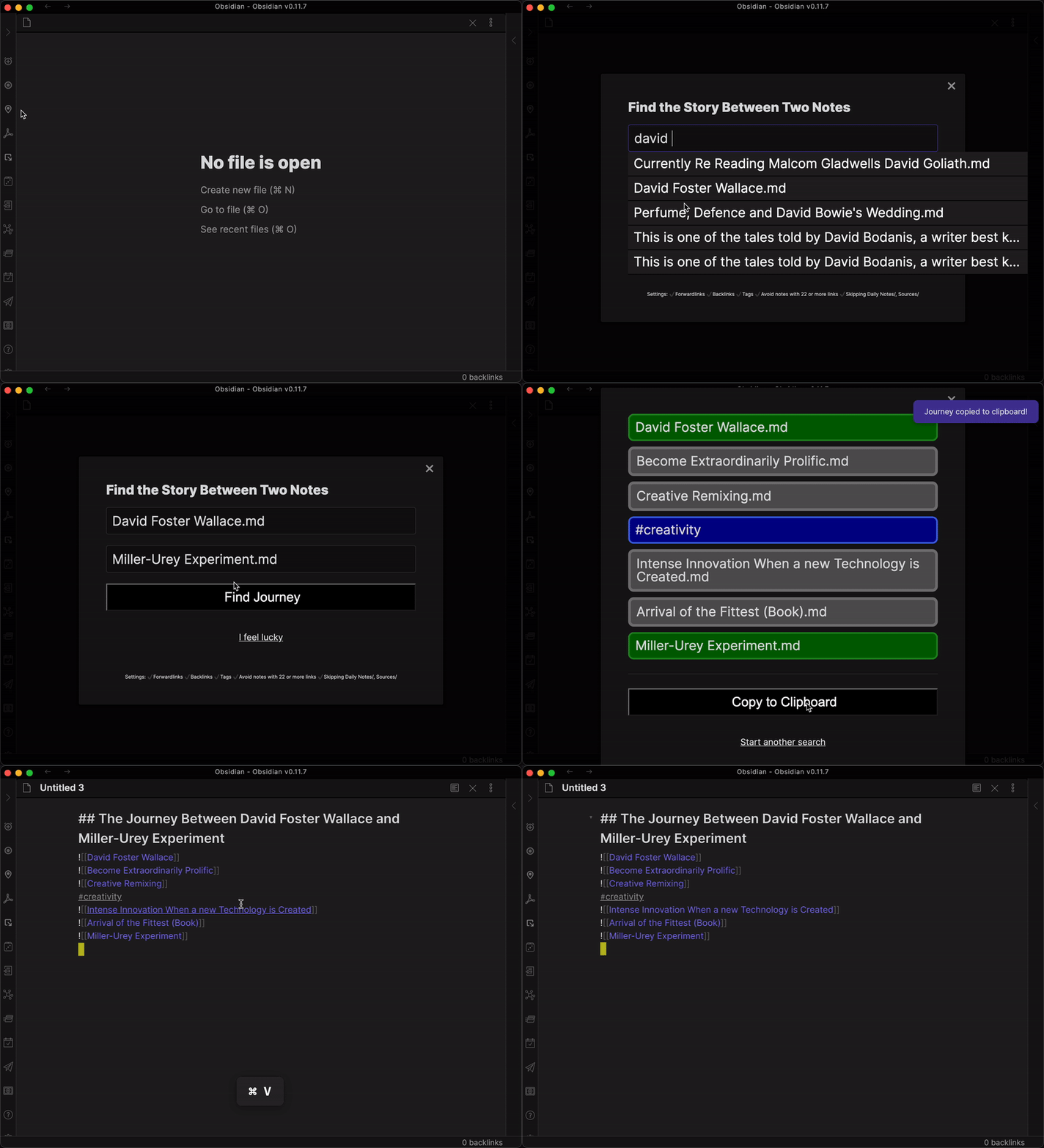
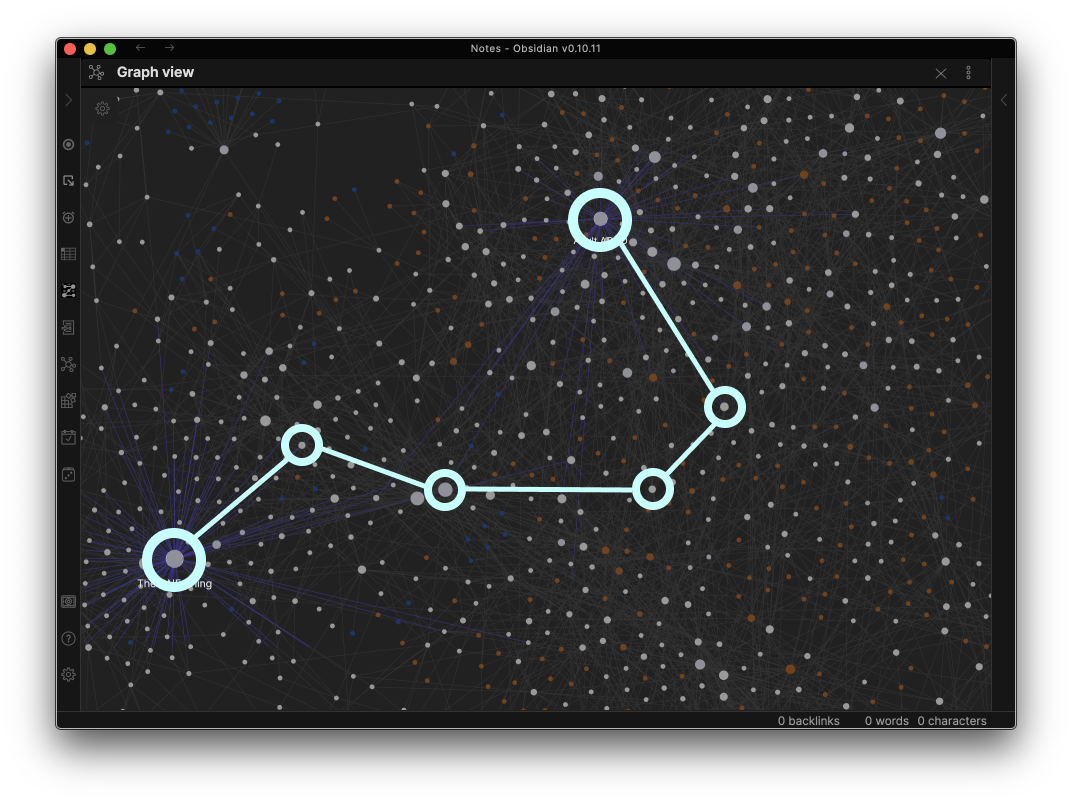
This plugin automatically finds and creates the outline of my story like so:
Tutorial
Watch on Youtube: https://youtu.be/6k2Lp1pCZpY

Included Features
Based on the amazing community feedback and comments, I realized that there are many different ways to go on that journey and so I've created a bunch of features you can toggle on or of to your liking.
These features are like preferences you can give your navigation-system in your car. Maybe today, all you care about is getting from A to B quickly. Maybe tomorrow, you have more time to "take the scenic route." I want you to be as flexible as possible.
✔ Path-Finding Features
➡️ Use "Forward-Links" (Enabled by default)
If set, allows to travel using forward-links. If you have a graph like this: A -> B -> C and you ask about the story between A and C, it will give you 'A, B, C' since A forward-links to B and B forward-links to C
⬅️ Use "Back-Links" (Enabled by default)
If set, allows to travel using back-links. If you have a graph like this: A -> B -> C and you ask about the story between C and A, it will give you 'C, B, A' since C has a back-link from B and B has a back-link from A
✔ Include Tags Feature
🏷 Use tags (Disabled by default)
If set, allows to travel using tags.
✔ Avoid Traveling via Certain Notes Features
🏞 "Take the scenic route" (Disabled by default)
If set, will skip 'hub' notes with too many links (MOCs). Configure exactly how many links make a MOC below.
⚙️ "How many links make a MOC?"
Configure at which point to skip a note because it contains too many out-bound links. Applies only if 'Take the scenic route' above is set.
🙅🏻♀️Exclude specific folders (Disabled by default)
If set, will note include notes from the specified folders in your search. Please use comma to deliminate several folders
✔ Clipboard Settings Feature
🔗 Enable automatic linking (Disabled by default)
If set, will turn titles in the list into links to their respective note
🤪 Enable automatic transclusion (Disabled by default)
If set, will automatically create transcluding links for you ('![[note]]' instead of '- [[note]]')
✔ Accessibility Feature
🔎 Enable High-Contrast
If set, will increase the contrast to make the result-list easier to read.
Join the Discussion!
Share your ideas and feedback on the plugin. We regularly vote on which features should be built next
https://forum.obsidian.md/t/new-plugin-journey-find-the-story-between-your-notes/12153

A huge shout-out to thoresson, alltagsverstand, Thecookiemomma, cestvrai, matteor, Danashafir, EhuddRomero, I-d-as, osgav, Erick_James_Dodge, 3mbry0, Klaas, ryanjamurphy, EdElgar and Daveb08 for helping making this awesome for everyone!
How to submit an issue
🐞 If you run into a TECHNICAL ISSUE or BUG: Please submit a Github Issues at https://github.com/akaalias/obsidian-journey-plugin/issues

See what features are coming up
https://trello.com/b/ICKWjoBu/obsidian-journey-plugin-backlog

Path-Finding Feature Deep Dive
Because each feature has an impact to whether the plugin CAN FIND or CANNOT FIND a path between your two notes, I want to demonstrate what each does as simply as possible.
So, let's start by imagining this very basic vault with 4 notes. "Note A", "Note B", "Note C" and "Note D"
- A links to B
- B links to C
- C shares the same tag as D

Feature 1: Use "Forward-Links" (Enabled by default)
Links are basically one-way streets from one note to the next. That means the plugin will show you only a path IF a forward-linked path exists but it won't show you a path that goes "against" the one-way street.

With the example and this feature turned ON, the plugin will...
- Successfully find you a path from A to C (Via B)
- NOT find you a path from C to A because that would be against the one-way street
Feature 2: Use "Back-Links" (Enabled by default)
This is basically the inverse of using "forward-links". With this feature, you navigation system will find ONLY paths that are based on going against the one-way streets.

With the example and this feature turned ON, the plugin will...
- NOT find a path from A to C because there are no back-links to follow
- Successfully find you the path from C to A (Via B) because the back-links point that direction
Feature 3: Using Tags (Disabled by default)
Thank you alltagsverstand for the idea which I had not thought of and which resonated with many of you.
As the name suggests, Tags can now also be paths between notes.

With the example and this feature turned ON, the plugin will...
- Successfully find the path from C to D (C -> #tag -> D) and from D to C (D -> #tag -> C)
If I now have Back-Links and Forward-Links enabled as well, I can now find the path from:
- A to D (A -> B -> C -> #tag -> D)
- D to A (D -> #tag -> C -> B -> A)
Note that this feature is disabled by default.
Feature 4: "Take the scenic route" aka Avoid MOCs (Disabled by default)
One of thoresson's many ideas that turned out to be really, really useful when I started to pressure-test finding cool paths.
Avoid Y (perhaps a tag used for MOC and other structured notes so that only atomic notes are included in the journey)
If turned on, this feature will exclude finding a path via MOC notes and help you "take the scenic route" instead. With this feature, you avoid passing through the "big city" (aka MOC) and instead find a path less traveled.
In the following example, with this feature turned ON, the path from A to C would be:
- A -> Foo -> Bar -> C (instead of A -> MOC -> C)

"How many links make an MOC?"
A sub-feature for "taking the scenic route" where you can define at what amount of links inside a note makes it an MOC to avoid.
The original launch demo
Watch on Youtube: https://youtu.be/iRydNlinRlc
