
README file from
GithubObsidian Anki Sync - Yet another anki plugin
This plugin allow you to make flashcards in Obsidian and sync them to Anki.
This project has been inspired from Obsidian_to_Anki. However, this is not a fork and hence, this plugin uses a different and more powerful markup based syntax for making flashcards.
Examples
<!-- replaceblock-start -->
<!-- replace id="1" text="Opposite" -->
$$\sin \theta = \frac{Opposite}{Hypotenuse}$$
<!-- replaceblock-end -->
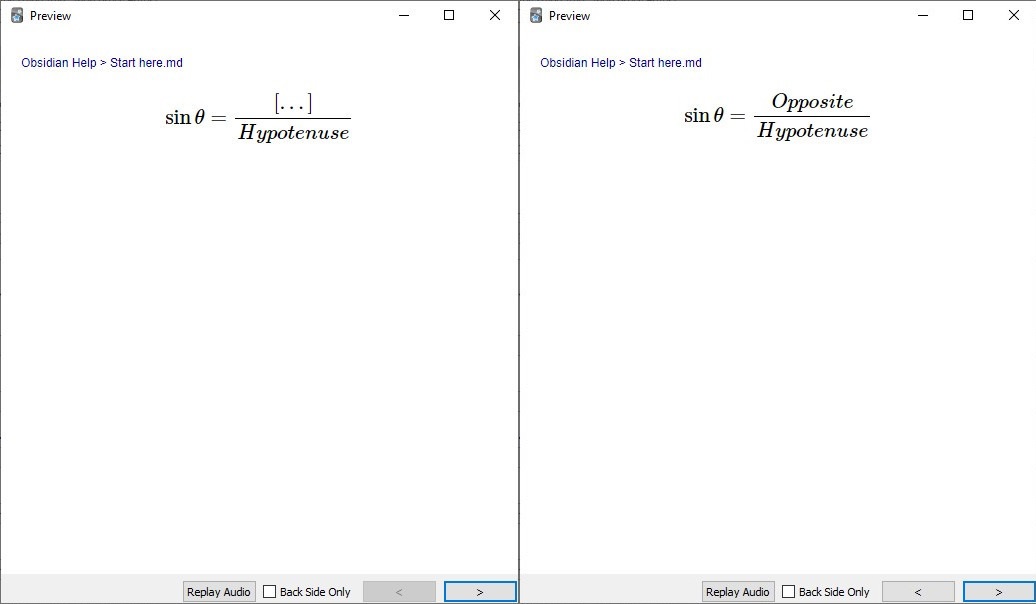
There are many other ways to create cards using this plugin. See Tutorial for details and more examples.
Features
- 🖼 Rendering of markdown Math, Code, Images, Tables etc...
- 🔏 Auto Backup Anki Decks before every sync.
- 📘 Adding cards to user-specified deck on a per-file or per-block basis.
- 📂 Ignore template folders.
- ❔ Cloze within Latex Math and Code Blocks by using replaceblock.
- ❔ Cloze by using highlights or anki's cloze syntax by using clozeblock.
- ♻ Syncing is done by creating, updating, deleting of anki-sync-blocks from obsidian to anki.
- 🥳 Many other features like extra field, tags etc...
Installation
-
Download the plugin from Obsidian's Comunity Plugin section which can be accessed from the Settings pane under Third Party Plugins. Make sure safe mode is off to do so.
-
Download Anki if not installed.
-
Install AnkiConnect on Anki.
-
Open Anki.
-
Select
Tools>Add-ons. Now a Anki addon's dialog will open. -
Now click
Get Add-ons...in addon's dialog and enter 2055492159 into the text box labeledCodeand press theOKbutton to proceed. -
Restart Anki.
-
-
Now, you can use the plugin by clicking Sync to Anki button. NB: Always make sure the anki is running before clicking the Sync to Anki button in obsidian.
-
If you receive the message bellow, click
Yes.
Documentation
See Tutorial for basics.
For detailed documentation on blocks see:
basicblock replaceblock clozeblock
FAQ
Support
Loved the tool? Please consider donating 💸 to help it improve! You can also help by spreading the word.