Pixel Pets

by Lucas Jin
5
4
3
2
1
Score: 54/100

Description

The Pixel Pets plugin adds a playful twist to your workspace by letting you adopt pixelated pets that live inside a movable view in your vault. You can choose from thirteen animated cats, each with its own set of charming movements, and more pet types are planned for the future. Ten different pixel art backgrounds set the scene, and you can freely drag, resize, and arrange the pet view to fit your layout. Commands let you add and name pets, swap out scenes, or clear them all with a click.

Reviews

  • Oriana Gibson
    Reviewed on Dec 19th, 2025
    It's really cute, but the 'throw ball' button creates a ball but it stays in the upper left hand corner of the screen, and instead of turning around to run in the other direction, the cats run backwards ;-; For the most part tho this is really cute and functional
  • Lucas Jin
    Reviewed on Nov 24th, 2025
    No review text provided.

Stats

32
stars
3,040
downloads
2
forks
275
days
14
days
14
days
9
total PRs
0
open PRs
0
closed PRs
9
merged PRs
8
total issues
0
open issues
8
closed issues
0
commits

Latest Version

15 days ago

Changelog

Fixes:

  • Fixed name backwards + pet moonwalking (registering --scale and --scale-x as numbers for proper builds in windows)
  • Fixed pet view intersecting with other views (i.e. search view)
  • Fixed pets not re-rendering and getting stuck in place when view is resized
  • Fixed dragging with overlay enabled

README file from

Github

Pixel Pets Plugin

License: MIT Downloads

A community plugin based off of the VSCode extension "vscode-pets". It allows you to open a view in your vault where your various pixel pets can play.

Key Features

  • 🐱 22 different cats with 7+ different animations (and more pets on the way!)
    • Customizable with individual names
  • 🖼️ 10 different backgrounds for your pets to play in
  • 🎾 Pet interactivity
    • You can play fetch and throw balls for your pets to retrieve
    • You can pet your pets
    • You can get them to follow you with a pet toy
  • ➡️ Movable view to allow for personal customization OR turn your entire Obsidian vault into your pets' playground
  • 🤖 Catbot (chatbot) that can answer questions with context from your vault / allow you to chat with your pets

Getting Started

Installation

  1. In Obsidian, go to Settings > Community Plugins.
  2. Click Browse and search for "Pixel Pets".
  3. Click Install, then Enable the plugin.
Method 2: Manual Installation
  1. Download or clone this repository.
  2. Copy the entire folder into your vault's .obsidian/plugins/ directory.
  3. In Obsidian, go to Settings > Community Plugins and click Reload plugins.
  4. Enable Pixel Pets in the list of installed plugins.

Adding Your First Pet

  1. Enable the Pixel Pets plugin.
  2. Once enabled, select the command Add a pet. Choose the pet's species and give it a name.
    • This will automatically open the pet view.
  3. Select a background using the Choose pet view background command.
  4. Continue to experiment with different backgrounds and pets, or just vibe along with your pets while you take notes, plan out RPGs, and more.

UI Previews

Toggle the cat ribbon icon to open and close the view.

Indicator of which ribbon icon to press.

Here is a preview of what the plugin could look like (Selected background: "Summer #1", added pet: "Christmas cat").
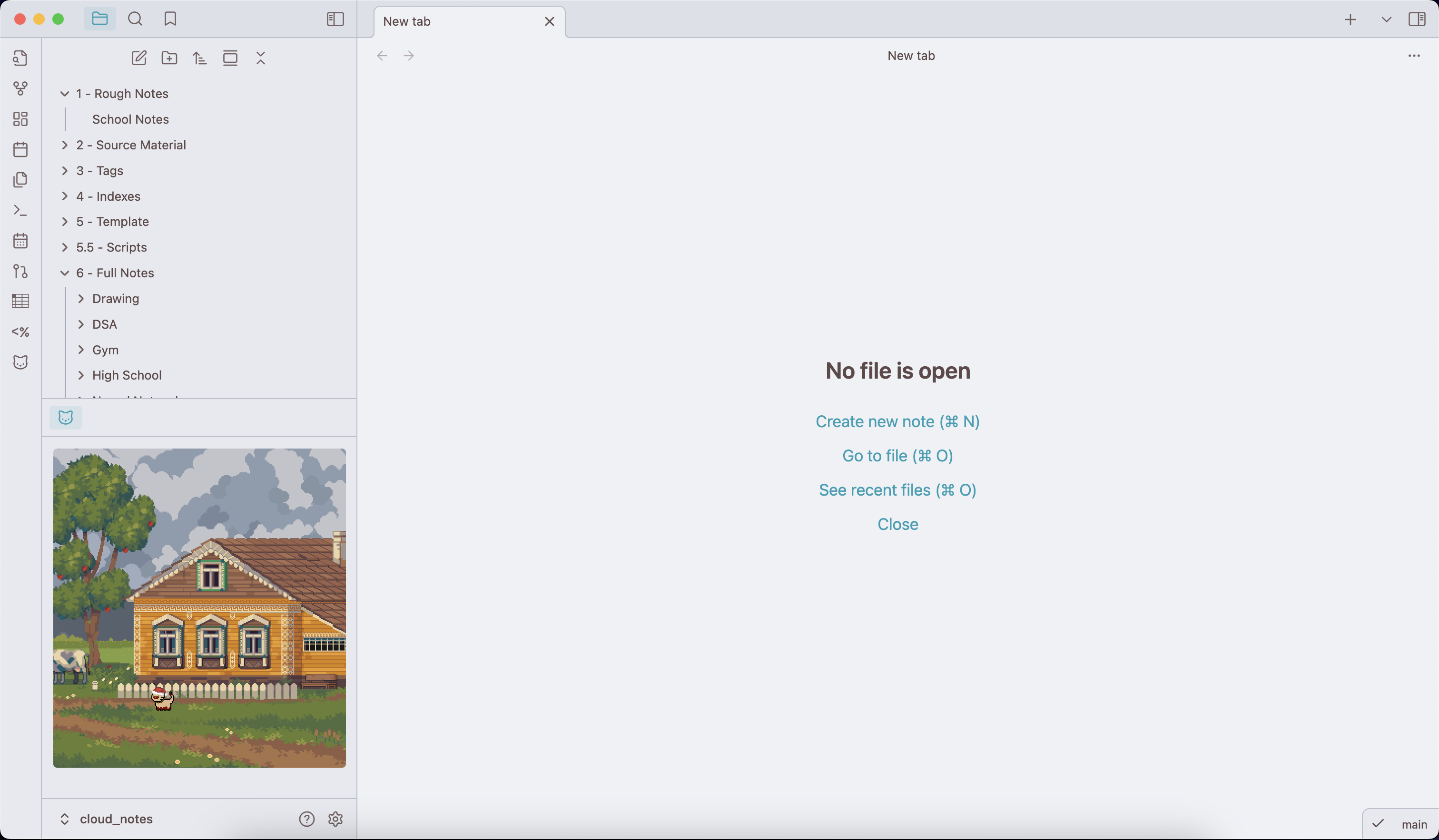
Default layout for the plugin.

You can click and drag on the highlighted icon above the view to drag it into other views, as well as change the width and height of the view to customize your layout as desired. (See a couple of sample layouts below)
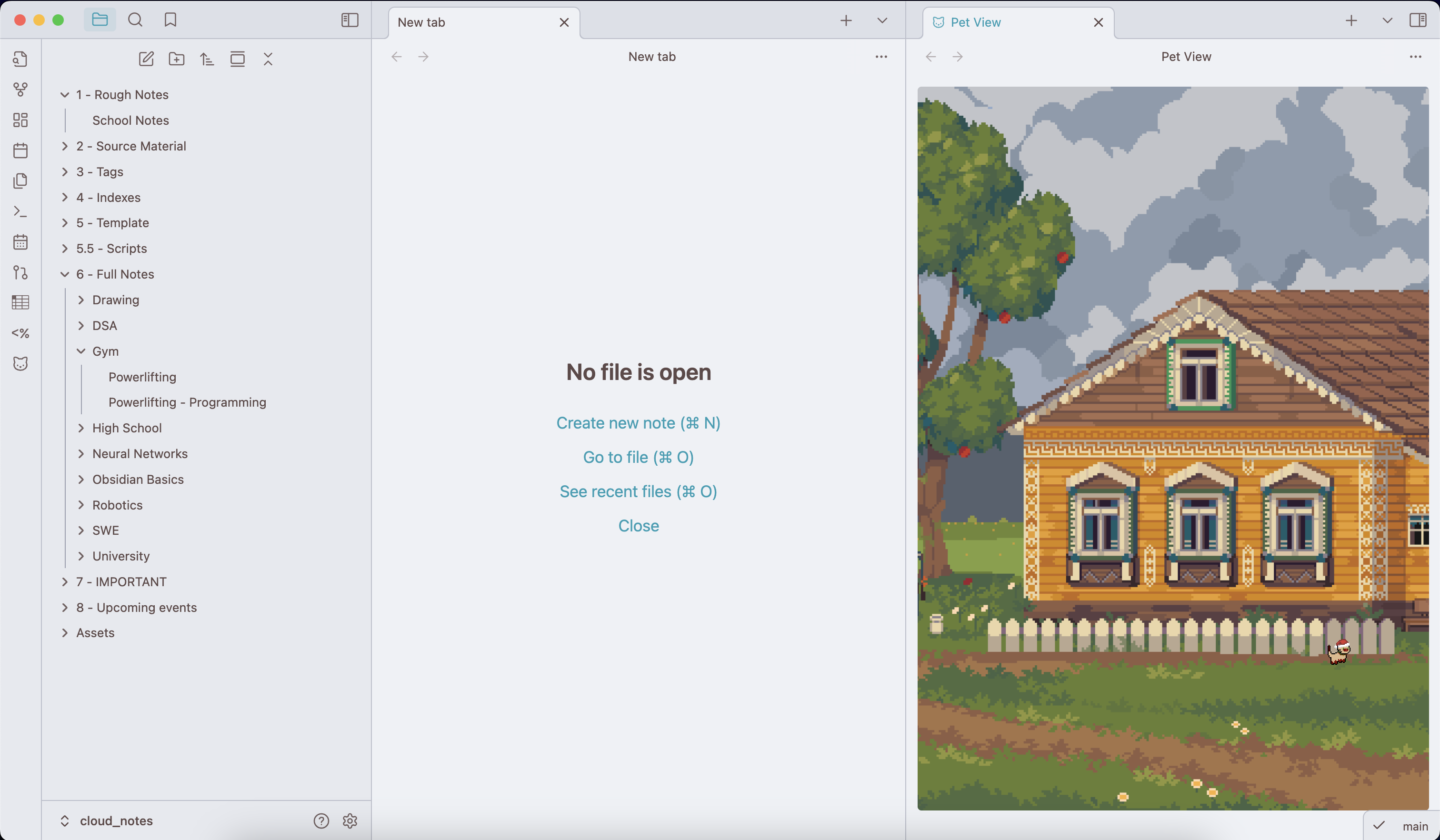
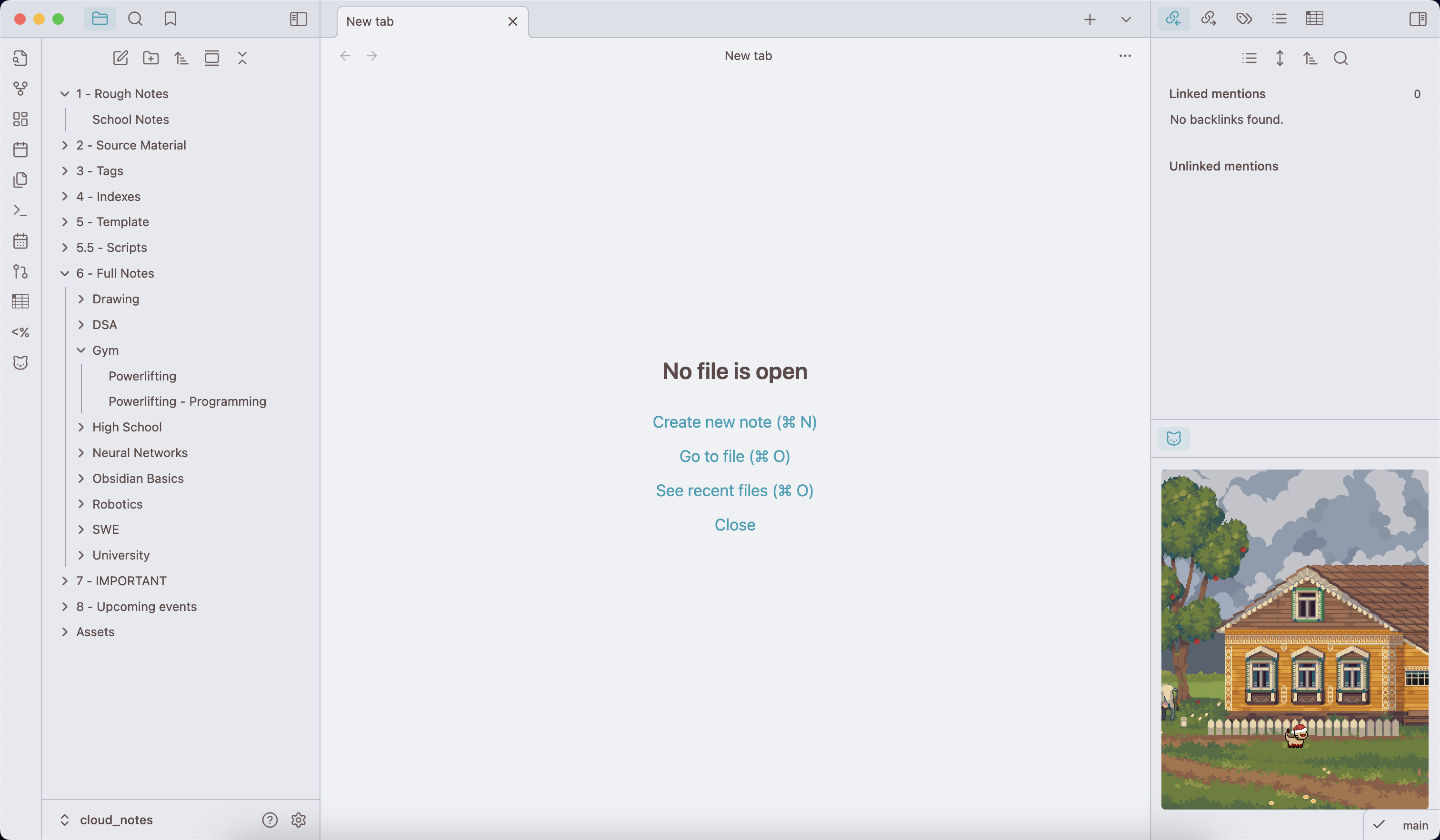
A second possible layout for the plugin. A third possible layout for the plugin.

Here is what it looks like if you enable the full vault overlay.
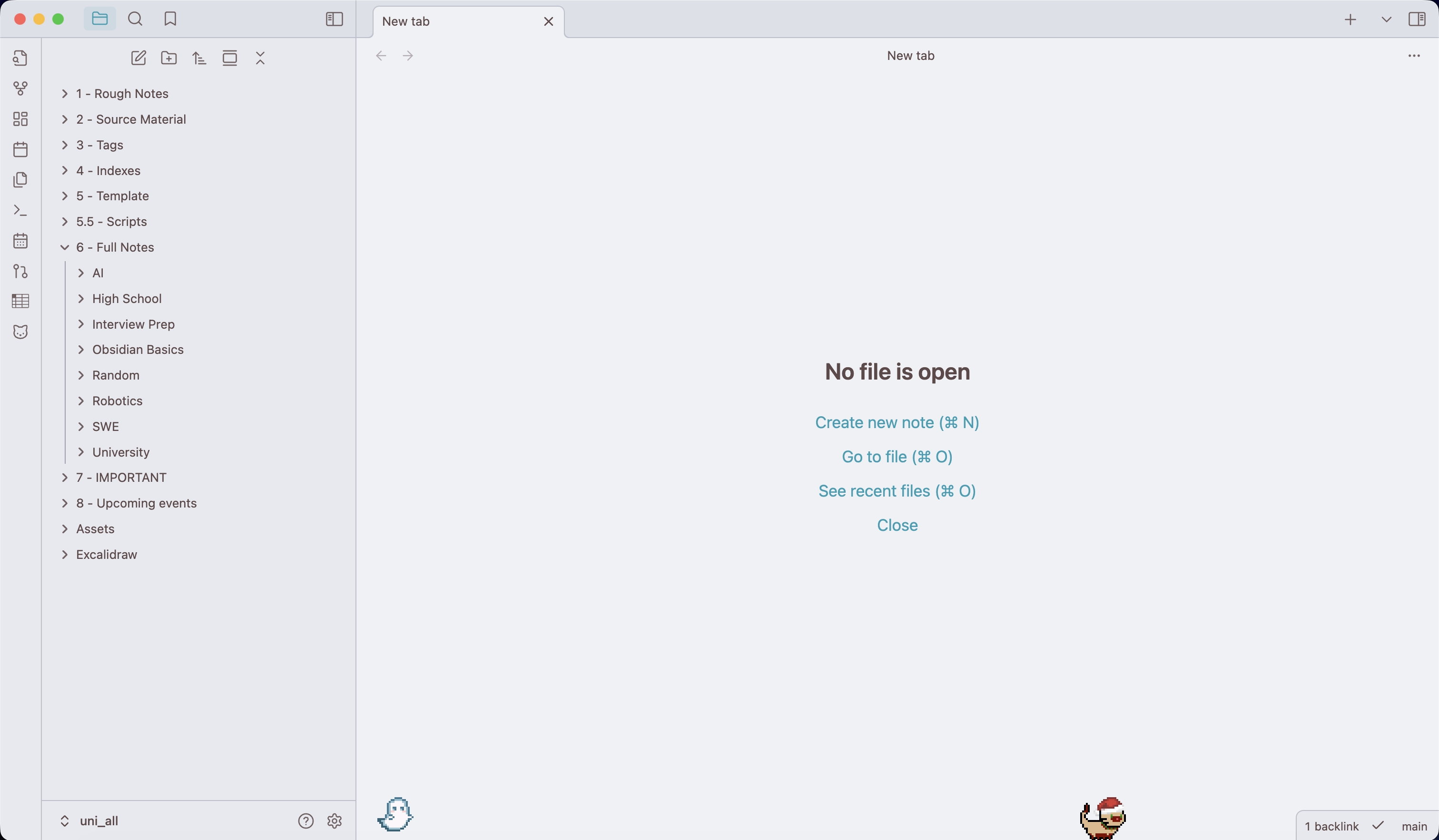
Overlaying the plugin on your Obsidian vault.

Available Commands

  • Adding pets
    • Add a pet: Select the species and provide it with a name. Added pets will immediately appear in the view.
  • Removing pets
    • Remove a specific pet: Remove a specific pet. Provides a list of all the pets with their name and species.
    • Remove all pets: Removes all pets from the view.
  • Interacting with pets
    • Add a ball: Chooses a random ball and launches it in the view for a pet to chase after.
    • Cat toy mouse toggle: Changes your mouse to a cat toy for your cats to follow.
  • Background
    • Choose pet view background: Changes the background for the pet view. The background can also be changed in the settings tab.
  • Chatting with pets
    • Chat with your pets: Opens up a chat modal for you to ask your pet questions.
      • NOTE: You must first set API keys for OpenAI (and optionally Gemini) to access this feature.
      • Usecases include: Chatting for fun, studying/reviewing your notes, and learning new concepts.

Contacts

If you have any kind of feedback or questions, feel free to reach out via GitHub issues or @hi.bye_2025 on the Obsidian Discord server.

Credits

Similar Plugins

info
• Similar plugins are suggested based on the common tags between the plugins.
Background Image
3 years ago by shmolf
Backgroundset
a year ago by daonali
similar as vscode background
Beautitab
2 years ago by Andrew McGivery
A plugin for Obsidian.MD that creates a customizable new tab view with beautiful backgrounds, quotes, search, and more.
Better Order List
2 years ago by Boninall
Callout Integrator
3 years ago by
A plugin for Obsidian to allow the integration of long blocks of text into callouts.
Canvas Card Background Remover
2 years ago by luxmargos
This Obsidian plugin allows you to make the background of cards transparent in the Canvas for specific embed types, including Image (png), Canvas, and even Markdown.
Canvas Daily Note
2 years ago by Andrew McGivery
A plugin for Obsidian that allows you to add a daily note node to the canvas that will always show todays note.
Colorful Note Background
3 months ago by andresgongora
Set note background based on file location or frontmatter metadata
Custom Classes
3 years ago by Lila Rest
A minimal Obsidian plugin that allows you to add your own HTML classes to chosen Markdown elements directly from your notes.
Custom Slides
9 months ago by David V. Kimball
Customize Obsidian's Slides core plugin's navigation, styles, and behavior.
Custom Theme Studio
7 months ago by @gapmiss
An Obsidian.md plugin to create and tweak custom themes with live CSS editing, element styling, and instant previews. All without leaving Obsidian.
Dynamic Background
4 years ago by Samuel Song
Adding dynamic background effects to the Obsidian editor
Emoji Magic
3 years ago by simplgy
Makes it easier to add emojis using an improved keyword search
Floating Highlights
3 years ago by Karthik S Raju
This is a plugin for obsidian which highlights a block of text or a word as you scroll down while reading.
Living Graph
4 years ago by Garrett
MantouAI
2 years ago by Morino Pan
MantouAI—— 让Obsidian变身智能助手
Metadata Icon
2 years ago by Benature
change metadata entry icon
My SVGs
3 months ago by Omar Badawy
An Obsidian plugin that Registers your own SVGs into Obsidian's global icon library for use with other plugins or however you want.
Natural Language Syntax Highlighting
3 years ago by artisticat
Highlight adjectives, nouns, adverbs, verbs, and conjunctions in Obsidian.md
New 3D Graph
9 months ago by Aryan Gupta
Visualize your vault in 3D with a powerful, highly customizable, and filterable graph.
NyanBar
2 years ago by xhyabunny
Give life to your Obsidian notes with NyanBar !
Plugin Groups
3 years ago by Mocca101
A plugin that allows you to easily group and manage your other plugins in Obsidian.
Pseudo Mica
a year ago by Alexis C
Pseudo Mica brings native window translucency effects to Obsidian.
Root Folder Context Menu
2 years ago by mnaoumov
Obsidian Plugin that enables context menu for vault root folder
Scrambling Title Animations
2 years ago by HistidineDwarf
Animates the title of an opened note by scrambling it in a few visually-appealing ways
Set View Mode per Note
2 years ago by Alex Davies
Use YAML frontmatter to specify a view mode per note.
Simple Banner
10 months ago by Sandro Ducceschi
Visually enhance your Obsidian notes with a customizable banner. Supports icons and time/date display.
Simple Columns
9 months ago by Josie
An Obsidian plugin that lets you create easily resizable and customizable columns in your notes.
Smooth Cursor
a year ago by Busyo
Obsidian光标美化插件
Tag Formatter
2 years ago by snsvrno
Configurable Obsidian plugin that hides parent tags.
Text Wrapper
3 years ago by smx0
Plugin for Obsidian
Unicode Search
3 years ago by BambusControl
Simple Unicode character search for Obsidian.md