
README file from
GithubZenith Theme
[!IMPORTANT] Desktop Only: This theme is designed and optimized specifically for the Obsidian desktop application. Mobile support is not currently planned.
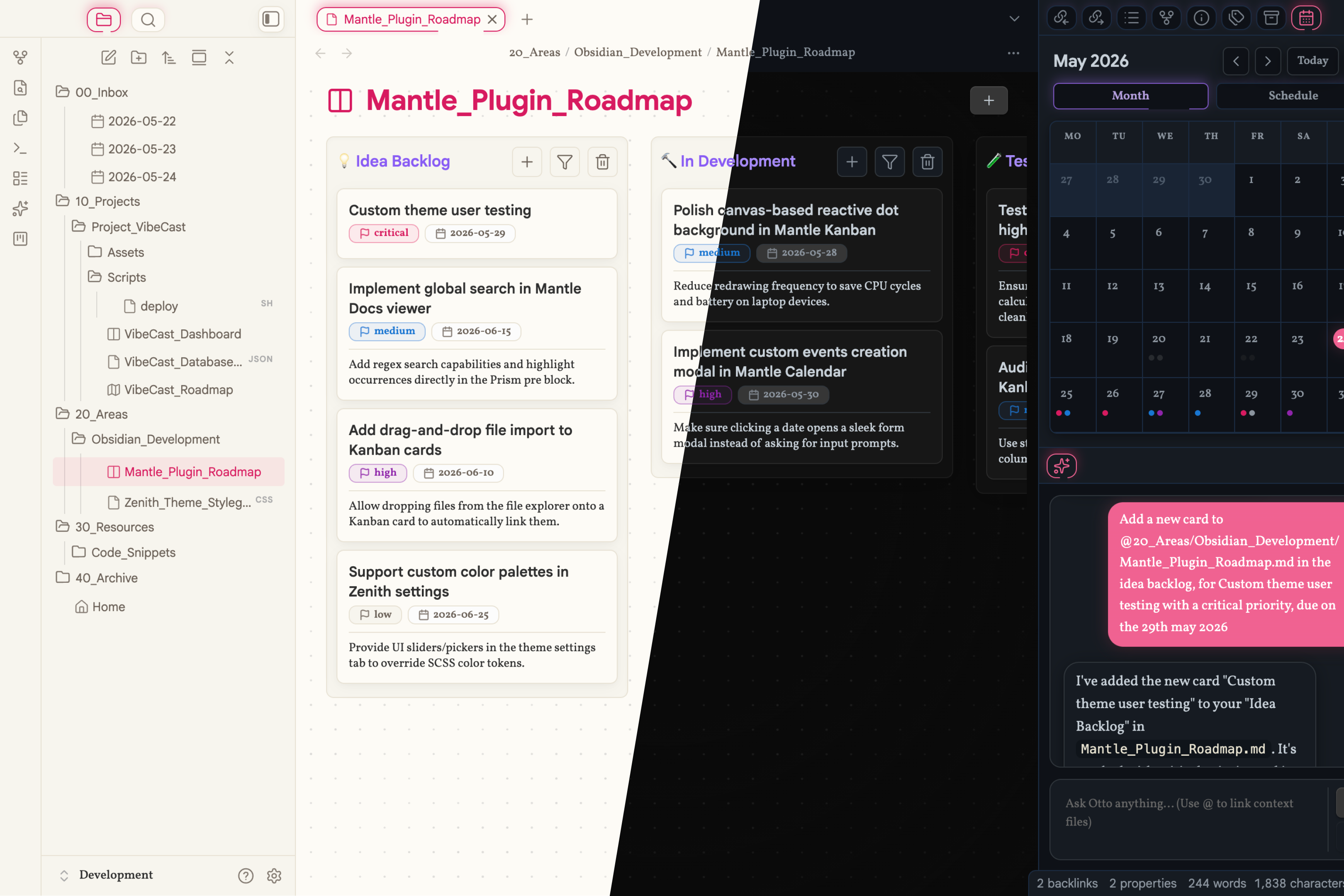
Zenith is a modern, high-contrast Obsidian desktop theme designed for optimal performance, typography, and visual clarity. It serves as the aesthetic anchor of the Project Mantle ecosystem, incorporating depth, subtle glows, and backdrop blurs to turn your workspace into a premium IDE-like experience.
🎨 Design Philosophy
Zenith is structured around interaction. Every panel, tab, and hover state responds to mouse movements with smooth CSS transitions.
- Floating Capsule Tabs: Reimagines the Obsidian header tab system into floating, rounded capsules that make panel navigation intuitive.
- Spectrum-Based Headings: Implements a distinct color spectrum hierarchy for headings to make scanning long documents effortless.
- Dual Palette Modes: Light Mode features a subtle, eye-friendly "Parchment" style, while Dark Mode uses a dark "IDE Deep Blue" palette.
✨ Key Features
- Capsule Navigation: Seamless floating capsule tabs for pane management.
- Depth & Layering: Drop shadows, glassmorphism filters, and panel borders create distinct visual hierarchies.
- Optimized for Mantle Plugins: Built-in CSS hooks that pair perfectly with the styling of the Mantle plugin ecosystem (Kanban, Calendar, Docs, Icons, Images, and Otto).
- Minimalist UI Controls: Clean and unobtrusive sidebars that expand smoothly on focus or hover.
📥 Installation
Method A: Via Obsidian Community Themes (Recommended)
- In Obsidian, open Settings > Appearance > Themes > Manage.
- Search for Zenith.
- Click Use to apply the theme.
Method B: Via BRAT (Beta Reviewer's Auto-update Tester)
- Install the BRAT plugin from Obsidian's community store.
- In BRAT settings, click Add Beta theme and enter:
https://github.com/carnalMATRIX/obsidian-mantle-zenith - The theme will install and auto-update.
Method C: Manual Installation
- Download
theme.cssandmanifest.jsonfrom the latest GitHub Release. - Inside your vault, navigate to
.obsidian/themes/. - Create a folder named
Zenithand paste the two downloaded files inside. - Open Obsidian and select Zenith in Settings > Appearance > Theme.
🔍 Troubleshooting
Theme looks broken or misaligned
- Obsidian Version: Make sure your Obsidian app is up to date (minimum version
1.12.7). - Conflict with CSS Snippets: Custom CSS snippets can override Zenith's variables. Go to Settings > Appearance > CSS Snippets and temporarily toggle them off to see if the alignment is restored.
- Conflicting Plugins: Disable any custom layout-altering plugins to check for conflicts.
Typography or Icons are not rendering
- Font Fallbacks: Zenith is designed to use system-font fallbacks for extreme performance and memory optimization. Make sure you haven't blocked local system fonts.
- Mantle Icons: To get the full icon styling package, install the companion Mantle Icons plugin.
🛠️ Development
If you wish to customize this theme locally:
- Clone this repository.
- Install dependencies:
npm install - Run the compiler in watch mode for live updates:
npm run dev - Compile production-optimized assets:
npm run build
📄 License
Copyright (c) 2026 Ryan Bakker. Released under a Personal Use License. Non-commercial, personal use only. Redistribution or modification for distribution is strictly prohibited. See the LICENSE file for full terms.