
README file from
GithubHanabi Theme
An original high-contrast theme family for terminals and editors (dark-first, with matching light aliases).
Project Focus and Support Policy
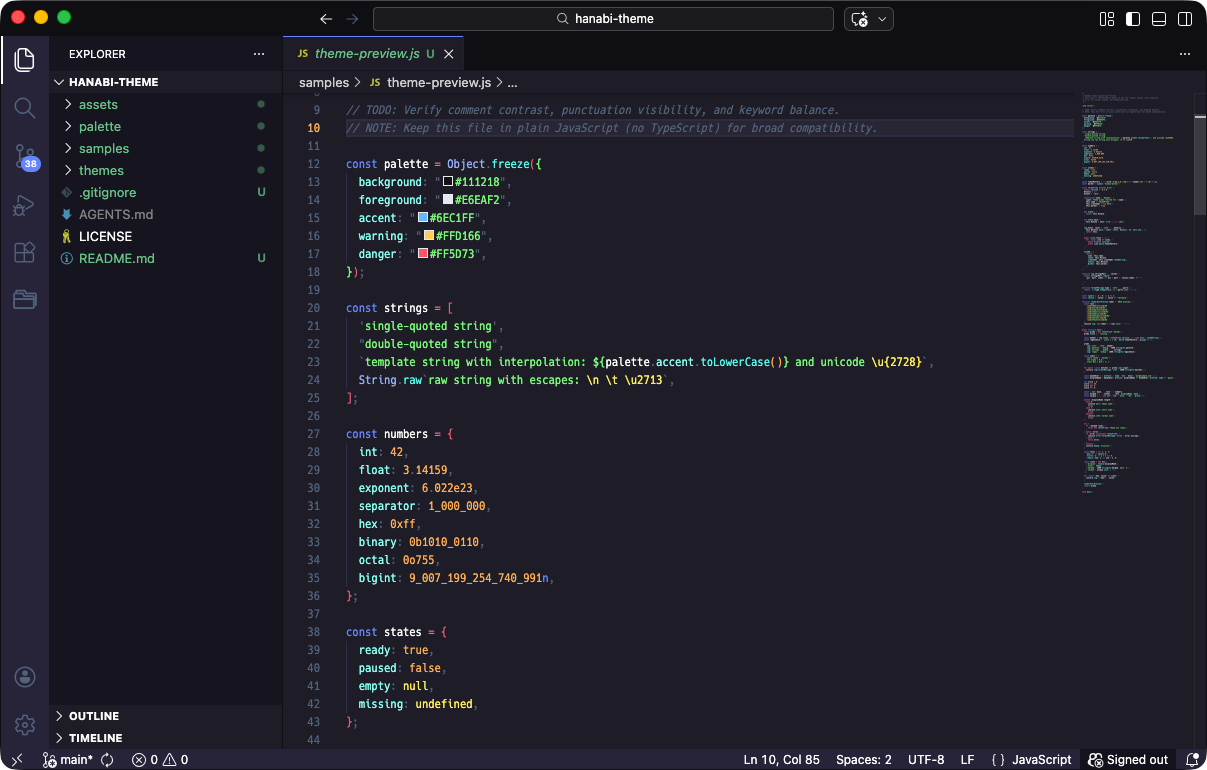
This project is built first for the tools I personally use. The main priority is making Hanabi easy to use from the Visual Studio Code side, including a smooth path for store distribution.
Support for other tools is best-effort. If you open a clear issue with steps and environment details, I will try to handle it as time allows. You can also contact me on X: @okash1n.
Palette Preview
The project is built from a shared palette source.
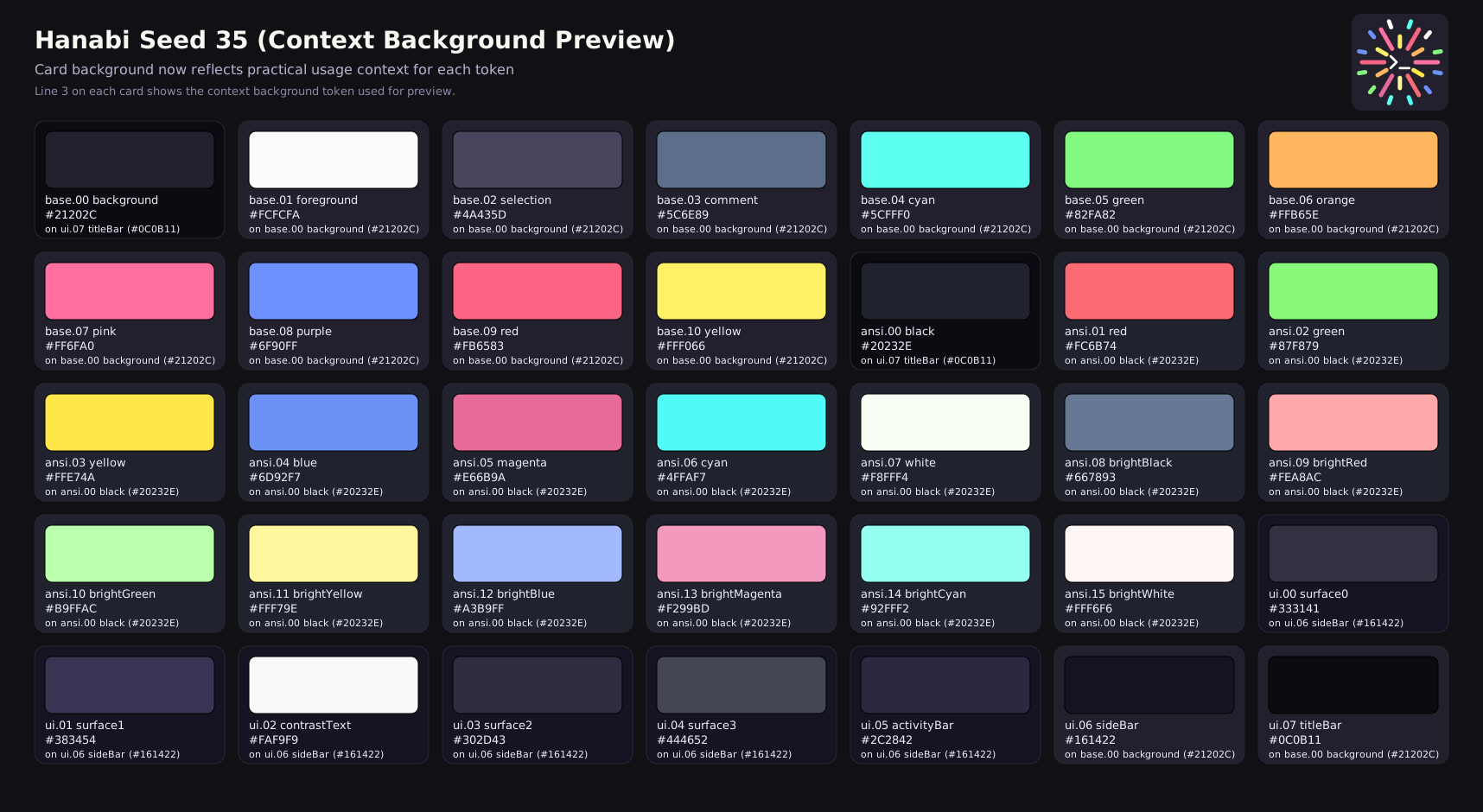
- Palette source:
palette/hanabi-seed-35.json - Palette preview:
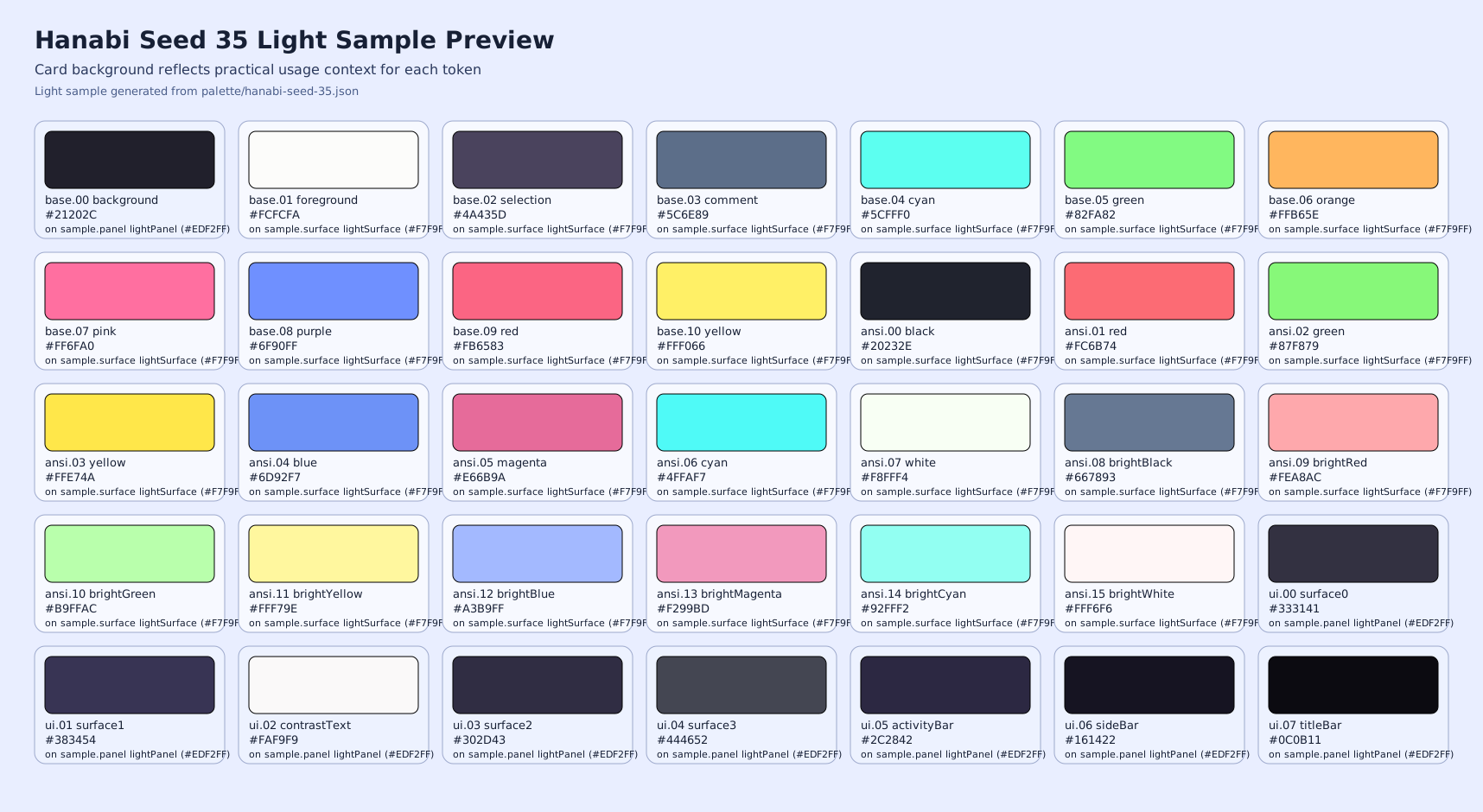
palette/hanabi-seed-35.svg - Light sample preview:
palette/hanabi-seed-35-light.svg hanabi-seed-35-lightis a visual sample for how Seed 35 accents may look in a light environment.- Current distributed themes use a dark-first strategy; light variants are compatibility aliases unless noted otherwise.
Supported Targets
| Target | Status | Directory |
|---|---|---|
| Ghostty | Ready | themes/ghostty |
| iTerm2 | Ready | themes/iterm2 |
| Terminal.app (macOS) | Ready | themes/terminal-app |
| tmux | Ready | themes/tmux |
| Visual Studio Code | Ready | themes/visual-studio-code |
| Windows Terminal | Ready | themes/windows-terminal |
| Cursor | Ready | themes/cursor |
| Vim / Neovim | Ready | themes/vim |
| Zsh | Ready | themes/zsh |
| Obsidian | Ready | themes/obsidian |
Dark / Light Support
| Target | Dark | Light | Notes |
|---|---|---|---|
| Ghostty | Yes | Yes | hanabi-light is a dark-palette alias |
| iTerm2 | Yes | Yes | hanabi-light.itermcolors is a dark-palette alias |
| Terminal.app (macOS) | Yes | Yes | Hanabi Light profile is a dark-palette alias |
| tmux | Yes | Yes | hanabi-light.tmux keeps the same dark palette |
| Visual Studio Code | Yes | Yes | Hanabi Light keeps the same dark palette |
| Windows Terminal | Yes | Yes | hanabi-light.json keeps the same dark palette |
| Cursor | Yes | Yes | Hanabi Light keeps the same dark palette |
| Vim / Neovim | Yes | Yes | hanabi_light.vim is a dark-palette alias |
| Zsh | Yes | Yes | light prompt files are dark-palette aliases |
| Obsidian | Yes | Yes | .theme-dark and .theme-light are intentionally unified |
Install
Each target has its own installation guide.
- Ghostty:
themes/ghostty/INSTALL.md - iTerm2:
themes/iterm2/INSTALL.md - Terminal.app:
themes/terminal-app/INSTALL.md - tmux:
themes/tmux/INSTALL.md - Visual Studio Code:
themes/visual-studio-code/INSTALL.md - Windows Terminal:
themes/windows-terminal/INSTALL.md - Cursor:
themes/cursor/INSTALL.md - Vim / Neovim:
themes/vim/INSTALL.md - Zsh:
themes/zsh/INSTALL.md - Obsidian:
themes/obsidian/INSTALL.md
Repository Layout
.
├── assets
├── images
├── palette
├── samples
└── themes
    ├── cursor
    ├── ghostty
    ├── iterm2
    ├── terminal-app
    ├── tmux
    ├── vim
    ├── visual-studio-code
    ├── windows-terminal
    ├── zsh
    └── obsidian
Obsidian Theme
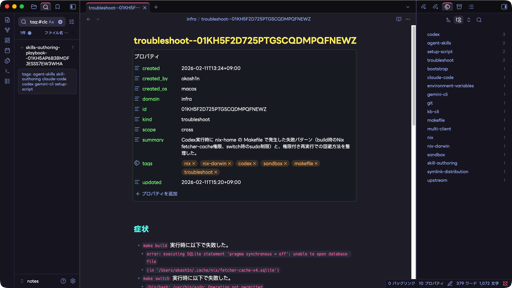
Hanabi includes an Obsidian app theme where dark and light base schemes intentionally render the same dark visual identity.
- Required files for Obsidian community theme publishing:
manifest.jsontheme.cssversions.json
- Store screenshot:
images/obsidian-preview.png(512x288)
To preview the theme in Obsidian, follow themes/obsidian/INSTALL.md.
Notes
- This repository is monorepo-first (no submodules).
- Theme files are generated and curated from a shared Hanabi palette model.
License
MIT. See LICENSE.