
README file from
GithubOboro · 朧樱
Oboro (朧樱, "hazy sakura") is a dual-mode Obsidian theme: a crisp Sakura Pink in light mode and a low-saturation Night Sakura in dark. Translucent frosted-glass panels float over your wallpaper with layered rim lighting, film grain, a pulsing light-band on code blocks, and macaron-language pills across the UI.
🌐 中文说明
A companion VS Code theme, sakura-macaron, shares the same palette — one theme, two editors.
Preview
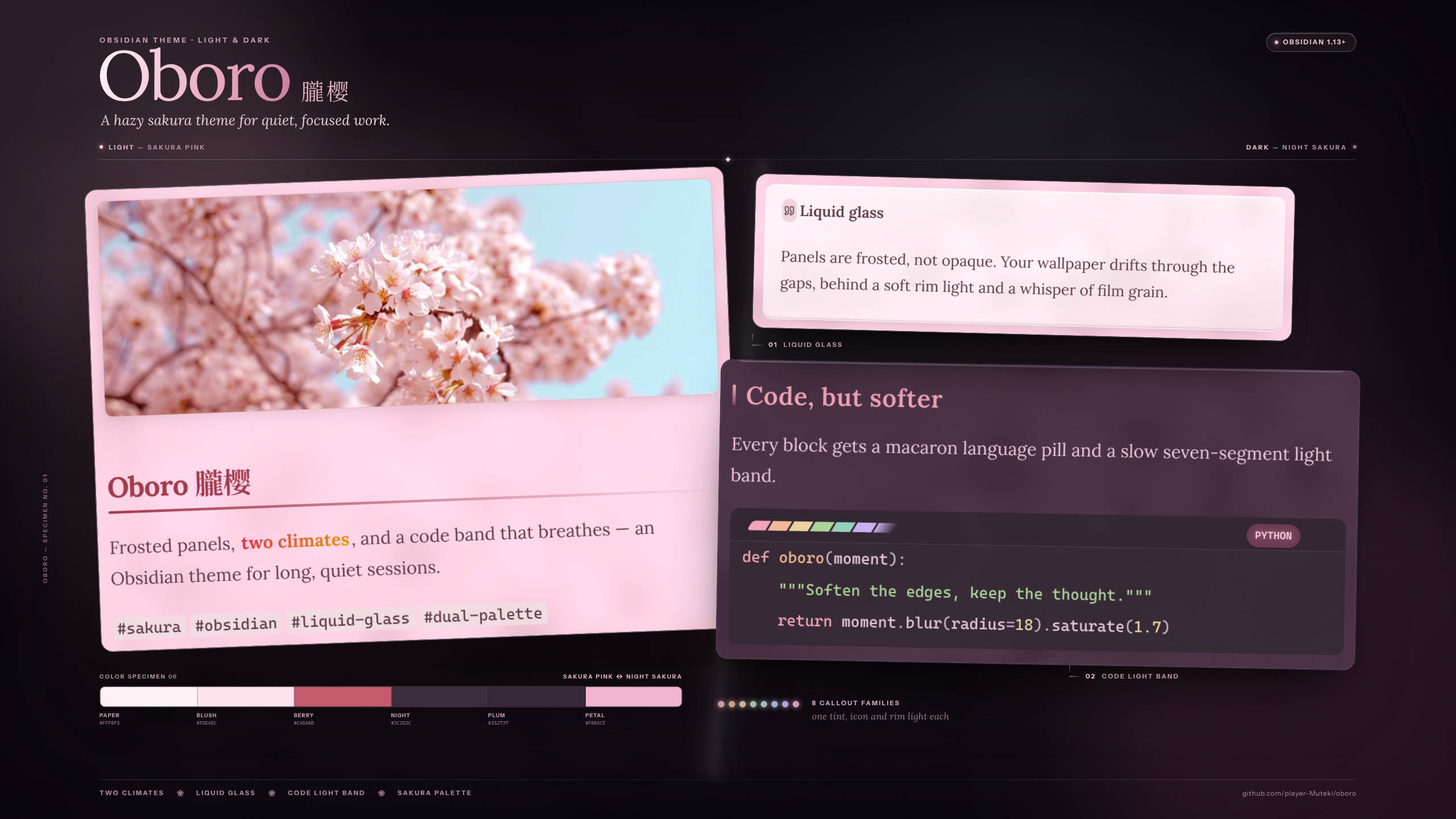
Sakura Pink (light):
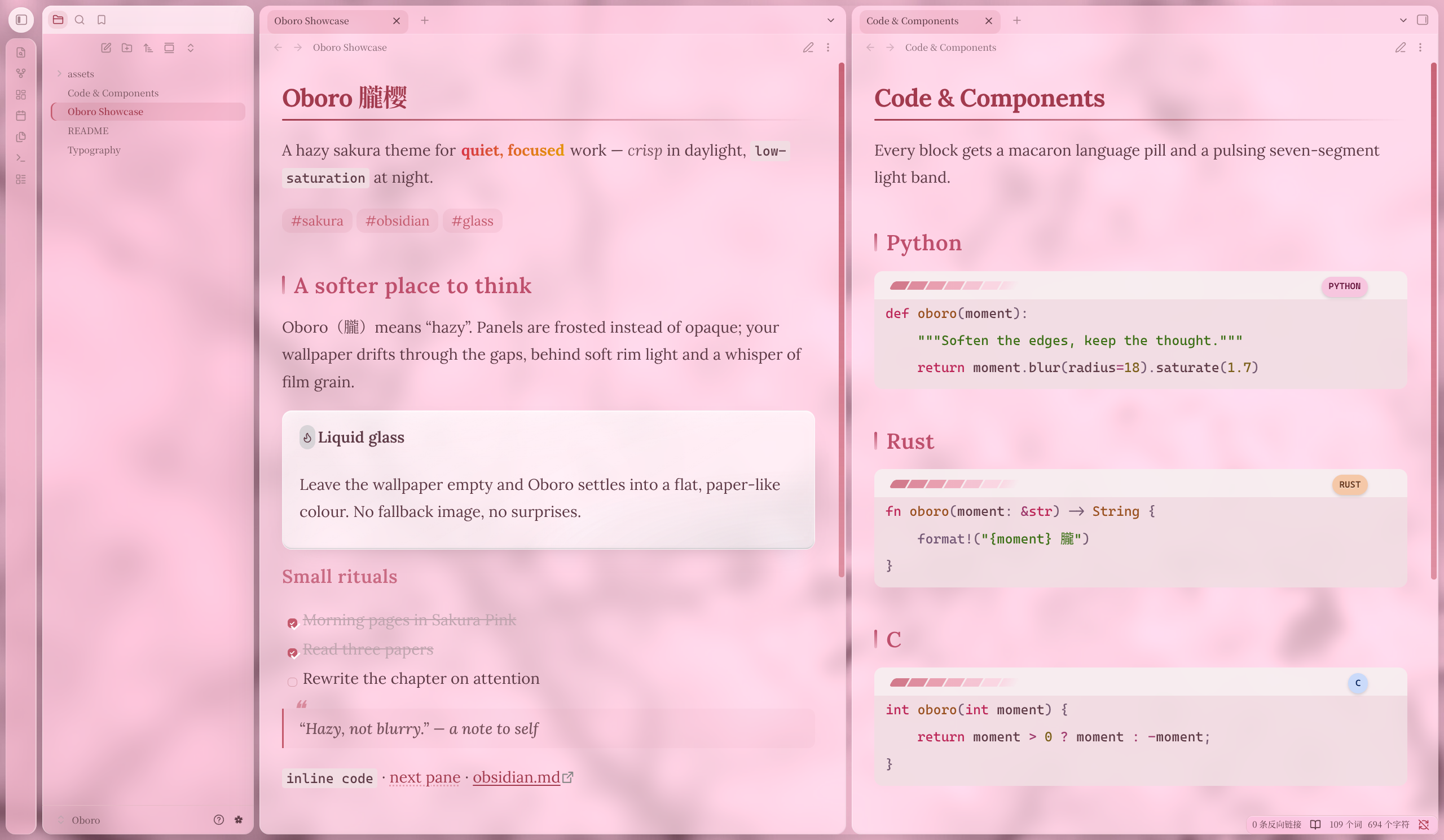
Night Sakura (dark):
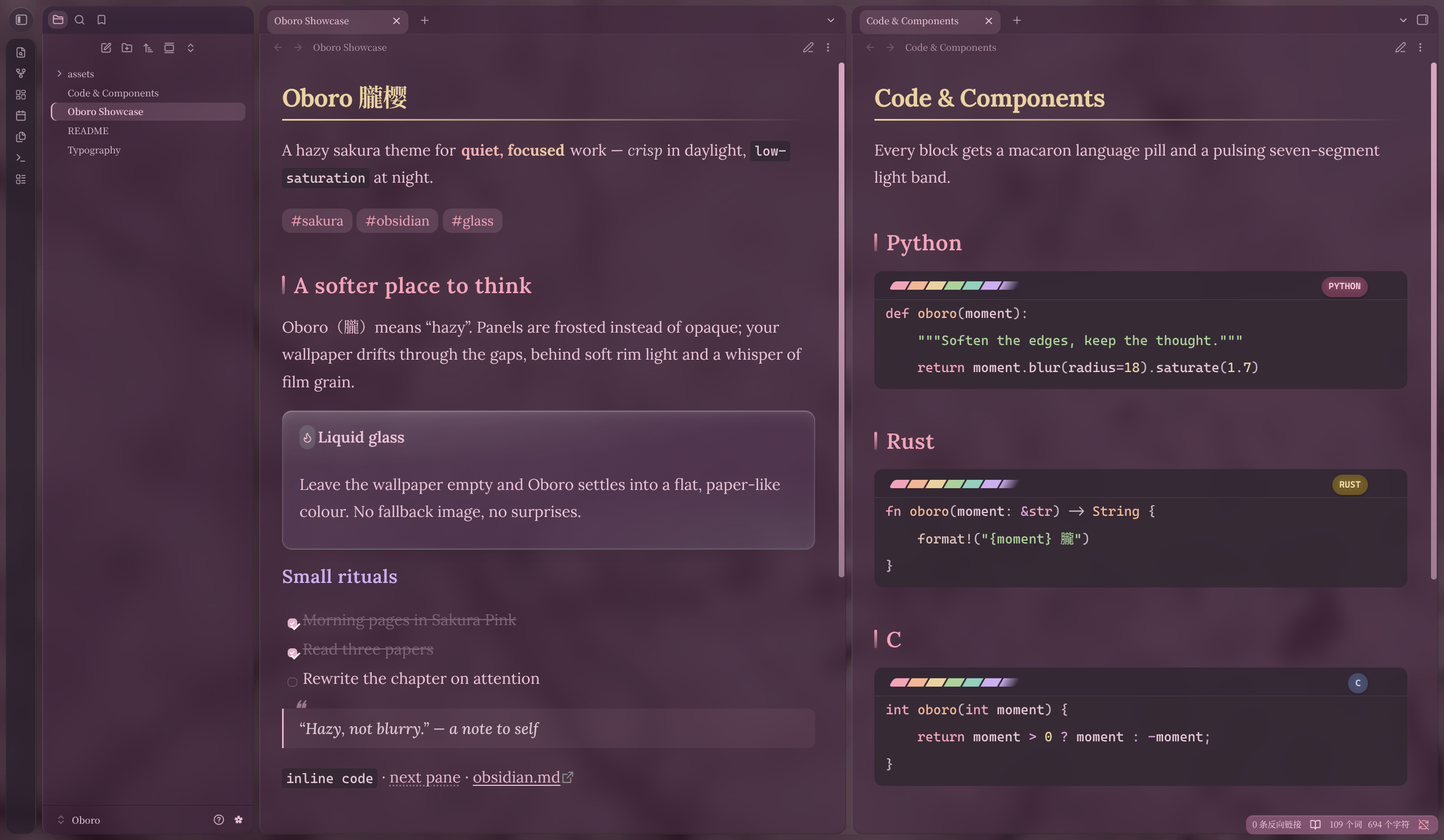
Features
- Dual palettes — strictly symmetric Sakura Pink / Night Sakura tokens with tiered text contrast (body / secondary / faint / accent).
- Component theming — macaron task checkboxes and task-status text, glass callouts (8 type-color families), left-ribbon blockquotes, sakura dividers ❀, three-level list bullets, rounded image cards, glass embed cards, graph palette — plus the full set of UI controls: tooltips, menus, modals, command palette, inputs, toggles, sliders.
- Wallpaper engine — translucent panels + liquid glass, wallpaper bleeding through the card gaps. No wallpaper → a flat color (no built-in fallback image). Panel opacity / glass blur / saturation boost / wallpapers are all live-tunable in Style Settings.
- Seven-segment pulse light-band — a 30°-tilted segmented gradient bar with a white sweep every 3.5 s; sakura-pink in light mode, drawn from the night-sakura syntax palette in dark.
- Language pills — macaron-colored pills on the top-right of code blocks for nine languages (C, C++, C#, x86, ASM, Verilog, Java, Python, Rust), all contrast ≥ 4.5:1.
- Gradient bold — light "berry → gold", dark "rose → cream gold", with an inline-code rescue patch and a print/PDF solid fallback.
- Six-level heading color ladder + serif heading stack (Lora → Source Han Serif → Songti).
- Engineering — official stylelint rules, GitHub Actions lint + tag-triggered release, solid-color fallbacks
on every
color-mix()declaration (auto-fallback on older kernels), mobile background positioning adaptation.
Palette quick reference
| Role | Light · Sakura Pink | Dark · Night Sakura |
|---|---|---|
| Editor background | #FFF0F5 |
#3C2D3C |
| Sidebar background | #FDE4EC |
#352737 |
| Activity bar | #F8BBD0 |
#281F2B |
| Status bar | #F8BBD0 |
#AD7F96 |
| Body text | #5E3A46 |
#EBC4D7 |
| Accent | #C45A6D |
#E3B1C9 |
| Keyword | #BB2557 |
#F3A4B8 |
| String | #3C7016 |
#ACD39A |
Installation
Manual
- Download
theme.cssandmanifest.json. - Create
.obsidian/themes/Oboro/in your vault and drop both files in. - Settings → Appearance → select Oboro.
Or clone this repository and run:
./scripts/install.sh /path/to/vault .obsidian # adjust the second arg, e.g. .obsidian_pc
Community marketplace
(Submission under review — once listed, install directly from Settings → Appearance → Themes → Browse.)
Wallpaper
The theme ships with no background image — empty wallpaper fields mean a flat color. To add one:
- Style Settings plugin (recommended): install Style Settings
and fill the light / dark wallpaper fields in its Oboro section with a full
background-imagevalue, e.g.url("https://example.com/bg.jpg"). - Script injection: from any scripting surface (e.g. homepage dataviewjs), inject
--dv-light-bg/--dv-dark-bgonbody; inline styles take precedence — both channels can coexist.
There is also a toggle to disable the code-block light band.
Glass reads best over a wallpaper: with empty wallpaper fields the theme falls back to a flat color and the frosted effect is much subtler.
Development
npm install
npm run lint          # stylelint-config-obsidianmd (the same rules as community review)
./scripts/install.sh /path/to/vault .obsidian_linux
After editing theme.css, install it back to the test vault and run "Reload app without saving" from the
command palette to hot-reload. Release and marketplace procedures: docs/maintenance.md.
Compatibility
- Minimum Obsidian 1.13.0.
- Panel translucency uses
color-mix()(Chromium 111+); unsupported kernels fall back to solid colors with layout unaffected. - On mobile (
hover: none) the background falls back to content-anchored positioning, avoiding the WKWebView fixed-background issue. - The theme loads no remote resources; wallpapers are user-provided.