
README file from
GithubSolarized Osaka for Obsidian
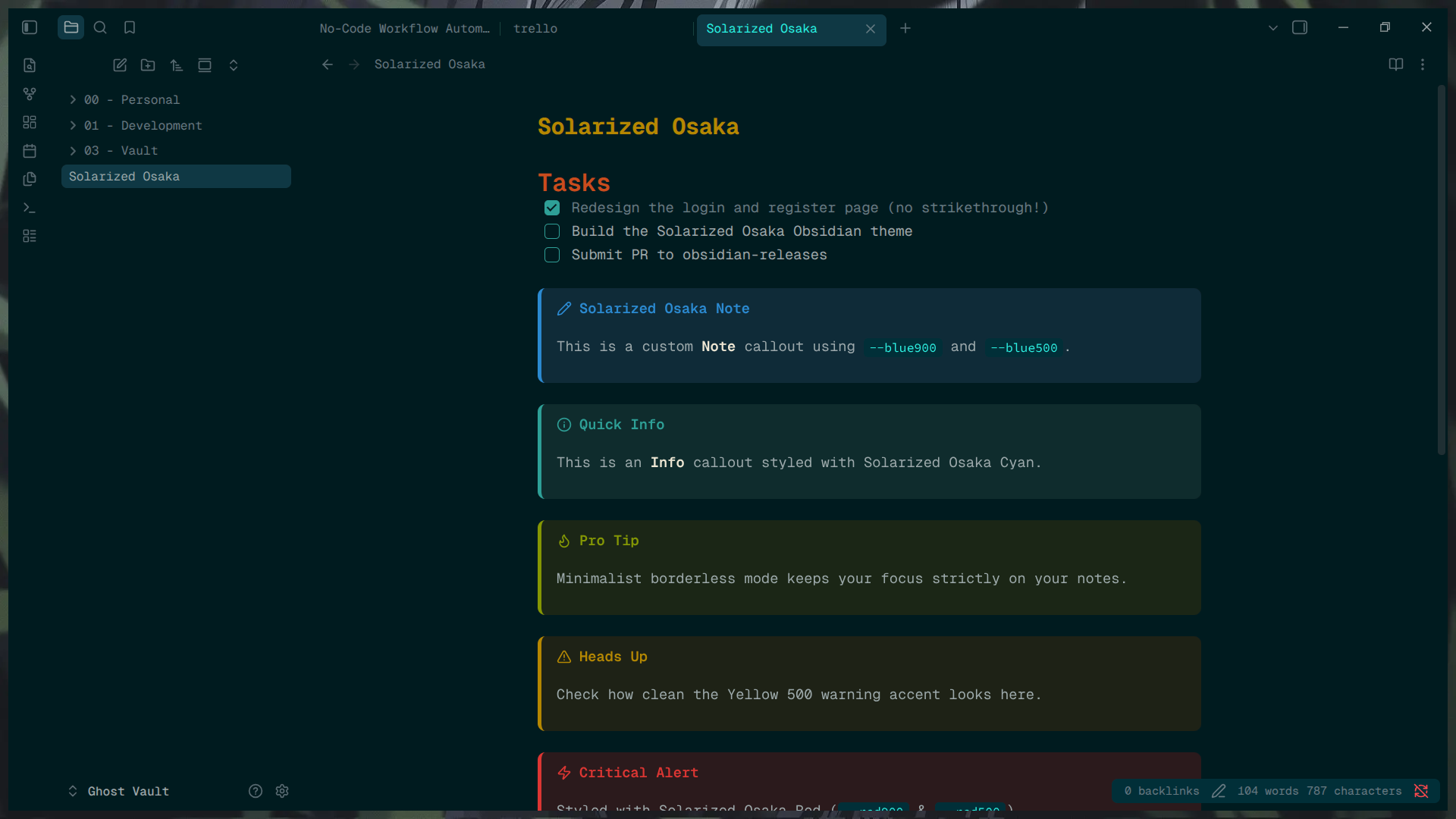
A minimalist, borderless dark and light theme for Obsidian, heavily inspired by the classic Solarized palette mixed with deep, moody Osaka teal.
Features
- Borderless UI: Seamless workspace tabs, sidebars, and ribbons.
- Custom Checkboxes: Clean, custom-styled task boxes without text strikethrough.
- Callout Styling: Fully themed callouts (
note,info,warning,danger, etc.) using core Solarized accent colors. - Modern Tables: Rounded, separated tables with distinct hover states.
- High Readability: Highly optimized contrast utilizing the true Solarized palette for long writing and coding sessions.
Installation
- Open Obsidian Settings > Appearance.
- Under Themes, click Manage.
- Search for "Solarized Osaka" and click Install and use.
Manual Installation
- Download
theme.cssandmanifest.jsonfrom the latest GitHub Release. - Place them in your vault's
.obsidian/themes/Solarized Osaka/folder. - Select the theme in Obsidian's Appearance settings.
License
MIT License