
README file from
GithubFlamingo Noir
A bold, monospaced theme for Obsidian: a monochrome hot-pink accent on near-black, a deep-rose second accent, and an art-directed warm-paper light mode. Square left-bar callouts, an underline tab indicator, themed syntax highlighting, and a styled graph view — in both dark and light modes.
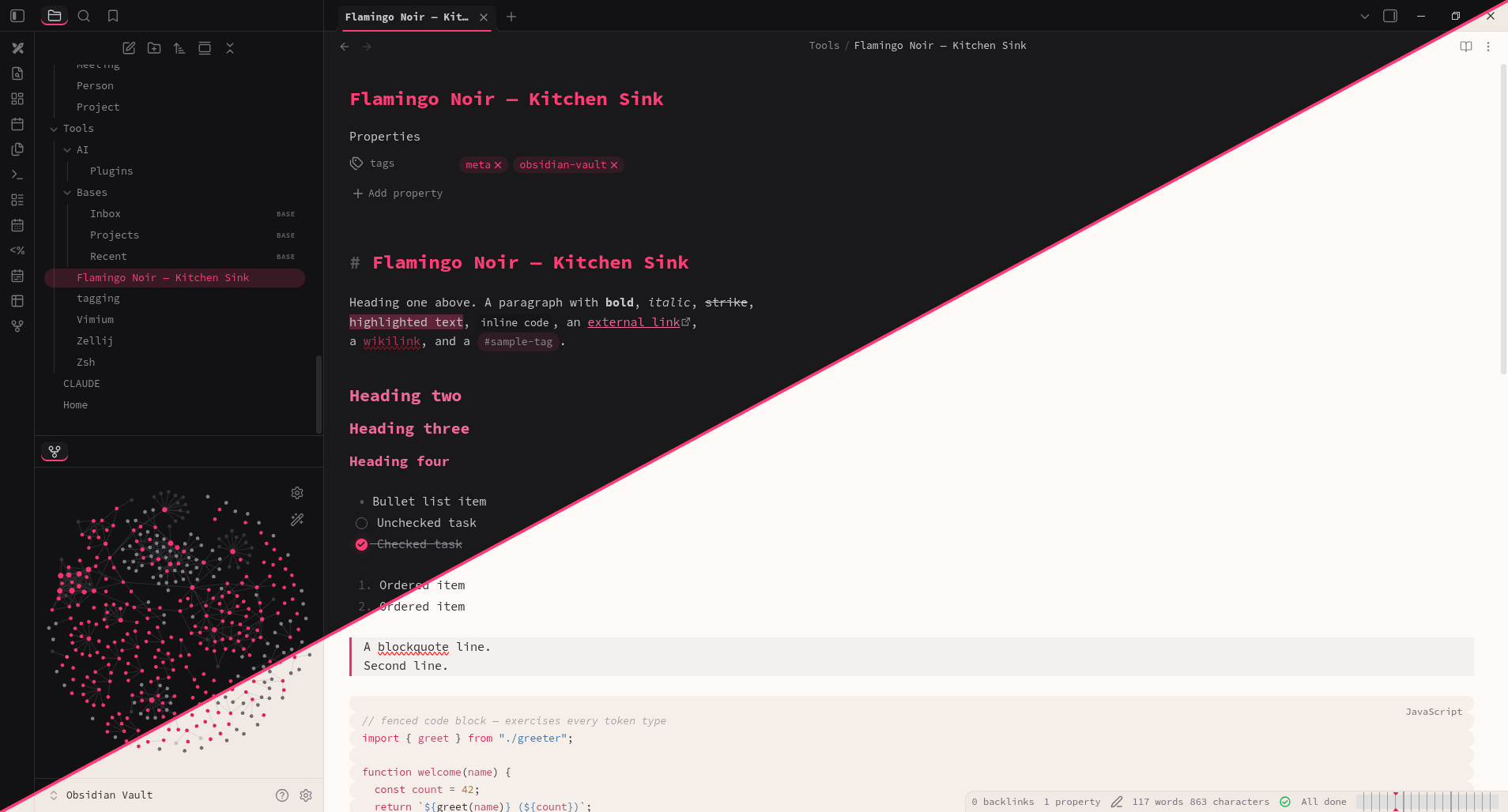
Install
- Community directory (once accepted): Settings → Appearance → Manage, then search for Flamingo Noir.
- Manual: create a folder named
Flamingo Noirin<your vault>/.obsidian/themes/, copymanifest.jsonandtheme.cssfrom this repository into it, then select it under Settings → Appearance → Themes. - BRAT: add
jackMort/flamingo-noirin the BRAT community plugin.
Design
- Hot pink (
#FF3B75) — H1 headings, primary buttons, the active-tab underline, tags. - Rose (
#F0689A) — H2–H6 headings, links, the blockquote bar. - Callouts — square cards with a left accent bar: pink for note/info/tip, orange for warnings, rose for danger/quote.
- Code — keywords pink, functions rose, strings blue, numbers amber, comments faint italic; covers both reading view and Live Preview.
- A fully art-directed light mode — a warm paper background, not a mechanical inverse of the dark palette.
Fonts
The theme sets a Source Code Pro monospace stack with fallbacks
(ui-monospace, SF Mono, Menlo, Consolas, monospace). Installing
Source Code Pro gives the
intended look but is optional — the fallback stack is used automatically. Fonts
can be overridden in Settings → Appearance.
License
MIT © Lech Twaróg