

There are 14 new plugins and 55 plugin updates during the week 2025-11-30 to 2025-12-06.
The last week brought 14 fresh plugins to your Obsidian workspace. Just before christmas arrives, the community delivered tools that transform how you interact with your vault, from AI thinking companions and encryption to checkbox renderers and tag managers. This cycle spans matrix helpers for LaTeX users, countdown timers styled after Lark, and annotation systems that keep comments seperate from your main text. Whether you're securing sensitive notes or need better ways to toggle checkboxes inside markdown tables, this batch addresses real friction points in your knowledge work.
We also released Obsidian Wrapped 2025 showing the year's plugin ecosystem trends and milestones. The data updates through the end of December, so you'll see fresh numbers as the year closes out. Let me know what other stats would you like to see in this wrapped - I will try to add them?
⭐ New Plugins
1. newslog
Released on 2025-12-07 by protoavatar
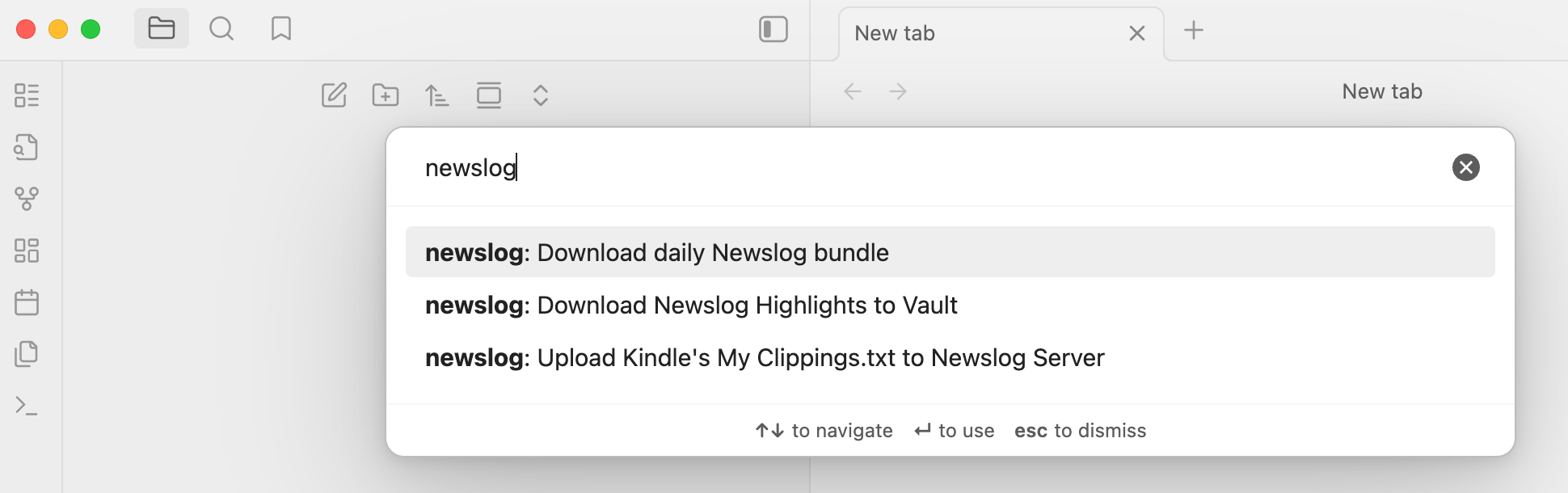
The newslog plugin connects your vault to the newslog service, letting you pull in curated daily digests, full articles and synced Kindle highlights without dealing with scattered emails or multiple reading apps. It fetches Markdown versions of your newsletter bundles, keeps a clean history of what you’ve downloaded and brings in processed highlights after you upload your Kindle clippings. This workflow gives you a simple way to review summaries, store full texts and maintain long-term references.
2. Advanced Ruby
Released on 2025-12-07 by Peter Yanase
The Advanced Ruby plugin focuses on rendering and editing ruby annotations for any type of text, not just East Asian scripts. It interprets the familiar markdown pattern for ruby and converts it to proper HTML tags during reading without altering the underlying note. In the editor, it adds commands to wrap selections in ruby syntax and to switch between markdown and HTML forms, which helps when preparing detailed phonetic or semantic glosses. Its parser is fast, skips code blocks and handles nested markup reliably. Styling can be fine tuned through the Style Settings plugin, allowing multi layer annotation designs.
3. LaTeX Panel Helper
Released on 2025-12-07 by Luster
The LaTeX Helper plugin offers a structured symbol panel designed for users who frequently work with mathematical or scientific notation. It brings a large, category based library of LaTeX symbols into an accessible interface that can sit in the sidebar or float as a pop out window. Searching for symbols is fast and insertion is smooth with the cursor returning to the editor automatically to maintain flow. The panel itself is fully customisable through a JSON configuration letting you extend or reorganise categories as needed. It also adapts its interface language based on your app settings, switching between English and Chinese without manual input.
4. SlashComplete
Released on 2025-12-07 by Spiderpig86
The SlashComplete plugin introduces a Notion style autocomplete that appears the moment you type a slash, offering quick access to Markdown blocks, formatting elements and common commands. It aims to streamline writing by letting you summon headings, lists, quotes and code blocks without breaking flow or reaching for menus. The suggestions are customisable, so you can tune the palette to match your own style of writing. Keyboard navigation keeps the interaction fast and fluid, making it easy to stay focused while drafting long notes or structuring information.
5. Shogi KIF Viewer
Released on 2025-12-04 by Luis8492
The ShogiView plugin lets you replay shogi games directly from KIF formatted records embedded in your notes, turning a simple code block into an interactive board. It parses moves, highlights origins and destinations, updates captured pieces and displays metadata such as event, opening, and elapsed time. Navigation feels smooth through buttons, keyboard shortcuts and autoplay. Complex game lines with branching variations are handled through breadcrumbs, a return to parent control and an expandable tree view that helps you explore alternative paths. Comments attached to moves appear in a dedicated panel, making the note work as both a viewer and a study tool.
6. Dangerous Mode
Released on 2025-12-04 by Vansh Kumar
The Dangerous Mode plugin recreates the behaviour of the Most Dangerous Writing App directly inside a note, forcing continuous writing through a timed session. Once the timer starts, the plugin watches for real text input and if you stop typing for five seconds, it wipes the note’s body while keeping the frontmatter safe. This creates a high pressure writing environment where hesitation has consequences. Visual cues signal rising risk as the idle limit approaches and common editing actions like copy, undo, or drag-drop are blocked to maintain intensity. The session ends cleanly when the timer runs out, provided you kept typing.
7. Hydrate
Released on 2025-12-03 by hydrateagent
The Hydrate plugin turns your vault into an AI-driven thinking companion that helps you work with ideas more fluidly. It lets you chat with your notes, explore relationships between concepts, and run meaning-based searches that go beyond simple keywords. You can generate outlines, summaries, and new content directly from existing material, making it useful for writing, research, and knowledge exploration. The plugin relies on remote AI services for most of its capabilities, and full functionality requires an account and a paid subscription. It also collects anonymous usage analytics and uses proprietary server-side components.
8. Quick Matrix
Released on 2025-12-03 by Charlie Flowe
The LaTeX Matrix Tools plugin adds a single command for faster interactions with matrices in LaTeX
9. Lark Style CountDown Timer
Released on 2025-12-03 by Zhaoyang Yu
The Countdown Timer (Lark Style) plugin adds a live, visually distinct timer block that mirrors the look and feel of Lark countdowns. It drops neatly into any note, updates in real time, and adapts automatically to English or Chinese based on the app language. You can insert timers through a single command, edit the target date or label directly inside the block, and switch colours without breaking your writing flow. Each timer stores its values cleanly in a three line code block, making it easy to tweak manually or duplicate across notes. Global defaults for label, duration and colour let you keep a consistent style while still allowing per note overrides.
10. Vault Encrypt
Released on 2025-12-02 by Pluppen
The Vault Encrypt plugin encrypts every file in your vault and masks its structure to provide strong privacy with minimal manual handling. It replaces filenames with random identifiers, removes folder hierarchies, and pads file sizes so the original layout becomes impossible to infer. Encryption and decryption run through a simple lock icon or command, and the vault stays in its chosen state even after the app closes. Under the hood, it uses AES-256-GCM with PBKDF2 and HKDF, with configurable iteration counts for users who want higher security at the cost of speed.
11. Table Checkbox Renderer
Released on 2025-12-02 by Daniel Aguerrevere
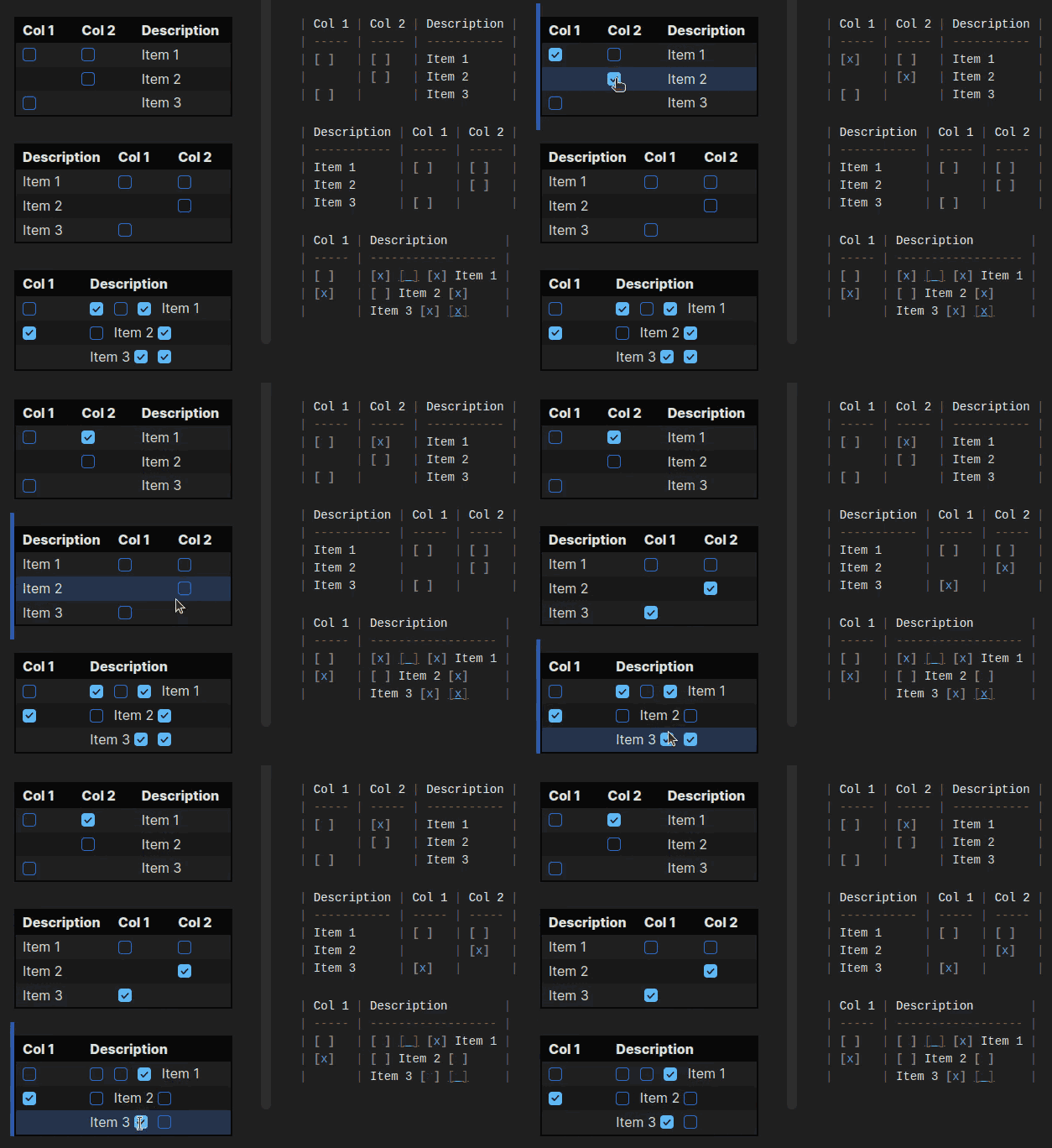
The Table Checkbox Renderer plugin lets you interact with checkboxes placed inside Markdown tables without breaking their structure. When a checkbox is toggled in reading mode, the plugin updates the exact position in the source file so the table stays accurate, even when multiple checkboxes appear in a single cell. It handles complex table layouts by mapping each rendered checkbox to its source counterpart through a global index, ensuring every change lands in the correct place. In editing mode, a CodeMirror extension makes toggling natural while still preserving plain text syntax.
12. SideNote
Released on 2025-12-02 by mofukuru
The SideNote plugin adds a focused way to write and manage comments without mixing them into your main text. It lets you select any portion of a note, attach a comment through a context menu or command and view all annotations in a separate pane that stays aligned with the active file. Each entry in the pane acts as a navigation point, instantly jumping you to the relevant section when clicked. You can edit or delete comments directly from this view and switch sorting modes depending on whether you want the flow of the document or the creation timeline.
13. Checkbox Style Menu
Released on 2025-12-02 by ReticentEclectic
The Checkbox Style Menu plugin introduces a long-press menu that lets you switch between a wide range of checkbox styles without breaking your writing flow. It supports all styles provided by the Minimal and Things themes, and you can curate exactly which ones appear in the menu. On desktop and mobile, the interaction feels natural, with touch friendly behaviour and optional haptic feedback. The menu adapts to your active theme, ensuring visual consistency, and works only in live preview to maintain accurate rendering. Timing for long-press gestures can be tuned separately for each platform, giving you control over how quickly the menu appears.
14. Tag Group Manager
Released on 2025-12-02 by Stargazer-cc
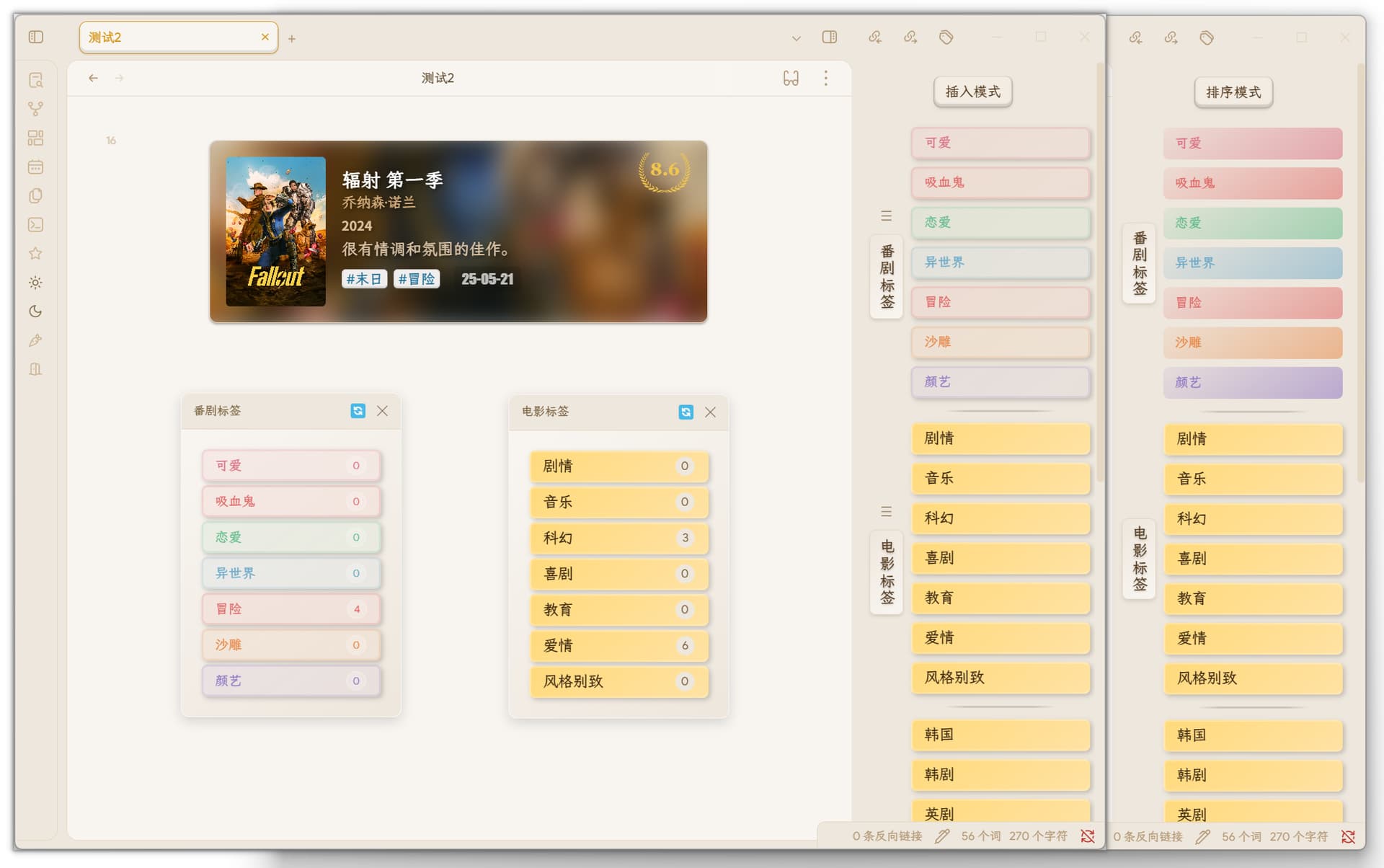
The Tag Group Manager plugin gives you a structured way to organise, browse, and insert tags through custom tag groups and an interactive floating selector. It supports manual and bulk tag additions, filtering from existing tags, and flexible group management, which makes handling large tag collections more manageable. Each group gets its own selector command, allowing quick insertion in YAML or regular text based on context. A dedicated overview view helps you sort groups, rearrange tags, and switch between sorting and insertion modes on the fly. Used tags dim automatically, colour rules can be configured with presets or custom values, and multilingual support adapts the interface based on your app settings.
🔁 Plugin Updates
We got 55 plugin updates in the last one week's time. You can see all the plugin updates on Obsidian Plugin Stats webapp.
Notable Updates
- TaskNotes - v4.1.0 - Changelog
- Task Genius - v9.12.2 - Changelog
- NoteBook Navigator - v1.9.0 - Changelog