README file from
GithubRSS Dashboard
Only the feeds you need. Stream the world's knowledge into your vault: RSS, podcasts, YouTube, and more, all in one dashboard.
Table of Contents
- About
- Community
- Features
- Screenshots
- Roadmap
- Vault Shards Storage Guide
- Tags Guide
- Installation
- Getting Started
- One-Click Subscribe URI
- Keyboard Shortcuts
- Syncing across devices
- Development
- Troubleshooting
- YouTube Embeds and Terms
- Support the Development
- Other Plugins by Me
- License
About
RSS Dashboard is a free, open source community plugin for Obsidian that makes it easy to manage your RSS feeds, YouTube subscriptions, podcasts, and Twitter/X feeds in one place.
- Data is stored locally.
- Content can be saved directly to your vault.
- No ads, no tracking, no paywalls.
Community
Want to help shape the next release? Join the Discord server: https://discord.gg/9bu7V9BBbs
Community highlights:
- Build the manually curated Discover page with one-click subscriptions grouped by category.
- Discuss ideas, questions, and best practices in real time.
- Share sneak peeks of upcoming features and gather early feedback.
Features
Feed and Media Support
| Feature | Description |
|---|---|
| Multi-Format RSS Support | Support for RSS, Atom, XML and JSON feeds with automatic feed discovery and parsing |
| YouTube Integration | Convert YouTube channels to RSS feeds with embedded video playback |
| Podcast Support | Full podcast feed support with an integrated podcast player |
| Twitter/X Support | Convert Twitter/X profile URLs to chronological Nitter RSS feeds automatically |
| Media Detection | Automatic detection of video and podcast content |
Reading and Saving
| Feature | Description |
|---|---|
| Article Reader View | Built-in reader with full article content fetching and Markdown conversion |
| Article Saving | Save articles as Markdown files with customizable templates and frontmatter |
| Custom Templates | Customize saved article output with variable substitution |
| Media Progress | Resume from where you left off in videos and podcasts |
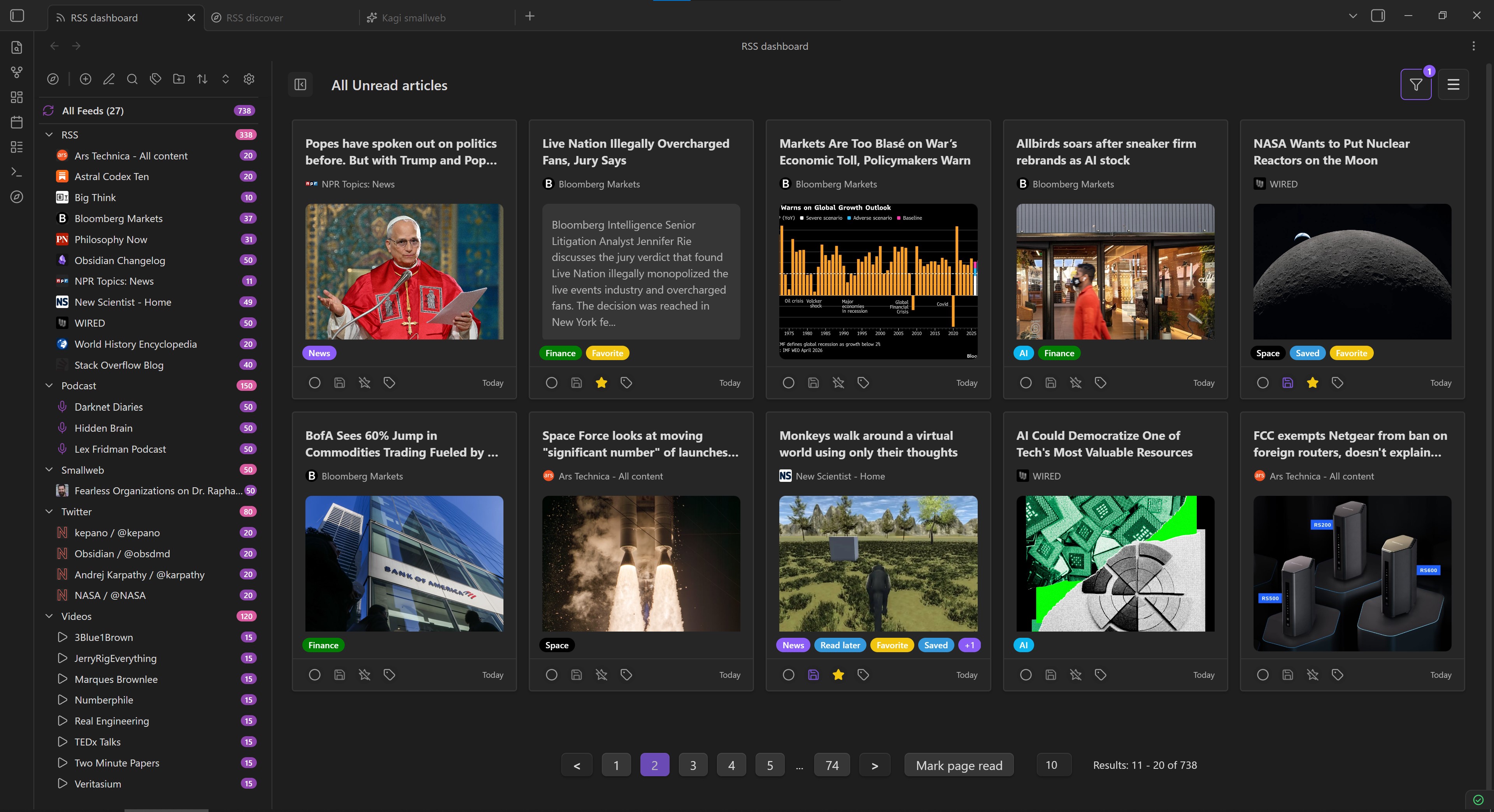
| Pagination | Paginated article lists with configurable page sizes |
| Android/Apple Support | Responsive support for cross-platform mobile devices |
Organization and Workflow
| Feature | Description |
|---|---|
| Folder Organization | Organize feeds into folders and subfolders with hierarchical structure |
| Tag Management | Add custom tags to feeds and articles for better organization |
| Article Filtering | Filter articles by read status, age, starred, saved, and more |
| Article Sorting | Sort articles by newest, oldest, and group by feed, date, or folder |
| Auto-Refresh | Automatic feed refresh with configurable intervals |
| OPML Import/Export | Import and export feed subscriptions in OPML format |
Discovery
| Feature | Description |
|---|---|
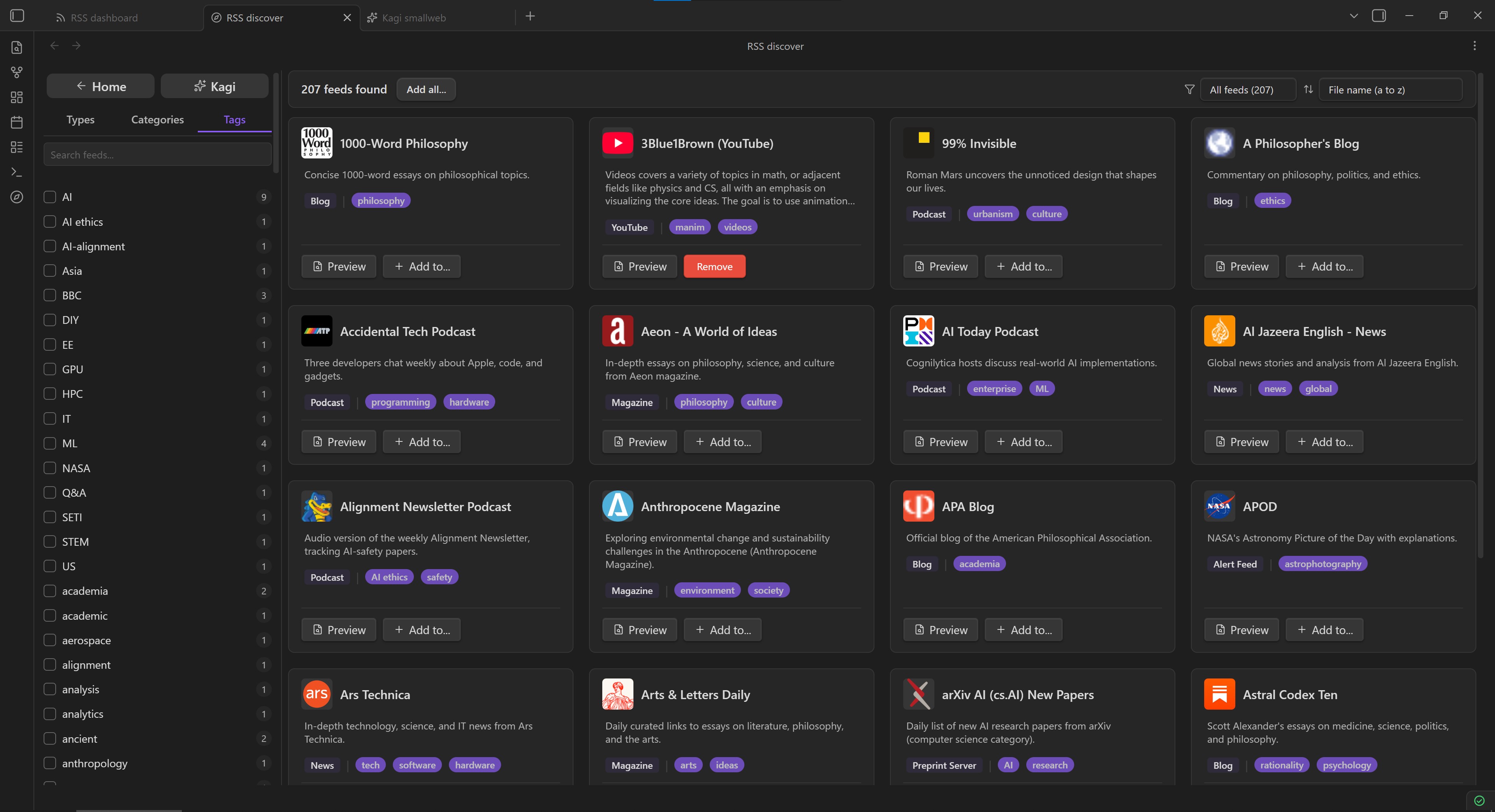
| Discover Page | Curated collection of RSS feeds organized by categories |
| Kagi Smallweb | Browse and subscribe to a curated stream of smaller independent blogs and websites |
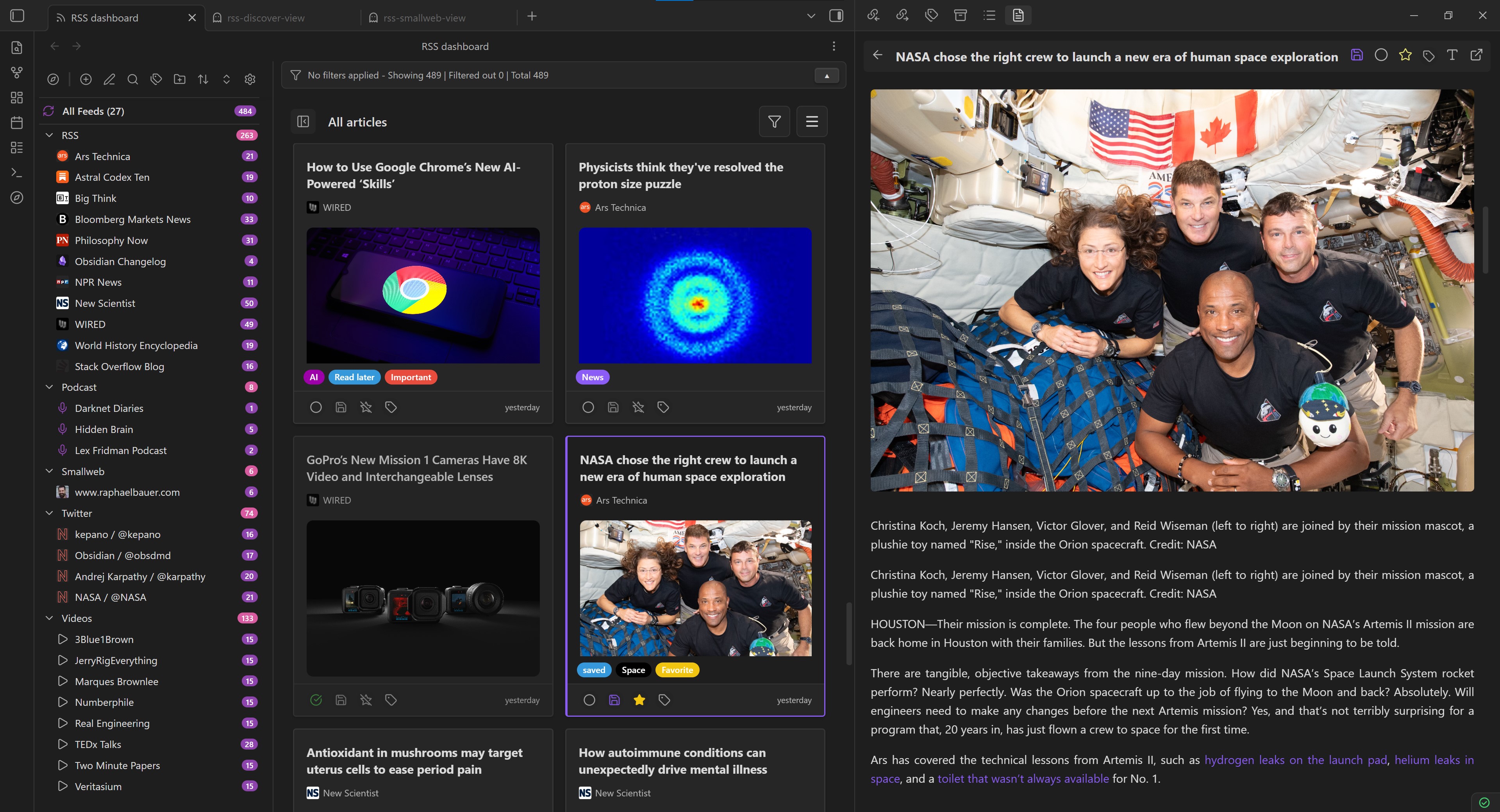
Screenshots


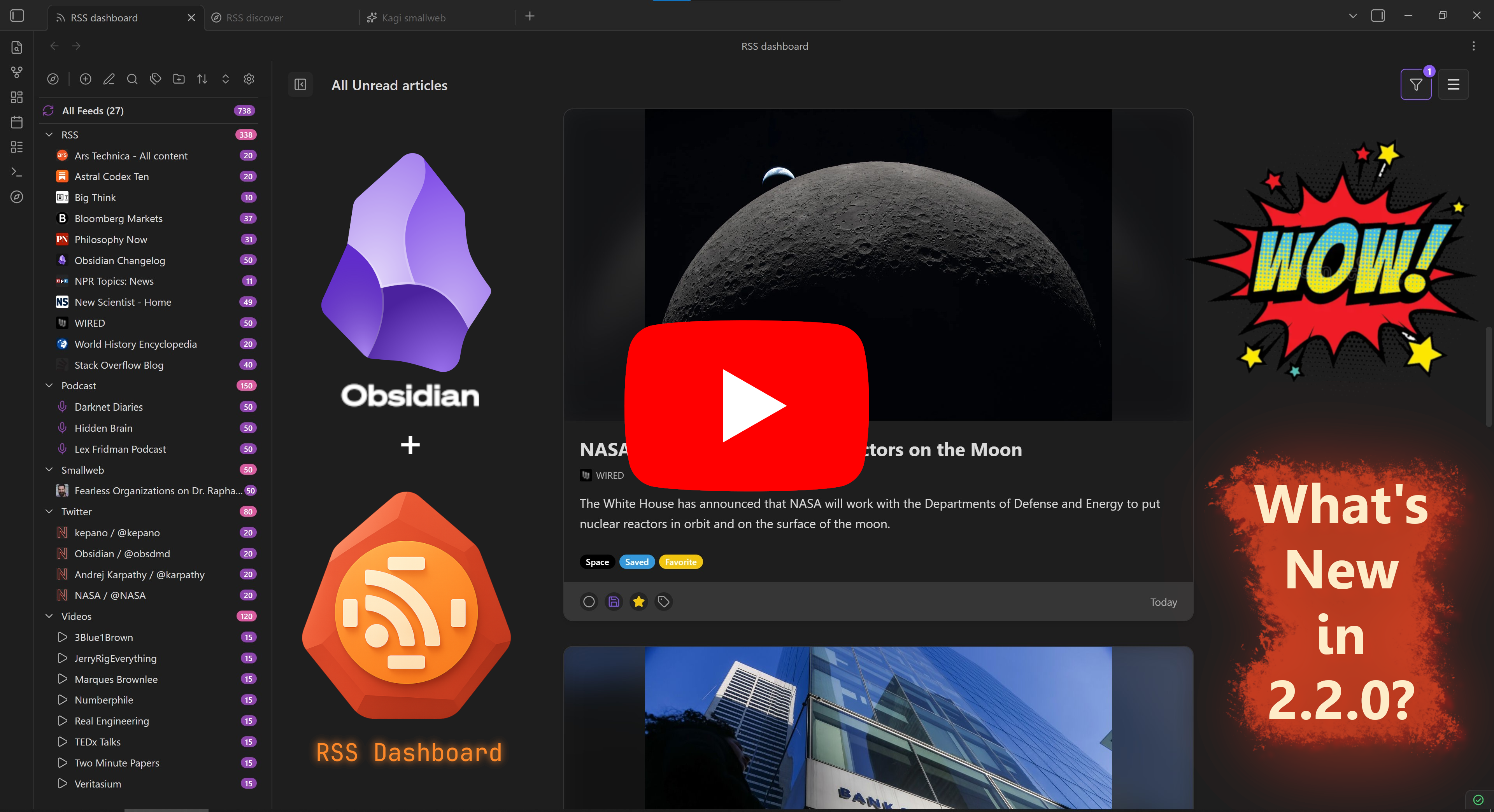
Video Showcase
Roadmap
Looking for upcoming features? The old README planned-features list now lives in docs/plans/public-roadmap.md, along with links to other public-facing plans that have not been implemented yet.
Vault Shards Storage Guide
Using the new Vault Shards storage mode? See the user-facing guide here: docs/storage-vault-shards-guide.md.
Tags Guide
Tags let you label and filter articles the way that works best for you. Automatic tagging is available at three levels: feed-type defaults (Settings), folder rules (right-click a folder → Auto tag feeds in folder...), and per-feed custom tags (Add/Edit feed). For a full walkthrough of precedence, backfill, and filter modes, see docs/tags-primer.md.
Installation
Community Plugins Directory
- Open Settings in Obsidian.
- Go to Community plugins and disable Restricted mode if it is enabled.
- Click Browse.
- Search for RSS Dashboard.
- Click Install, then Enable.
Installing Through BRAT
- Install BRAT from Obsidian's Community Plugins browser.
- Copy the repository URL:
https://github.com/amatya-aditya/obsidian-rss-dashboard - Open the command palette and run
BRAT: Add a beta plugin for testing. - Paste the repository URL into the modal and select the latest version.
- Click Add Plugin and wait for BRAT to finish.
- Open Settings > Community plugins.
- Refresh the plugin list if needed.
- Find RSS Dashboard and enable it.
Manual Installation
- Download the latest release files (
manifest.json,styles.css,main.js) from the Releases page. - Create a folder named
rss-dashboardin your vault's.obsidian/pluginsdirectory. - Copy the downloaded files into that folder.
- Enable the plugin in Settings > Community plugins. You may need to restart Obsidian before it appears.
Getting Started
Adding Your First Feed
- Open the RSS Dashboard view using the ribbon icon or the command palette.
- Click the
+button in the sidebar to add a new feed. - Enter a feed URL or website URL. The plugin will try to auto-discover the feed for you.
- Choose a folder to organize the feed.
- Click Add Feed to subscribe.
Using the Discover Page
- Open the RSS Discover view using the Discover icon or the command palette.
- Browse curated feeds organized by category.
- Use the Kagi Smallweb button at the top of the Discover sidebar to open a curated collection of smaller independent blogs and websites.
- Use filters or search to find content you want to follow.
- Click Add Feed on any feed card to subscribe instantly.
Reading Articles
- Click any article in the dashboard to open it in the reader view.
- Use the built-in reader for a cleaner reading experience.
- Save articles as Markdown files for long-term storage in your vault.
- Use the video player for YouTube content or the audio player for podcasts.
- YouTube embeds use Privacy Enhanced Mode through
youtube-nocookie.com, and each video includes a visible Watch on YouTube link.
One-Click Subscribe URI
RSS Dashboard supports adding feeds directly from external apps and browser extensions through Obsidian's URI protocol handler.
Use this format:
obsidian://rss-dashboard?action=add-feed&url=<encoded-feed-url>
Example:
obsidian://rss-dashboard?action=add-feed&url=https%3A%2F%2Fexample.com%2Frss.xml
Browser-extension mapping example:
- Set your extension's subscribe/open URL target to
obsidian://rss-dashboard?action=add-feed&url=${encodeURIComponent(feedUrl)}(replacefeedUrlwith your extension's feed URL variable).
Notes:
- The
urlquery parameter is required. - Feed URLs must be URL-encoded before being inserted into the URI.
- The URI opens the Add Feed modal with the URL prefilled so you can confirm settings before saving.
Troubleshooting:
Unsupported RSS Dashboard URI action: verifyaction=add-feed.Missing required URL parameter for add-feed.: includeurl=<encoded-feed-url>.URL must start with http:// or https://: pass a valid web feed URL.Feed URL is malformed. Ensure the url parameter is URL-encoded.: encode the feed URL before launching the URI.
Organizing Your Feeds
- Create folders and subfolders to organize your subscriptions.
- Drag and drop feeds and folders to reorder them and build the structure you want more directly.
- Add tags to categorize your content.
- Use the filtering and sorting options to find specific articles quickly.
- Export your feed list as OPML for backup or migration.
Keyboard Shortcuts
To quickly access the keyboard shortcuts help file, press ? (Shift + /) within the app. This will display a comprehensive list of available shortcuts and their functions.
For a preview of the keyboard shortcuts, see Keyboard Shortcuts.
Syncing Across Devices
RSS Dashboard supports Obsidian Sync and some other third-party sync solutions, but requires a specific setup order on new devices to prevent feed data from being overwritten.
Before you begin: folder naming requirements
For sync to work reliably across devices, two naming rules must be followed in General Settings → Storage > Storage Mode as well as Metadata storage > Metadata data.json location:
- No dot prefix on folder names. Folders beginning with
.are hidden by the operating system and ignored by most sync tools. For example, userss-dashboard-datanot.rss-dashboard-data. - Folder names must match exactly across all devices. Your shard storage location and your data folder must use identical names on every device you sync to.
How to set up a new device
Let's assume your desktop PC is your existing device and your phone or tablet is your new device.
- If you already have RSS Dashboard installed on your new device (phone/tablet), disable it there before beginning these steps: (Obsidian settings > Community Plugins > RSS Dashboard > Toggle 'Off').
- If you do not yet have the plugin installed on your new device, install it but do not enable it yet.
⚠️ Important: Enabling the plugin before Obsidian Sync finishes its initial pull will cause it to write empty defaults to disk. Sync will treat this empty file as the authoritative state and propagate it to all your devices, wiping your feeds.
⚠️ Important: Sync will only work on legacy mode if your data.json file is below 5mb. It is highly recommended to use Shard Storage v2 since it is currently the most robust version for data storage.
-
On your existing device (PC): Set up RSS Dashboard with all the feeds, folders, and tags you want to sync.
-
On your existing device (PC): Confirm your storage folder names follow the requirements above (Settings → RSS Dashboard → Storage, as well as Storage → Metadata storage > Metadata data.json location).
-
On your existing device (PC): Open Obsidian Settings → Core Plugins → Sync → Activity Log and wait until it shows today's date and time with the text "Fully synced"
-
On your new device (phone/tablet): Open Obsidian and check the same Sync Activity Log. Wait until it shows today's date and time with the text "Fully synced". Close the sync window.
-
On your new device (phone/tablet): Enable the RSS Dashboard plugin. Your data should now be synced.
⚠️ Important: If feeds do not appear after enabling, disable the plugin, wait two minutes, and re-enable it. If the issue persists, see [Troubleshooting] or open an issue.
- On your new device (phone/tablet): Verify that the storage folder paths match your existing device's (PC) folder structure exactly. These settings sync automatically, but a mismatch here will cause future sync issues.
If you've already hit this issue, disable the plugin on the affected device, wait for "Fully synced", then re-enable it.
Why this happens
Obsidian Sync has no public API to signal when a sync is in progress. On a clean install, if the plugin loads before your data has arrived from the server, it falls back to empty defaults and immediately writes them to disk — giving Sync a newer timestamp to treat as authoritative.
Ongoing sync reliability
To ensure minor changes (feed reorders, tag edits, folder renames) are always detected by Obsidian Sync, the plugin appends a variable-length sync nonce to every write. This guarantees the file size changes on each save, which Obsidian Sync uses alongside modification time to detect changes.
Development
Before opening a PR, read the contributor policy in CONTRIBUTING.MD, especially the Compliance Declarations (Audit Guardrails) section.
For implementation examples and approved patterns used in recent compliance passes, see docs/development/compliance-patterns.md.
Local Setup
This repo targets Node 22 for local development and CI. Both .nvmrc and .node-version are pinned to 22.
If you use nvm, run:
nvm use
npm ci
Local Development
Use the development build while making changes locally:
nvm use
npm ci
npm run dev
Local CI-Equivalent Commands
Run the same install and unit test flow used in GitHub Actions:
nvm use
npm ci
npm run test:unit -- --coverage
Test Baseline: 177 test files, 1530 passing tests. See testing-guide.md for details.
Production Build
To mirror the release workflow build step locally:
nvm use
npm ci
npm run build
Troubleshooting
Common Issues
Feed not loading
- Check that the feed URL is correct.
- Try refreshing the feed manually.
- Some feeds require authentication.
YouTube feeds not working
- Make sure you are using a valid YouTube channel, user, or playlist URL.
- Try using the channel ID instead of a custom URL.
- Some channels have disabled RSS feeds.
- YouTube feed retrieval is currently limited, and only about 15 YouTube feeds can usually be fetched at a time.
- Embedded playback uses
youtube-nocookie.comwith a strict referrer policy to satisfy current YouTube embed requirements.
Podcast audio not playing
- Check that the audio URL is accessible.
- Some podcasts require authentication.
- Try opening the audio URL in a browser.
Getting Help
If you run into an issue or have a suggestion:
- Create an issue on GitHub
- Join the Discord community
- Check existing issues for known fixes and workarounds
YouTube Embeds and Terms
RSS Dashboard resolves YouTube feed items to a canonical videoId, renders the embedded player through Privacy Enhanced Mode (https://www.youtube-nocookie.com/embed/...), and provides a standard Watch on YouTube link that opens the original video in your browser or native YouTube app.
The plugin does not add YouTube download features, background audio-only playback, or ad-blocking behavior around the embedded player.
YouTube embeds and API usage are subject to:
Support the Development
If you find this plugin useful, consider supporting its long-term development:
- Buy me a coffee: https://www.buymeacoffee.com/amatya_aditya
- Ko-fi: https://ko-fi.com/Y8Y41FV4WI
Other Plugins by Me
License
This project is licensed under the MIT License. See LICENSE for details.