
README file from
Github📓 Synkk Sketch Book



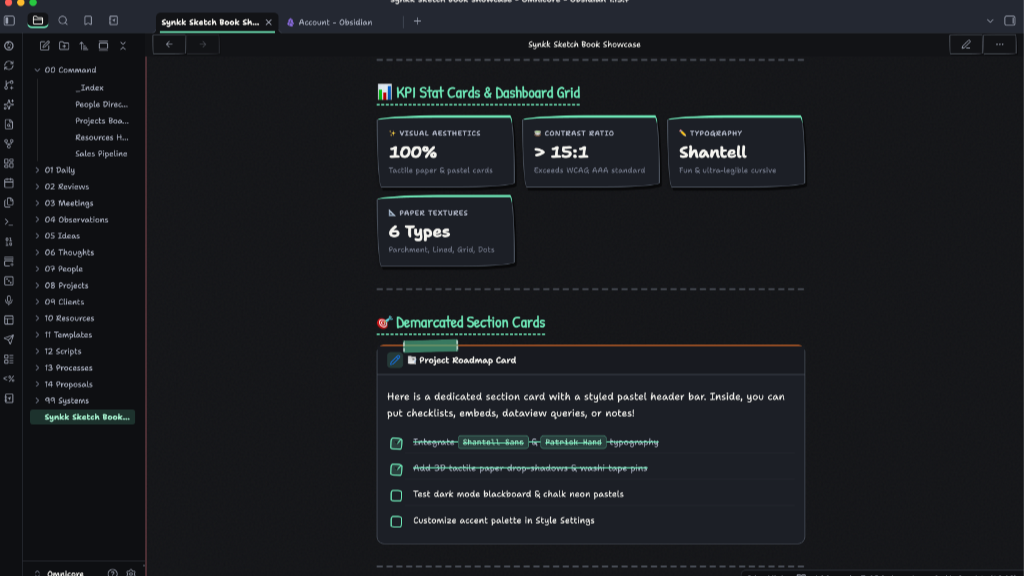
A tactile, aesthetic pastel sketchbook theme for Obsidian featuring deep paper textures, an off-white stained background, rich Japanese stationery pastel palettes, fun visual cards, and switchable Handwritten Sketch vs Clean & Professional modes.
Designed for maximum legibility, high contrast (> 15:1 WCAG AAA), and tactile creative warmth.
📸 Screenshots & Visual Tour
1. 📊 KPI Stat Cards & Demarcated Section Cards
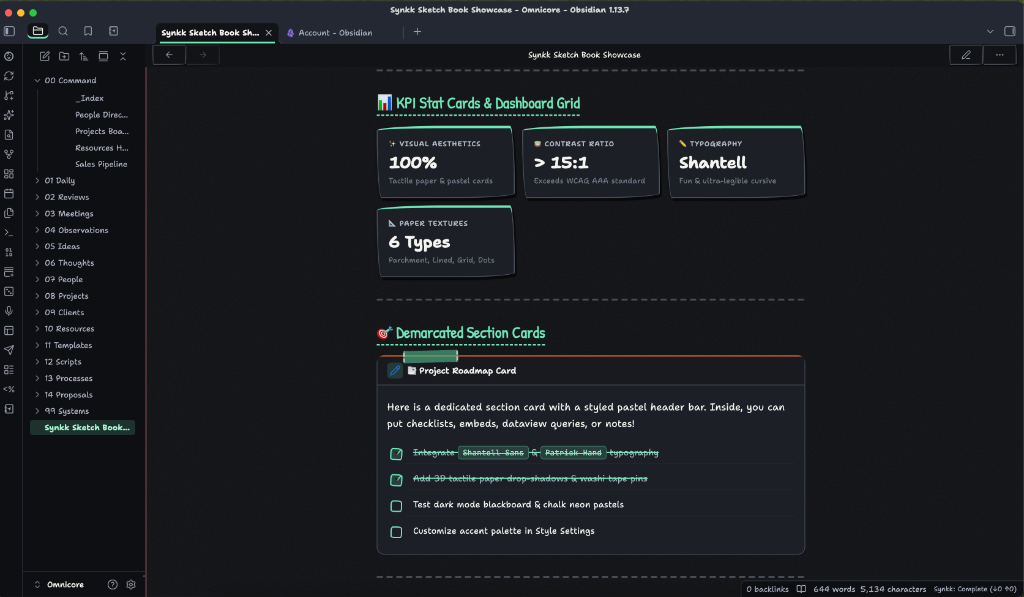
2. 📑 High-Contrast Tables & Project Milestones (Dark Mode)
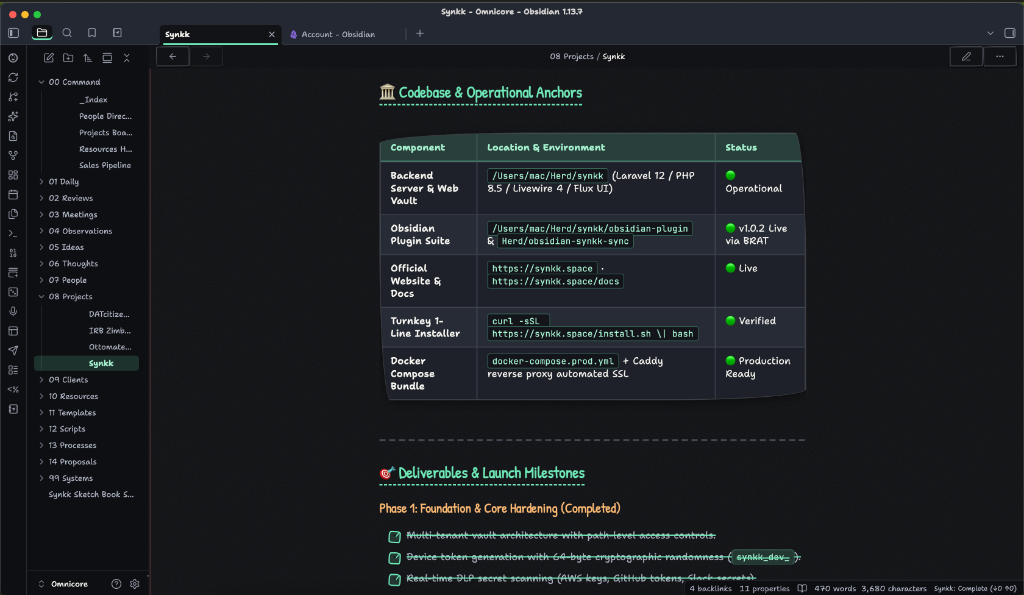
3. 🗓️ Habit Tracker Tables & Developer Index Cards
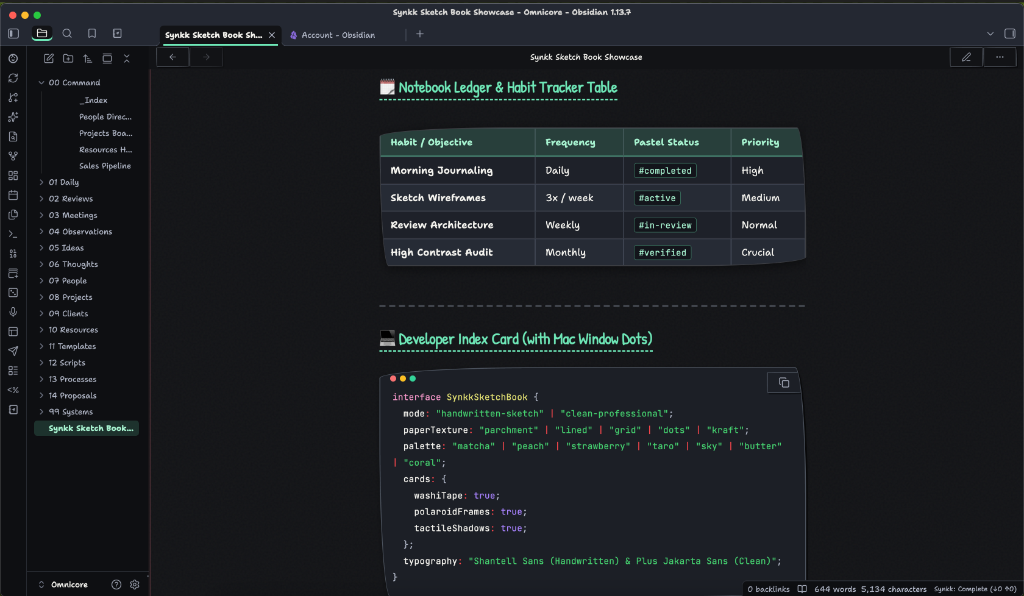
4. 🗂️ Project Properties & Stationery Cards
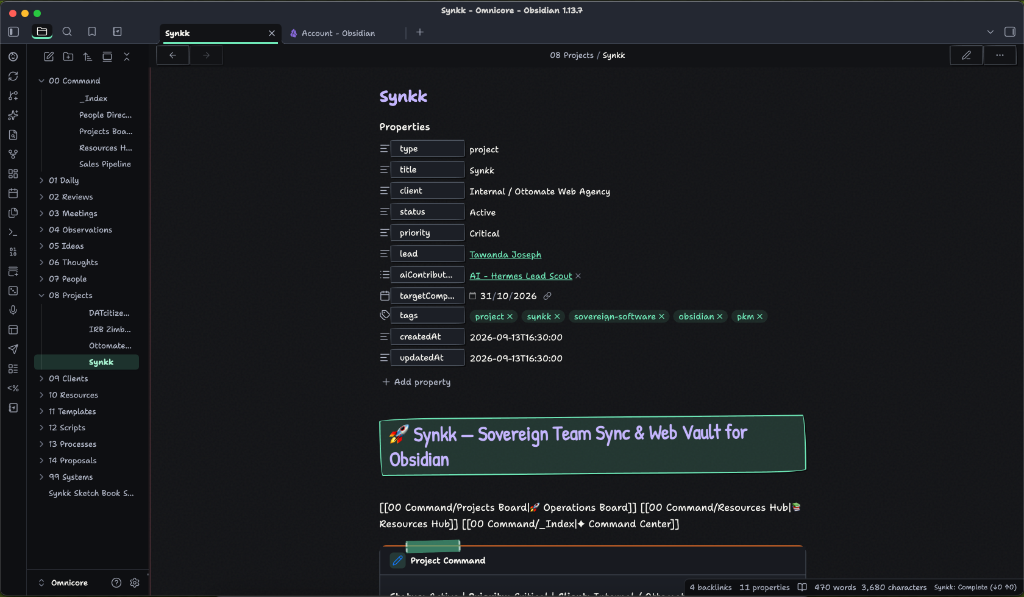
5. 🖍️ Pastel Headings, Chisel Markers & Doodle Checkboxes
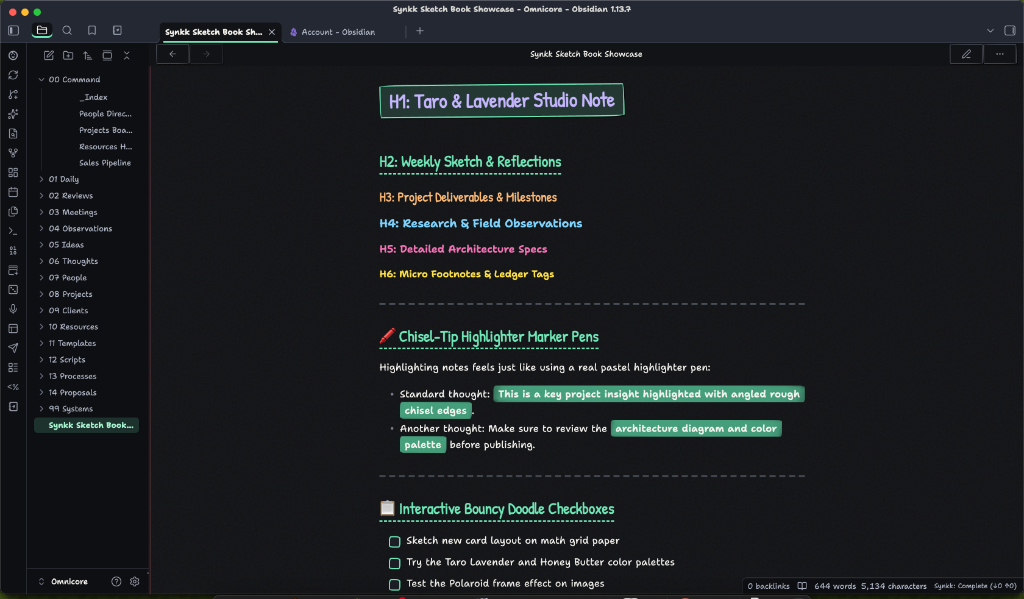
✨ Key Features
1. 🎨 Two Switchable Aesthetic Modes
Switch seamlessly in Settings → Style Settings → Style & Mode:
- ✏️ Handwritten Sketch Mode (Default):
- Purpose-built playful and ultra-legible typography: Shantell Sans and Patrick Hand (with local
Chalkboard SEandNoteworthyfallbacks). - Tactile washi tape clips holding cards and sticky notes.
- Organic wobbly sketch borders and hand-drawn doodle accents.
- Interactive bouncy doodle checkboxes with custom
✓marks.
- Purpose-built playful and ultra-legible typography: Shantell Sans and Patrick Hand (with local
- 💼 Clean & Professional Mode:
- Contemporary editorial typography: Plus Jakarta Sans and Apple's SF Pro.
- Sharp modern geometry, clean minimal cards, and crisp borders.
- Ideal for client presentations, research papers, and corporate documentation.
2. 📜 Deep Offline Paper Textures
- 📜 Off-White Stained Paper (Default): Antique warm tea-washed cotton canvas with gentle watercolor paper stains.
- 📏 Ruled Lined Notebook: Classic notebook horizontal lines with a soft pastel red margin rule on the left.
- 📐 Dual-Level Engineering Grid: Math/graph paper with micro-grid and bold primary 5th-line accents.
- ⠸ Bullet Dot Grid: Tactile 22px isometric dot matrix.
- 📦 Warm Kraft Paper: Organic craft paper tone with fiber depth.
- 📄 Smooth Fine Paper: Texture-free clean matte paper.
- 🌑 Dark Mode Blackboard: Deep slate graphite paper with subtle chalk dust.
- 100% offline — zero external image downloads or network dependencies.
3. 🍵 Japanese & Korean Pastel Stationery Palettes
- Light Mode ("Warm Archival Paper"):
- Off-white stained canvas (
#faf7f0) paired with deep walnut sumi ink (#1d1a18) guaranteeing > 15:1 contrast (exceeds WCAG AAA).
- Off-white stained canvas (
- Dark Mode ("Charcoal & Blackboard"):
- Deep slate paper (
#121316) with chalk white text (#f5f4ef) guaranteeing > 15:1 contrast. - High-Contrast Tables: Perfectly balanced dark slate rows (
#1e2129odd,#262b35even) with razor-sharp chalk white text across every row.
- Deep slate paper (
- 7 Vibrant Pastel Presets:
- 🍵 Pastel Matcha & Mint
- 🍑 Pastel Peach & Apricot
- 🍓 Pastel Strawberry & Rose
- 🪻 Pastel Taro & Lavender
- 🫧 Pastel Sky & Periwinkle
- 🧈 Pastel Honey & Butter
- 🪸 Pastel Coral & Melon
- (Plus Custom Color Picker override in Style Settings)
4. 🗂️ Rich Visual Stationery Cards
- Washi Tape Sticky Notes: Callouts (
> [!note],> [!tip],> [!warning], etc.) render as physical sticky notes with translucent patterned washi tape, dashed torn edges, and 3D paper drop-shadows. - Polaroid Photo Cards: Embedded images display inside Polaroid frames with photo borders, shadows, and top washi tape clips.
- Developer Index Cards: Code blocks feature Mac window pastel dots (🔴 🟡 🟢) in the top titlebar.
- Habit Tracker Tables: Bullet journal planner tables with rounded corners and alternating rows.
- Stationery Stickers & Chips: Tags (
#tag) and action chips styled as cute stationery sticker labels.
🚀 Installation
Option 1: Community Themes (Recommended once approved)
- Open Obsidian Settings (
Cmd + ,orCtrl + ,). - Navigate to Appearance → Themes → Manage.
- Search for Synkk Sketch Book and click Install and use.
Option 2: Via BRAT (Beta Reviewers Auto-update Tester)
- Install the BRAT community plugin in Obsidian.
- In BRAT settings, click Add Theme for testing.
- Enter
tawandajosephmutsena/synkk-sketch-book. - Enable the theme under Appearance → Themes.
Option 3: Manual Installation
- Download
manifest.jsonandtheme.cssfrom the latest Release. - Inside your Obsidian vault, navigate to
.obsidian/themes/. - Create a folder named
Synkk Sketch Book/and placemanifest.jsonandtheme.cssinside it. - In Obsidian, go to Settings → Appearance → Themes and select Synkk Sketch Book.
⚙️ Customization with Style Settings
This theme is fully integrated with the Style Settings plugin:
- Install and enable the Style Settings community plugin.
- Open Obsidian Settings → Style Settings → Synkk Sketch Book.
- Customize:
- Aesthetic Mode: Handwritten Sketch vs Clean & Professional
- Paper Texture: Stained Paper, Ruled Lines, Engineering Grid, Dot Grid, Kraft
- Texture Depth: Slider from subtle to bold
- Pastel Palette: 7 presets or custom color picker
- Highlighter Style: Chisel marker pen, wavy underline, or solid block
- Typography & Line Heights: Custom font overrides and spacing controls
📄 License
This theme is open-source under the MIT License.