
README file from
GithubMaterial 3 Obsidian theme
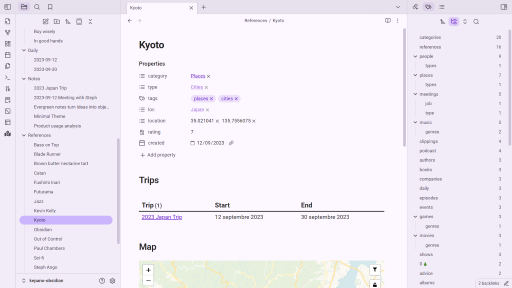
This repository hosts a Material 3 theme for the Obsidian note-taking tool.
Due to limitations, this theme does not support dynamic color on Android. Therefore, the color schemes of this theme were generated based on Obsidian's brand colors.
Manual installation
- Download
manifest.jsonandtheme.cssfor the latest release. - Using your system's file explorer, create the directory
.obsidian/themes/Material 3at the root of your vault. - Paste
manifest.jsonandtheme.cssin this directory. - In Obsidian, select "Material 3" in the list of installed themes.