
README file from
GithubMerry Christmas 🎄
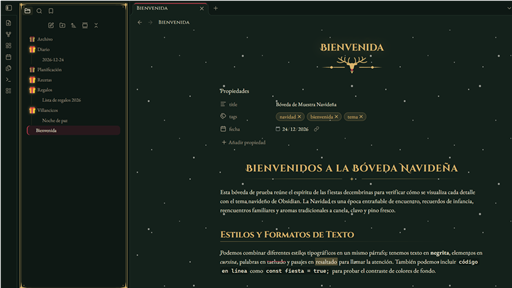
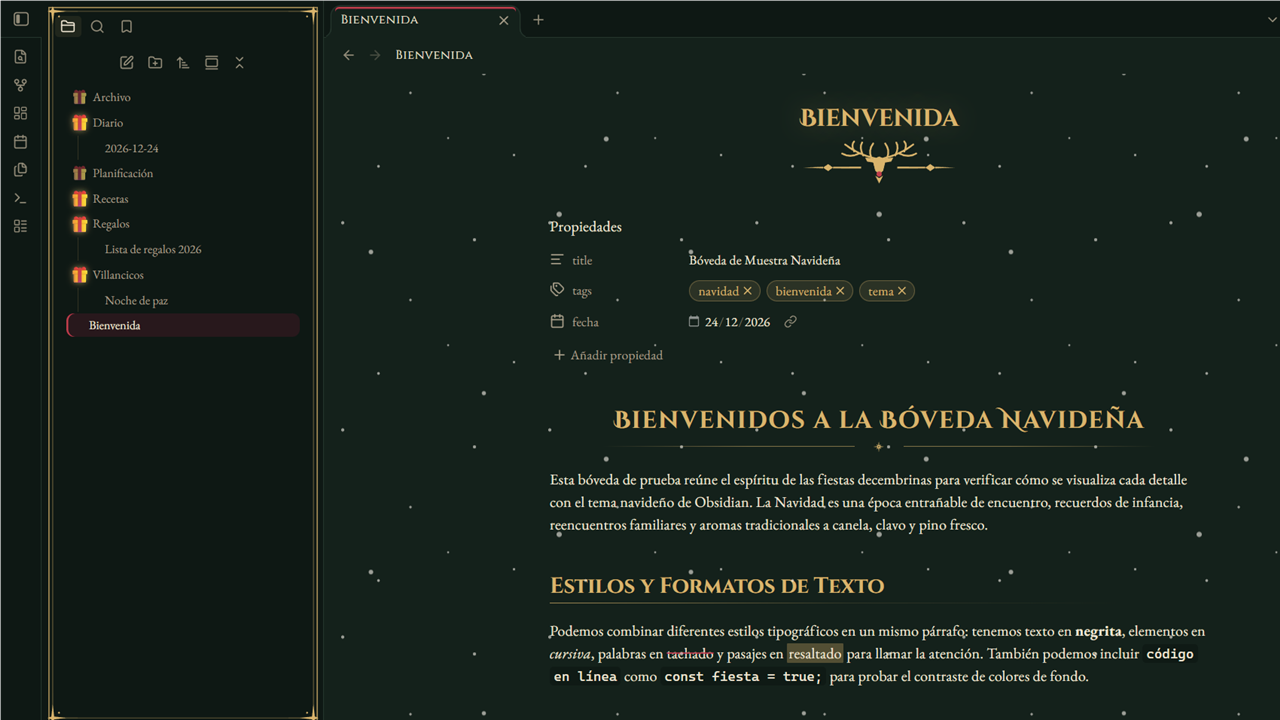
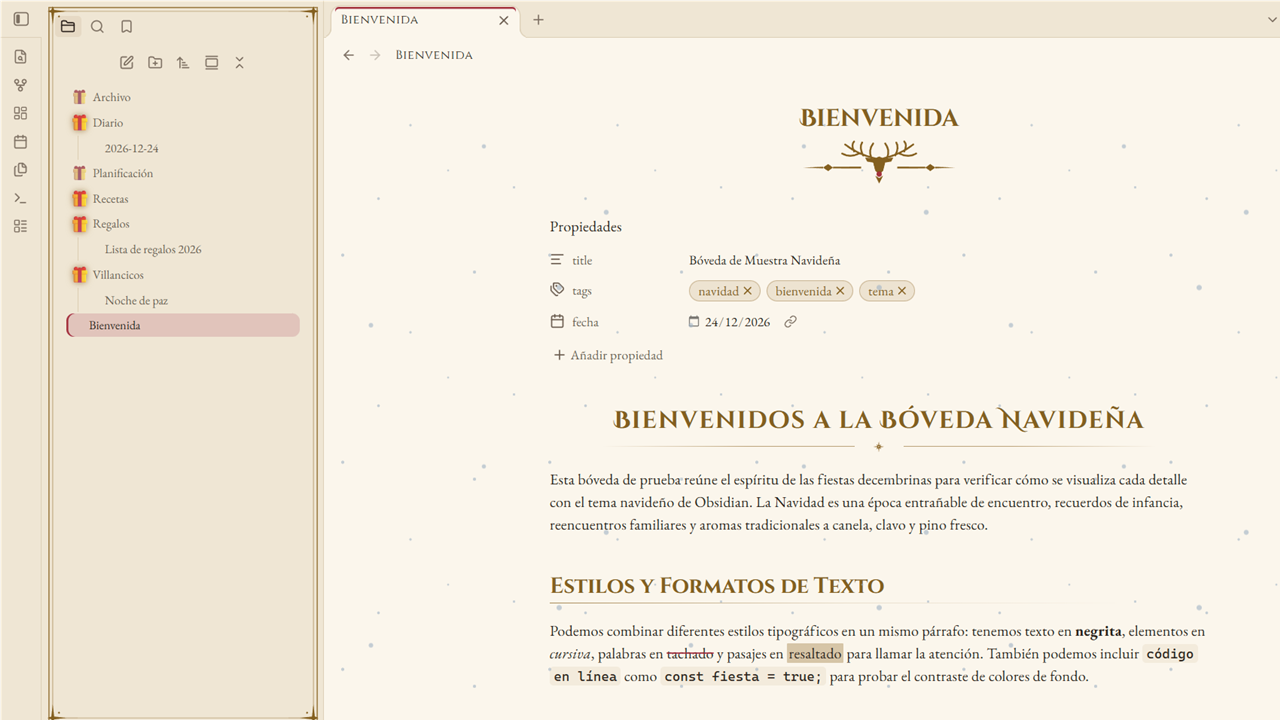
A cozy Christmas theme for Obsidian: a pine forest by night with cranberry and gold, and a Christmas-letter cream by day. Classic serif typography, golden ornaments, a reindeer under every note title, gifts instead of folder arrows and gently falling snow.
Features
- Dark and light modes — Christmas Eve by the fire (pine, cranberry, gold) and Letter to Santa (warm cream paper, ink brown). Text contrast meets WCAG AA in both.
- Typography — EB Garamond for reading, Cinzel for headings and Cinzel Decorative for the note title and H1, all embedded (no network requests). Optional playful Mountains of Christmas titles.
- Ornaments — a golden reindeer with a red nose under each note title, a gold rule with a star under H1 and on dividers, cranberry lozenges on H3, stars on checked tasks.
- File explorer — a 🎁 replaces the folder arrow (dimmed when closed, glowing when open), or a reindeer that stands up when the folder opens.
- Falling snow over your notes; it never catches clicks and hides itself when your system asks to reduce motion.
- Golden frames — a double gold line with star corners around the sidebar panels and dialogs.
- New tab with the reindeer emblem.
Settings
Install the Style Settings plugin to tweak the theme:
| Option | Default |
|---|---|
| Disable falling snow / snow intensity | Snow on, 60 % |
| Folder toggle: gift 🎁, reindeer or native arrow | Gift |
| Emblem under the note title: reindeer, holly or none | Reindeer |
| Festive emojis on headings (🎄 H1, ⭐ H2, 🎁 H3) | Off |
| Disable heading and divider ornaments | Off |
| Disable golden frames | Off |
| Playful Christmas font for titles | Off |
| Gold, cranberry and holly colors | Theme palette |
The accent color (buttons, links, selection) follows Settings → Appearance → Accent color.
Installation
- From Obsidian: Settings → Appearance → Themes → Manage → search for Merry Christmas → Install and use.
- Manually: download
manifest.jsonandtheme.cssfrom the latest release into<your vault>/.obsidian/themes/Merry Christmas/, then pick the theme in Settings → Appearance.
Development
theme.css is generated: edit src/theme.src.css and the SVGs in src/ornaments/, then run:
npm install
node build.mjs          # builds theme.css with fonts and ornaments embedded as base64
npm run lint            # Obsidian's official stylelint rules
node tools/contraste.mjs  # checks the palette contrast
Español
Tema navideño para Obsidian, claro y oscuro: bosque de pino de noche con arándano y oro, y papel crema de carta a Santa de día. Tipografía con serifa, adornos dorados, un reno bajo el título de cada nota, regalos 🎁 en lugar de las flechas de las carpetas y nieve que cae suavemente. Las opciones se ajustan con el plugin Style Settings.
Credits
Made by Mack Chirinos. The note layout is inspired by Nox Aeterna by white0dry. Font licenses are listed in THIRD-PARTY-NOTICES.md.