
README file from
GithubMounty
A calm, colourful Obsidian theme for writing and connected thinking. Dark and light palettes, Geist prose, Space Mono headings and code, and a small, meaningful graph palette keep the native workspace familiar.
One principle: theme first, optional behaviour second
Mounty is the theme. Mounty-tool is the optional plugin.
- Mounty owns appearance that a CSS theme can provide: colours, typography, spacing, readable width, formatting and graph styling.
- Mounty-tool owns additional behaviour a theme alone cannot provide: manual graph-category assignment and configurable colour rules, commands/toggles, saved writing preferences and focused-cursor typewriter scrolling. Zen is one writing feature inside the tool.
- The plugin's supporting CSS belongs to those optional behaviours; it does not replace the theme or make basic appearance depend on a plugin.
Mounty works on its own. Installing the theme never installs or enables a plugin. Omarchy remains a supported community alias: at matching releases its CSS is byte-identical, so switching names is optional.
See it in Obsidian
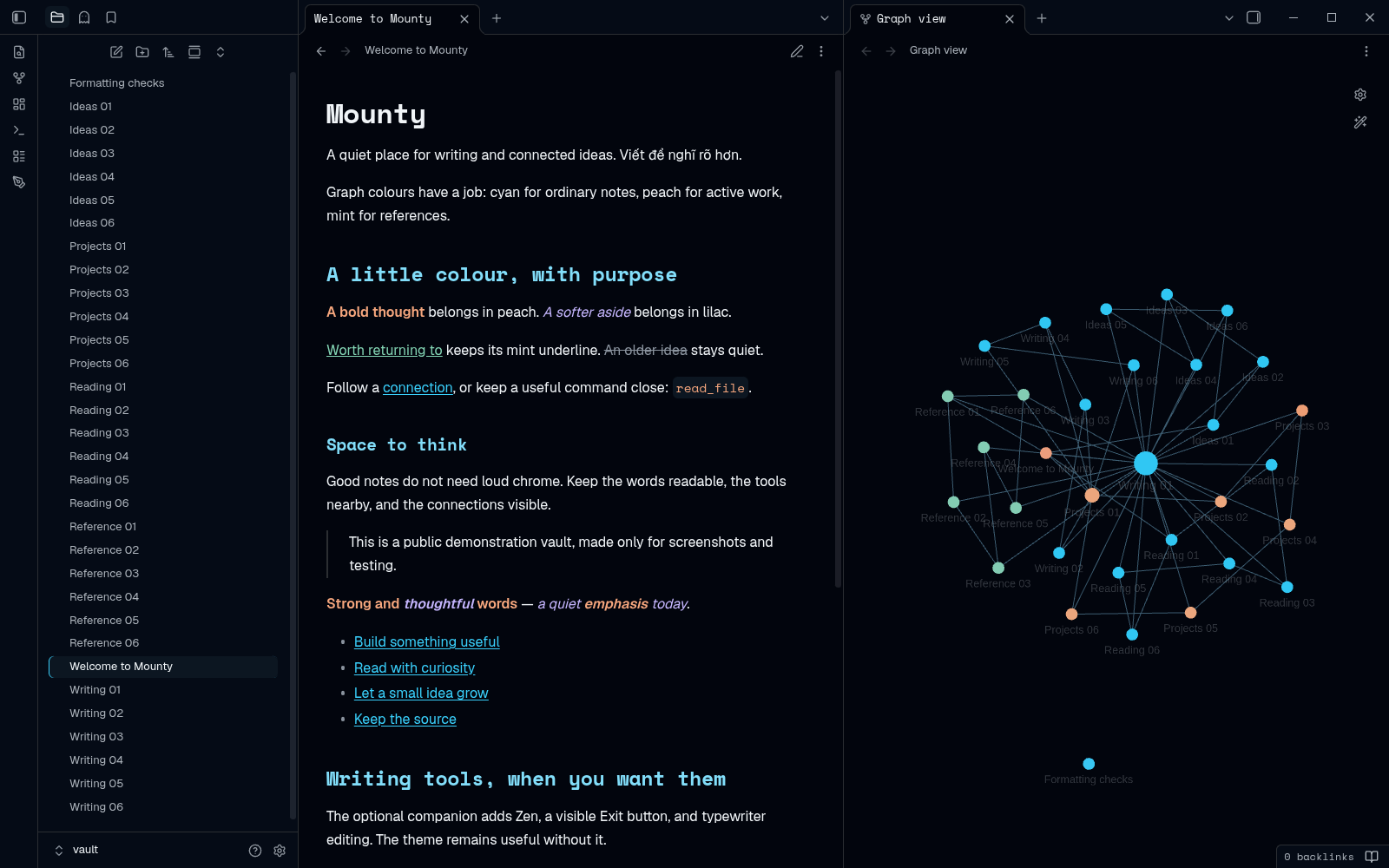
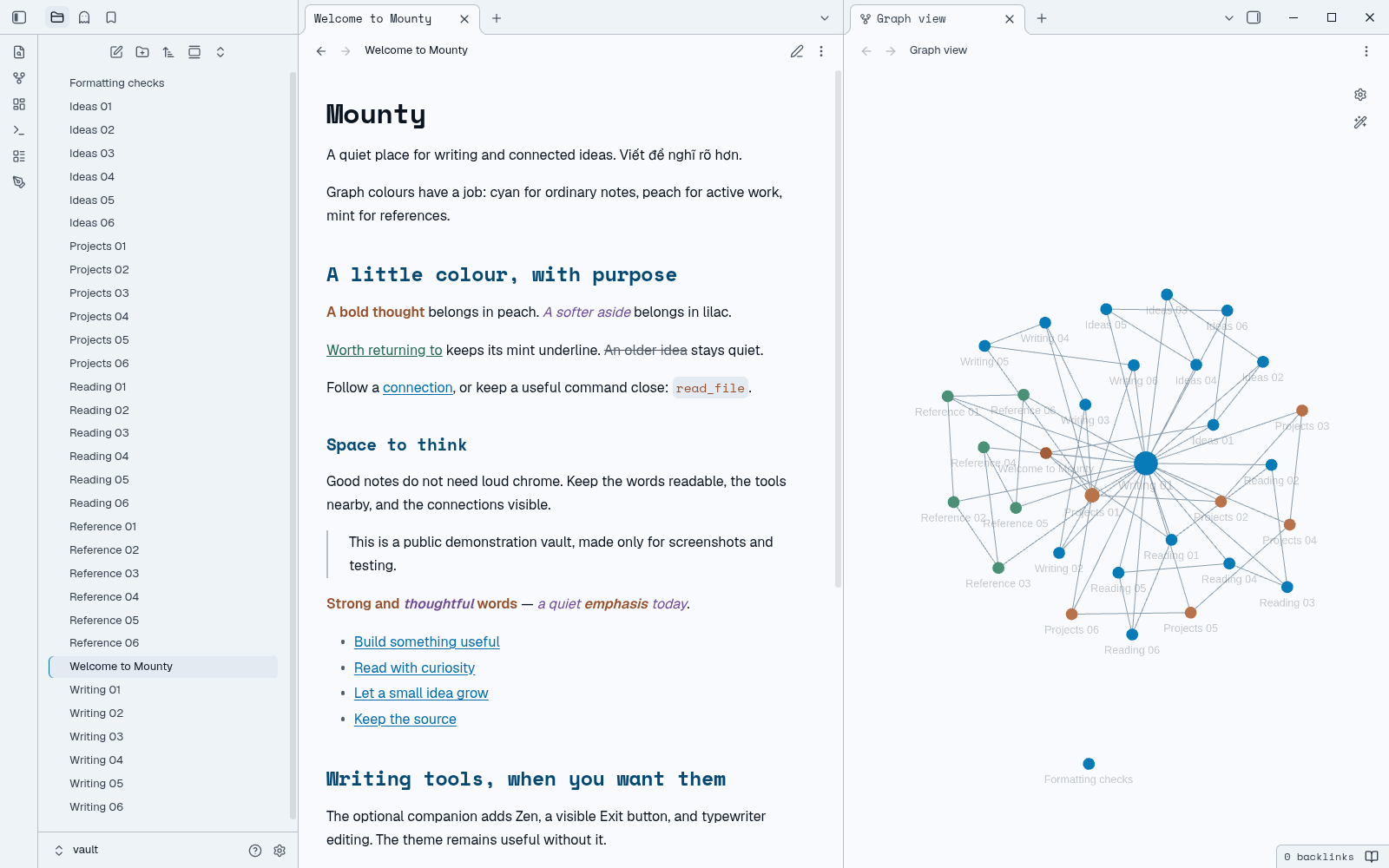
These are real retained Obsidian desktop captures of the unchanged design, not mockups or fresh tests of this repository publication. All notes are synthetic. Graph Groups were configured manually; CSS does not classify notes or create Groups.
A little colour with a purpose
- Geist prose; Space Mono headings and code. Original Latin/Vietnamese fonts are embedded for offline use, with their OFL notices. Explicit user font overrides still apply.
- Selected emphasis: peach bold and inline code, lilac italic, mint underline, slate strikethrough and cyan links. Fenced code and heading/link semantics remain separate.
- Comfortable reading: neutral dark/light surfaces, preferred text-size scaling, about 68ch readable width and 1.7 leading, without replacing Obsidian's native layout.
- A rule-based graph: ordinary notes cyan; optional active/reference Groups are one example, not a fixed taxonomy. Mounty-tool can instead assign one
mounty-graphcategory per chosen note and explicitly apply user-chosen colours. Follow the graph colour principles; the CSS theme never creates tags, properties, Groups or physics changes.
Install Mounty 1.7.1
Source: https://github.com/sonlndv/Mounty . Release files: https://github.com/sonlndv/Mounty/releases/tag/1.7.1 .
Community submissions are planned, not submitted or approved. Until Obsidian publishes the new listing, use the manual route or keep the equal Omarchy community installation. Only use community search for Mounty after actual approval.
For a manual installation, place theme.css, manifest.json, OFL-Geist.txt, OFL-SpaceMono.txt and LICENSE directly under <vault>/.obsidian/themes/Mounty/, then select Mounty in Settings → Appearance. The manifest and folder names must match. Keep the existing Omarchy theme alongside as a fallback; do not rename only its manifest or reset preferences.
Changing names is optional. See the Omarchy-to-Mounty guide. For optional graph-category and writing functions, install Mounty-tool separately. It has its own update/release cycle; the theme remains useful without it.
Privacy, compatibility and rollback
Mounty is CSS, not an executable plugin. All fonts are embedded; it loads no network assets, telemetry or dependency installer and does not require a runtime account. No notes, graph configuration, other plugin settings, hotkeys or layout are rewritten.
A legacy desktop Omarchy hook can reselect Omarchy, which provides the same design. Optional desktop-colour integration requires separate reviewed setup; no hook or shell command is installed/executed by this theme. See the migration guide before changing an existing hook.
Retained native QA used Obsidian 1.14.5. Physical mobile/IME, detached windows and remote sync are not certified; declared minimum 1.0.0 is inherited, not freshly tested. For rollback, select the retained old theme and restore only your backed-up files, preserving notes, Groups, layout and preferences.
Source and licences
theme.css is directly loadable, unobfuscated CSS source; this repository needs no build or dependency installation. The shared generator remains in the original repository, keeping the Omarchy and Mounty distributions equal at matching releases.
Original author: Le Son. MIT LICENSE, with the full Geist and Space Mono copyright/OFL notices retained and also embedded in CSS. Release tag 1.7.1 matches the root manifest; its raw assets are manifest.json and theme.css.
See listing copy and official-submission steps. GitHub publication is not Obsidian directory approval or proof that a particular vault has activated the theme.