

README file from
GithubScreenshots
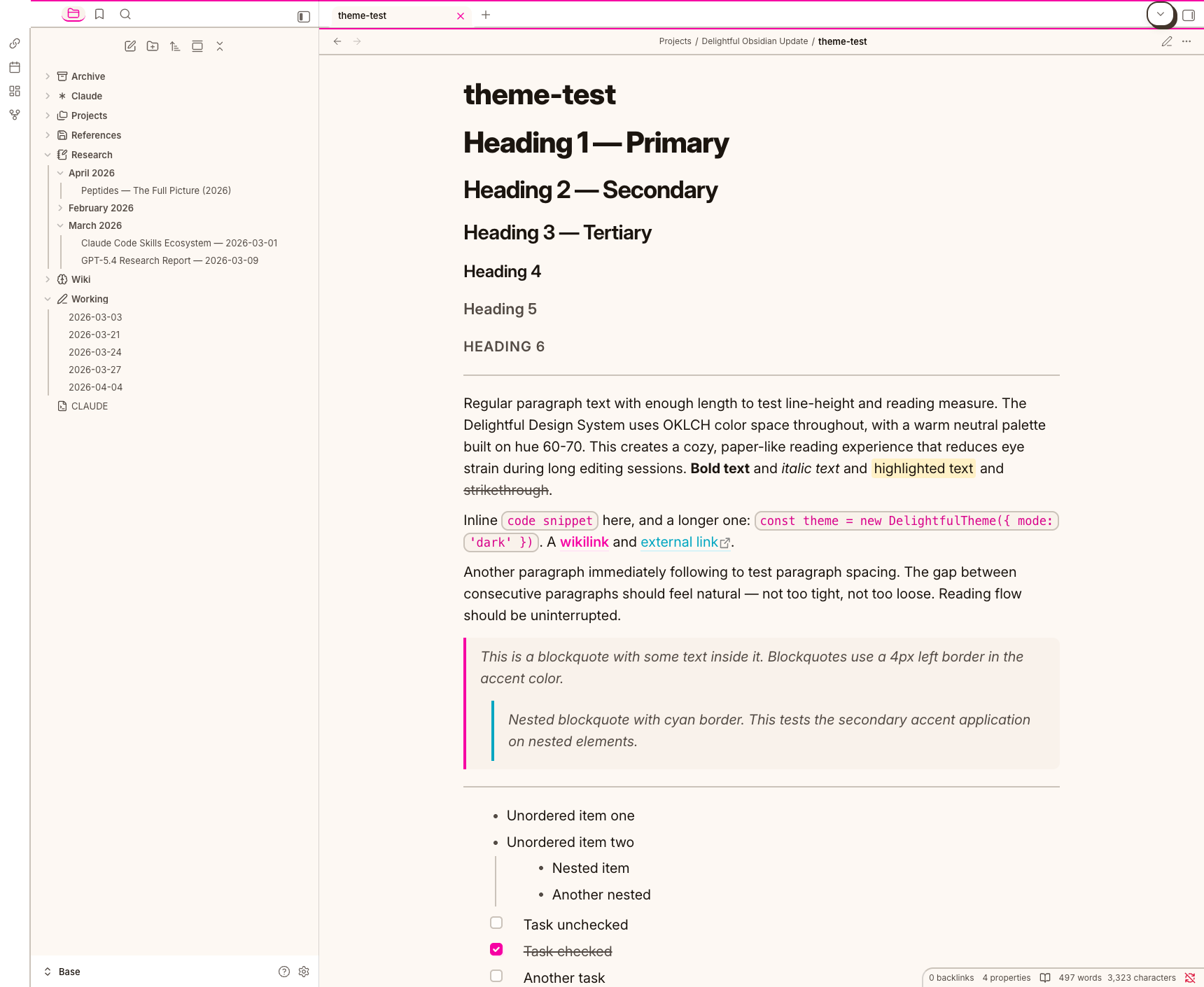
Light Mode
 |
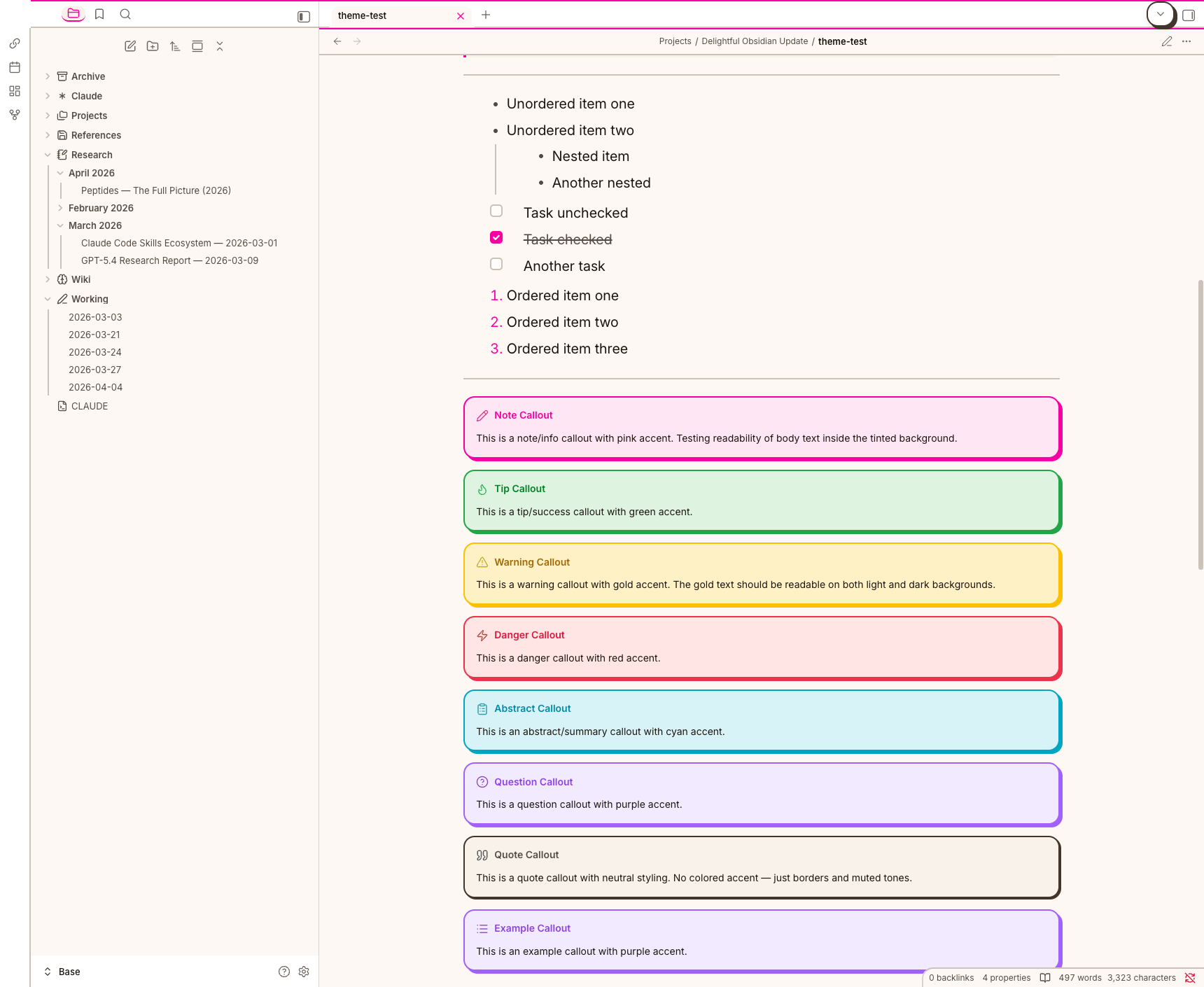 |
| Warm paper tones | 8 color-coded callout types |
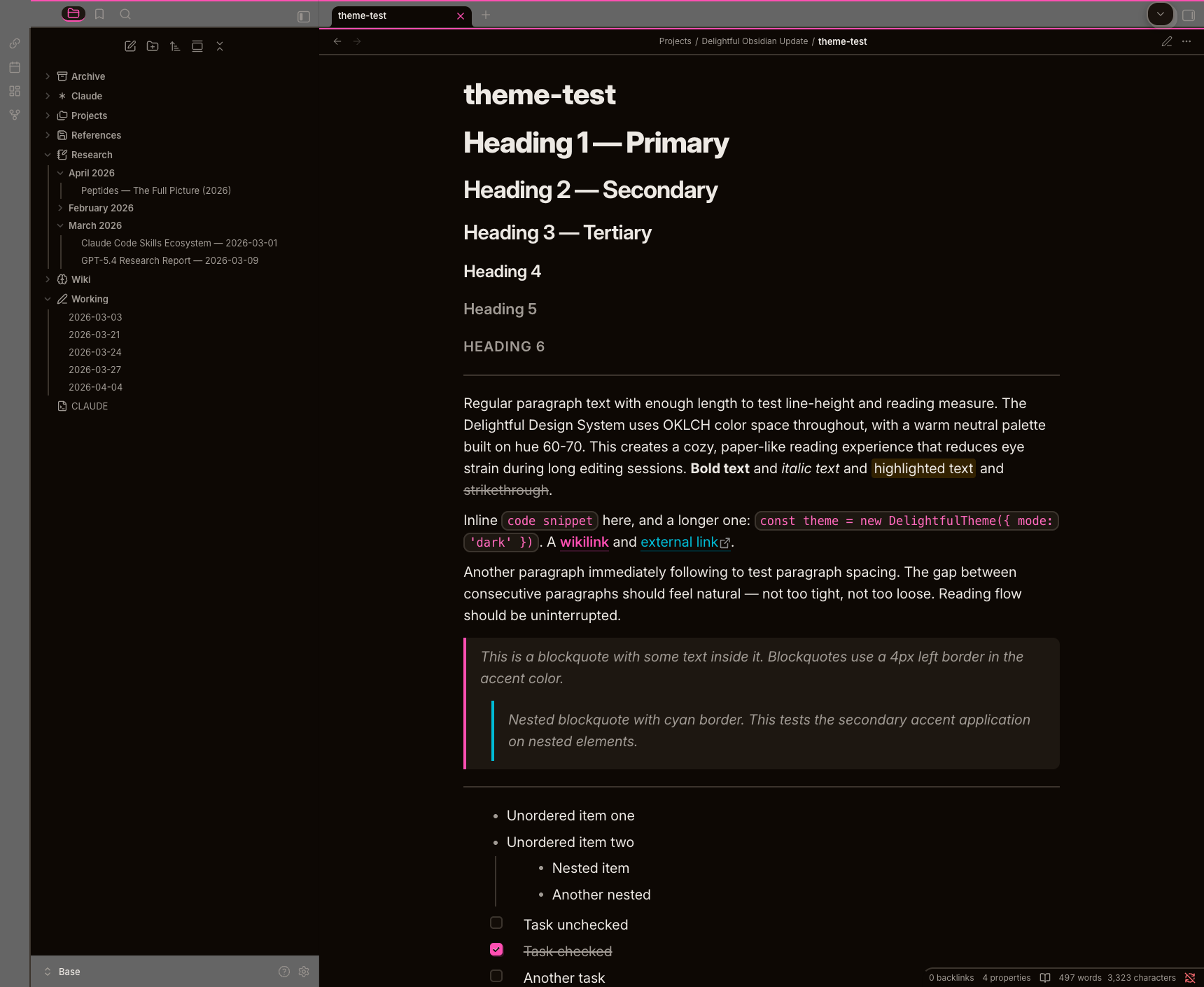
Dark Mode
 |
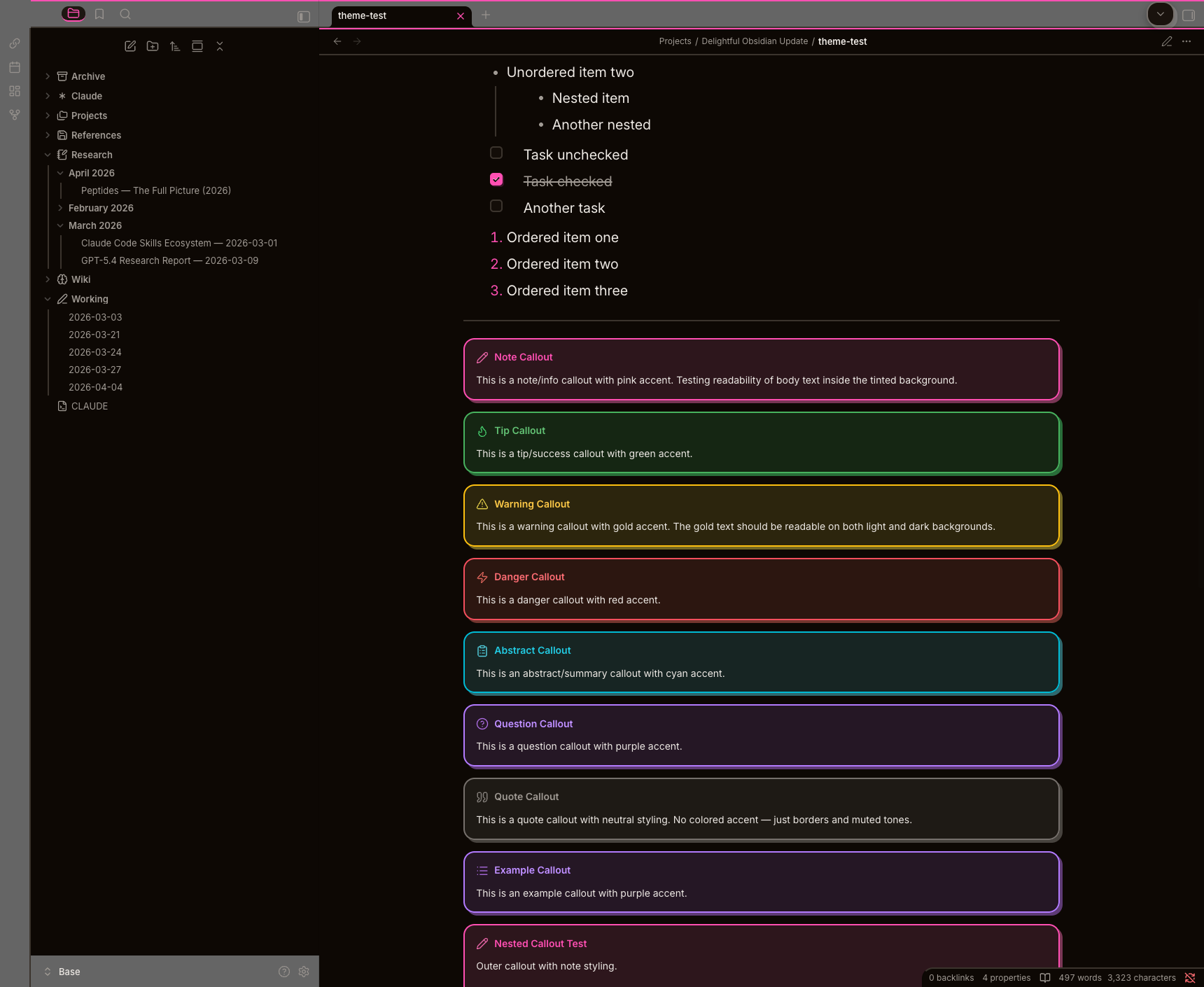 |
| Cozy dark neutrals | Visible tinted backgrounds |
Features
- Full light and dark mode -- warm tan in light, cozy neutrals in dark
- Three-tier OKLCH token architecture -- primitives, semantic, and component tokens with perceptually uniform color math
- Neo-brutalist aesthetic -- bold 2px borders, solid zero-blur offset shadows, generous radii (10/16/24px)
- Warm cream palette -- warm neutrals on hue 70 with 6 accent families. No cold grays anywhere
- 8 color-coded callout types -- note, tip, warning, danger, abstract, question, quote, example with semantic colors and shadows
- Distinct heading scale -- H1 (2.074em) through H6 (1em), each level visibly different
- Syntax highlighting -- keywords (pink), strings (gold), functions (cyan), comments (green), types (purple), numbers (red)
- Themed tables -- rounded card treatment with uppercase muted headers, alternating row tints, hover states
- Task checkboxes -- warm accent hover preview, shadow on checked state, click squeeze animation
- Canvas support -- 6 color-coded node types with tinted backgrounds, styled edges and controls
- Graph view -- themed control panel with styled sliders, toggles, color group pickers
- Mobile optimized -- larger touch targets (44px minimum), reduced shadows, phone-appropriate heading scale
- Themed scrollbars -- subtle thumb with accent hover, transparent track
- Motion system -- 5 durations (100ms-500ms), 5 easings including spring curves via
linear(). Hover lifts, press squeezes, entrance animations
Supported Plugins
Tested and styled out of the box:
| Plugin | What's Styled |
|---|---|
| Style Settings | Full customization panel (see below) |
| Dataview | Tables and lists with neo-brutalist borders and card styling |
| Kanban | Board, lanes, cards, headers, drag handles, add buttons |
| Calendar | Sidebar widget with activity dots, nav arrows, day cells |
| Tasks | Priority indicators, due dates, overdue styling, query results |
| Excalidraw | Canvas wrapper, toolbar, panels |
| Advanced Tables | Table editor with themed controls |
| Templater | Modal and suggestion styling |
| Obsidian Git | Status bar and diff view |
| Outliner | List indentation guides |
| Hover Editor | Popover card styling |
Install
Community Themes (recommended)
- Open Settings > Appearance
- Click Manage next to Themes
- Search for Delightful
- Click Install and use
Manual
- Download
theme.cssandmanifest.jsonfrom Releases - Create
.obsidian/themes/Delightful/in your vault - Place both files inside
- Select Delightful in Settings > Appearance
Style Settings
Install Style Settings for these options:
| Setting | Options | Default |
|---|---|---|
| Accent Color | Pink, Danger, Gold, Cyan, Green, Purple | Pink |
| Shadow Style | Neo-brutalist, Subtle, None | Neo-brutalist |
| Border Weight | 2px, 1px | 2px |
| Heading Scale | Normal, Compact, Large | Normal |
| Animations | On, Off | On |
Building from Source
The theme is built from 18 modular CSS files that are concatenated into a single theme.css:
# Build theme.css from source modules
node build.js

# Watch mode -- rebuilds on file changes
node build.js --watch
Source Module Structure
src/
  00-tokens.css          # OKLCH primitives, semantic tokens, component tokens
  01-obsidian-vars.css   # Obsidian CSS variable mappings
  02-typography.css      # Heading scale, paragraph rhythm, inline code
  03-workspace.css       # Sidebar, tabs, status bar, ribbons
  04-editor-core.css     # Base editor styling
  04-editor-rich.css     # Callouts, code blocks, embeds, tables
  05-components.css      # Buttons, inputs, toggles, modals, menus
  07-animations.css      # Hover, press, entrance animations
  08-style-settings.css  # Style Settings integration
  09-canvas.css          # Canvas nodes, edges, controls
  10-graph.css           # Graph view theming
  11-mobile.css          # Mobile-specific overrides
  plugins/
    calendar.css         # Calendar plugin
    dataview.css         # Dataview tables and lists
    excalidraw.css       # Excalidraw toolbar and panels
    kanban.css           # Kanban board, lanes, cards
    secondary.css        # Advanced Tables, Templater, Git, Outliner, Hover Editor
    tasks.css            # Tasks plugin query results and checkboxes
Visual Audit
# Capture 60 CDP screenshots across light/dark modes
python3 scripts/visual-audit.py
Requires Obsidian running with --remote-debugging-port=9222.
Part of Delightful
This theme is part of the Delightful Design System -- a cross-platform design system spanning Obsidian, VS Code, Ghostty, iTerm2, Starship, and Claude Code.
All ports share the same OKLCH color palette and neo-brutalist design language.