
README file from
GithubCompline
A contemplative theme for Obsidian, based on the Compline color palette.
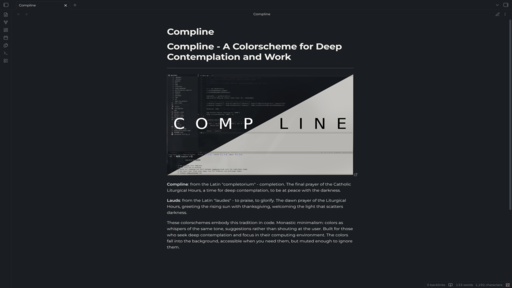
About
Compline is designed for focused, distraction-free writing with carefully selected muted colors that are easy on the eyes during extended use.
The theme includes two variants:
- Compline (Dark) - A deep, warm dark theme for nighttime contemplation
- Lauds (Light) - A soft, warm light theme for daytime use
Both themes share the same carefully crafted palette designed for readability and visual harmony.
Installation
From Community Themes
- Open Obsidian Settings
- Go to Appearance
- Click "Manage" under Themes
- Search for "Compline"
- Click Install and then Use
Manual Installation
- Download
theme.cssandmanifest.jsonfrom this repository - Create a folder called
Complinein your vault's.obsidian/themes/directory - Copy the downloaded files into the
Complinefolder - Open Obsidian Settings > Appearance and select "Compline"
Through Nix
If you manage your obsidian config via Nix you may do the equivalent of:
{
  inputs.obsidian-compline.url = "github:baileylu121/obsidian-compline";

  outputs = { obsidian-compline, ... }:
    themesDir = linkFarm "obsidian-themes" [
      { name = "Compline"; path = obsidian-compline; }
    ];
}
Color Palette
Compline (Dark)
| Color | Hex | Usage |
|---|---|---|
| Background | #1a1d21 |
Primary |
| Background Alt | #22262b |
Secondary |
| Foreground | #f0efeb |
Primary text |
| Foreground Alt | #ccc4b4 |
Secondary text |
| Blue | #b4bcc4 |
Links, accents |
| Green | #b8c4b8 |
Success, strings |
| Yellow | #d4ccb4 |
Warnings, highlights |
| Red | #cdacac |
Errors, important |
| Cyan | #b4c0c8 |
External links, info |
| Teal | #b4c4bc |
Tags, examples |
Lauds (Light)
| Color | Hex | Usage |
|---|---|---|
| Background | #f0efeb |
Primary |
| Background Alt | #e0dcd4 |
Secondary |
| Foreground | #1a1d21 |
Primary text |
| Foreground Alt | #4a4d51 |
Secondary text |
| Blue | #5a6b7a |
Links, accents |
| Green | #5a6b5a |
Success, strings |
| Yellow | #8b7e52 |
Warnings, highlights |
| Red | #8b6666 |
Errors, important |
| Cyan | #64757d |
External links, info |
| Teal | #4d6b6b |
Tags, examples |
Credits
- Color palette by Joshua Blais
- Palette reference: complinetheme.com