
README file from
GithubArdentia
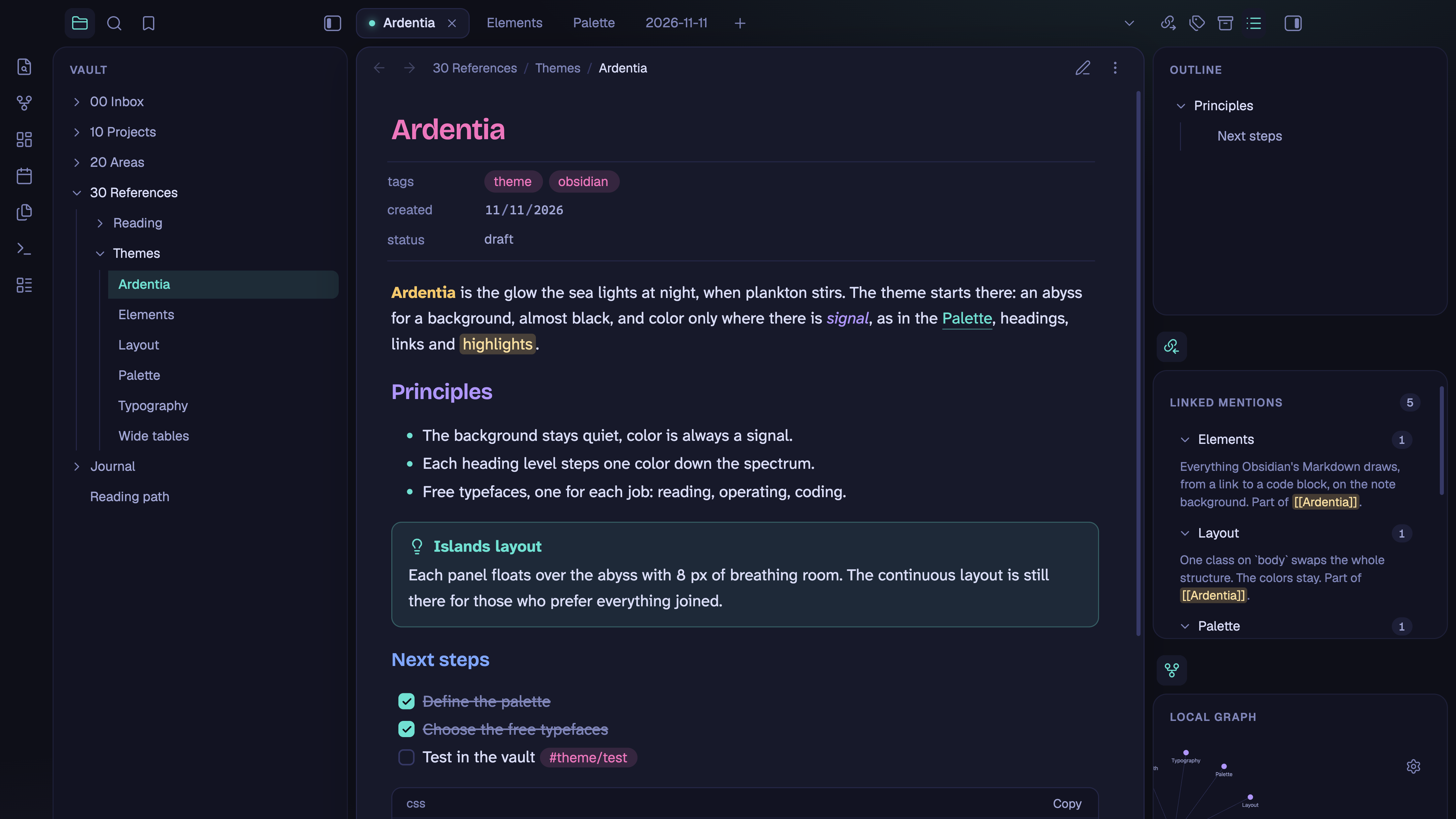
Ardentia is the Portuguese word for the glow the sea lights at night, when plankton stirs in dark water. The theme starts there: an abyss for a background, almost black, and color only where there is signal.
It is one palette, four typefaces and a handful of shapes, ported app by app.
| App | Status | Where |
|---|---|---|
| Obsidian | Available | obsidian/ |
| Zed | Available | zed/ |
| VS Code | Available | vscode/ |
| Ghostty | Available | ghostty/ |
| herdr | Available | herdr/ |
| Rex | Available | rex/ |
| Claude Code status line | Available | cc-statusline/ |
| Powerlevel10k | Available | p10k/ |
| Kiro CLI | Available | kiro-cli/ |
| eza | Available | eza/ |
| OpenCode | Available | opencode/ |
The ports for Zed, VS Code, Ghostty, herdr, Rex, the Claude Code status line, Powerlevel10k, Kiro CLI, eza and OpenCode install from this repository. None of them is published in an extension registry or ships with its app yet.
Obsidian
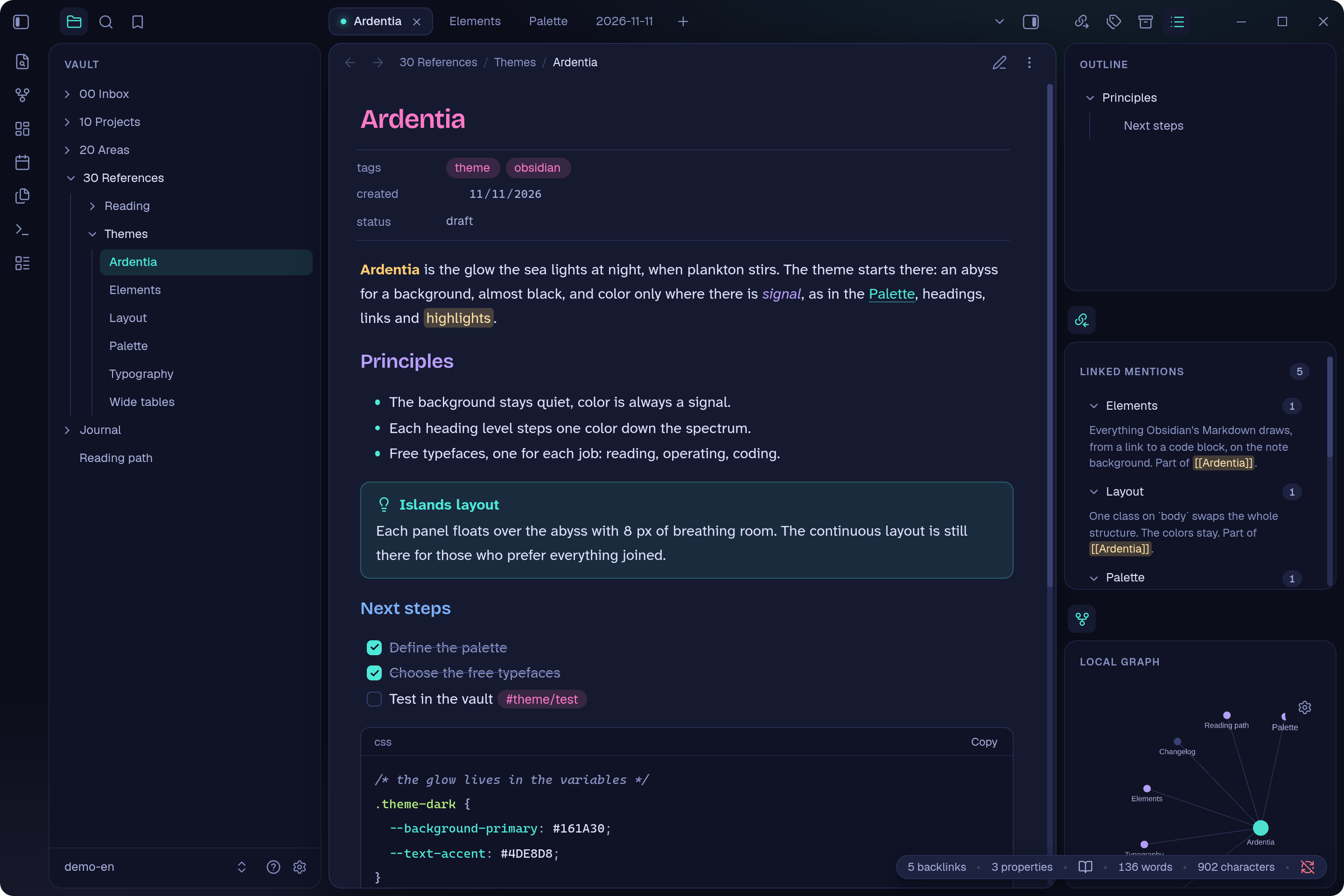
A dark theme for Obsidian 1.6 and later. It is not a recolor: panels, tabs, the status bar, properties, callouts, code blocks, menus and the settings window were all redrawn.
- Three layouts over the same colors. Floating islands by default, a continuous layout for those who prefer everything joined, and a focus layout that leaves only the note on screen.
- A heading spectrum. Each heading level steps one color down, from Água-viva pink at H1 to Lanterna yellow at H6.
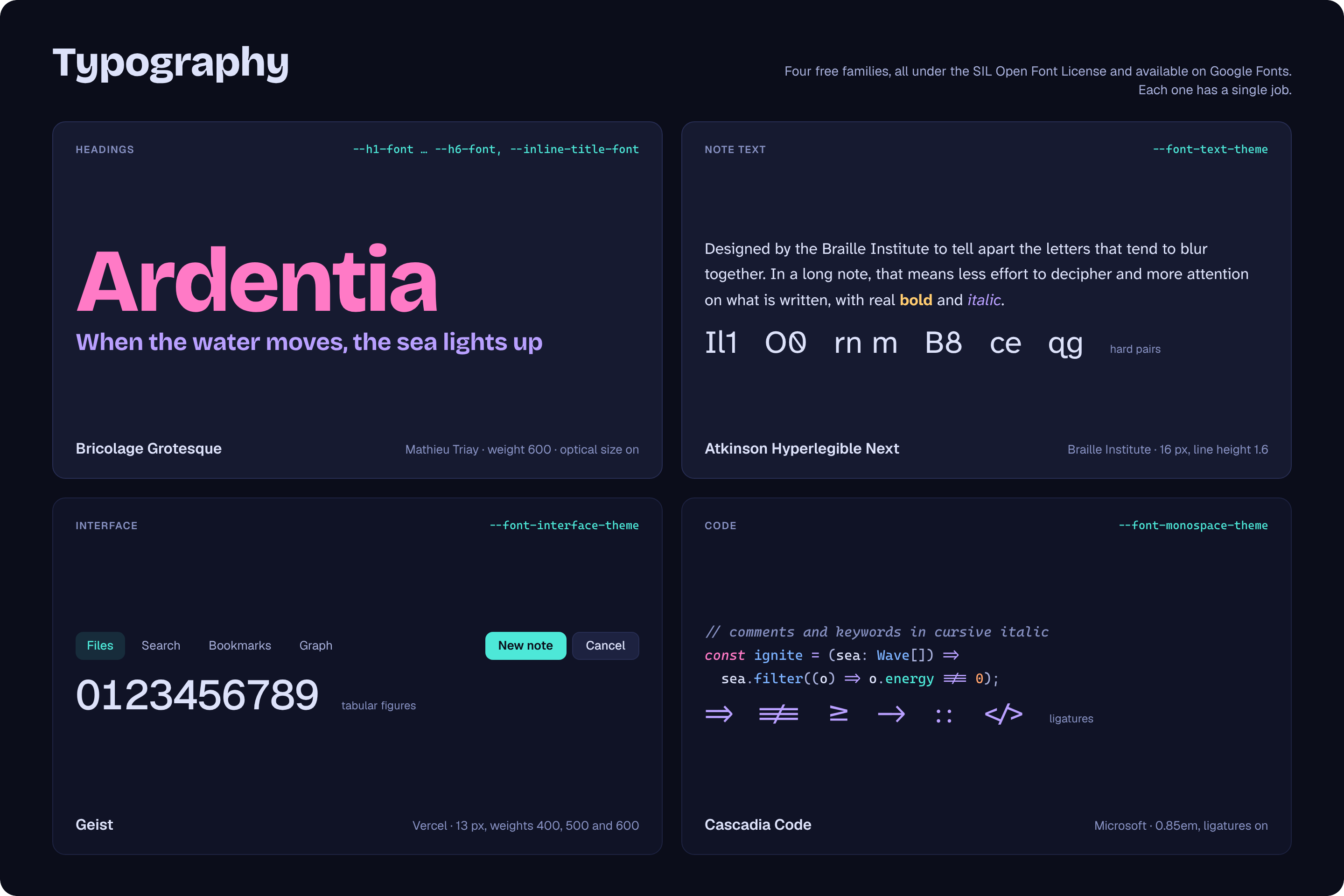
- One typeface per job. Bricolage Grotesque for headings, Atkinson Hyperlegible Next for reading, Geist for the interface, Cascadia Code for code.
- Glow on a single dial. Every halo in the theme answers to one variable, from off to double.
- Seven task states, beyond done and not done.
- Offline by design. The theme makes no network requests.
Install
From Obsidian, once the theme is listed in the community directory: Settings, Appearance, Themes, Manage, then search for Ardentia.
By hand, which works today:
- Download
theme.cssandmanifest.jsonfrom the latest release. - Put both in
<your vault>/.obsidian/themes/Ardentia/. - In Settings, Appearance, Themes, pick Ardentia.
With the script, which also copies the optional snippets:
git clone https://github.com/jotafurtado/ardentia.git
./ardentia/obsidian/install.sh "/path/to/your/vault"
Layouts
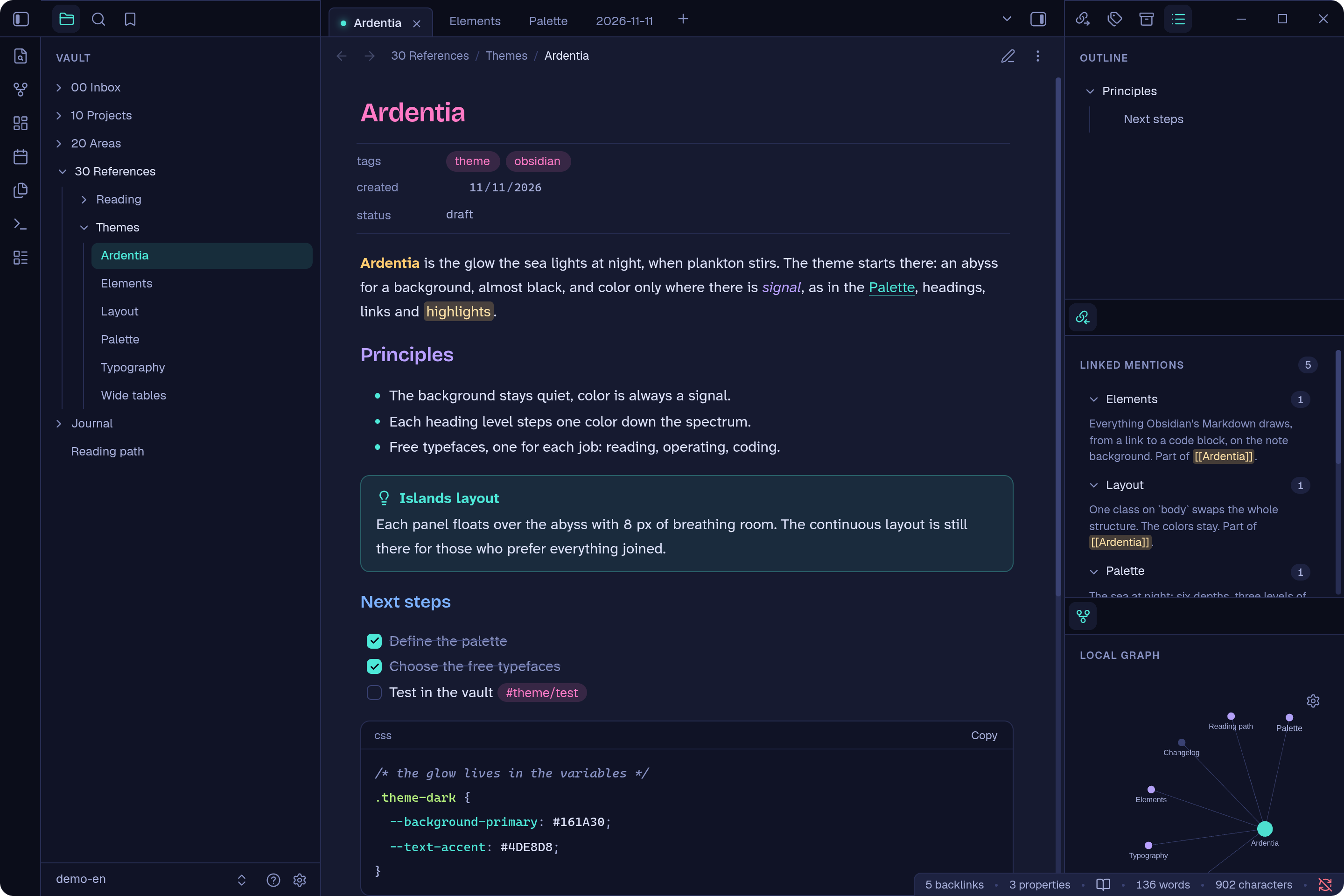
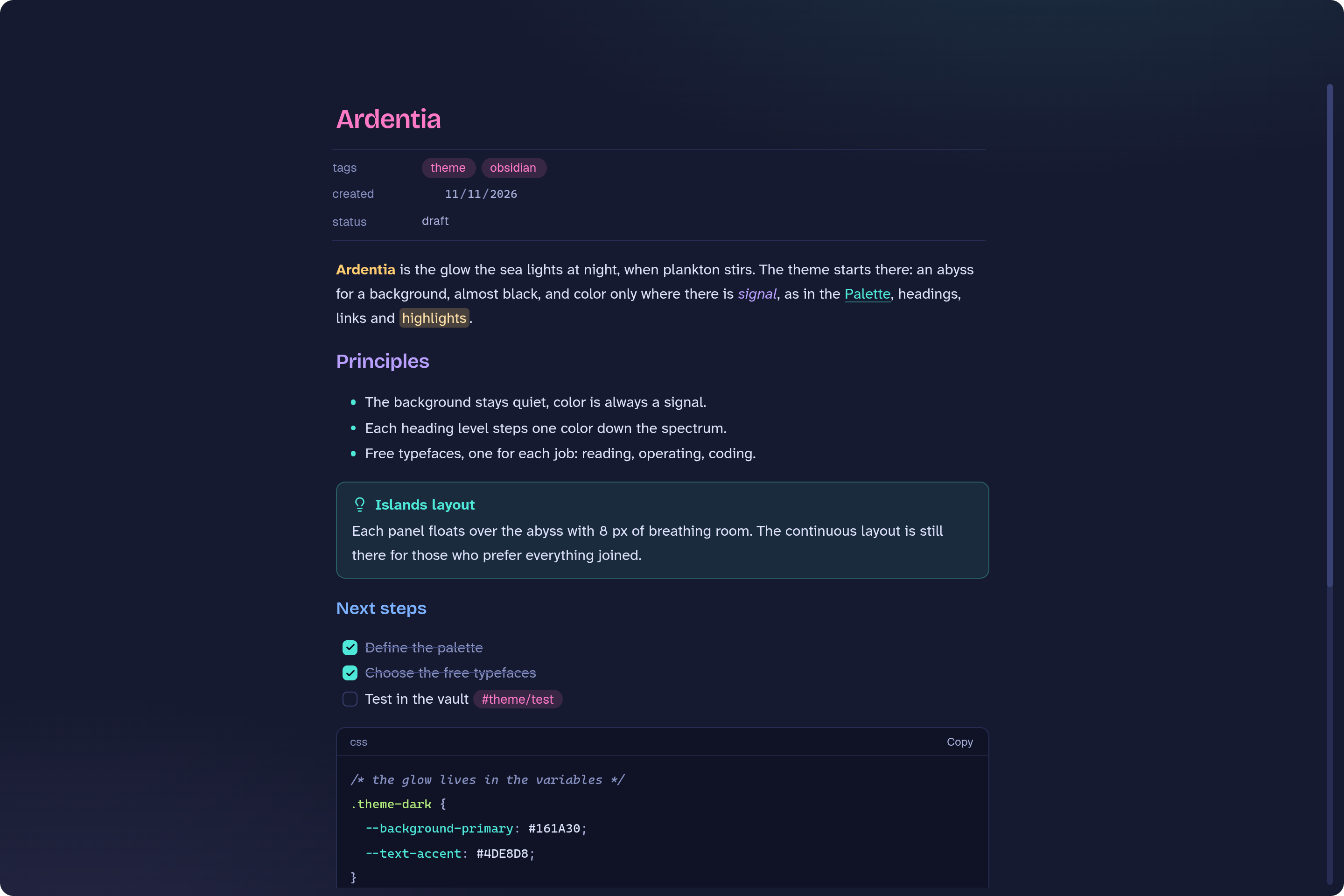
One class on body swaps the whole structure. The colors stay.
| Layout | Class | What it does |
|---|---|---|
| Ilhas (islands) | default, no class | Rounded panels floating over the abyss, pill tabs, status bar in a capsule |
| Contínuo (continuous) | .ardentia-continuo |
Obsidian's native structure, panels joined, 1 px dividers |
| Foco (focus) | .ardentia-foco |
Only the note. Sidebars and ribbon leave the screen; tabs, note header and status bar stay invisible until the mouse comes close |
| Contínuo | Foco |
|---|---|
 |
 |
Obsidian has no built-in control for body classes. With the Style Settings plugin installed, an Ardentia section offers the layout selector along with the glow, the gap between islands and their corner radius.
Glow
Every halo and every haze goes through one variable, --ardentia-brilho: 0 turns it off, 1 is the original drawing, 2 doubles it. It drives the haze over the abyss (teal at the top right, violet at the bottom left), the halo of the active tab's light and the halo of the cursor when the editor draws its own.
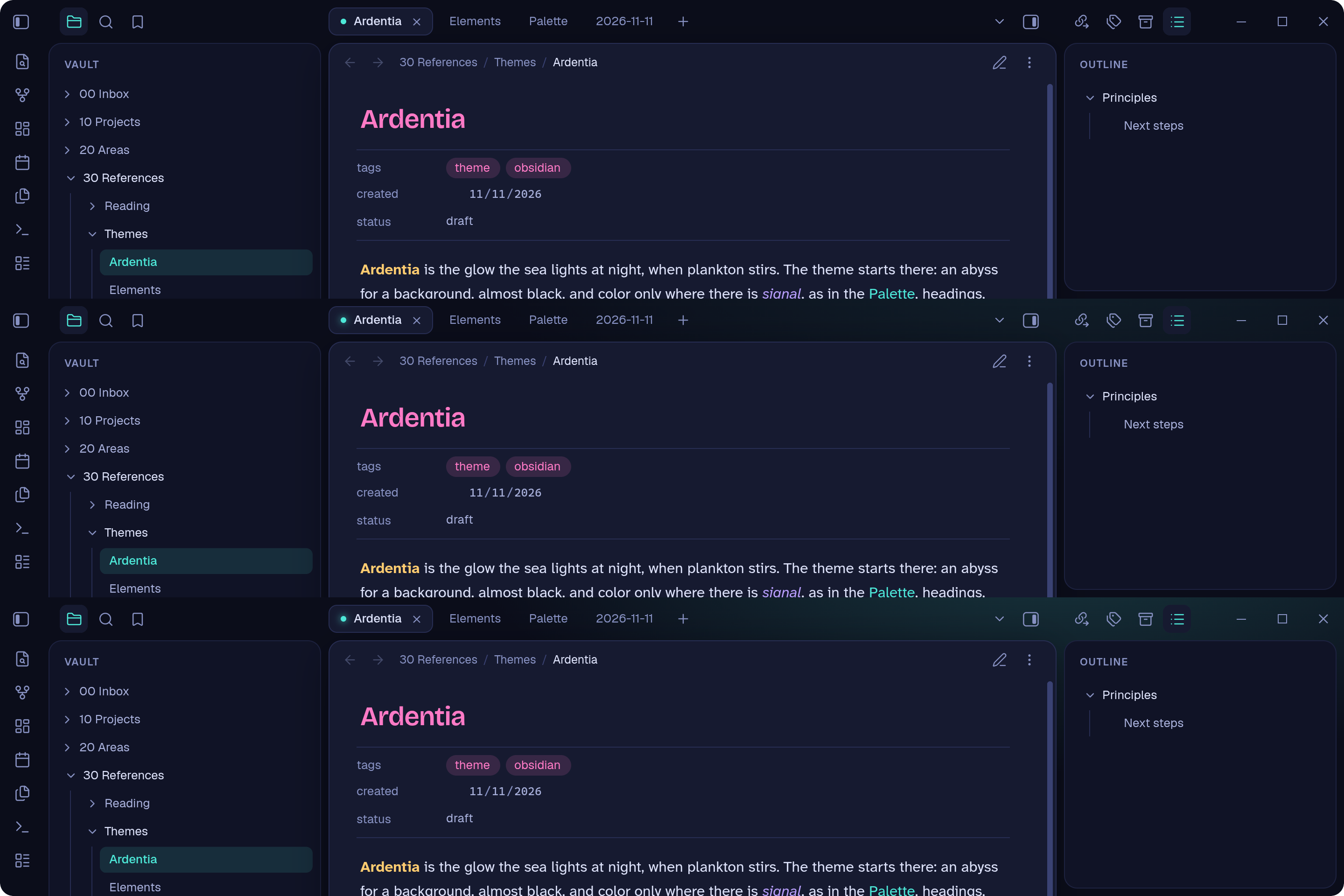
To compare without a plugin, enable one of the snippets in obsidian/snippets/: ardentia-sem-brilho sets it to 0, ardentia-brilho-forte to 2.
Fonts
The theme calls its four families by name and downloads nothing. They reach your vault one of two ways:
- installed on the system, or
- through the
ardentia-fontessnippet, which carries all four embedded as variable woff2 (Latin and Latin Extended, about 700 KB). Copyobsidian/snippets/ardentia-fontes.cssto<your vault>/.obsidian/snippets/and enable it in Settings, Appearance, CSS snippets. This is the easy path for a vault synced across machines.
If a family is missing, the stack falls back to Inter, the system font and the default monospace. Whatever you choose in Settings, Appearance, Font takes priority over the theme.
Tasks
Besides - [ ] and - [x], the theme draws five more states:
| Syntax | State |
|---|---|
- [/] |
in progress |
- [>] |
deferred |
- [!] |
important |
- [?] |
question |
- [-] |
cancelled |
Wide notes and tables
A theme cannot add buttons. The companion plugin Ardentia Largura adds two: one in the note header that stretches the whole note to the width of the pane, and one above each table that stretches only that table. It works with any theme.
More
Variables, measurements, the demo vault and implementation notes are in obsidian/README.md.
Zed
A dark theme for Zed, written against Zed's theme schema v0.2.0. The editor and the terminal sit on Nota, the panels on Fundo, the title bar and the status bar on Abismo. Syntax follows the code blocks of the Obsidian port: keywords in Água-viva, functions in Maré, strings in Sargaço, comments in Tênue.
git clone https://github.com/jotafurtado/ardentia.git
./ardentia/zed/install.sh
The script copies the theme into Zed's local themes folder. Pick Ardentia in the theme selector the next time Zed loads. The folder is also a Zed theme extension, which loads with Install Dev Extension.
The color mapping and the port notes are in zed/README.md.
VS Code
A color theme extension for VS Code: workbench colors, TextMate rules and semantic highlighting, with the same surfaces and the same syntax colors as the Zed port.
git clone https://github.com/jotafurtado/ardentia.git
./ardentia/vscode/install.sh
The script copies the extension into ~/.vscode/extensions. Restart VS Code and pick Ardentia with Preferences: Color Theme.
Installing from a .vsix, the color mapping and the port notes are in vscode/README.md.
Ghostty
A theme file for Ghostty that sets only colors: background, text, cursor, selection, the 16 colors of the terminal palette and the split colors.
git clone https://github.com/jotafurtado/ardentia.git
./ardentia/ghostty/install.sh
The script copies the theme into Ghostty's themes folder. To turn it on, add theme = Ardentia to your Ghostty configuration.
The 16 colors and the port notes are in ghostty/README.md.
herdr
Two products answer to the name herdr, and the port has one file for each. The Herdr desktop app takes a theme file, ardentia.json. The terminal herdr has no theme files: it takes ardentia.toml, a block to paste into its config.toml.
git clone https://github.com/jotafurtado/ardentia.git
./ardentia/herdr/install.sh
The script copies the app theme into the app's themes folder and prints where the terminal block is. It does not edit any config.toml. In the app, pick ardentia in Settings, Look, Theme.
Both mappings and the port notes are in herdr/README.md.
Rex
Rex imports themes in the Ghostty format, so the port is the same color file with its own installer.
git clone https://github.com/jotafurtado/ardentia.git
./ardentia/rex/install.sh
The script imports the theme through the Rex CLI, which needs Remote Control on. With it off, the script prints the manual steps (Settings, Themes, Import Theme). It does not switch the active theme.
The notes are in rex/README.md.
Claude Code status line
A status line for Claude Code: a Bash script that draws the folder, the Git branch, the changes, the model, the context in use and the session name in one quiet capsule. The background stays in Relevo and the text takes the lights of the palette; the context and the changes switch color with their values. It needs jq, git and a terminal font with Nerd Font glyphs.
git clone https://github.com/jotafurtado/ardentia.git
./ardentia/cc-statusline/install.sh
The script copies the status line to ~/.claude/ardentia-statusline.sh and prints the statusLine entry to add to the settings.json of Claude Code. It does not edit settings.json.
The segments, their colors and the port notes are in cc-statusline/README.md.
Powerlevel10k
A complete Powerlevel10k configuration for the zsh prompt, drawn like the status line: the folder, the Git status, the result of the last command, its duration and the background jobs in one quiet capsule, and the prompt character on the line below. The background stays in Relevo and color shows only where it tells something. It needs Powerlevel10k, a terminal with 24-bit color and a terminal font with Nerd Font glyphs.
git clone https://github.com/jotafurtado/ardentia.git
./ardentia/p10k/install.sh
The script copies the configuration to ~/.p10k-ardentia.zsh and prints the line of ~/.zshrc to change. It does not edit ~/.zshrc and leaves ~/.p10k.zsh alone.
The segments, their colors and the port notes are in p10k/README.md.
Kiro CLI
Kiro CLI does not take colors of your own, so this port carries none. It makes the interface draw with the 16 colors of the terminal: on a terminal that runs Ardentia, such as Ghostty or Rex, Kiro CLI comes out in the palette. The color comes from the terminal.
git clone https://github.com/jotafurtado/ardentia.git
./ardentia/kiro-cli/install.sh
The script writes the theme preferences into ~/.kiro/settings/, keeps a copy of the ones that were there and prints the KIRO_TERMINAL_THEME=safe line to add to your shell configuration. It does not edit any shell file.
What changes and the port notes are in kiro-cli/README.md.
eza
A theme for the eza file listing. It quiets the metadata of a long listing, which is permissions, size, owner and date, in Tênue, and leaves color for what tells something: folders in Maré, symbolic links in Ardentia, executables in Sargaço and the Git state in its own colors.
git clone https://github.com/jotafurtado/ardentia.git
./ardentia/eza/install.sh
The script copies theme.yml to the folder where eza reads it, keeps a copy of a different one that was already there and prints where the file went. It does not edit any shell file.
The colors by field and the port notes are in eza/README.md.
OpenCode
A theme for the OpenCode terminal interface, in the V2 theme format and with dark mode only. The background stays in Nota, the text in Texto, and color shows only where it tells something: Ardentia for actions, Sargaço and Coral in the diff, the palette in syntax and markdown.
git clone https://github.com/jotafurtado/ardentia.git
./ardentia/opencode/install.sh
The script copies ardentia.json to the OpenCode themes folder, keeps a copy of a different one that was already there and prints the theme.name line to put in cli.json. It does not edit any configuration file.
The colors by group and the port notes are in opencode/README.md.
One palette in every port
The Zed, VS Code, Ghostty, herdr, Rex, Powerlevel10k, eza and OpenCode ports take their colors from the palette of the Obsidian theme, plus one precomputed mix for the selection where the format has no alpha. The 16 terminal colors are the same in the five ports that set them. The Kiro CLI port has no colors of its own. One command checks both rules, with Bun:
bun scripts/check-themes.ts
Palette
The sea at night: six depths, three levels of text and eight lights. Contrast ratios were measured against the note background.
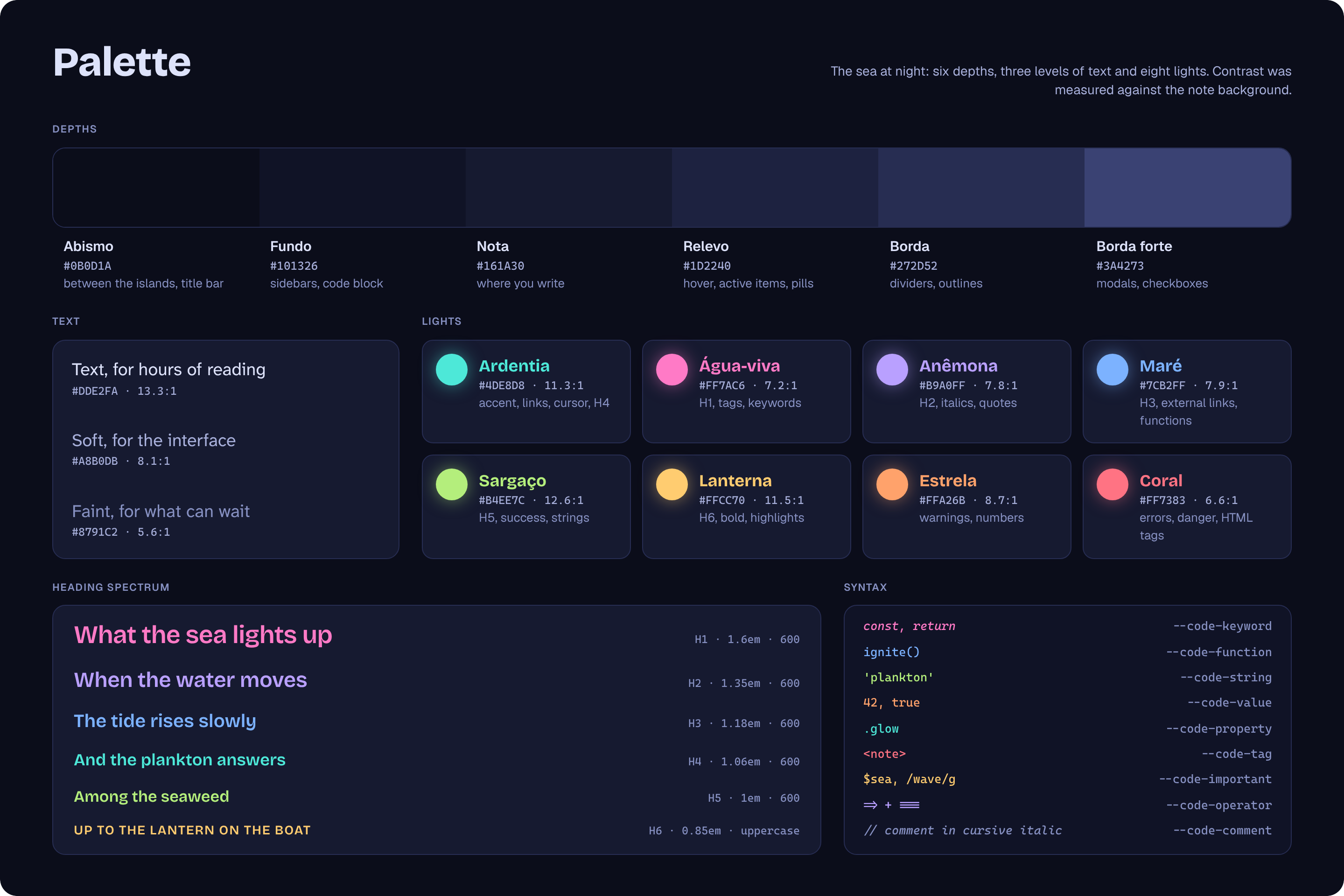
| Depth | Hex | Meaning | Use |
|---|---|---|---|
| Abismo | #0B0D1A |
abyss | between the islands, title bar |
| Fundo | #101326 |
seabed | sidebars, code block |
| Nota | #161A30 |
note | where you write |
| Relevo | #1D2240 |
relief | hover, active items, pills |
| Borda | #272D52 |
border | dividers, outlines |
| Borda forte | #3A4273 |
strong border | modals, checkboxes |
| Text | Hex | Meaning | Contrast | Use |
|---|---|---|---|---|
| Texto | #DDE2FA |
text | 13.3:1 | hours of reading |
| Suave | #A8B0DB |
soft | 8.1:1 | the interface |
| Tênue | #8791C2 |
faint | 5.6:1 | what can wait |
| Light | Hex | Meaning | Contrast | Use |
|---|---|---|---|---|
| Ardentia | #4DE8D8 |
sea sparkle | 11.3:1 | accent, links, cursor, H4 |
| Água-viva | #FF7AC6 |
jellyfish | 7.2:1 | H1, tags, keywords |
| Anêmona | #B9A0FF |
anemone | 7.8:1 | H2, italics, quotes |
| Maré | #7CB2FF |
tide | 7.9:1 | H3, external links, functions |
| Sargaço | #B4EE7C |
sargassum | 12.6:1 | H5, success, strings |
| Lanterna | #FFCC70 |
lantern | 11.5:1 | H6, bold, highlights |
| Estrela | #FFA26B |
starfish | 8.7:1 | warnings, numbers |
| Coral | #FF7383 |
coral | 6.6:1 | errors, danger, HTML tags |
Typography
Four free families, all under the SIL Open Font License and available on Google Fonts. Each one has a single job.
Principles
- The background stays quiet. Color is always a signal.
- Each heading level steps one color down the spectrum.
- One typeface for each job: titling, reading, operating, coding.
License
MIT. The typefaces embedded in the optional font snippet keep their own license, the SIL Open Font License 1.1: see obsidian/snippets/FONTS.md.