
README file from
GithubDigital Rust for Obsidian
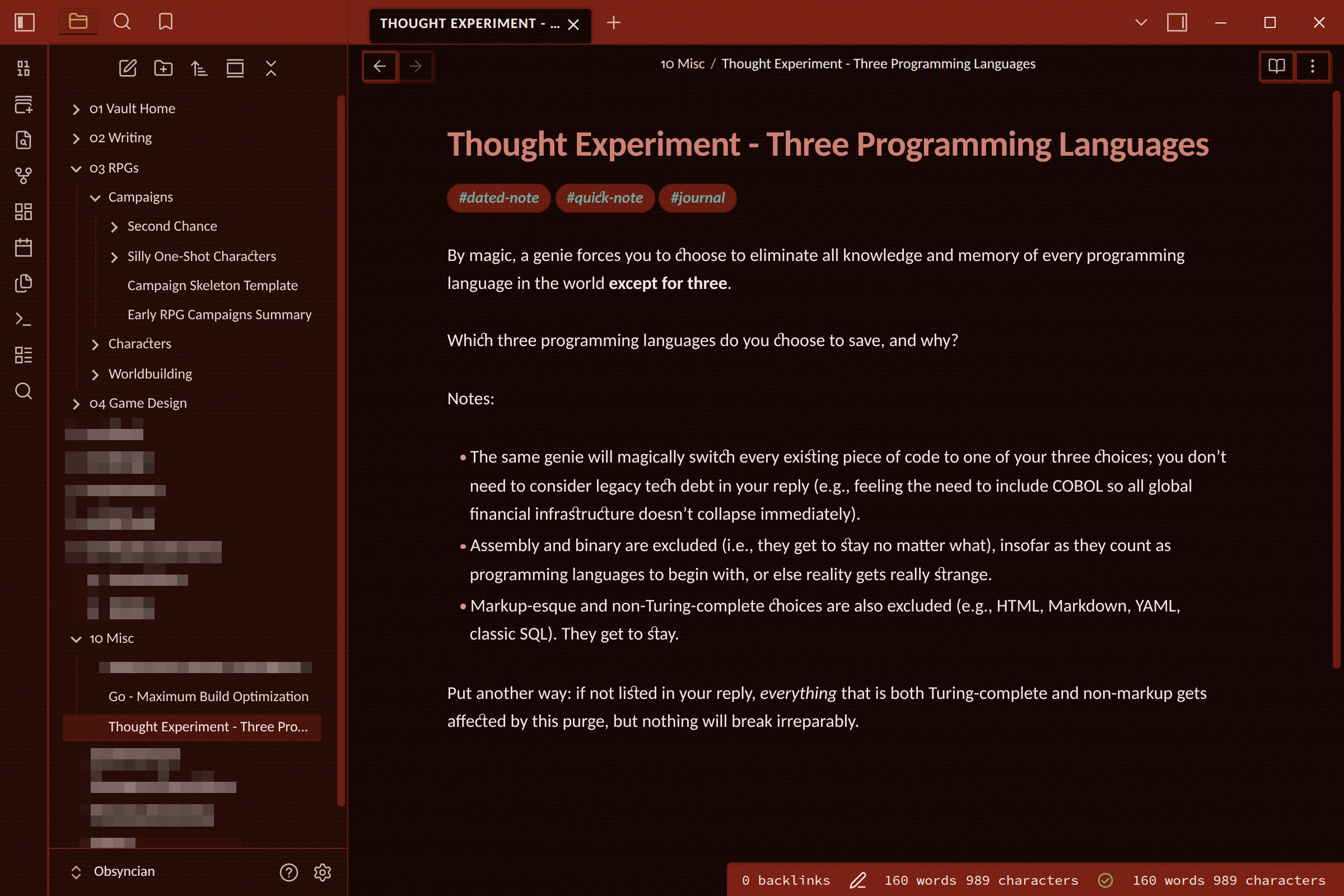
Digital Rust is a warm, tech-dystopian colour scheme for Obsidian, inspired by corrupted hardware and failing systems. Built around deep rust-copper tones with strategic pops of colour named after system failures, the theme embraces the beauty of digital decay while maintaining excellent readability.
This is the official Obsidian port of Digital Rust, dark mode only.
Installation
From the community directory
Digital Rust can be installable directly from Obsidian via Settings → Appearance → Themes → Manage. You can see it on the Obsidian theme directory here.
Manual
- Download
theme.cssandmanifest.jsonfrom the latest release. - Create a folder named
Digital Rustinside your vault's.obsidian/themes/directory. - Place both files in that folder.
- In Obsidian, open Settings → Appearance and select Digital Rust from the theme dropdown.
For developers
Clone this repository into your vault's themes directory and select it in Obsidian:
cd /path/to/your/vault/.obsidian/themes/
git clone https://github.com/KatSuricata/Obsidian-Digital-Rust.git "Digital Rust"
CSS is linted against the official stylelint-config-obsidianmd rules used during community theme review:
npm install
npm run lint
The lint config relaxes exactly one rule: selector-class-pattern permits camelCase selectors, because Obsidian's own class names (.cm-selectionBackground, .HyperMD-codeblock, …) can't be renamed from a theme.
Releasing
Versions are published as GitHub releases via GitHub Actions:
- Bump the version in
package.jsonand runnpm run versionto updatemanifest.jsonandversions.json. - Commit and push, then push a tag matching the new version number (for example
git tag 1.0.1 && git push --tags). - The release workflow creates a draft release with
manifest.jsonandtheme.cssattached; review and publish it.
Related
- Digital Rust design system: specification and ports for other applications.
License
Apache License 2.0 © Kat Suricata