

This list puts together the best plugins for TTRPG on Obsidian Stats. Some are built for combat, some help with assets or solo play and a few are very system specific. That mix is the useful part. TTRPG workflows are never one shape for long.
TTRPG Plugins for Obsidian
The Pathfinder 2E Action Icons plugin replaces short `pf2:*` code blocks with Pathfinder 2E action symbols in reading view and live preview. It covers single, double, and triple actions, along with free actions and reactions, so action costs can appear directly in notes instead of plain text labels. The plugin also works with Fantasy Statblocks when the relevant property is rendered as Markdown, which lets the same notation show up inside statblock text without extra formatting. Its scope is narrow and visual. It adds icon rendering for a fixed set of Pathfinder 2E action markers and keeps the source text simple by using short codes that map directly to each action type.
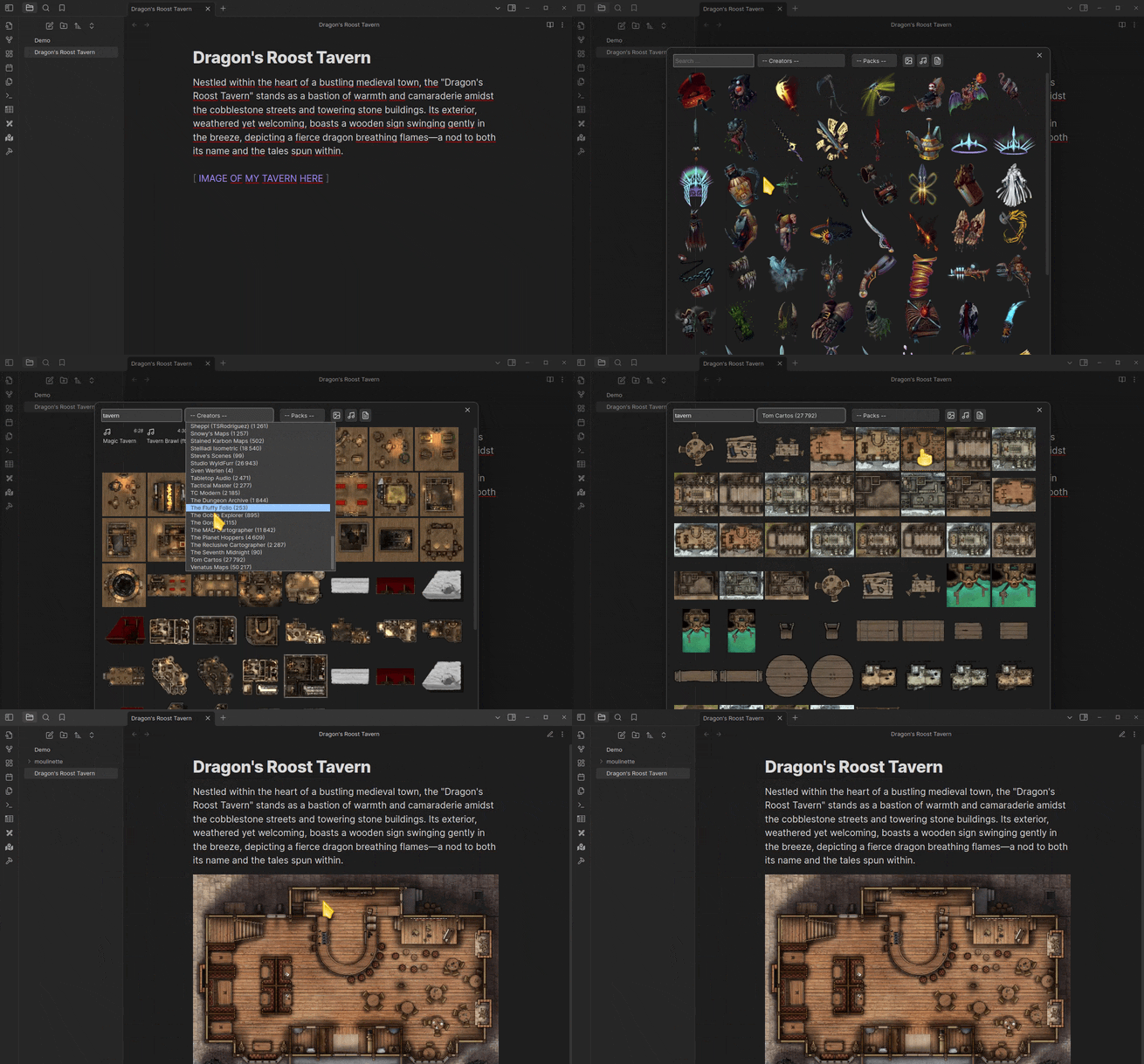
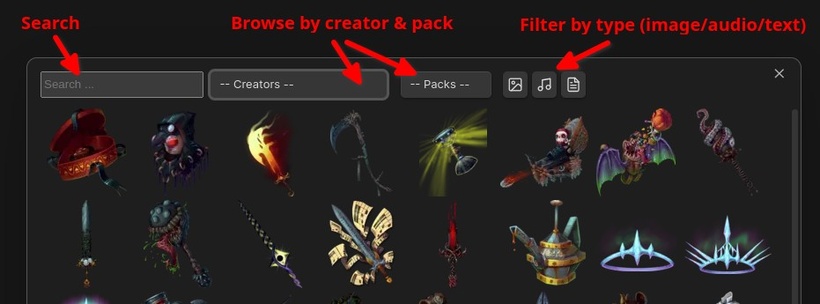
The Moulinette plugin connects your vault to Moulinette Cloud and turns its marketplace into a searchable content browser inside the app. It can look up images, sounds, music and note based resources such as rules, snippets and tables, then download them straight into your notes. The browser supports searching, browsing and filtering available creator content, so imported material stays close to the place where you write and prep. It is built around tabletop role playing workflows rather than general file sync. Some marketplace content is free, while premium material depends on supporting both the creator and Moulinette. The plugin also relies on online access because searches and downloads come from Moulinette hosted storage.
The Solo RPG Toolkit plugin adds a small set of tools for running tabletop sessions inside your vault, with most features aimed at solo play and GM emulator workflows. It includes quick dice rolls, a standard card deck, oracle major arcana cards, and custom decks built from local images or image URLs. You can create random tables from notes, add templates with keywords, weights, folder references, and cutup mode for pulling snippets from longer text. It also renders inline elements such as counters, progress clocks, boxes, dice buttons, and spacing blocks for compact stat layouts. Most of the content is driven by notes and folders, so tables and decks stay easy to extend.
The Initiative Tracker plugin keeps combat encounters inside a note by turning an `encounter` code block into a live tracker for turn order and creature state. It lets you add creatures and NPCs, record health, armor class, status and initiative, then sort the list automatically as the fight moves forward. Identical creatures can be grouped together, renamed for clarity and added by fixed counts or dice rolls. The plugin also stores encounters so they can be reopened later instead of rebuilt each time. It can calculate creature experience points from level or challenge rating and it works with custom creatures as well as SRD entries supported through Fantasy Statblocks.
The Generic Initiative Tracker plugin adds a combat tracker to the side pane and lets encounters be created directly from notes with an `encounter` code block. It handles players and creatures, supports optional HP, AC and initiative values, and can add multiple copies of the same creature while keeping duplicate names distinct. Combat can be started, stepped forward or backward, rerolled, reset, or stopped from the tracker view. Creature names can resolve like wiki links in rendered encounters, and notes tagged `#condition` can be pulled in as custom conditions. The plugin is a trimmed fork of a 5e focused tracker, so it drops system specific import features and keeps the encounter flow more system agnostic. Initiative formulas can also use dice expressions.

The Hephaistos Importer plugin pulls Starfinder character data from Hephaistos into notes by using a public share ID and writing structured frontmatter into files inside a chosen folder. It creates or refreshes character notes without replacing the rest of the note, so existing content and unrelated frontmatter entries stay in place. Optional settings can turn fields like spell names into internal links that follow the Community SRD vault layout, though link guesses may miss in some cases. The importer can also write fields for Initiative Tracker and format data for Fantasy Statblocks, including level, combined hp, armor class text and initiative modifier. It depends on Hephaistos character shares and the export support used by that service.
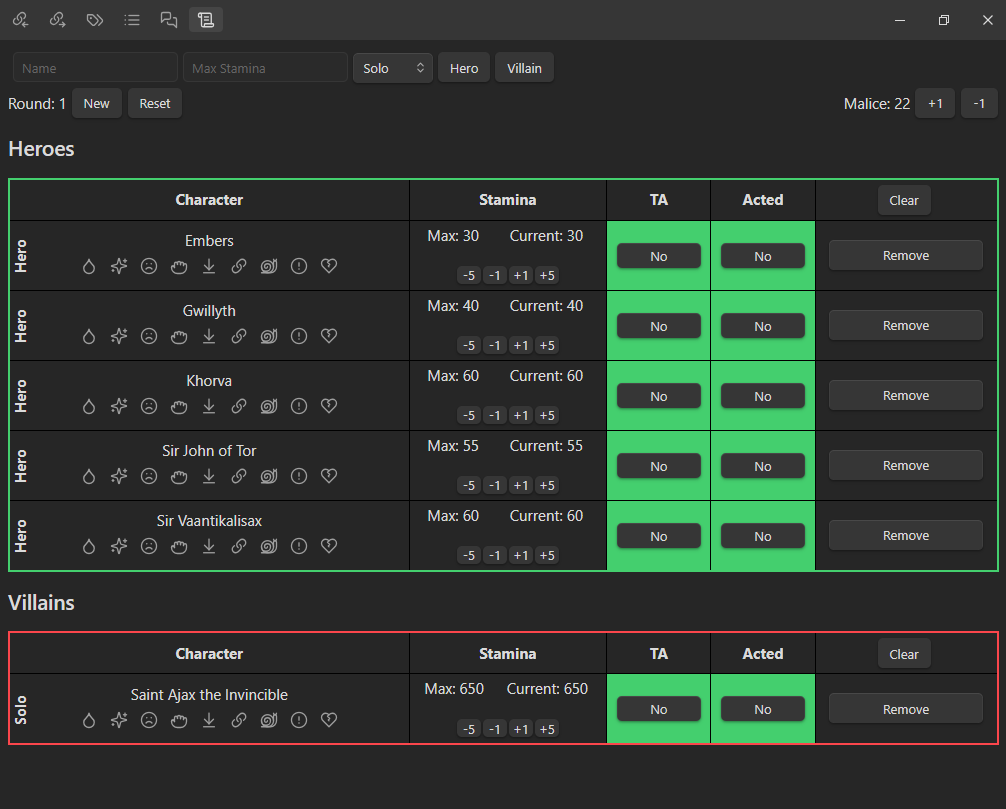
The Draw Steel Retainer plugin adds a compact combat tracker for Draw Steel sessions. It opens from the scroll ribbon and shows an initiative tracker view built around two tables, matching the game's initiative style instead of a plain turn list. The main setup lives in the plugin settings, where you can add player characters once and have them appear automatically whenever a new tracker is generated. The current feature set is narrow and focused on encounter flow, with the tracker doing the core work and little else around it right now. The README also points to planned additions such as negotiation tracking, montage test tracking, DM tooltips, class specific trackers and a monster statblock CSS snippet, but those are not part of the plugin yet.
Which One Should You Start With
I would split this list into three buckets. Start with an initiative tracker if combat is where your notes break down first. Pick Moulinette or Hephaistos Importer if your bottleneck is prep and data movement. Go with the Pathfinder, solo play or Draw Steel options when you want the vault to match one specific style of play more closely.
That's the list for now - with the number of new plugins hopefully I will another part for this. Try one plugin in a spare vault before you rebuild your full campaign workflow around it. The best TTRPG setup in Obsidian is usually the one that removes one repeated headache, not the one with the longest feature list.