
There are 4 new plugins, 1 new themes and 58 plugin updates during the week 2026-01-11 to 2026-01-17.
⭐ New Plugins
The GoBoard plugin renders diagrams for the board game Go (also called Weiqi or Baduk) directly in your notes. You create diagrams using markdown code blocks with a simple syntax to define board size and stone positions. Black and white stones are placed using straightforward position notation. The plugin supports various board sizes and lets you visualize game positions, problems or study patterns without needing external tools. Perfect for Go players who want to document games, create tutorial content or analyze positions within their knowledge base.
The Next TOC plugin displays a floating panel that shows your reading progress, table of contents and navigation tools for the current document. It helps you track where you are in longer notes and jump between sections quickly. The panel stays visible as you read, giving you a persistent overview of the document structure. Useful for navigating lengthy articles, research notes or any document where you need to move between headings frequently.
The Better Link Clicker plugin changes how you interact with links in live preview mode. Clicking a link now lets you edit it directly instead of navigating to the linked note. This prevents accidental navigation when you meant to modify the link text or destination. When clicking a link to a non-existent note, you get a confirmation prompt before creating it - useful for avoiding unwanted note creation. Both behaviors are configurable. Modifier clicks still work as expected, so you can open links in new tabs, splits or windows using the standard keyboard shortcuts.
The Edit Link Alias plugin adds a command to edit the alias of links within your notes. When you invoke the command, it displays a prompt that lets you modify the display text of a link without changing its target. This is particularly useful when you want to refine how links appear in your notes for better readability or context.
🔁 Plugin Updates
We got 58 plugin updates in the last one week's time. You can see all the plugin updates on Obsidian Plugin Stats webapp.
Notable Updates
🫡 Plugins Removed
- Yet Another Obsidian Synchronizer - Repository archived
🎨 New Themes
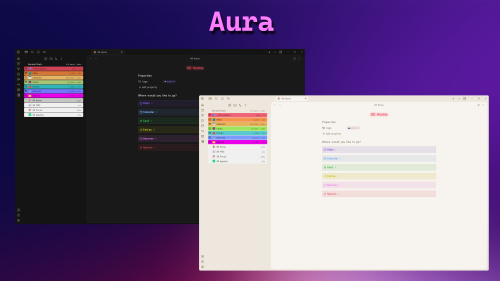
1. Aura
💥 Theme Updates
- Velocity - v2.0.0 - Changelog