Reading progress desktop

by qian-shen
5
4
3
2
1
Score: 50/100

Description

The Reading Progress Desktop plugin adds a persistent reading indicator to the status bar, aimed squarely at long-form reading on desktop screens. Once active, it surfaces three elements: a progress bar that reflects how far you have read, a full-screen toggle, and a small view-type label that changes based on the active pane. These elements work quietly in the background and stay out of the editor itself. The progress bar adapts to supported views such as markdown, pdf, search, and a few specific third-party layouts, while clearly disabling itself when tracking is not possible. Behaviour is configurable. You can adjust the bar's length, control animations, or turn off individual components entirely. The design is practical and restrained, built for users who read extensively and want constant spatial awareness without visual clutter.

Reviews

No reviews yet.

Stats

0
stars
254
downloads
0
forks
137
days
143
days
143
days
0
total PRs
0
open PRs
0
closed PRs
0
merged PRs
0
total issues
0
open issues
0
closed issues
0
commits

Latest Version

5 months ago

Changelog

README file from

Github

English | 中文

Reading Progress Desktop Plugin

This plugin is designed for desktop use only. Please do not use it on mobile devices.

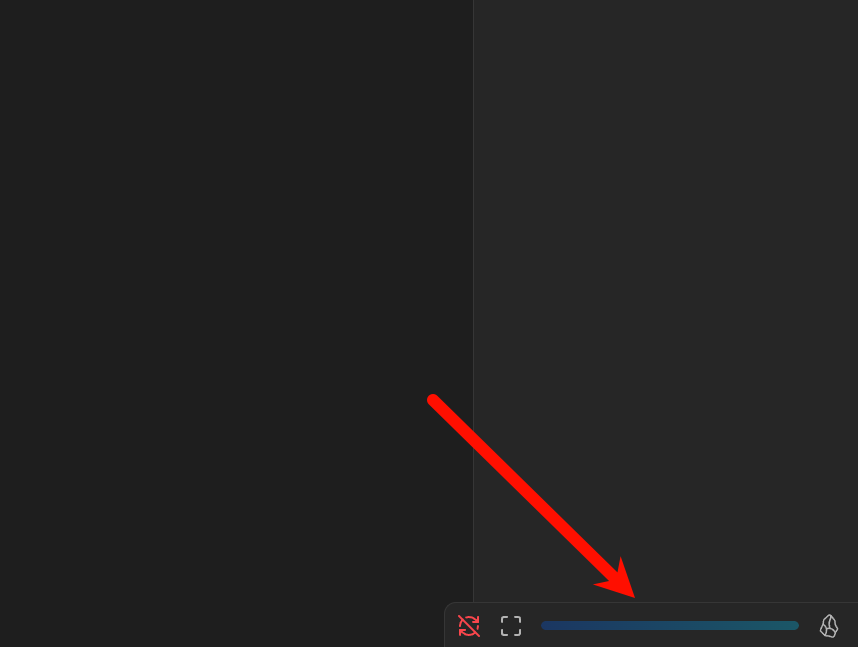
Once enabled, the plugin will generate three components in the status bar: a full-screen button, a progress bar, and a view type indicator.

Installation

  1. Download the latest version from the Release, which includes three files: main.js, manifest.json, and styles.css.
  2. In Obsidian, go to Settings => Community plugins => Installed plugins. Click the folder icon on the right to open the plugins folder.
  3. Create a new folder named reading-progress-desktop inside the plugins folder. Copy the three files from step one into this folder. Then, click the refresh button in the same section as step two. You should now see the plugin listed as Reading progress desktop.

Usage

After enabling the plugin, you will see three components in the status bar from left to right: Full-screen button, Progress bar, and View type indicator. The full-screen button and view type indicator can be disabled in the settings:
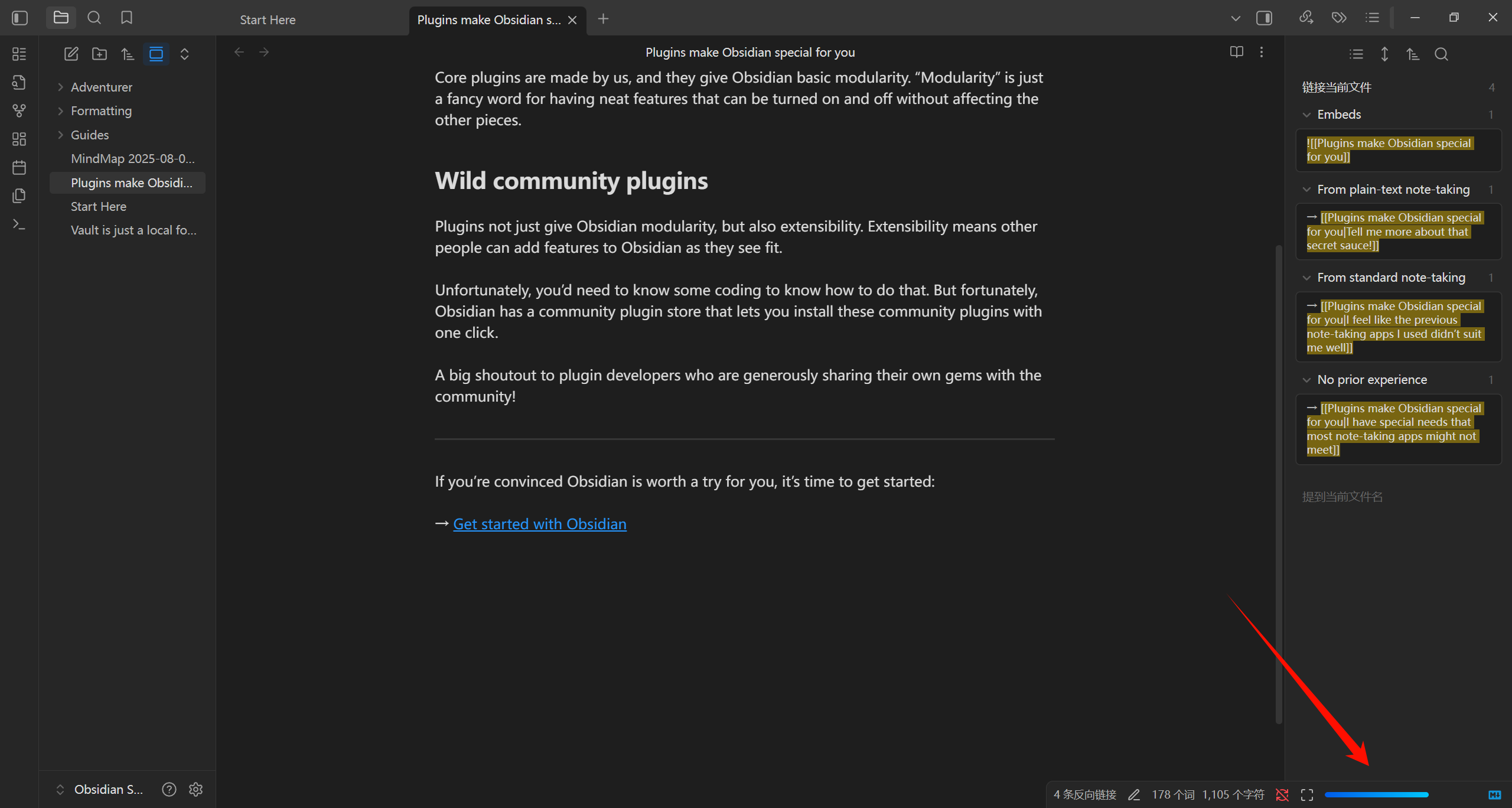
Currently supported view types include: markdown, pdf, search, thino, and bases. When browsing other view types, the progress bar will turn gray, indicating it is inactive.
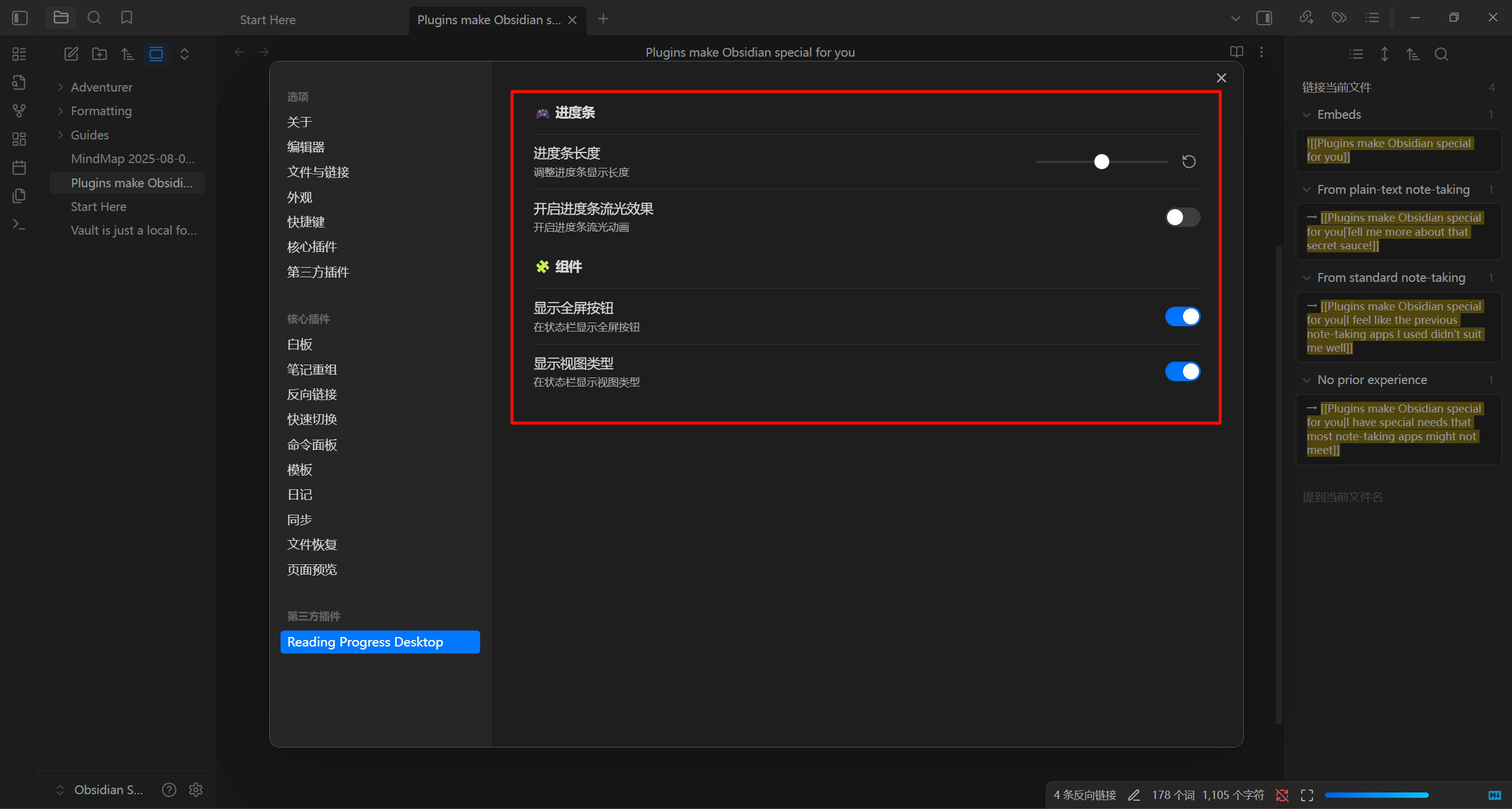
The plugin offers several configuration options: you can adjust the length of the progress bar, enable/disable progress bar animations, and toggle the other two components.
Multi-language Support

The plugin currently supports both Chinese and English. If you would like to add support for another language, feel free to submit a request via the issues section (though it might be unlikely).

View Types

Since I have adapted the plugin for the view types I commonly use, some third-party plugins may have their own view types. If you need support for additional view types, please submit a request via the issues section. Note that views with infinite scrolling (such as canvas) are not supported, as it is impossible to track progress in such cases.

Conclusion

If you wish to make modifications, you can clone this repository, make changes in the corresponding directory, and then run npm run build. Replace the main.js file in the plugin directory with the newly generated one.

Similar Plugins

info
• Similar plugins are suggested based on the common tags between the plugins.
Archivist Importer
a month ago by Archivist AI
Import selected vault files into Archivist campaigns.
Battery Indicator
2 years ago by Kacper Darowski
Brings a battery indicator to Obsidian's status bar
CJK Count
10 months ago by Louie Kurenai
Get Info
4 years ago by Chetachi
A small menu that is tucked inside your status bar and shows helpful information for your chosen file 📄.
Grandfather
5 years ago by Danny Hernandez
A simple Obsidian plugin to display the time and date on the status bar
Idle Monitor
a year ago by alberto98fx
A plugin to improve your productivity
Last Modified Timestamp in Status Bar
3 years ago by Yustynn
Next TOC
4 months ago by RavenHogWarts
Floating TOC panel
Notes dater
3 years ago by Paul Treanor
Adds created_on and updated_on dates of the active note to status bar
Reading Time
6 years ago by avr
Remaining reading time
6 months ago by ununnamed
Shows the remaining reading time in status bar
Show Current File Path
5 years ago by Ravi Mashru
Obsidian plugin to show the file path of the current file in the status bar
SolidTime Integration
a year ago by proniclabs
Obsidian SolidTime Integration Plugin
Status Bar Clock
3 months ago by Marty Ballard
Status Bar Clock for Obsidian
Status Bar Organizer
2 years ago by Kacper Darowski
Arrange and hide status bar elements.
Status Bar Pomodoro Timer
5 years ago by kzhovn
A status bar pomodoro timer plugin for Obsidian.
Status Bar Quote
3 years ago by Jinu
Obsidian plugin - You can pin your favorite quote.
Visual Crossing Weather
a year ago by willasm
Weekly Goal Tracker
a year ago by George Gorman