Inscribe

by Ahmet Ildirim
5
4
3
2
1
Score: 51/100

Description

Category: Creative & Writing Tools

The Inscribe plugin brings real-time AI-powered autocompletion into Obsidian, allowing users to generate inline suggestions as they type. With support for multiple AI providers like Ollama, OpenAI, and Gemini, users can tailor their experience by customizing prompts and setting up different profiles for specific note types. Inscribe offers flexibility by enabling or disabling completions based on note paths, ensuring that users can maintain focus where needed.

Reviews

No reviews yet.

Stats

21
stars
2,006
downloads
3
forks
401
days
50
days
50
days
3
total PRs
0
open PRs
1
closed PRs
2
merged PRs
10
total issues
2
open issues
8
closed issues
0
commits

Latest Version

2 months ago

Changelog

What's Changed

New Contributors

Full Changelog: https://github.com/ahmetildirim/obsidian-inscribe/compare/1.2.0...1.2.1

README file from

Github

Inscribe

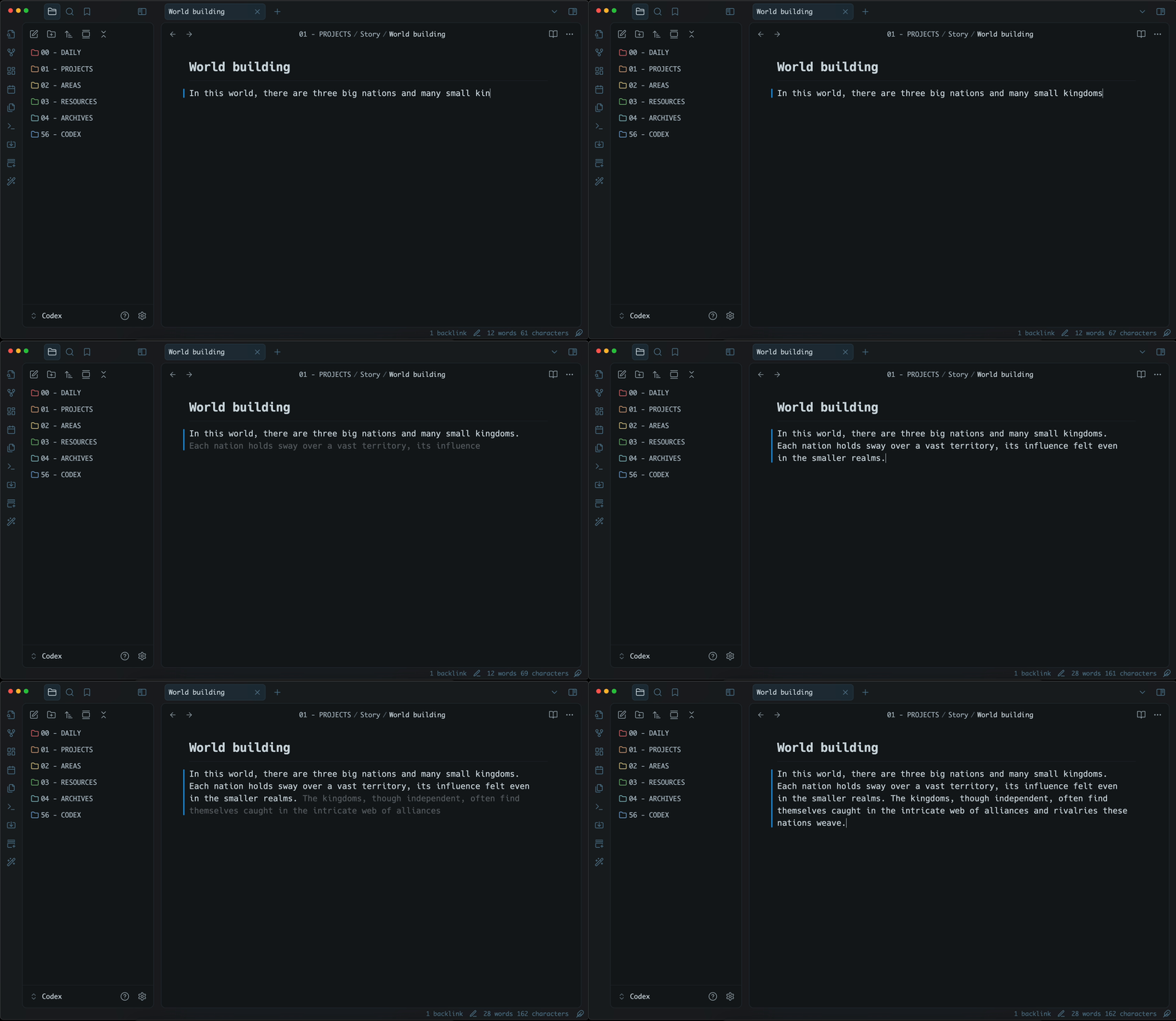
Inscribe is an AI-powered inline autocompletion plugin for Obsidian. It will generate autocompletions as you type and you can accept or reject them with TAB.
Get started

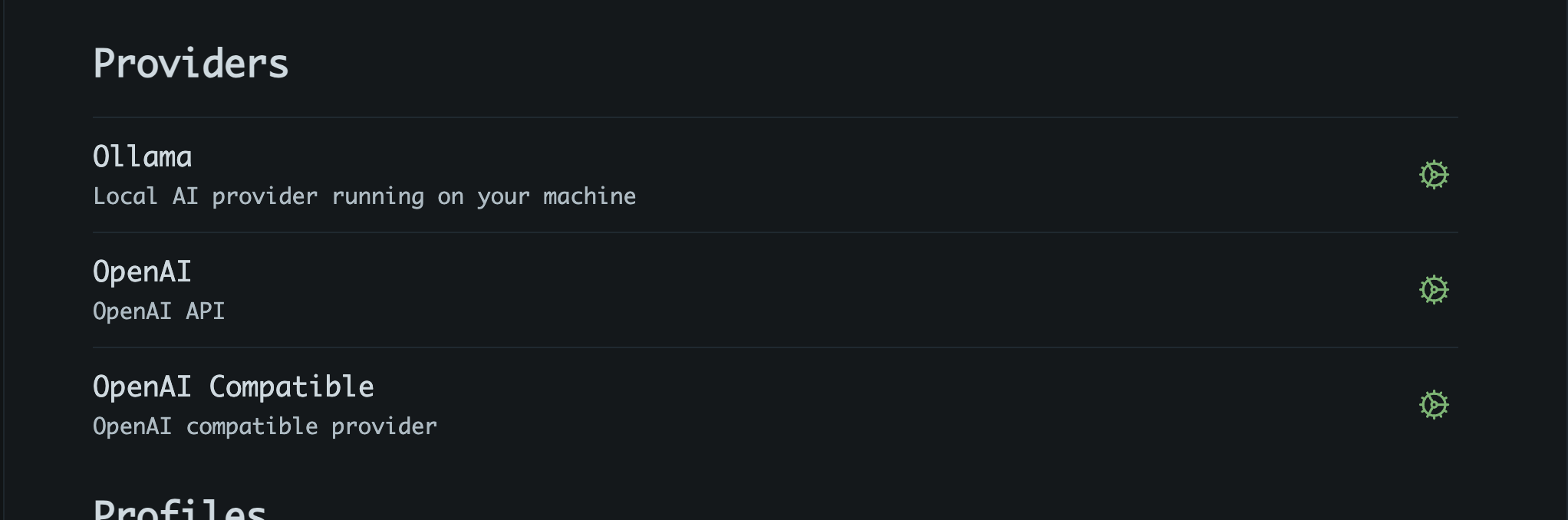
1. Setup a provider

Inscribe supports following providers:

  • Ollama (local)
  • Gemini
  • Grok
  • OpenAI
  • OpenAI compatible

More providers will be added if requested. Or better, feel free to create PR.
2. Customize prompts

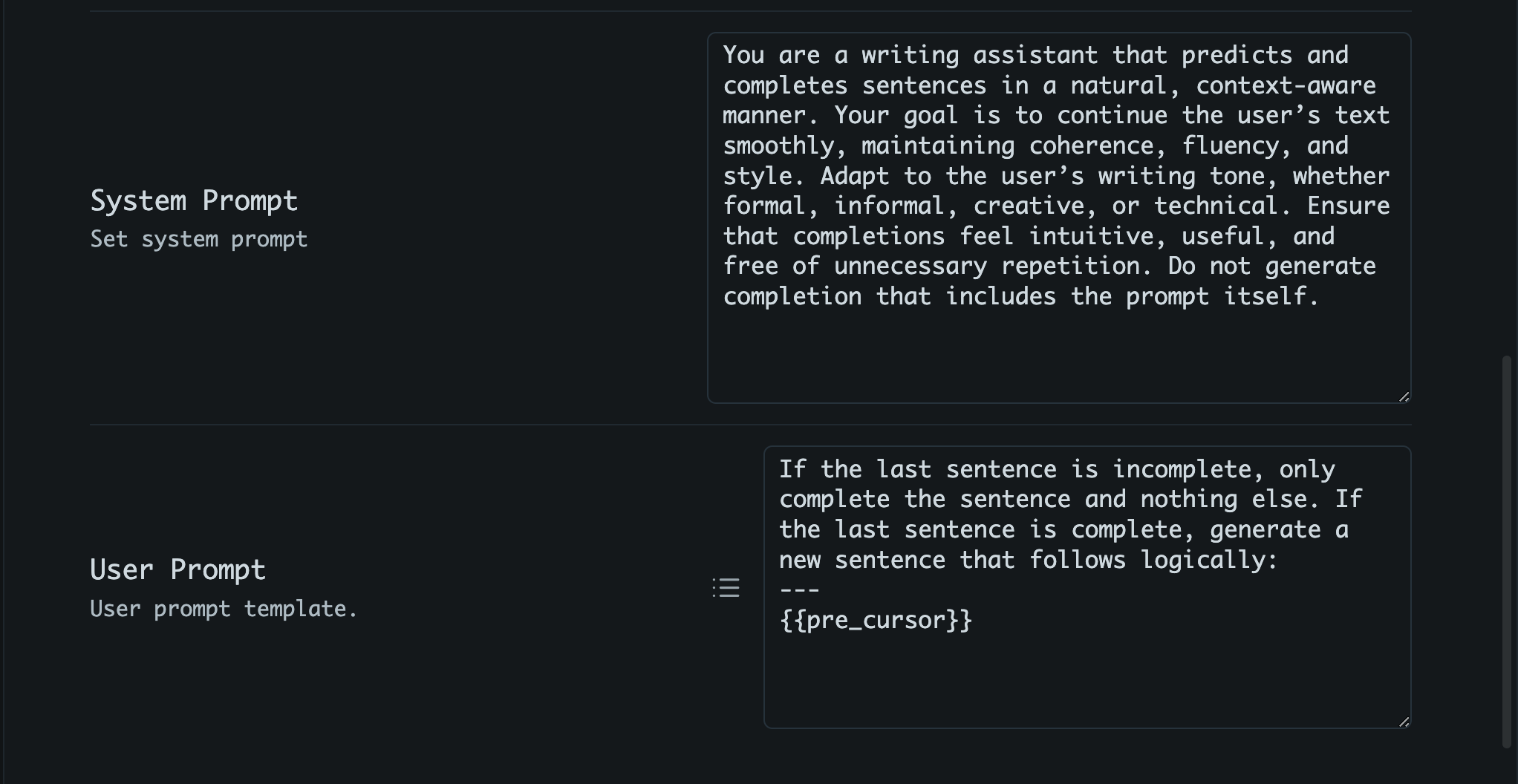
You can set both system and user prompts to guide the AI's responses. For user prompt, template variables (mustache) can be used to provide context;

  • {{pre_cursor}}: text before cursor
  • {{post_cursor}}: text after cursor
  • {{active_sentence}}: the current sentence
  • {{last_line}}: last line of the active note
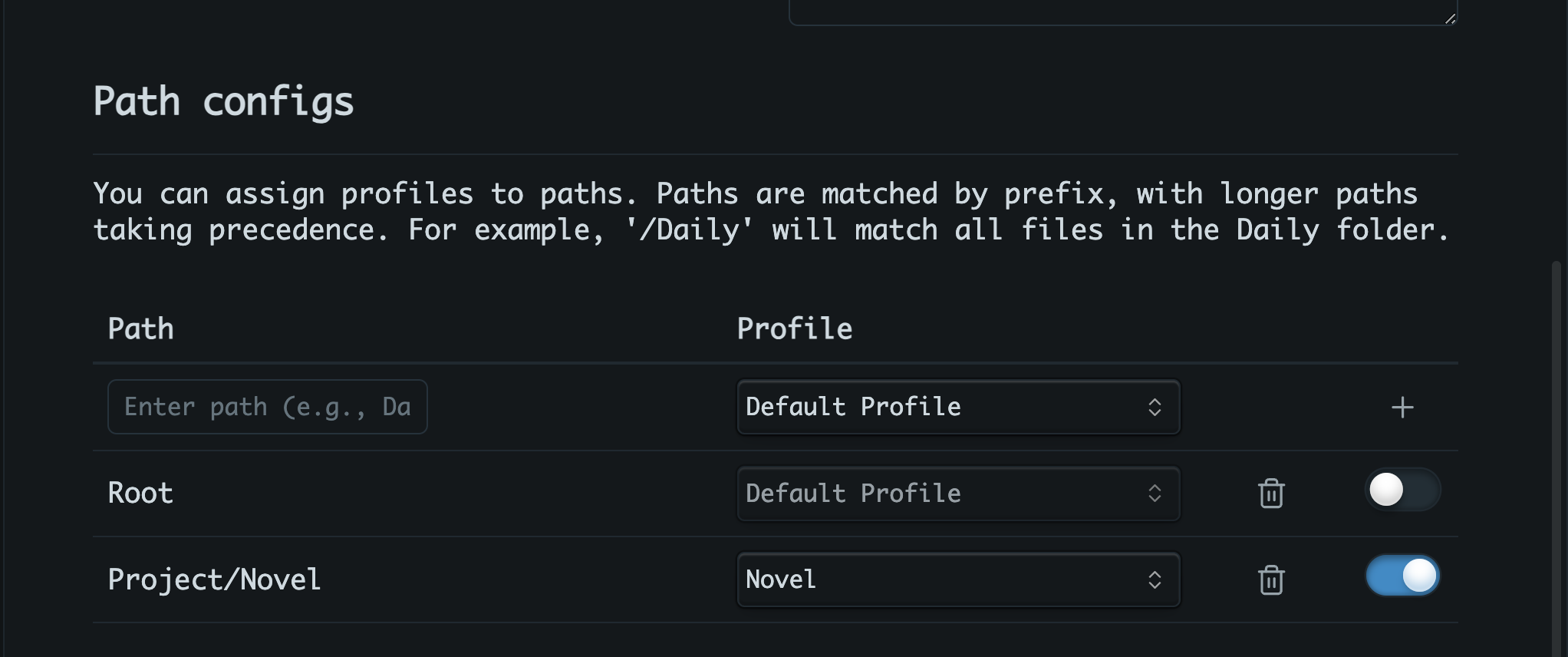
3. Per-Path profile assignments (Optional)

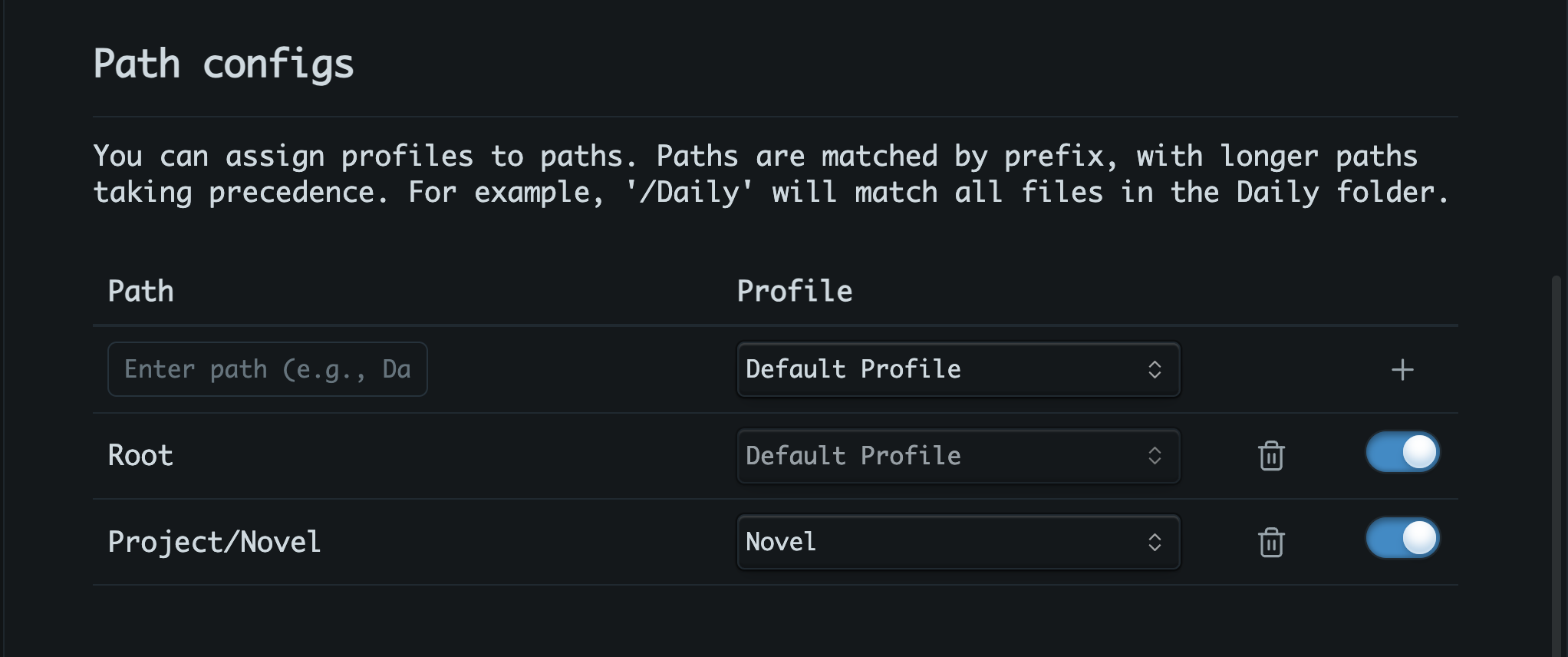
You can create multiple profiles and assign them to specific note paths. For example, you might want a more formal profile for research notes and a more creative one for writing fiction. Corresponding profile will be automatically activated when you open a note matching the assigned path.
Tips

What provider should you use?

Given the high frequency of API calls, using Ollama is highly recommended to reduce costs and improve response times. And for Ollama models, consider using a model bigger than 8B params. For now, gemma3:12b is a good starting point.

Also, Google Gemini is a great option. It is fast and free tier is generous.

Disable completions using path config

Using per-path profile config, you can enable completions only for specific paths. This way, you can avoid annoying interruptions in notes where autocompletion isn't desired.
Support

If you find this plugin useful:

Buy Me A Coffee

Similar Plugins

info
• Similar plugins are suggested based on the common tags between the plugins.
Novel Word Count
4 years ago by Isaac Lyman
Obsidian plugin. Displays a word count or other statistic for each file, folder and vault in the File Explorer pane.
Longform
5 years ago by Kevin Barrett
A plugin for Obsidian that helps you write and edit novels, screenplays, and other long projects.
Smart Composer
2 years ago by Heesu Suh
AI chat assistant for Obsidian with contextual awareness, smart writing assistance, and one-click edits. Features vault-aware conversations, semantic search, and local model support.
Typewriter Mode
3 years ago by Davis Riedel
Typewriter Mode is a plugin that adds typewriter scrolling (current line stays at a fixed position on the screen), a highlight for the current line, dimming of unfocused paragraphs and more to Obsidian.
PodNotes
4 years ago by Christian B. B. Houmann
PodNotes is a plugin for Obsidian that helps the user write notes on podcasts.
Gemini Scribe
2 years ago by Allen Hutchison
An obsidian plugin to interact with Google Gemini
Typing Assistant
3 years ago by Jambo
Typing Assistant is a plugin that improves writing efficiency and provides a user experience similar to that of【Notion】
Autocomplete
5 years ago by Yeboster
Obsidian plugin to provide text autocomplete
ProZen
3 years ago by Moskvitin
Obsidian plugin for going FULL screen
Fantasy name generator
3 years ago by Lukewh
Stille
5 years ago by Michael Lee
🌗 Stille — An Obsidian plugin that helps you focus on your writing, a section at a time.
Writing Goals
3 years ago by James Lynch
Set yourself dynamic writing goals for notes and folders to help you hit your long form writing targets with Obsidian.
Daily Stats
5 years ago by Dhruvik Parikh
Plugin to view your daily word count across all notes in your Obsidian.md vault.
Keep the Rhythm
a year ago by Ezben
An Obsidian plugin to track your daily word count through a heatmap.
Dialogue
4 years ago by Jakub Holub
Dialogue plugin for Obsidian.md
Word Sprint
5 years ago by Andrew Lombardi
Obsidian Word Sprint plugin
Canvas2Document
2 years ago by slnsys
Plugin for Obsidian to convert a complete Canvas to a long form document
Orthography
5 years ago by denisoed
The Obsidian plugin for checking grammar and correcting spelling errors in text.
Writing
3 years ago by johackim
Write and format your next book directly from Obsidian
Readability Score
3 years ago by zuchka
score the readability of your Obsidian documents using the Flesch Reading Ease (FRE) formula
Focus Active Sentence
3 years ago by artisticat
Highlight the active sentence in Obsidian.md
Yesterday
2 years ago by Dominik Mayer
Obsidian plugin providing Yesterday journaling support
digital paper
3 years ago by Daniel Fernandes
turn off backspace and undo, like writing with a pen on real paper.
YourPulse - Your Writing Activity Visualised
a year ago by Jiri Sifalda
YourPulse.cc - Obsidian.md plugin that turns your vault into a reflection of your creativity, and put your writing on steroids 💪
Write Good
a year ago by Mark Hesketh
Obsidian plugin to help improve writing style
Proofreader
a year ago by pseudometa (aka Chris Grieser)
AI-based proofreading and stylistic improvements for your writing. Changes are inserted as suggestions directly in the editor, similar to suggested changes in word processing apps.
Storyclock Viewer
2 years ago by Jonathan Fisher
Obsidian plugin for creating a storyclock
WordCraft
a year ago by Daniel Fernandes
Find rhymes, synonyms, and describing words from within Obsidian. Designed for songwriting and poetry.
Nova
4 months ago by Shawn Duggan
Nova - AI plugin for Obsidian that edits your documents directly through natural conversation. Stop copying from chat, start collaborating with AI.
Dialogue Mode
2 years ago by Patrick Chiang
Typographer
7 months ago by René Coignard
Enhances typography with smart quotes, custom text replacements and auto-pairing characters.
Typezen
2 years ago by Ilgam Gabdullin
Plugin for obsidian which lets you turn zen mode instantly
Hemingway Mode
2 years ago by Joaquín Bernal
WeWrite
a year ago by Learner Chen
Obsidian plugin to render note as WeChat MP article.
Reverse Prompter
2 years ago by Ryan Halliday
Let AI generate prompts to keep you writing
Musical Text
a year ago by Tynan Purdy
Encourage writing with rhythm by highlighting sentences according to wordcount.
Brain Dump Mode
2 years ago by yesjinu
Obsidian plugin - DISABLE your delete key and eliminate hesitation!
Japanese Manuscript Counter
4 months ago by Yo Fujii
AI Revisionist
a year ago by Synaptic Labs
My Typewriter Line
6 months ago by dmo-code
Long sentence highlighter
9 months ago by Robert Meißner
WPM Reading Time - How Long to Read This Text
2 months ago by Santi Younger
Calculate reading time estimates for selected text using your own reading speed in Words Per Minute.
Blog AI Generator
a year ago by Gareth Ng
Obsidian Plugin: generate blog via AI based on the current note.
Dangerous Mode
6 months ago by Vansh Kumar
most dangerous writing app in obsidian