
README file from
GithubHabit Tracker 21 



A minimalist, elegant habit tracker for Obsidian that helps you build lasting habits with clear progress visualization.
Transform your Obsidian vault into a habit-building powerhouse. Track daily habits with an intuitive grid interface, customize your tracking experience, and watch your consistency streaks grow over time.
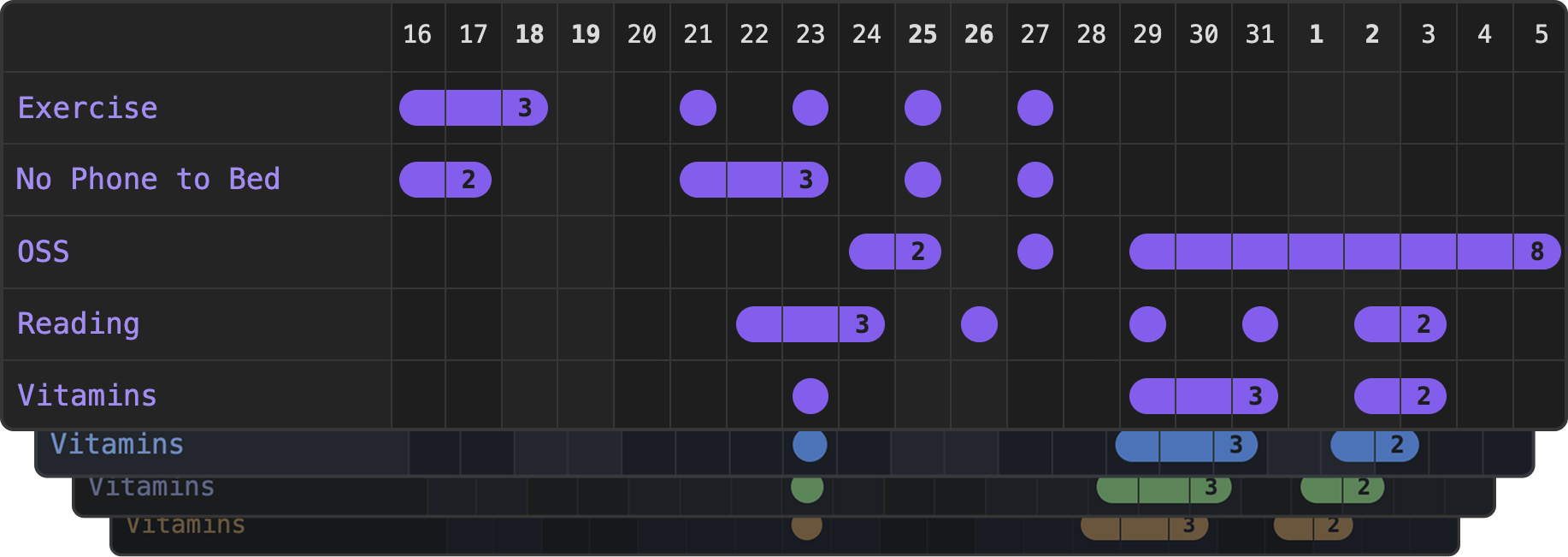
Features
- Minimalist Look - Elegant, clean interface with nothing but essential functionality. Matches your theme effortlessly using Obsidian CSS variables
- Maximum configurability - You can tweak and customize pretty much every aspect of Habit Tracker 21 to make it just right for you
- Easy to setup - Matches your theme effortlessly using Obsidian CSS variables and includes sensible defaults for all tracker properties
- Smart Folder Support - Track individual files or entire habit folders
- Flexible Streak Counting - Optional gap tolerance (
maxGap) keeps streaks intact across short breaks while counting only days you actually completed - Daily Note Integration - Click any date in the header to jump straight to your daily note for that day
- Debug Mode - Comprehensive debugging gives you all the info you need to figure it out
Quick Start
- Install the plugin from Obsidian's Community Plugins
- Create your habits folder (e.g.,
Habits/) - Add habit files like
Exercise.md,Reading.mdfor each habit you want to track - Insert tracker in your Daily notes template, or any other file:
```habittracker
{
  "path": "Habits"
}
```
That's it! Click the grid to log your daily habits.
Customization
Custom Habit Titles
By default, habit titles use the filename (e.g., Exercise.md → "Exercise"). Customize titles by adding frontmatter to your habit files:
---
title: "Morning Workout 💪"
entries: []
---
Examples:
title: "📚 Daily Reading"title: "Drink 8 glasses of water"title: "Meditation & Mindfulness"
If no title is specified, the filename is used as before.
Custom Habit Colors
By default, habit colors inherit from your Obsidian theme's checkbox ticked color. Personalize individual habits with custom colors by adding a color property to your habit file frontmatter:
---
title: "Morning Workout 💪"
color: "#4CAF50"
entries: []
---
Examples:
color: "#FF5722"(hex colors)color: "rgb(76, 175, 80)"(RGB values)color: "green"(CSS color names)
Invalid colors are ignored and the default theme color is used.
Streak Gap Tolerance
By default, a single missed day breaks a streak. Use maxGap to keep a streak visually intact across short gaps — useful for habits where occasional misses are acceptable (e.g. a rest day in a workout routine):
---
title: "Morning Workout 💪"
maxGap: 1
entries: []
---
- The streak bar renders continuously across gap days (shown at reduced opacity)
- The streak count reflects only actual ticked days — gap days are not counted
maxGap: 1allows 1 missed day,maxGap: 2allows 2, and so on
Examples by habit frequency:
| Habit | Frequency | maxGap |
Why |
|---|---|---|---|
| Workout | 3× per week | 3 |
Allows up to 3 rest days between sessions (e.g. Mon → Fri) |
| Clean Puramax | Every 2 weeks | 13 |
Up to 13 days can pass between cleanings |
| Call a friend or family member | Weekly | 6 |
One call per week, any day |
| Car service / deep clean | Monthly | 30 |
Up to 30 days between occurrences |
Configuration
Global Settings
Access via Settings > Community plugins > Habit Tracker to set defaults for all trackers:
- Default Path - Choose from dropdown of vault folders
- Days to Show - Number input (default: 21)
- Show Streaks - Toggle streak indicators and counts on/off (default: on)
- Open daily note on date click - Click a date in the header row to open the corresponding daily note (default: on). Requires the Daily Notes core plugin or the Periodic Notes community plugin
- Debug Mode - Toggle debug output on/off
- Match Line Length - Fit tracker to readable line width
Per-Tracker Settings
Override global settings in individual code blocks:
```habittracker
{
  "path": "Habits",
  "daysToShow": 30,
  "lastDisplayedDate": "2024-01-15",
  "debug": true,
  "matchLineLength": false
}
```
All Settings
Per-Tracker Settings (code block)
| Setting | Type | Default | Description |
|---|---|---|---|
path |
string | "/" | Path to habit folder or file. Defaults to root folder if left empty |
firstDisplayedDate |
string | auto | First date shown in grid (format: "YYYY-MM-DD"). When provided, takes priority over daysToShow |
lastDisplayedDate |
string | today | Last date shown in grid (format: "YYYY-MM-DD"). If left empty, defaults to today |
daysToShow |
number | 21 | Number of days to display. Ignored when firstDisplayedDate is explicitly provided |
color |
string | "" | Custom color for this tracker (hex, RGB, or CSS color name) |
showStreaks |
boolean | true | Display streak indicators and counts |
debug |
boolean | false | Enable debug console output |
matchLineLength |
boolean | false | Match readable line width |
Per-Habit Settings (frontmatter)
| Setting | Type | Default | Description |
|---|---|---|---|
title |
string | "" | Custom display name. Falls back to filename if not set |
color |
string | "" | Custom color for this habit (hex, RGB, or CSS color name) |
maxGap |
number | 0 | Allow up to N consecutive missed days within a streak. Gap days show at reduced opacity; only actual ticked days are counted |
entries |
array | [] | Array of completed dates in YYYY-MM-DD format. Managed automatically when clicking the grid |
Usage Examples
Multiple Habits (Most popular)
Track all habits in a folder:
```habittracker
{
  "path": "Habits"
}
```
Single Habit
Track one specific habit file:
```habittracker
{
  "path": "Habits/Exercise.md"
}
```
Custom Time Range
Show last 30 days:
```habittracker
{
  "path": "Habits",
  "daysToShow": 30
}
```
Custom Tracker Color
Override default color for entire tracker:
```habittracker
{
  "path": "Habits",
  "color": "#FF5722"
}
```
Streak Gap Tolerance
Allow up to 1 missed day without breaking a streak:
```habittracker
{
  "path": "Habits/Exercise.md"
}
```
---
title: "Exercise"
maxGap: 1
entries: []
---
Disable Streaks
Hide streak indicators for cleaner view:
```habittracker
{
  "path": "Habits",
  "showStreaks": false
}
```
View Past Date Range
Show habits ending on a specific date:
```habittracker
{
  "path": "Habits",
  "lastDisplayedDate": "2024-01-15",
  "daysToShow": 30
}
```
Show Specific Date Range
Track habits for the entire month of November 2024:
```habittracker
{
  "path": "Habits",
  "firstDisplayedDate": "2024-11-01",
  "lastDisplayedDate": "2024-11-30"
}
```
Debug Mode
Enable detailed logging:
```habittracker
{
  "path": "Habits",
  "debug": true
}
```
Troubleshooting
Common Issues
"Path is required" error
- Set a default path in plugin settings, or specify
"path"in your tracker
Tracker shows "No habits found"
- Check the path exists in your vault
- Ensure folder contains
.mdfiles (subfolders are ignored)
Settings not updating
- Trackers auto-refresh when global settings change
- For JSON errors, check syntax (commas, quotes, braces)
- If issues persist, try force reload (Ctrl+R) or restart Obsidian
Clicking a date does nothing
- Ensure Open daily note on date click is enabled in plugin settings
- Ensure either the Daily Notes core plugin or the Periodic Notes community plugin is enabled — if neither is active, a notice will appear when you click
Debug Output Enable debug mode to see detailed logging in the browser console (F12).
Development
Installation
git clone https://github.com/zincplusplus/habit-tracker
cd habit-tracker
npm install
npm run dev
Contributing
PRs welcome! Please:
- Follow existing code style
- Update documentation
License
MIT License - see LICENSE for details.
Made with ❤️ for the Obsidian community