
README file from
GithubBorozdov Trellis
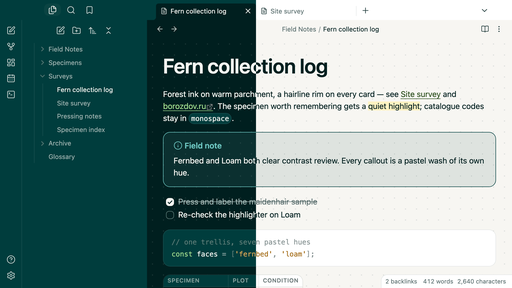
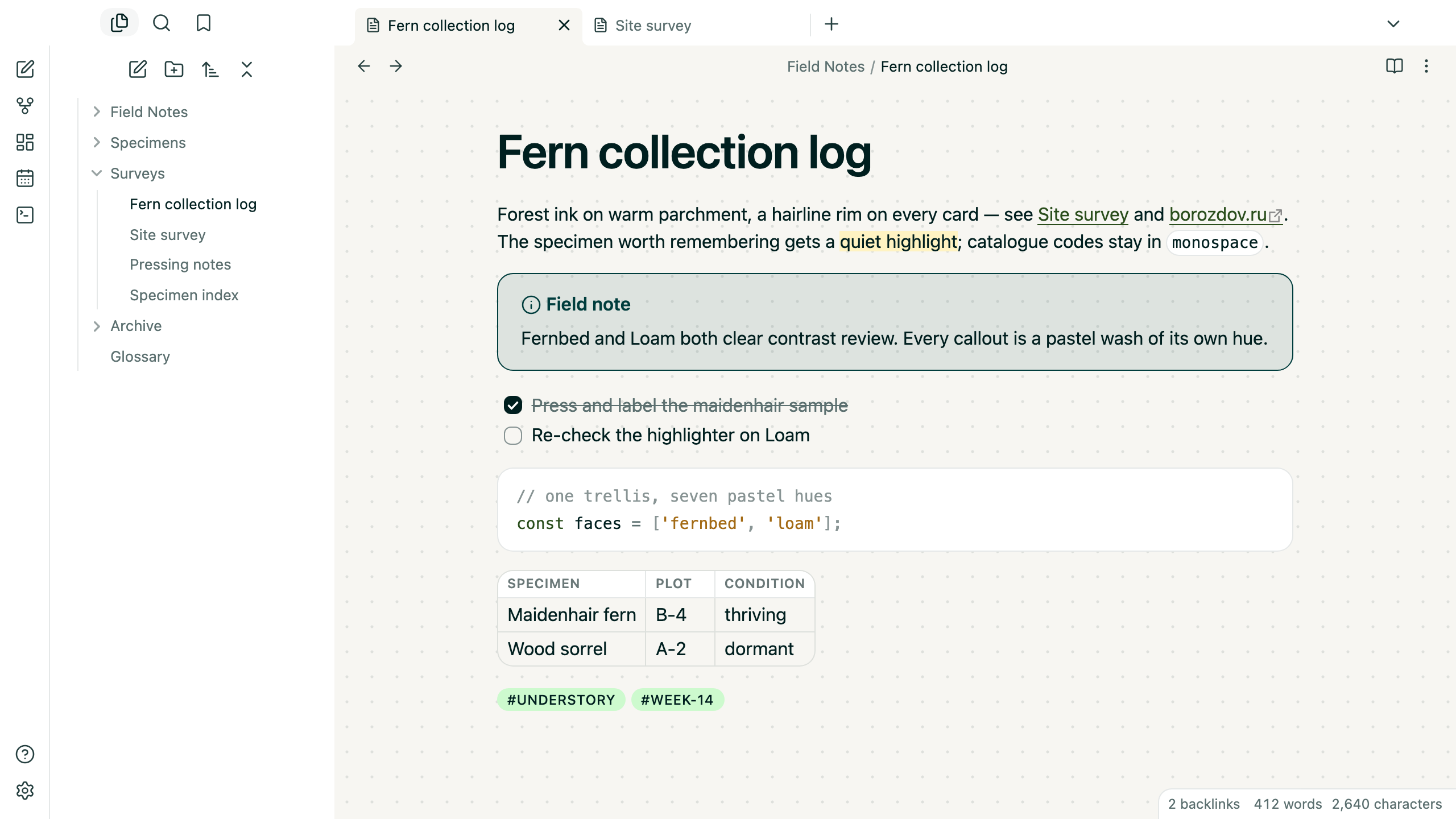
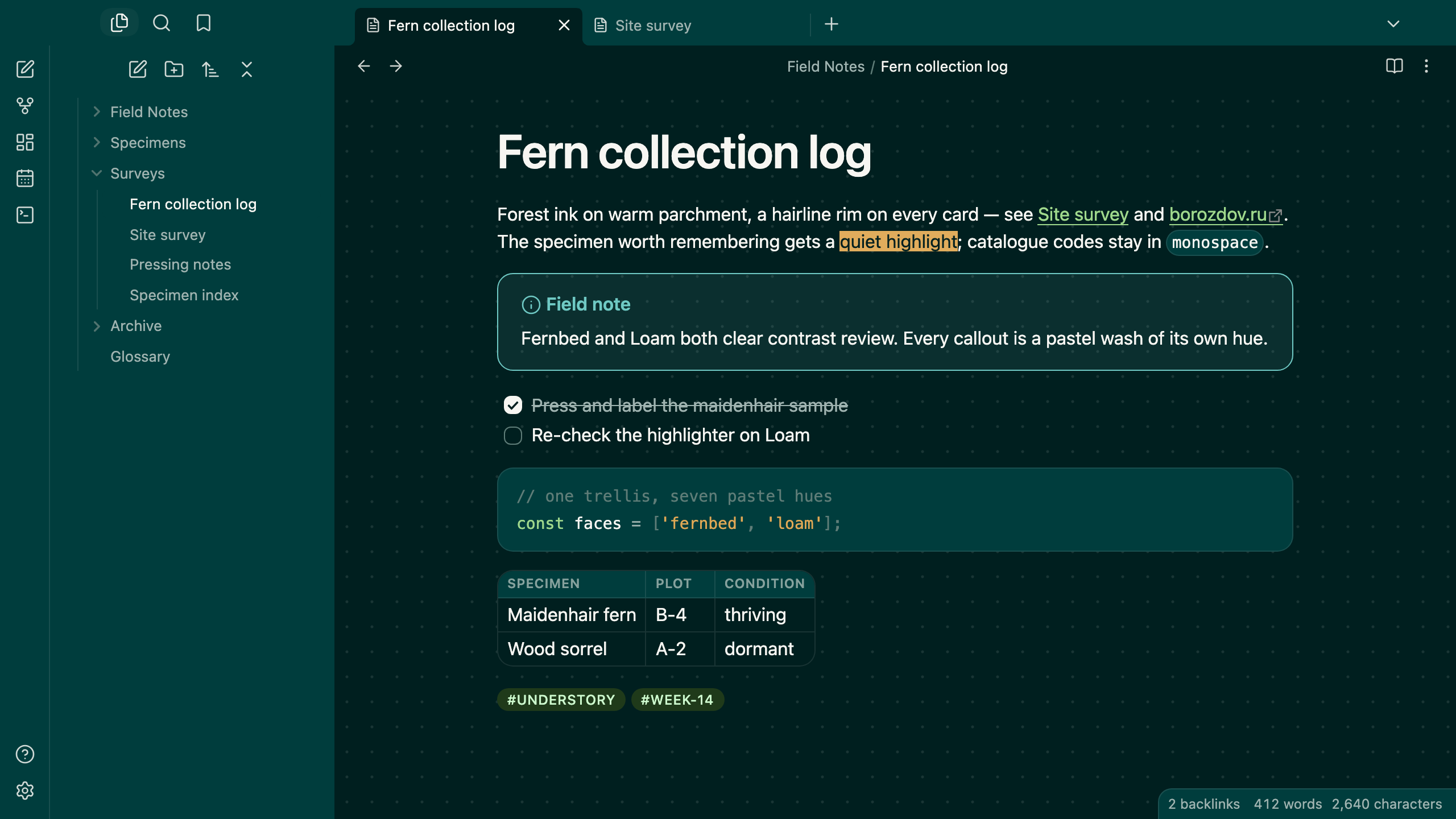
A theme from the Borozdov collection. Two faces — light Fernbed, a botanist's field journal on warm parchment, and dark Loam, the same journal after the greenhouse lights go out. Dark forest ink carries every word on both; the only colour comes from the pastel specimen cards that callouts and tags are drawn as. Style source: Refero #53 Lattice, "Botanical field journal".
Principles
- Ink does the talking. Forest Ink carries the running text, the headings and the filled button on both faces — Fernbed and Loam are exact mirrors, paper and ink trading ends the way a page and its impression do.
- Pastel specimen cards. Every callout is a light wash of its own hue — teal, moss, iris, saffron, plum — mixed by Obsidian itself from the same handful of colours a field guide would use to key its plates. Nothing else on the page carries a tint.
- One vine of green. Links run in a single green thread, Deep Forest by day and a brighter Meadow by night — the one accent besides the specimen cards themselves.
- A hairline builds every card. Callouts, code panes, tables and popovers round to the source card's own 14px corner with a 1px rim, never a shadow.
- Journal paper underfoot. A faint dot grid rides under every note, in the same hairline the rest of the page is built from — barely there, never a distraction.
- Developer-native type. The platform's own geometric sans for interface and prose alike; no embedded font, no load, no flash of unstyled text.
Features
- Light and dark modes, following Settings → Appearance → Base color scheme
- Callouts, code blocks, embeds, tables and popovers drawn as the same hairline-rimmed card at the source card's own 14px radius
- A table draws its own rounded frame; cells only carry the inner grid, so no edge is ever doubled
- Tags round to a full pill in the source's own Meadow-on-ink badge colours
- The highlighter stays an opaque cream or amber with ink on top, so a note never grows an olive smear by night
- Quiet editing: no focus ring around the note, its title or form fields while you type; property names read as labels, not boxed fields
- A toggle thumb tuned per face so it never disappears against its own track
- Text colours meet WCAG contrast on both faces
- The phone layout keeps the same colours and shapes
- No embedded fonts, so the theme stays well under the directory's size limit
- No
!important: every rule can be overridden with a CSS snippet
Variants
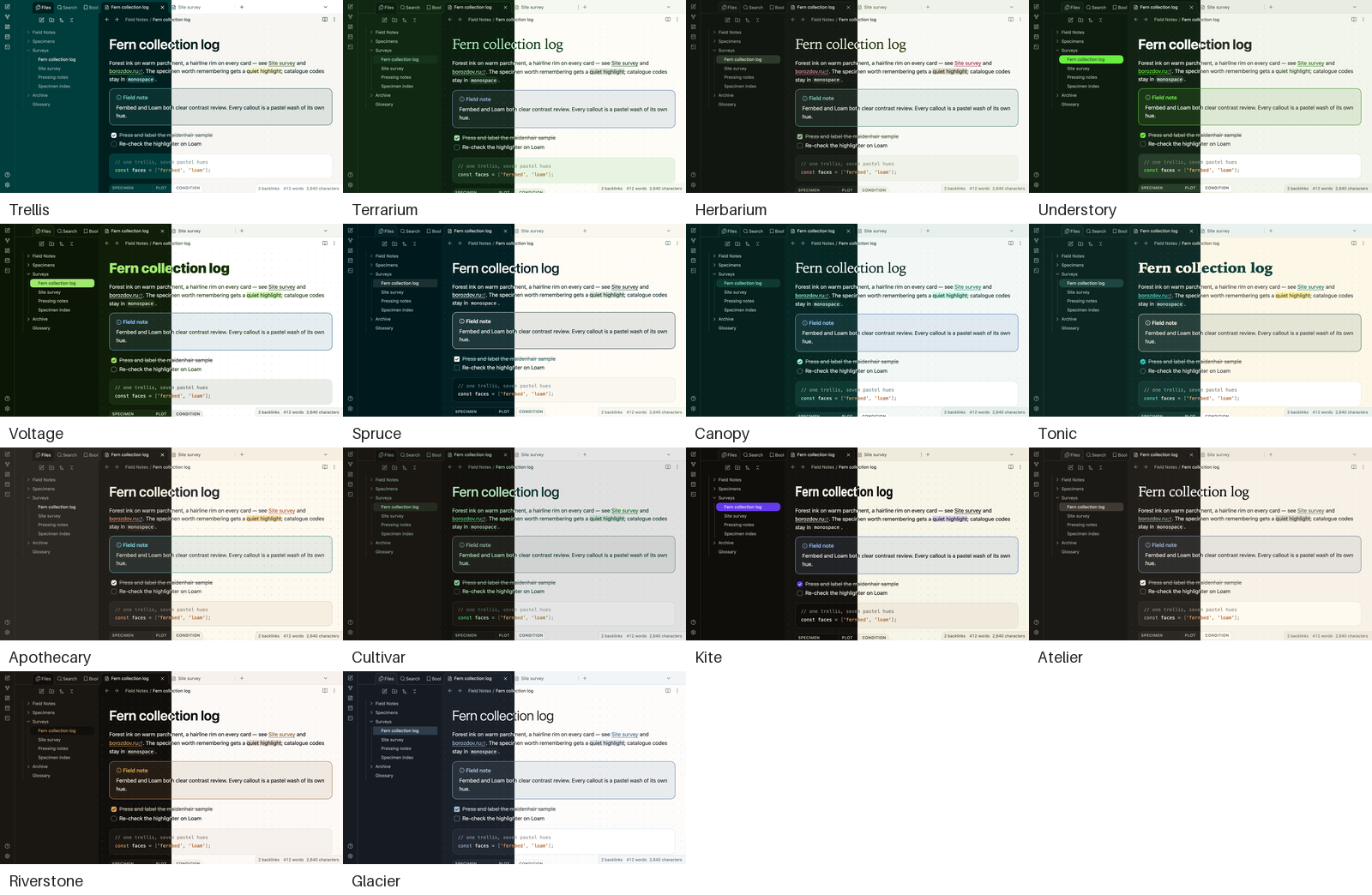
Borozdov Trellis also carries the other 13 themes of the collection's botanical mood. Install the Style Settings plugin, open Settings → Style Settings → Borozdov Trellis → Variant, and pick one: Terrarium, Herbarium, Understory, Voltage, Spruce, Canopy, Tonic, Apothecary, Cultivar, Kite, Atelier, Riverstone and Glacier.
A variant brings that theme's palette in both modes, its fonts, weights and corners, and its tag and highlight colours. The layout — callouts, tables, the sidebar — stays Trellis's. Fonts a theme embeds on its own aren't carried over; the variant falls back to the same system stack. Each theme is still available by itself from its repository.
Installation
From the community directory: Settings → Appearance → Themes → Manage, search for Borozdov Trellis, then Install and use.
By hand: download manifest.json and theme.css from the
latest release
into <vault>/.obsidian/themes/Borozdov Trellis/, then choose Borozdov Trellis under
Settings → Appearance → Themes.
License
MIT — see LICENSE.
По-русски. Тема из коллекции Borozdov. Два лика: светлый «Fernbed» — дневник ботаника на тёплом пергаменте, и тёмный «Loam» — тот же дневник после того, как в теплице гаснет свет. Чернила цвета лесной хвои несут любой текст на обоих ликах; единственный цвет — пастельные карточки образцов, в которые окрашены выноски и теги. Шрифты не встроены. Через плагин Style Settings в теме есть ещё 13 вариантов — остальные темы коллекции в настроении «ботаника и природа». Устанавливается из каталога: Настройки → Оформление → Темы → Настроить → Borozdov Trellis → Установить и применить.