
README file from
GithubStandard Plus
The standard Obsidian theme, but better.
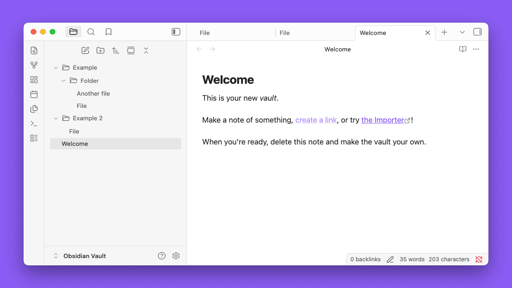
Features
- Custom folder icons (closed/open states)
- No folder indent lines for cleaner appearance
- Pointer cursor on interactive elements
- Supports both light and dark modes
Installation
- Download
manifest.jsonandtheme.css - Create folder:
<vault>/.obsidian/themes/Standard Plus/ - Place both files in that folder
- Open Obsidian: Settings → Appearance → Themes → Select "Standard Plus"