
README file from
GithubSaint Red Paper
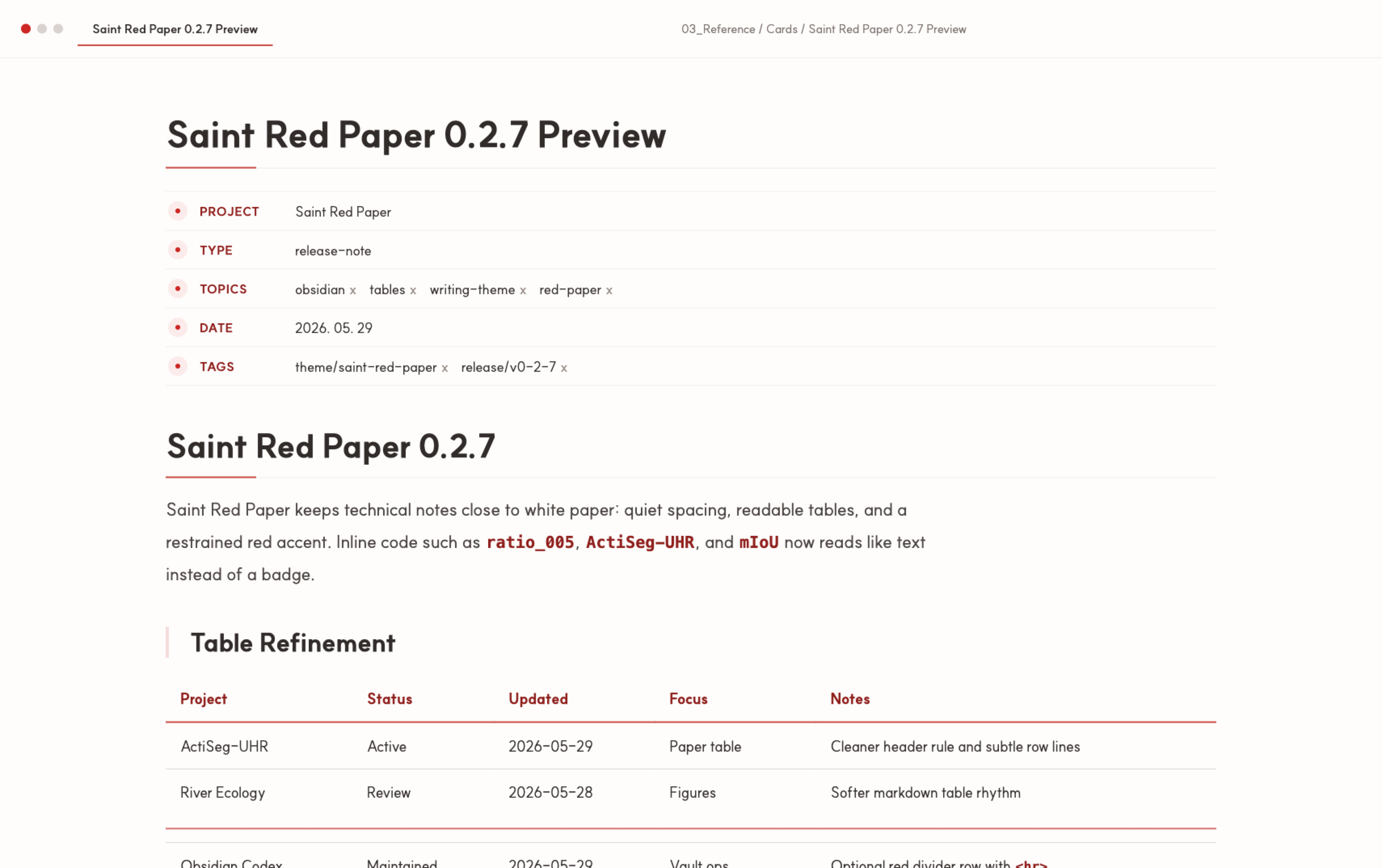
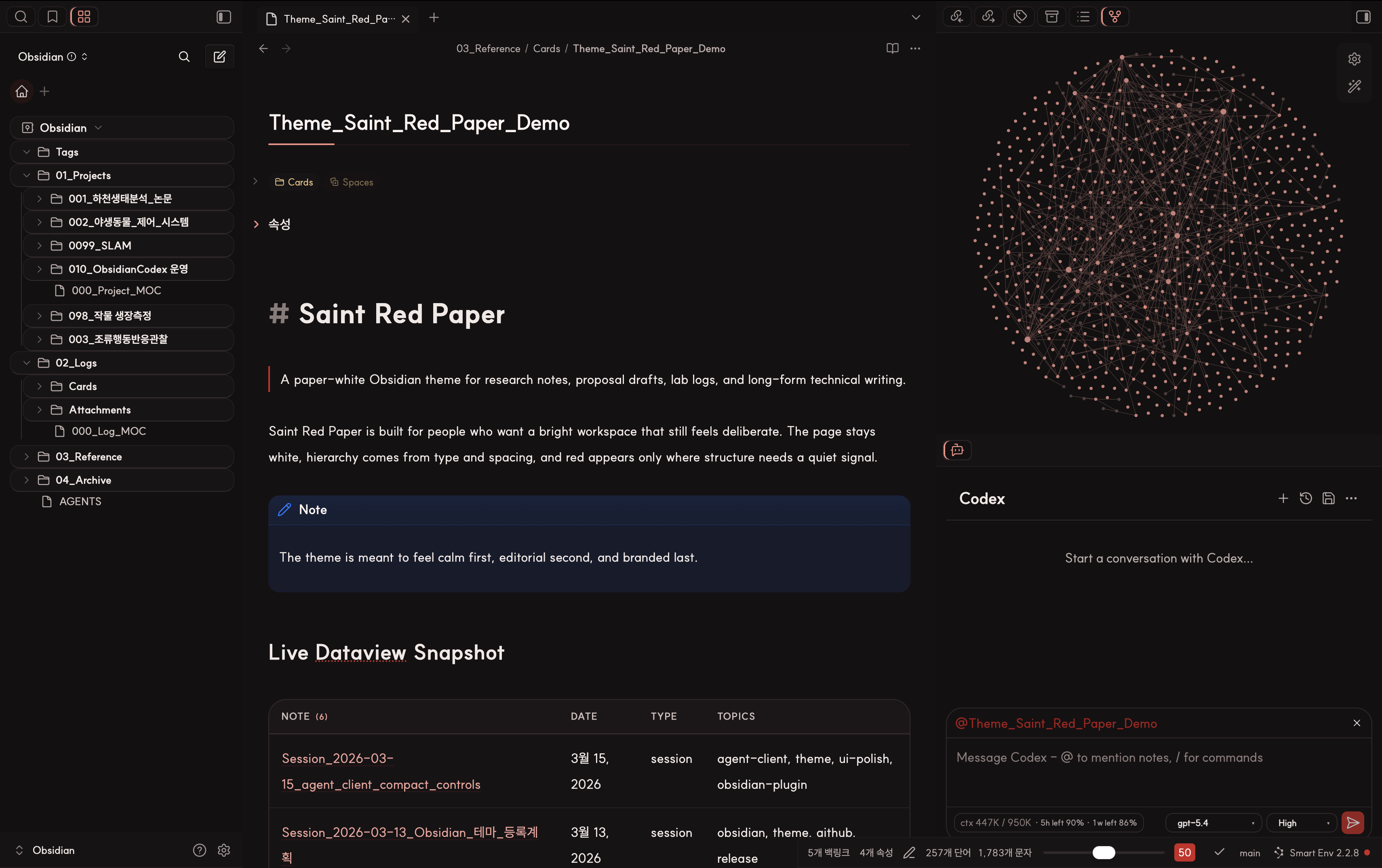
Saint Red Paper is a light-first Obsidian theme for research notes, lab logs, and long-form technical writing. It keeps light mode as the primary visual identity, but now also includes a matching dark mode so the same note structures remain usable when the workspace switches to dark.
Obsidian Community Theme · Star on GitHub · Issues


If Saint Red Paper fits your workflow, please star the repo.
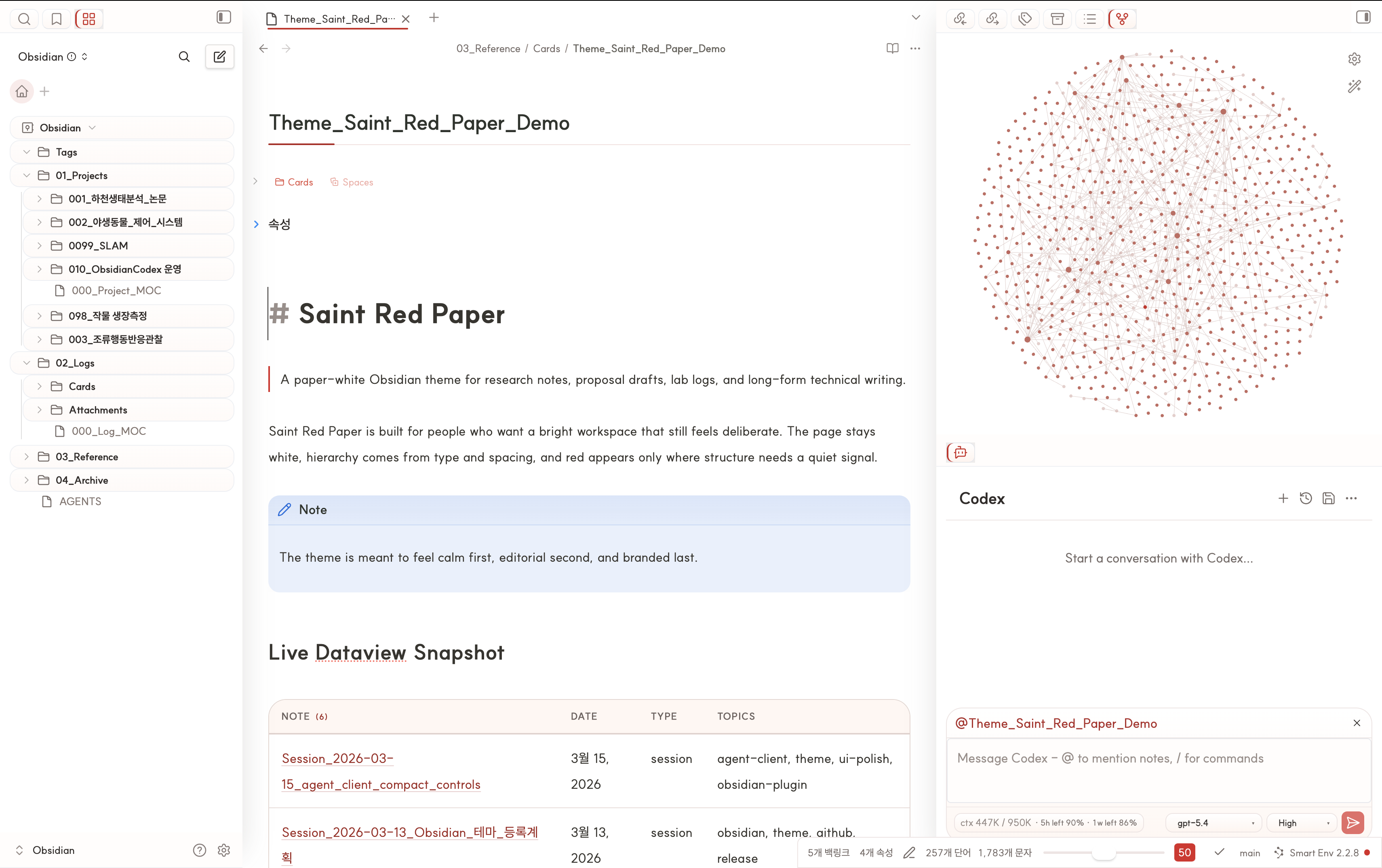
Saint Red Paper is available in the official Obsidian Community directory. Feedback, bug reports, and workspace screenshots are always welcome in Issues.
What It Changes
- Keeps the main canvas close to white paper instead of tinting the whole workspace
- Tunes headings, spacing, blockquotes, callouts, and inline code for reading-heavy notes
- Gives sidebars, root tabs, links, tags, and notices a restrained red-paper language
- Adds a paper-like treatment for Markdown and Dataview tables so they feel closer to notes than widgets
- Supports optional red table dividers with a simple
<hr>marker row - Extends the same visual language into a matching dark mode instead of leaving dark as a token-only fallback
- Adds a compact optional styling layer for
Agent Clientcontrols when that plugin is installed - Fits well with
make.md'sNavigatorpanel if you want the workspace captures to feel closer to the author's setup - Includes built-in
Style Settingshooks for width, rules, sidebar accents, links, tags, and table density - Still behaves predictably even if
Style Settingsis not installed - Installs from the standard Obsidian theme files,
theme.cssandmanifest.json
Quick Install
Requires Obsidian 1.1.9 or later.
Obsidian Community Themes
- Open
Settings -> Appearance -> Themes -> Manage. - Search for
Saint Red Paper. - Install and select the theme.
Manual
- Copy this folder into your vault's
.obsidian/themes/Saint Red Paper/directory. - Open
Settings -> Appearance -> Themes. - Select
Saint Red Paper.
Git clone
git clone https://github.com/saint0721/saint-red-paper.git "Saint Red Paper"
Then move or symlink the folder into .obsidian/themes/Saint Red Paper/.
Optional plugins
The theme works without extra plugins. These plugins are only recommended if you want a setup closer to the screenshots:
Style Settingsfor adjusting exposed theme variables from the UIDataviewif you want result tables like the ones shown in the demo capturesAgent Clientif you want matching visual treatment for chat controlsmake.mdif you want theNavigatorpanel layout shown in the author's workspace
Optional plugin-specific styling
Saint Red Paper can style a few third-party plugin surfaces when those plugins already exist in the user's vault. The theme does not bundle plugin functionality; it only provides visual integration where safe.
Important:
- The theme does not bundle
Agent Clientor any other plugin functionality. - Users still need to install those plugins separately.
- What the theme can provide is visual integration, not plugin features.
Best Fit
Saint Red Paper is designed for:
- research notes
- lab notebooks
- proposal drafts
- long-form technical writing
- clean light-mode daily knowledge work
It is a weaker fit for dashboard-heavy, card-heavy, or heavily gamified workspace styles.
Recommended setup
- Font:
SUIT - Interface mode: Light
- Accent color:
#cd2623if you want the OS-level accent to sit close to the theme palette - Snippets: Disable older overlapping table/sidebar snippets once this theme is enabled
Dark mode preview
Markdown table dividers
Saint Red Paper supports an optional red divider row inside Markdown tables. Add a blank table row where you want the divider, then put <hr> in the first cell:
| Project | Status | Updated |
| ------- | ------ | ------- |
| A       | Done   | Today   |
| <hr>    |        |         |
| B       | Todo   | Tomorrow |
The theme hides the <hr> text and renders that row as a red horizontal divider across the table. Plain empty rows stay plain; the divider appears only where the <hr> marker is used.
Exposed Style Settings controls
- Note width
- Paragraph width
- Inline title rule width
- H1 rule width
- Sidebar active accent
- Sidebar active background
- Sidebar edge shadow opacity
- Link color
- Link hover color
- Tag shape
- Table vertical padding
- Table outer border color
Maintenance Checklist
Before cutting a release, verify:
- Reading View and Live Preview both look correct
- Dataview tables do not reintroduce conflicting backgrounds
- No legacy snippets are still overriding table or sidebar styles
Style Settingscontrols remain optional rather than required- The current Obsidian version still respects the selectors used in
theme.css - Optional plugin-specific styling degrades safely when the target plugin is not installed
Included Files
theme.css: Built Obsidian theme filemanifest.json: Obsidian theme manifestassets/main-light.png: Main live light workspace captureassets/main-dark.png: Main live dark workspace captureassets/saint-red-paper-community.png: Community directory preview captureCHANGELOG.md: Release notes
Links
- Homepage: https://github.com/saint0721/saint-red-paper
- Issues: https://github.com/saint0721/saint-red-paper/issues
For release history, see CHANGELOG.md.