
README file from
Githubpaper-lite
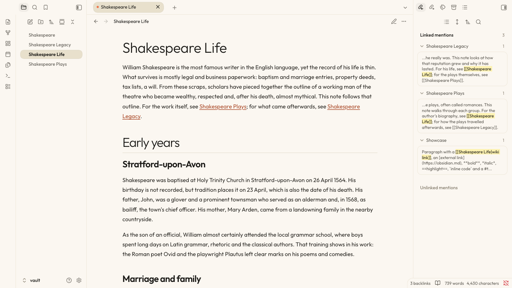
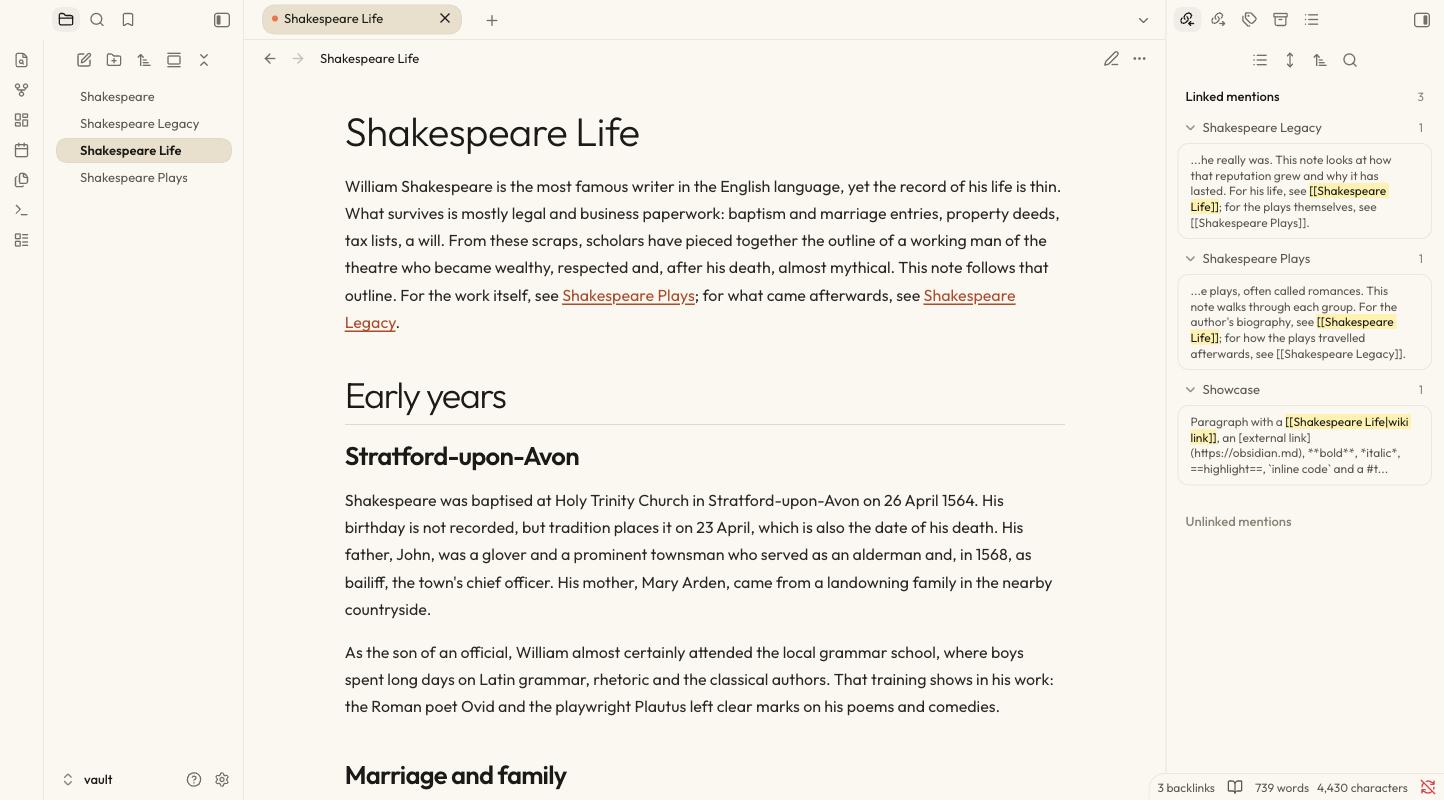
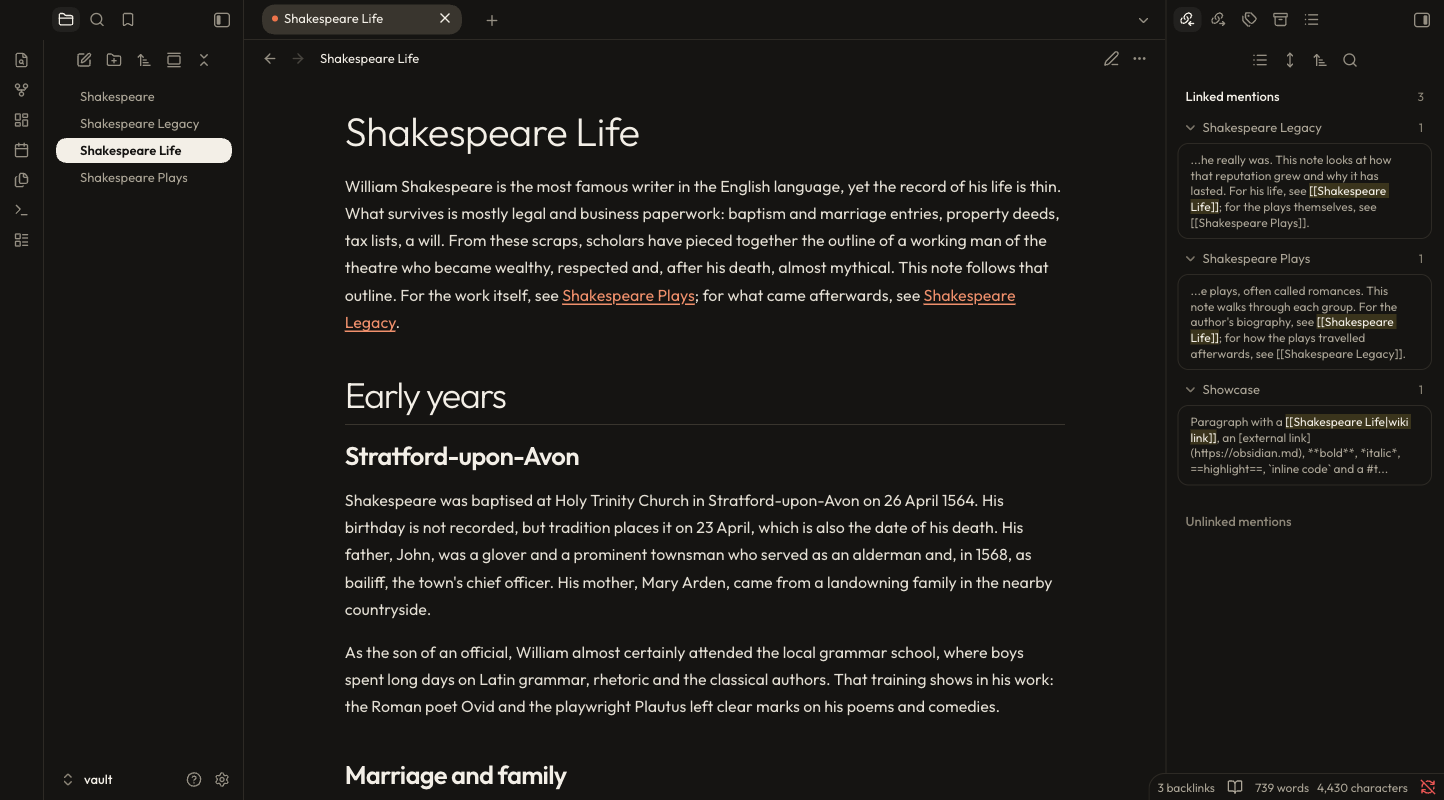
A warm, editorial theme for Obsidian: cream paper, ink-dark type, a touch of orange, and serif accents. It comes in two modes, light and dark, and follows Obsidian's own colour-scheme setting.
| Light | Dark |
|---|---|
 |
 |
Based on Suliworld by Stéphane Sulikowski (MIT licence). paper-lite started as a copy of that theme and is maintained as a separate project. It is not affiliated with the original.
Features
- Light and dark, one surface each. The sidebars, tab bar, vault row, status bar and editor share the same background, separated by hairlines. Light is cream (
#fbf7f0); dark is near-black (#151412). - Pill tabs. The active tab and the selected file row are a warm sand pill in light mode (cream in dark mode), with a small orange dot on the tab.
- One heading system. Every level uses the same ink colour and typeface, and the hierarchy comes from size and weight: a large light H1 over a hairline, semi-bold H2 to H4, muted H5, and small-caps H6. Orange is kept for interaction, such as the fold chevron in the margin, which stays visible on a folded heading.
- Accent titles. Italic text inside a heading is set in the display serif, in orange:
# Slow software. *Why patience ships better apps* - Callouts. Tinted by type: note in blue, tip in mint, warning in peach, question in lavender, quote in yellow.
- Quotes, code and embeds. Peach blockquotes in the display serif, dark code blocks in your system's monospace font, and embedded notes shown as a dark green card. Plain alternatives are available in the settings.
- Checkboxes. An open task is a soft peach box, the same peach as the blockquote, with a deeper peach border and no ring or glow. A done task is black with a white tick (with a thin lighter edge in dark mode so it stays visible).
- Bullet journal signifiers for tasks (see below).
- One font pairing, bundled so no network access is needed: Outfit for text and headings, and Newsreader italic for accents and quotes. The fonts are subset to Latin characters, which keeps the theme file to about 90 KB; text in other scripts falls back to your system fonts.
- Mobile-friendly. Heading sizes scale down on phones.
Install
From the community themes list
Once paper-lite is accepted into Obsidian's community themes, open Settings → Appearance → Themes → Manage, search for paper-lite, and choose Install and use.
Manually
- Download
theme.cssandmanifest.jsonfrom the latest release. - Put both files in a folder called
paper-liteinside your vault's themes folder:<Vault>/.obsidian/themes/paper-lite/. - In Obsidian, open Settings → Appearance → Themes and choose paper-lite.
Light and dark mode
Open Settings → Appearance → Base colour scheme and choose Light, Dark, or Adapt to system.
Settings
Install the Style Settings plugin to customise the theme. Open Settings → Style Settings → paper-lite:
- Side panels (light mode): Flat (cream, the default) or Sand (one warm step darker than the editor).
- Floating cards: never (the default, one continuous surface), dark mode only, or always. Cards are rounded panes with gaps between them.
- External link icon: a ↗ arrow in the link colour, none, or Obsidian's default.
- Plain blockquotes and plain embeds, replacing the peach quote box and the dark green embed card.
- Bullet journal signifiers: on or off, size, and a symbol and colour for each type.
Without Style Settings, the theme uses the defaults listed above.
Bullet journal signifiers
The character between a task's brackets picks the symbol shown in place of the checkbox:
| Markdown | Meaning | Default symbol |
|---|---|---|
- [ ] |
Task | • |
- [x] |
Done | × (struck through) |
- [*] |
Event | ✱ orange |
- [n] |
Note | ■ green |
- [>] |
Migrated | › |
- [<] |
Scheduled | ‹ |
- [!] |
Important | ! on a peach disc |
Events and notes aren't clickable, so a stray click can't turn them back into tasks. Any other character keeps Obsidian's standard checkbox. This is on by default and can be turned off in the Style Settings.
Known limitations
- Tested on macOS with Obsidian 1.14.4. Windows, Linux, and mobile have not been tested.
- Canvas and Graph view have only been checked briefly, and the Graph view's link lines are faint in dark mode.
- Some secondary text in light mode, such as "Unlinked mentions", is below the 4.5:1 contrast target.
- The options above need the Style Settings plugin; without it the defaults apply.
Building from source
theme.css is generated. Edit src/theme.css, then run:
./build.sh
The script embeds the fonts from fonts/ as base64, because Obsidian themes can't load font files stored next to them. To build and install into one or more vaults at once:
./build.sh ~/path/to/vault
Releasing
See RELEASING.md. In short: bump version in manifest.json, rebuild, commit, then push a tag with the same version, with no v in front (for example 0.1.3). The release workflow attaches manifest.json and theme.css to a GitHub release.
Licence
The theme is released under the MIT Licence. It includes the original copyright of Stéphane Sulikowski and the copyright of the paper-lite changes.
The bundled fonts, Outfit and Newsreader, are licensed under the SIL Open Font Licence 1.1. They are subset to Latin characters to save space; see fonts/OFL.txt for their copyright notices and the changes.