
README file from
GithubLucy
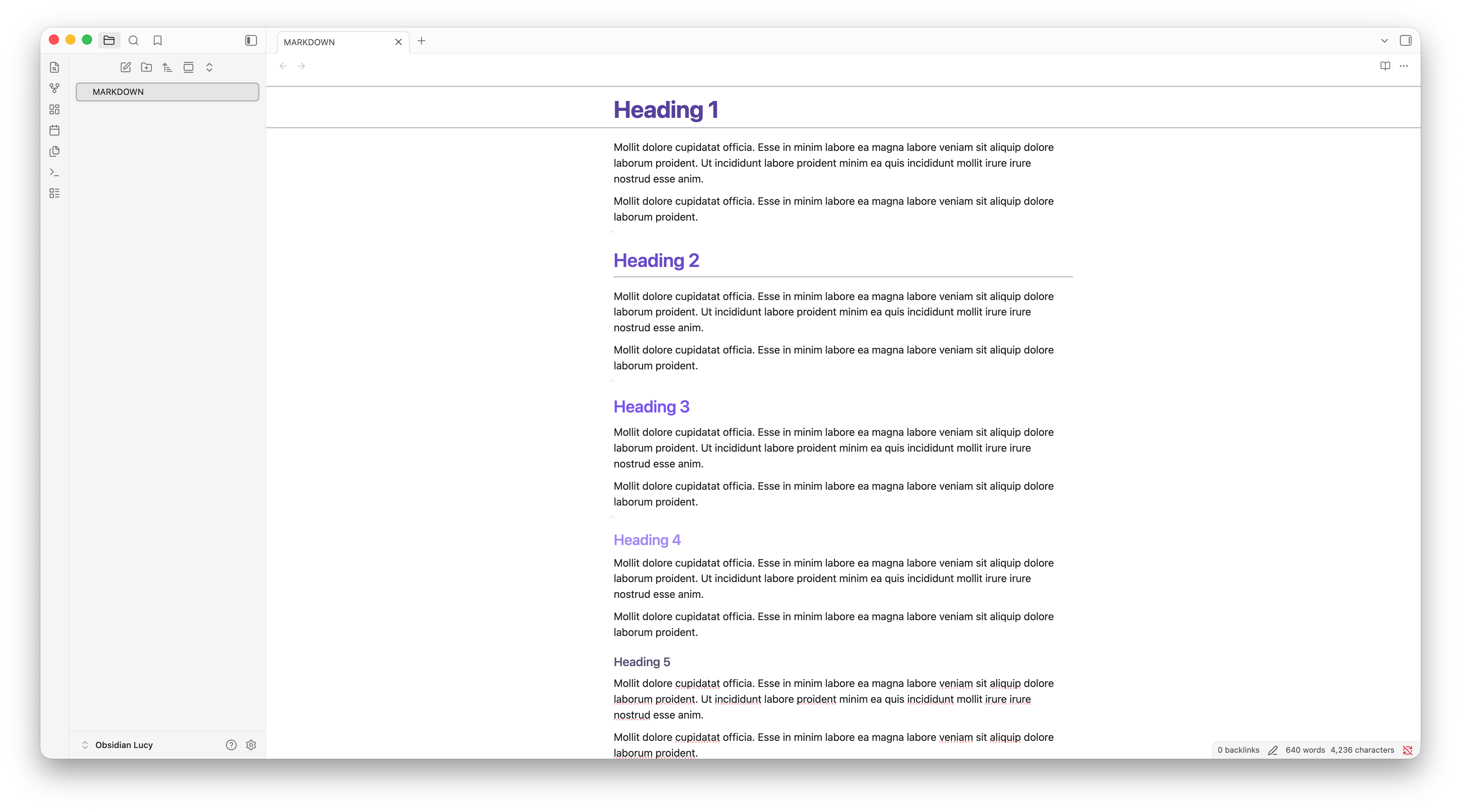
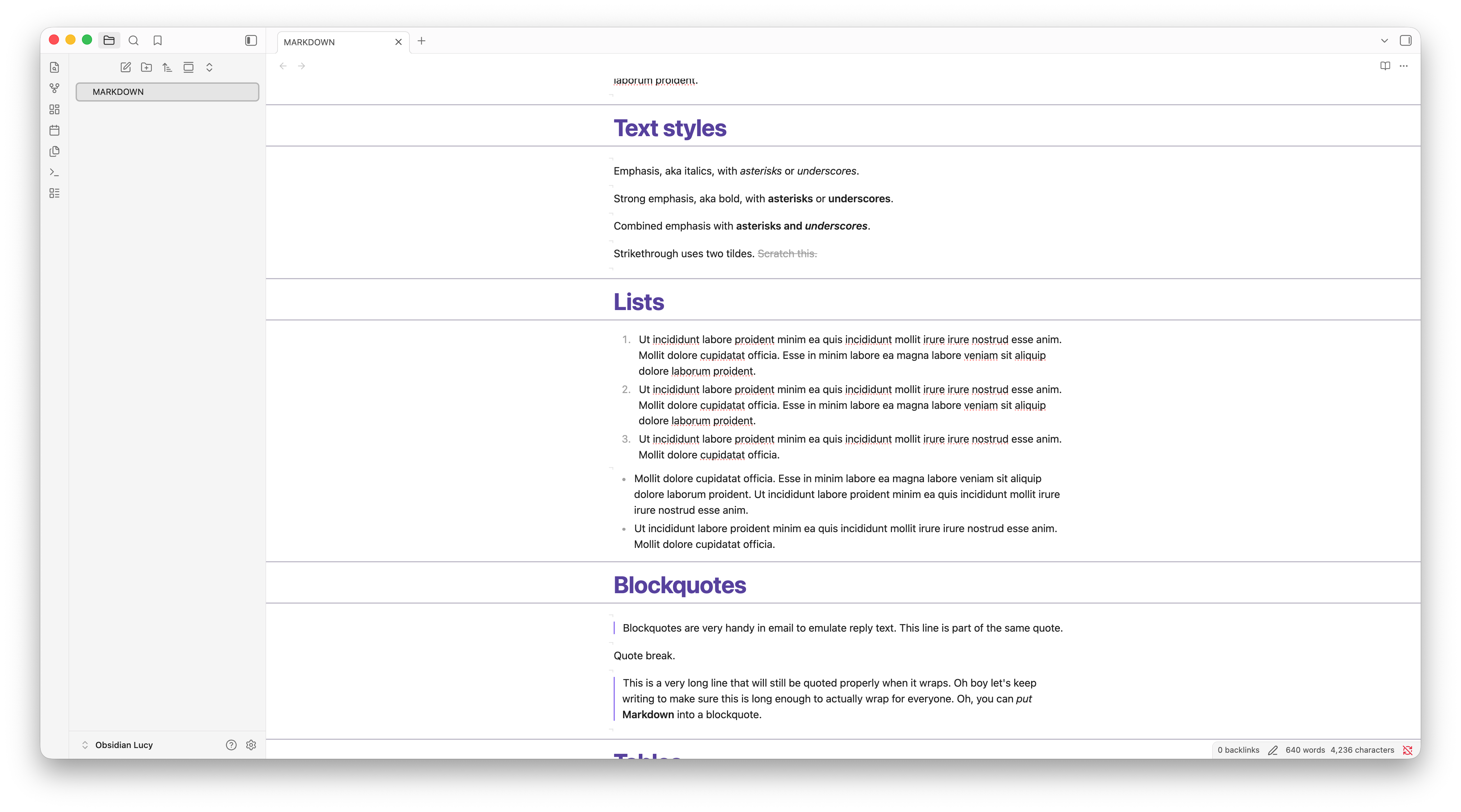
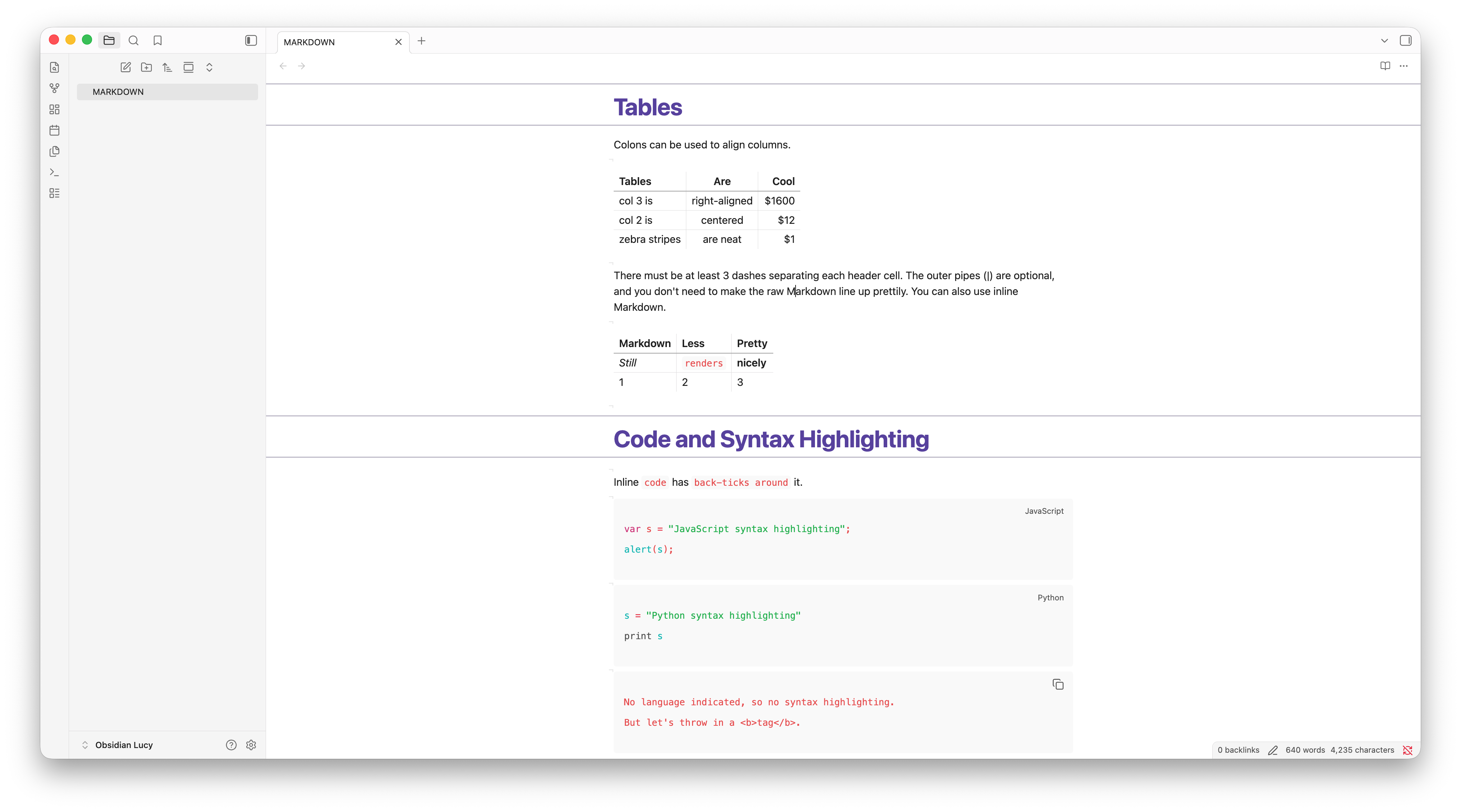
A clean, spacious, Notion-inspired theme designed for clear thinking in Obsidian, Typora, and Zed.
✨ Features
Lucy is designed to remove visual noise, leaving you with a calm, well-structured digital canvas that feels like Notion but runs locally.
🧘 Distraction-Free Workspace
- Auto-Hiding Document Titles: The note title container fades away to
0opacity and smoothly transitions back only when focused (:focus-within), giving you a clean header line. - Low-Contrast Markdown Formatting: Formatting markers (such as
#,**,*,~~,==,`) are styled in a semi-transparent, subtle color. They fade into the background, highlighting only the parsed text.
📐 Elegant Document Hierarchy
- H1 Accent Lines: Section headers (H1) feature top and bottom border accent lines that span the readable editor width for a structured, editorial feel.
- Bordered H2 Headers: H2 elements include a clean underline border to clearly demarcate secondary sections.
- Refined Heading Palette: Headings scale proportionally from H1 down to H6 with distinct color weights customized for both dark and light modes.
🎨 Notion-Inspired Colors
- Light Mode: Features a clean base with a premium royal purple/deep indigo accent (
rgb(65, 37, 131)). Default callouts, info callouts, and todo checkboxes adapt this deep indigo hue. - Dark Mode: Employs a soft, steel-blue palette with high contrast, light-blue headers for exceptional legibility during night writing.
🔗 Connected Blockquotes
- Consecutive blockquote paragraphs visually connect their left borders, preventing disjointed blocks and creating a cohesive container for quoted text.
📝 Refined Lists & Layout Spacing
- 3-Level Bullet Cycling: Bullets dynamically cycle their shape depending on indentation depth (Level 1: filled disc, Level 2: hollow circle, Level 3: filled square), looping every 3 levels.
- Optimal Spacing: Generous line spacing and compact list items (
2pxvertical padding) strike the perfect balance between readability and density. - Empty Line Indicators: Blank lines retain Obsidian's native editor height and display a subtle caret guide (
¬) to indicate line breaks without disrupting cursor placement.
🚀 Obsidian Installation
[!NOTE] Lucy requires Obsidian v1.13.0 or higher.
Option 1: Community Themes (Recommended)
- Open Settings in Obsidian.
- Navigate to Appearance → Themes → Manage.
- Search for Lucy.
- Click Install and use.
Option 2: Manual Installation
- Download
theme.cssandmanifest.jsonfrom the latest release. - In Obsidian, go to Settings → Appearance → Themes and click the Folder icon to open your themes directory.
- Create a folder named
Lucy. - Copy
theme.cssandmanifest.jsoninto theLucyfolder. - In Obsidian, select Lucy from the themes dropdown.
✍️ Typora Installation
Lucy includes separate light and dark themes for Typora.
- Download
lucy-typora.zipfrom the latest release and extract it. - In Typora, open Settings → Appearance → Open Theme Folder.
- Copy
lucy-light.css,lucy-dark.css, and thelucydirectory into the theme folder. - Restart Typora and select Lucy Light or Lucy Dark from the Themes menu.
See the Typora package documentation for appearance pairing, customization tokens, compatibility details, and the visual test fixture.
💻 Zed Installation
Lucy includes a native light/dark theme family for Zed's application chrome, editor, syntax highlighting, terminal, diagnostics, and Git states.
- Download
lucy-zed.zipfrom the latest release and extract it. - Copy
lucy.jsoninto Zed's local themes directory at~/.config/zed/themeson macOS or Linux, or%USERPROFILE%\AppData\Roaming\Zed\themes\on Windows. - Reload Zed.
- Open the theme selector with
cmd-k cmd-ton macOS orctrl-k ctrl-ton Linux and Windows, then select Lucy Light or Lucy Dark.
See the Zed package documentation for automatic light/dark pairing, optional font settings, and the exact scope of the port.
🛠️ Development & Releases
If you're modifying or contributing to the theme:
- Clone this repository into your vault's theme folder:
.obsidian/themes/Lucy - Run your developer tools or editor of choice. All styling is configured directly in
theme.css. - To draft and publish a new version:
- Run
npm run releaseto automatically bump the patch version, update all configuration files (manifest.jsonandversions.json), create a Git commit and tag, and push them to GitHub. - For custom version bumps (minor or major), run
npm version minorornpm version major. - The GitHub Actions workflow will automatically capture the pushed tag, create a new GitHub Release, upload the Obsidian
manifest.jsonandtheme.cssassets, and attach install-readylucy-typora.zipandlucy-zed.zippackages.
- Run
💬 Feedback & Support
If you encounter any issues, have feature requests, or want to contribute improvements, please open an issue on the GitHub repository.
📄 License
This project is licensed under the MIT License - see the LICENSE file for details.