
README file from
GithubStillmark for Obsidian
Stillmark is the Obsidian port of the quiet, restrained Stillmark theme for SiYuan, built around a clean white editor canvas and clear long-form reading.
Ported and maintained by yunforge ([email protected]).
It carries the same visual language into Obsidian: a white-first light mode, a matched charcoal dark mode, low-saturation berry and focus-blue accents, and hairline-separated neutral chrome.
Preview
| Light Theme | Dark Theme |
|---|---|
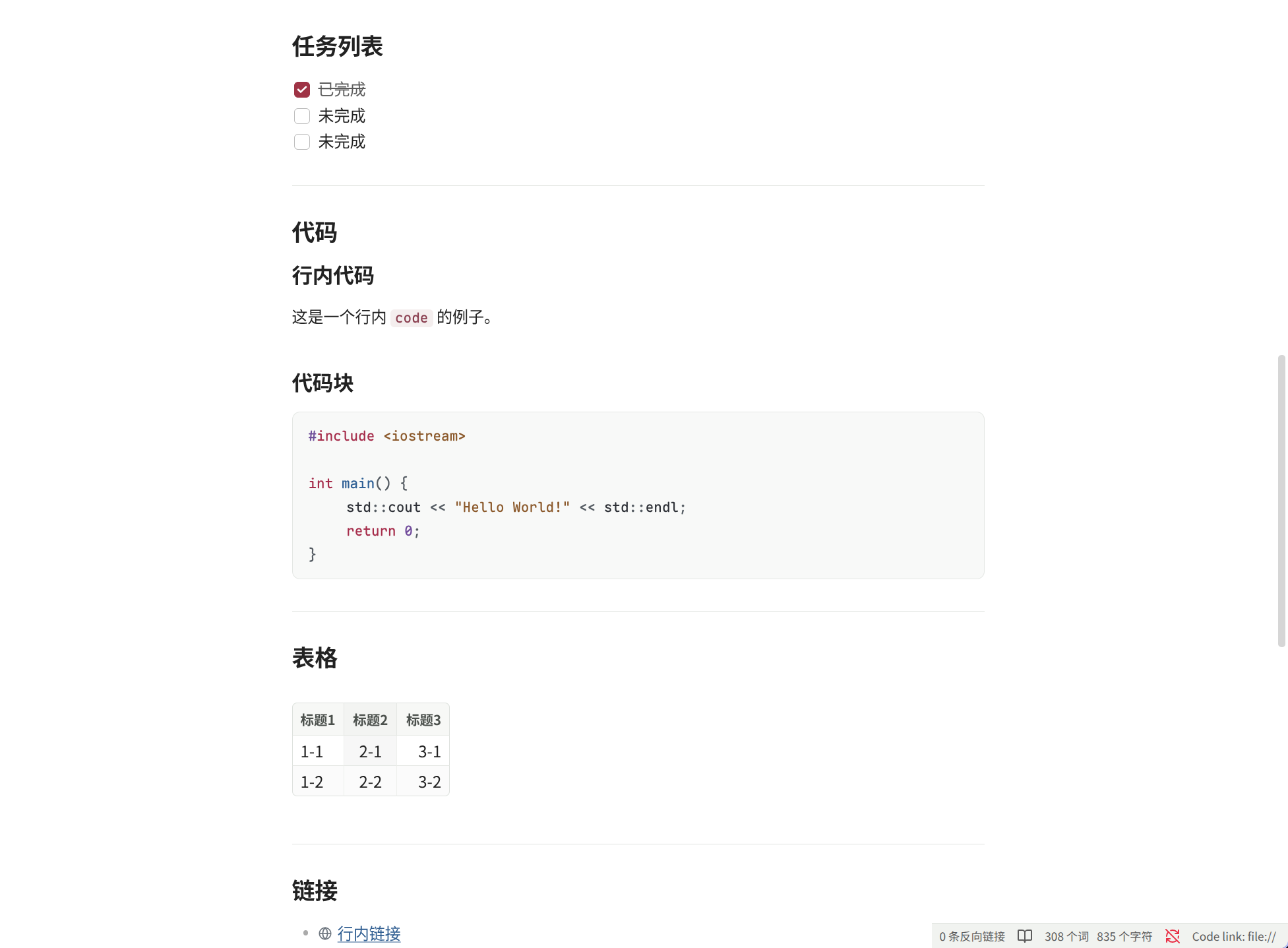 |
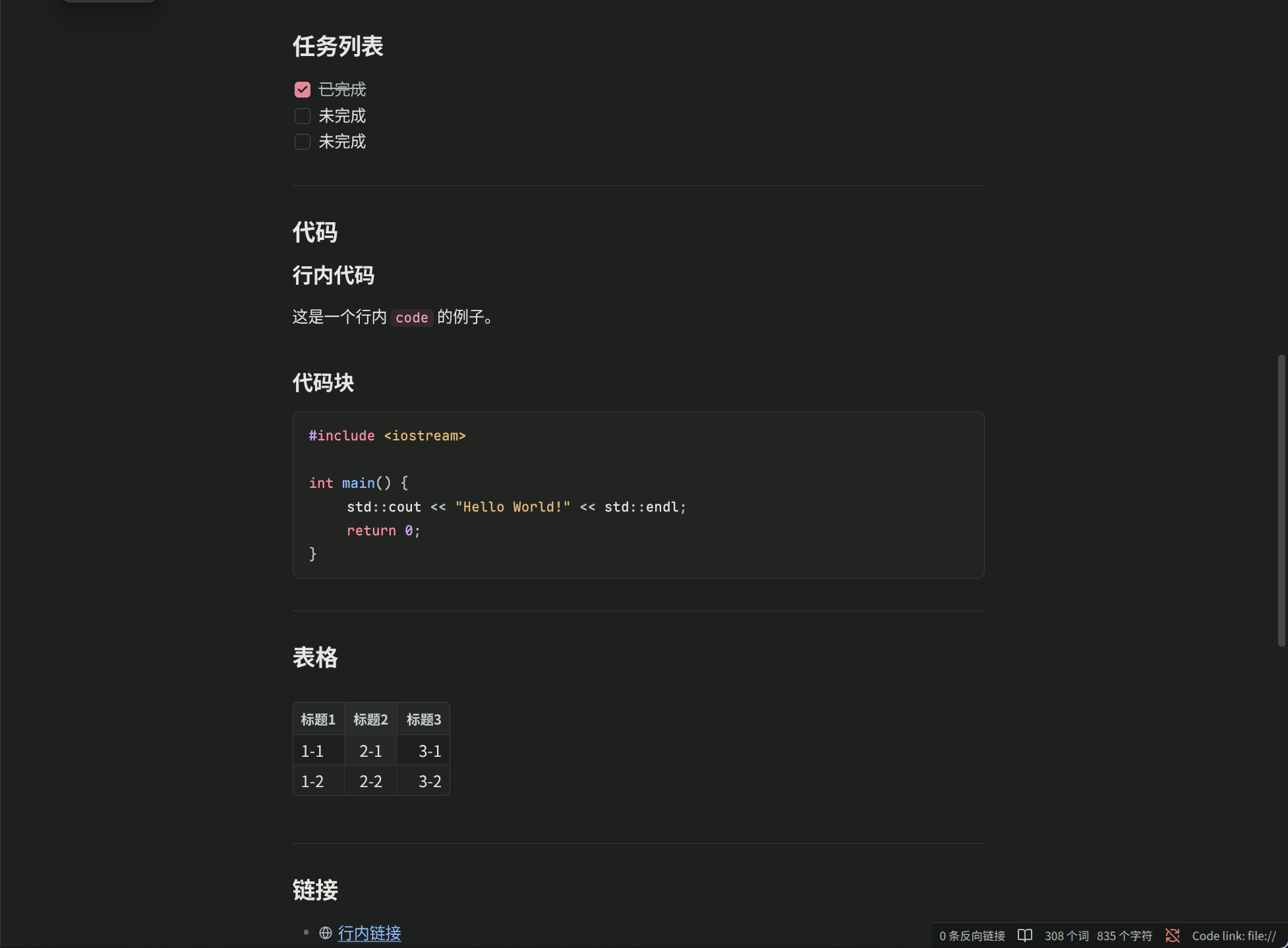 |
Features
- A white-first light mode with low-saturation neutral chrome, matched by a carefully calibrated dark mode
- Compact muted-berry inline code that preserves paragraph rhythm
- Focused code blocks with a flat in-prose panel treatment and a full Prism/CodeMirror syntax palette in the Stillmark berry/blue/violet/amber scheme, aligned across both engines
- A curated monospace font stack with one shared code size in editing and reading views; live-preview code blocks carry the same hairline border; mermaid diagrams share the code panel surface
- Completed tasks recede with a quiet muted strike-through
- Links keep the familiar blue underline in both editing and reading views; external links show a quiet globe marker
- Blockquote styling with a muted berry rule and upright warm-gray text
- Callouts rendered as low-contrast neutral panels with a 1px hairline border and restrained icon chips
- Tags use restrained focus-blue capsules; document tags in properties follow the same treatment
- Compact neutral workbench chrome: tabs, sidebars, status bar, and menus stay quiet so the document remains the primary surface
- Active file, active tab, and search match states use the low-saturation berry accent
- CSS-only; no JavaScript
Installation
Copy this folder into your vault's .obsidian/themes/ directory and rename it to exactly Stillmark — Obsidian only lists a theme when the folder name matches the name field in manifest.json:
cp -r obsidian-theme-stillmark <your-vault>/.obsidian/themes/Stillmark
Then select Stillmark under Settings → Appearance → Theme. Enable the theme separately for light and dark mode as needed.
Files
manifest.json: plugin metadatatheme.css: theme variables and component styles