
README file from
GithubUmbria
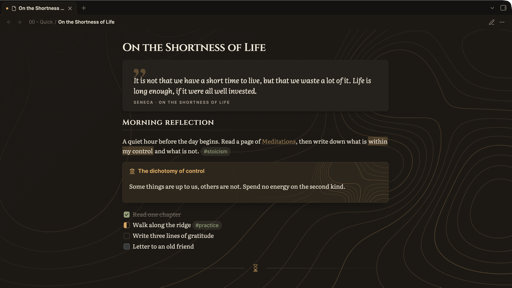
Umbrian hills at dusk: carved letters, quiet contour lines, the warmth of espresso.
Umbria is a warm, calm Obsidian theme for everyday notes, journaling and reading. Dark mode is the heart of it; light mode is soft linen.
Features
- One accent, earth tones. Amber accent with moss, rust, slate, plum and honey for everything else. All headings share one colour and differ only in size and weight.
- Three wood tones for dark mode: Ember (espresso, default), Pine (forest green), Autumn (deeper, reddish).
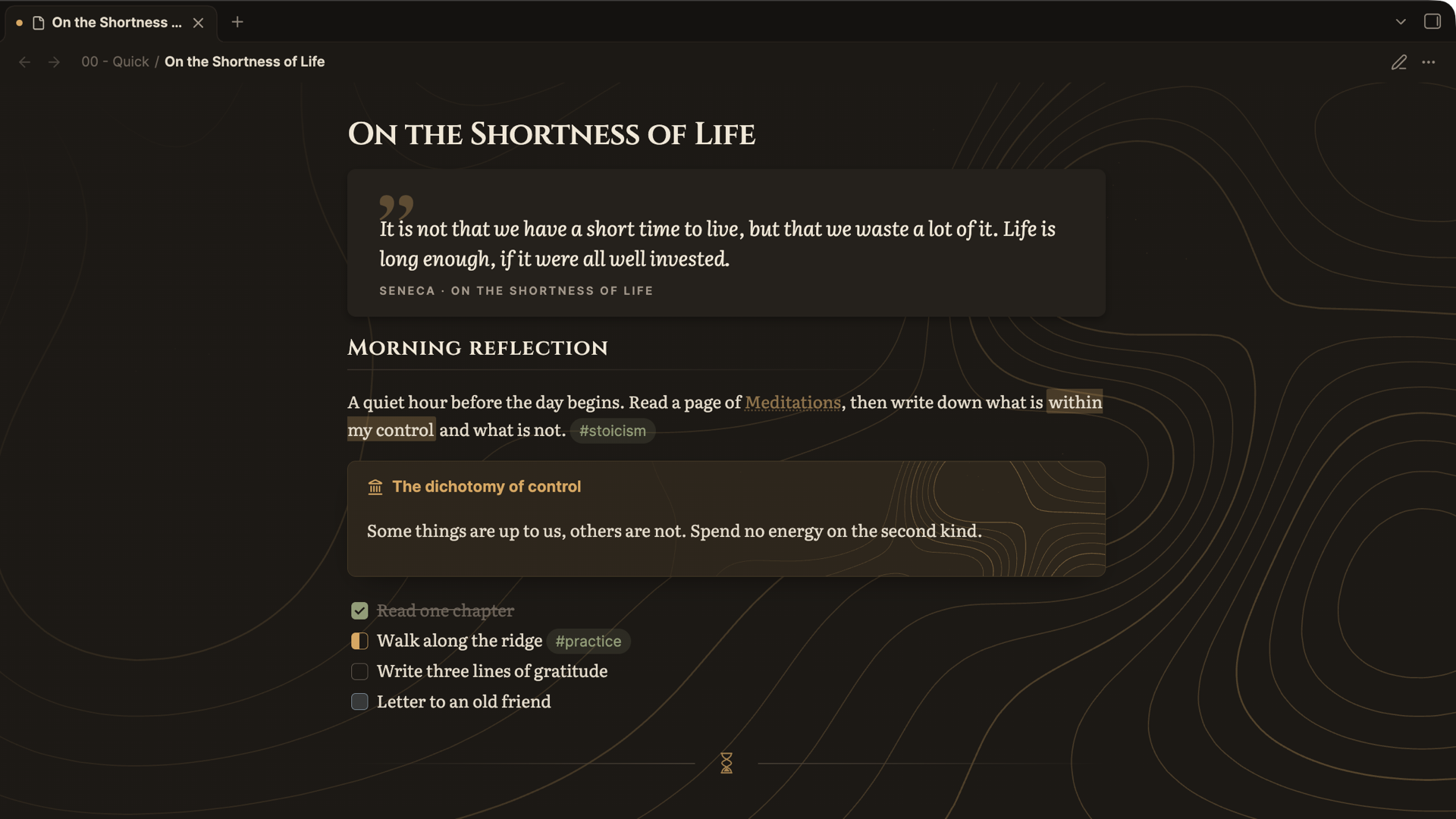
- Contour lines. A topographic map behind the editor, in empty tabs and in the stoic callout. It fades towards the text and stays sharp on Retina and 5K displays.
- Quotes as the centrepiece. Blockquotes and quote callouts get large serif text and a typographic quotation mark. The callout title is shown as the source underneath the quote.
- Typography. Literata for notes, Inter for the interface, Cinzel "inscription" headings (switchable). All fonts are embedded, so nothing is loaded from the internet.
- Divider ornaments: contour lines, an hourglass (memento mori), a wave, or none.
- Task states:
[/]in progress,[!]important,[-]cancelled,[>]deferred. - Plugin styling for Dataview, Tasks, Calendar, Day Planner, Excalidraw, Spaced Repetition and Notebook Navigator.
- Optional Memento mori in the status bar, and a "no animations" switch.
Custom callouts
Each callout works with its English or its German name.
| Callout | German alias | Icon | Colour |
|---|---|---|---|
[!quote] / [!cite] |
[!zitat] |
quote | amber, large serif |
[!stoic] |
[!stoa] |
landmark | amber, with contour lines |
[!reflection] |
[!reflexion] |
moon | slate |
[!practice] |
[!praxis] |
sprout | moss |
[!thought] |
[!gedanke] |
lightbulb | plum |
[!gratitude] |
[!dankbar] |
flame | honey |
> [!quote] Seneca · On the Shortness of Life
> It is not that we have a short time to live, but that we waste a lot of it.
Settings
Install the Style Settings plugin to change: the wood tone, accent / moss / rust / slate colours, heading style, note and interface font, line width (560–1600 px, when Readable line length is on), plain quotes, contour lines on/off and their strength, the divider ornament, memento mori and animations.
Good to know
- Fonts: if you have set your own text or interface font under Settings → Appearance, it overrides Umbria's fonts. Clear those fields to see Literata and Inter.
- Contour line colour: the lines are a background image so they stay crisp at high resolution. That means they keep their amber colour even if you change the accent colour.
Installation
- Community themes: open Settings → Appearance → Themes → Manage, search for Umbria and install it.
- Manually: download
theme.cssandmanifest.jsonfrom the latest release into the folder.obsidian/themes/Umbria/inside your vault, then pick Umbria under Settings → Appearance → Themes.
Building from source
theme.css is generated. Edit src/theme.src.css, then run:
python3 build.py                     # writes theme.css
python3 build.py --install ~/Documents/Notes # also copies it into the vault at that path
The build embeds the fonts from fonts/ and generates the contour-line SVG (Python 3 standard library only).
Licence
Theme: MIT. Fonts: Inter, Literata and Cinzel under the SIL Open Font License 1.1, see fonts/OFL.md.