
README file from
GithubObsidian Phycat 主题



Phycat 是一款采用玻璃拟态界面的 Obsidian 主题,提供独立的亮暗调色盘、12 套配色预设、卡片布局和彩虹文件夹。最低支持 Obsidian 1.9.0。
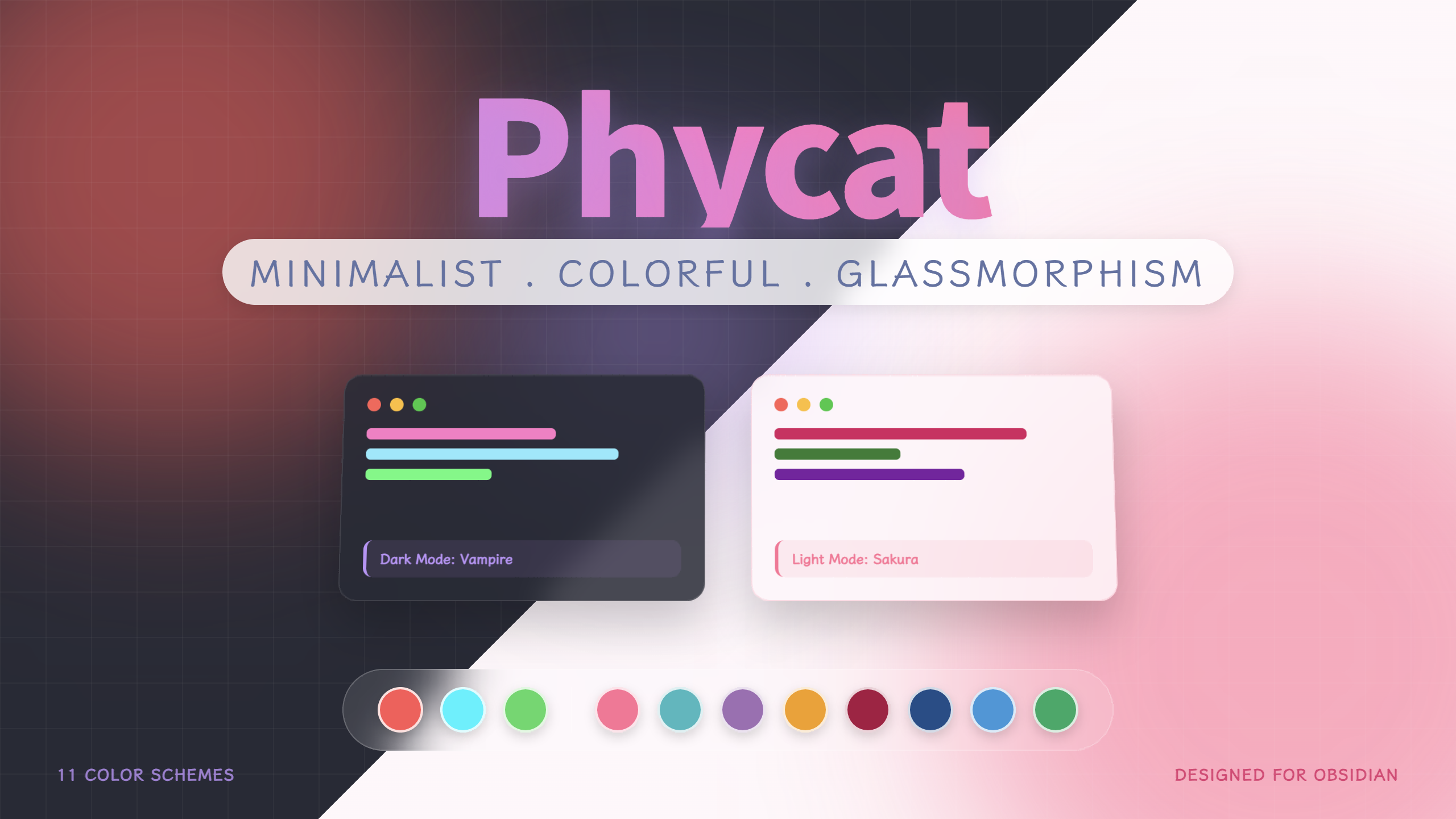
界面示例;字体、布局和颜色可以按偏好调整。
❤️❤️❤️推荐使用Phycat主题配色生成器❤️❤️❤️
特性
- 12 套预设:亮色 Sakura、Mint、Sky、Forest、Mauve、Golden Hour、Cherry、Prussian;暗色 Vampire、Abyss、Radiation、Everforest。
- 独立调色盘:基础颜色常驻,代码、提示框、标题装饰等高级分组默认折叠。
- 离线配色生成器:四个基础色自动推导整套颜色,支持实时主题预览、亮暗独立编辑及 Style Settings JSON 导入导出。
- 玻璃与卡片布局:可选择平铺或悬浮卡片界面。
- 代码与提示框:代码块语言标题栏、编辑模式间距设置和胶囊 Callouts。
- 文件树:浅色圆角标题行、彩虹文件夹图标、细层级线;文件与文件夹图标分别开关,插件图标优先。
- 易读性:默认强调色文字自动选择黑白;任务复选框支持键盘焦点,尊重系统减少动态效果的设置。
安装
在 设置 → 外观 → 主题 → 管理 中搜索 Phycat,安装并启用。
手动安装:从 Releases 下载 obsidian-phycat-theme-X.Y.Z.zip,解压后把 Phycat 文件夹放入仓库的 .obsidian/themes/,再启用主题。已有文件夹可先备份后替换。
主题本身不依赖插件。未启用 Style Settings 时使用默认亮色 Sakura、暗色 Vampire。如需调色、导入预设和调整布局,请安装并启用社区插件 Style Settings。
推荐字体为 LXGW WenKai 霞鹜文楷。安装字体后,在 Obsidian 外观中选择文本字体;代码字体跟随 Obsidian 的代码字体设置。字体和 Hover Editor 均为可选项。
配色与升级
打开 Style Settings → Phycat color settings / Phycat 配色设置,分别设置亮暗颜色。通过顶部 Import → Import from file 导入一份预设 JSON;亮暗预设可以任意组合。
推荐使用Phycat主题配色生成器
Obsidian 主题更新器只安装主题核心文件。需要预设时,下载独立的 phycat-presets-X.Y.Z.zip 或完整安装包;也可直接从仓库下载。
从 0.2.x 升级后,原配色下拉框不再生效。 先用 Style Settings 的 Export 备份,再分别导入原先使用的亮暗预设。Ocean 对应 Mint,Cheery 对应 Cherry。具体步骤见 升级说明 与 调色盘指南。
原生 外观 → 主题色 优先控制交互和使用主色的装饰;重置后使用各模式的预设主色。其他调色盘颜色保持独立。导航与行内代码悬停文字默认自动选择黑白;需要自行设置时,开启 手动设置强调色上的文字。任务对勾始终直接使用调色盘中的 复选框对勾 颜色。
亮色 H2 胶囊使用 配色设置 → H2 胶囊标题文字;其他 H2 样式使用 标题设置 → H2 文字颜色。
离线配色生成器
双击 color-generator/index.html,即可在浏览器中调色并预览当前主题。不需要联网、安装依赖或启动服务。完整安装包已包含工具;使用主题自动更新器时,需要另外获取 color-generator 文件夹,并将它放在 theme.css 旁边。
- 选择亮色或暗色,从内置预设开始,调整主色、辅助色、背景和文字。未锁定的其他颜色会自动计算。
- 在高级分组中微调颜色;手动修改会锁定该项,点击 自动 或 全部恢复自动 可重新跟随基础色。
- 生成对应的亮色/暗色配色 可生成风格一致的另一套,保留目标模式已锁定的高级颜色。亮暗配色独立保存于当前页面会话,刷新或关闭前请导出。
- 下载当前模式的 194 项 JSON,或亮暗合并的 388 项 JSON,再通过 Style Settings → Import → Import from file 导入 Obsidian。复制不可用时会提供可选中的 JSON 文本。
支持导入 HEX、RGB/RGBA、HSL/HSLA 配色。部分配置合并到当前配色,导入颜色作为锁定值保留;无效颜色会取消整次导入。预览直接使用本地 theme.css,可切换平铺/卡片、H1 对齐、H2 双子塔/胶囊和界面控件;这些选项不写入配色文件。详细说明见 调色盘指南。
预设
| 亮色 | 文件 | 暗色 | 文件 |
|---|---|---|---|
| Sakura 樱花 | sakura.json | Vampire 吸血鬼 | vampire.json |
| Mint 薄荷 | mint.json | Abyss 深渊 | abyss.json |
| Sky 天空 | sky.json | Radiation 辐射 | radiation.json |
| Forest 森林 | forest.json | Everforest 暖绿森林 | everforest.json |
| Mauve 锦葵紫 | mauve.json | ||
| Golden Hour 午后黄昏 | golden.json | ||
| Cherry 樱桃 | cherry.json | ||
| Prussian 普鲁士蓝 | prussian.json |
反馈与许可证
问题与建议请提交到 Issues,附上 Obsidian 版本、系统、亮暗模式、布局、相关插件及复现步骤。
本主题采用 MIT 许可证。第三方资源及许可见 THIRD-PARTY-NOTICES.md。版本改动见 CHANGELOG.md。
维护与发布步骤见 DEVELOPMENT.md,本版 24 项发布检查的处理情况见 AUDIT-FIXES.md。



English
Phycat is a glassmorphism theme for Obsidian 1.9.0+, with separate light/dark palettes, 12 JSON presets, flat/card layouts, customizable code blocks, callouts and a rainbow file explorer.
The full theme ZIP includes an offline palette generator. Open color-generator/index.html next to theme.css to derive colors from four base colors, preview the local theme, lock individual overrides and export 194 settings per mode or 388 for both. No network, server or build is needed to use it. Import the downloaded JSON through Style Settings. Export before refreshing or closing the page.
Install it from Settings → Appearance → Themes → Manage. For manual installation, download the full theme ZIP from Releases, extract the Phycat directory into your vault's .obsidian/themes/, and enable it.
Style Settings is optional and enables palette imports, layout and spacing controls. Without it, the theme uses Sakura in light mode and Vampire in dark mode. LXGW WenKai is an optional text font; code uses your Obsidian monospace font.
Import JSON files using Style Settings → Import → Import from file. Light and dark presets can be combined independently. The theme updater installs only the core files; download the preset ZIP separately if needed. When upgrading from 0.2.x, export your settings first and import the presets matching your previous schemes. Ocean is now named Mint; Cheery is corrected to Cherry.
The native Appearance accent takes priority over the preset primary. Reset it to restore each mode's primary. Navigation and inline-code hover text choose black or white automatically; enable Manual accent text colors to use their custom palette colors. Task checkmarks always use the palette's checkmark color. Light capsule H2 text has its own palette control; other H2 styles use the heading text controls.
File and folder icons have separate switches and yield to recognized plugin icons. Reduced-motion preferences disable decorative motion. See the palette guide, migration guide, changelog, MIT license and third-party notices.