
README file from
GithubClear Contrast Accessible
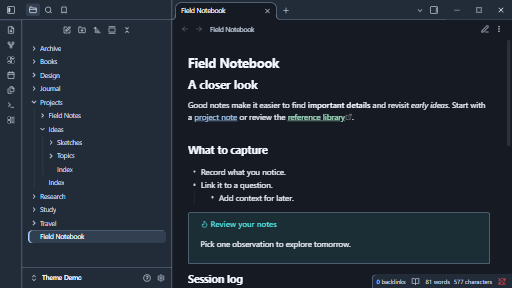
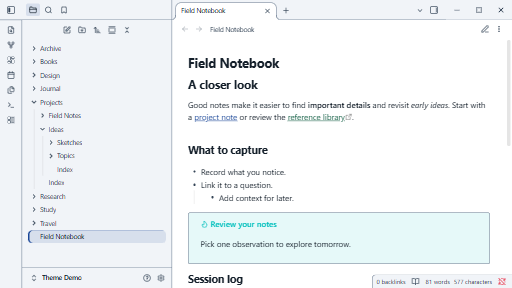
An Obsidian theme that keeps secondary text, navigation and controls clearly readable.
Version 1.0.0. Modes supported: Dark and light. Tested in Obsidian 1.15.1 on Windows.
The theme emphasises readable secondary text, visible focus and underlined links.
Preview
Install manually
- Download
manifest.jsonandtheme.cssfrom release 1.0.0. - Put both files in
.obsidian/themes/Clear Contrast Accessible/in your vault. - Open Settings > Appearance and select Clear Contrast Accessible. Choose a supported base colour scheme.
See the original design plan. MIT license.