
README file from
GithubEngineering Notebook
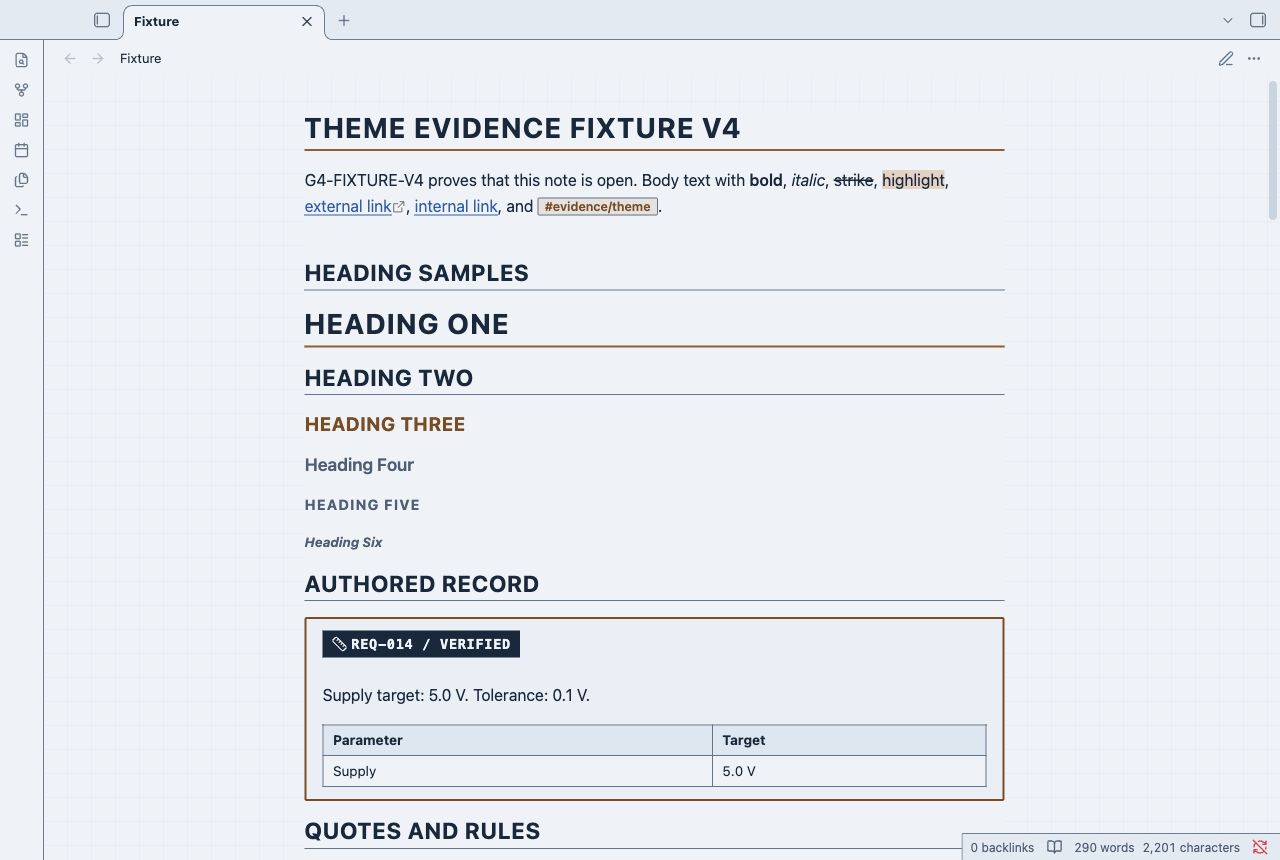
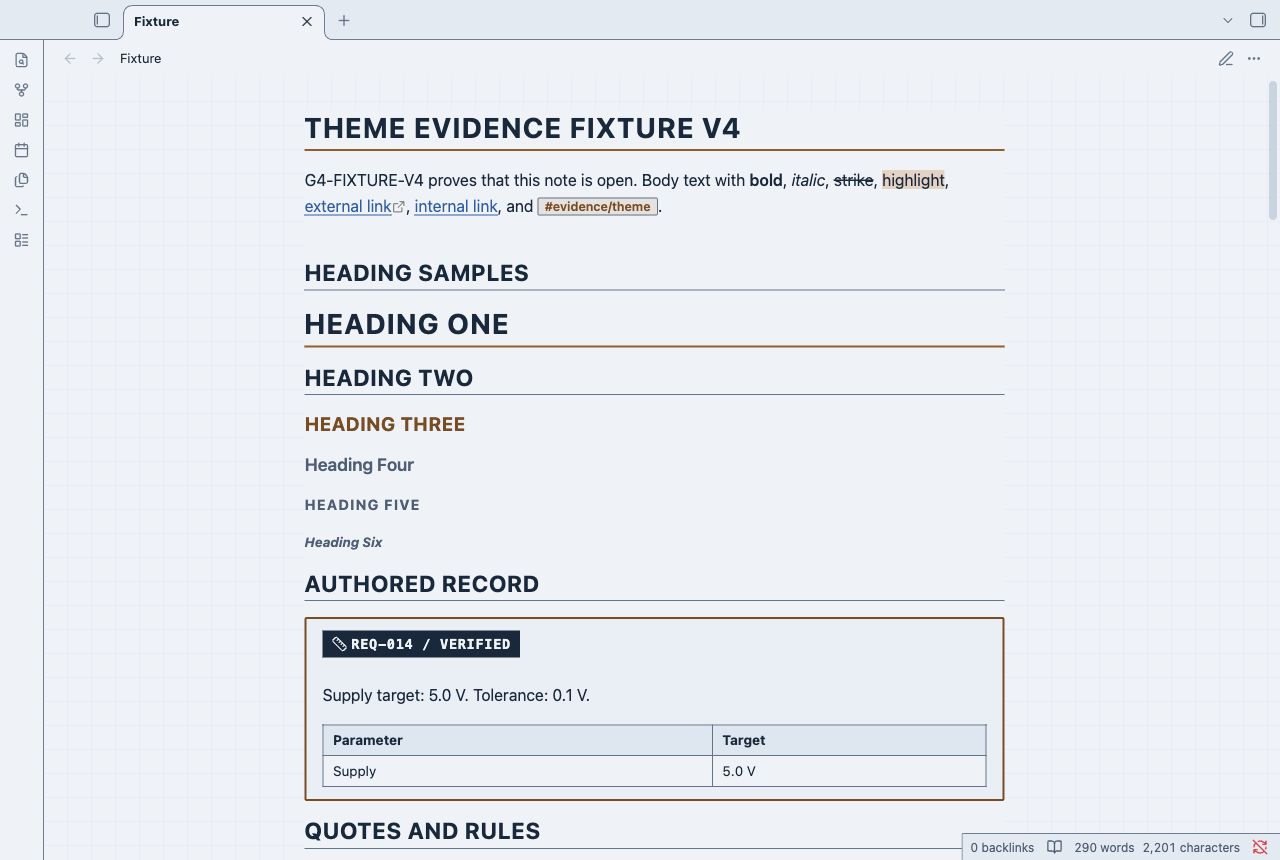
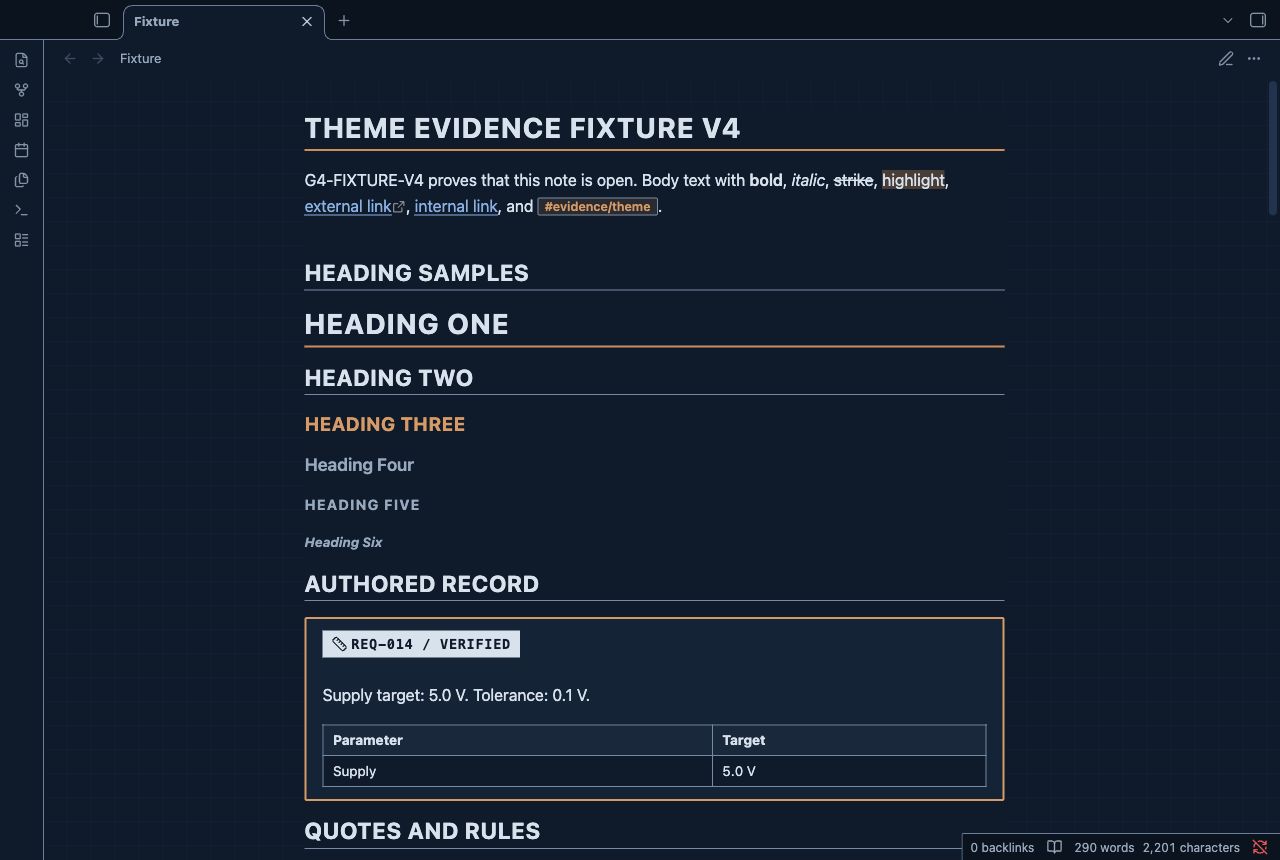
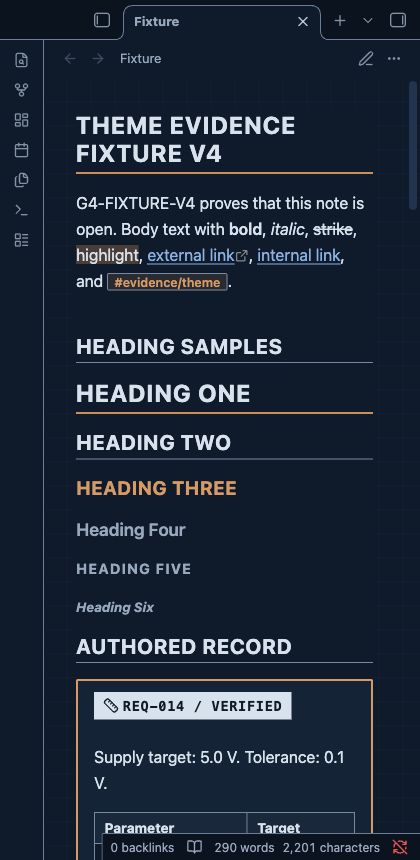
Engineering Notebook gives specifications, measurements, and design records a blueprint page. Copper rules mark the headings. Square controls and full table grids keep the layout precise. The graph lines stay in the margins outside a solid note sheet. They are decoration. They do not carry information. The editor uses a visible caret and an active-line rail.
Screenshots
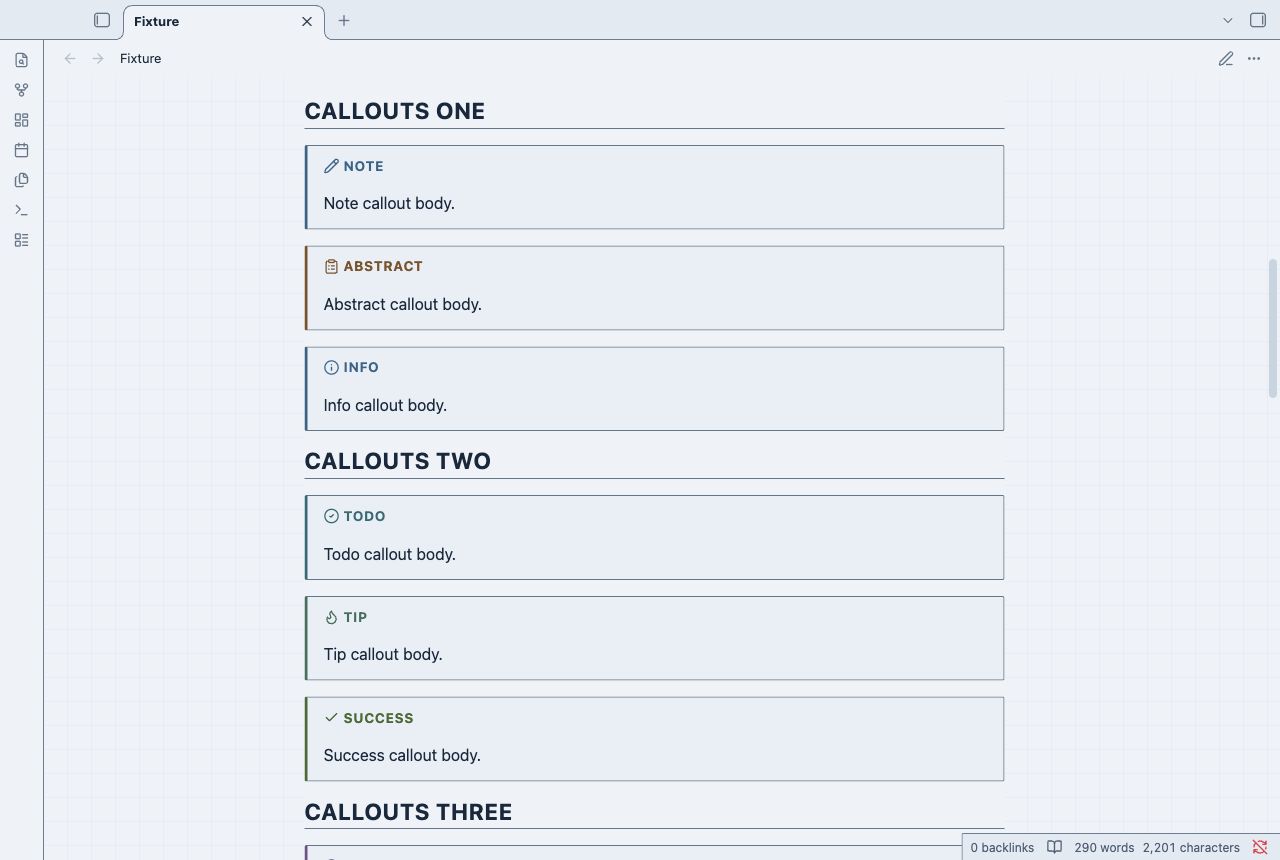
The captures show the installed theme in the Obsidian desktop renderer. A narrow desktop capture is not a mobile device test.
Install
- Download
theme.cssandmanifest.jsonfrom this repository. - Open your vault folder.
- Create
.obsidian/themes/Engineering Notebook/in that folder. - Copy both files into
Engineering Notebook. - Open Settings in Obsidian.
- Open Appearance.
- Select Engineering Notebook in the theme list.
Keep the installed folder name equal to the manifest name. The repository folder name is a GitHub slug. Do not use it as the installed folder name.
Uninstall
- Open Settings.
- Open Appearance.
- Select the default theme.
- Remove
.obsidian/themes/Engineering Notebook/from your vault.
Your note files remain in the vault.
Content styles
Headings H1 and H2 have ruled titles. H3 uses copper text. H4 uses a larger mixed-case label. H5 uses small uppercase text. H6 uses smaller italic text. Callouts use a stamped title, a type icon, and a color-coded edge. Nested lists use compact guide rules. Completed tasks use a checkmark and muted text. An unfinished nested task keeps its normal text color. Tables use full borders and tabular numbers. Code uses a plain panel. Inline code uses a small outlined label. Quotes and note embeds use a copper edge. Tags use square labels. Links have underlines. Unresolved links have dashed underlines. Horizontal rules divide note sections.
Authored specification stamps
Use a spec callout for a requirement, measurement, or acceptance record.
Type the identifier in the title. The theme does not generate identifiers.
> [!spec] REQ-014 / VERIFIED
> Supply target: 5.0 V. Tolerance: 0.1 V.
The title uses an ink stamp. Tables inside the card keep tabular numbers.
Compatibility
The manifest keeps Obsidian 1.1.0 as the minimum version. The G4 evidence uses the Obsidian 1.14.4 desktop renderer. Reading view and Live Preview are tested in light and dark modes. Mobile is not tested. Community plugin layouts are not tested.
Customization
Add a CSS snippet in your vault to change these variables:
body {
  --eng-grid-size: 32px;
  --eng-radius: 4px;
  --line-height-normal: 1.7;
}
.theme-light { --eng-grid: transparent; }
.theme-dark { --eng-grid: transparent; }
Use the Obsidian Accent color setting for selected settings rows, checked controls, and sliders.
Light mode limits accent lightness to keep white labels readable.
Dark mode raises accent lightness to keep dark labels readable.
The selected hue remains visible.
Set --eng-accent and --eng-accent-strong in each mode to change document rules and focus rings.
Set --eng-rule and --eng-rule-strong to change structural borders.
Check contrast after you change a color.
Style Settings is not required. This theme has no Style Settings panel.
Fonts use the local system font stack. The theme does not load network assets.
Known limits
- Uppercase H1 to H3 titles suit short specification headings. Long titles can wrap.
- Search-hit borders are decorative. File labels, spacing, and highlighted matches identify results.
- The graph stays outside the body text. Disable it with
--eng-grid: transparentfor a plain page. - Wide tables and long code lines use horizontal scrolling in narrow panes.
- Callout colors identify specification types. The icon and label also identify the type.
- Automated contrast and keyboard checks do not prove screen-reader compatibility.
License
MIT License. Original copyright: U3 Theme Factory, 2026. NoteMods maintains this theme.